Nota
L-aċċess għal din il-paġna jeħtieġ l-awtorizzazzjoni. Tista’ tipprova tidħol jew tibdel id-direttorji.
L-aċċess għal din il-paġna jeħtieġ l-awtorizzazzjoni. Tista’ tipprova tibdel id-direttorji.
This capability enables users to easily set alerts on a Real-Time Dashboard or on the result set of a KQL Queryset using the Fabric Activator no-code side pane to benefit from the capabilities of Activator on data from an Eventhouse.
Steps - Real-Time Dashboard
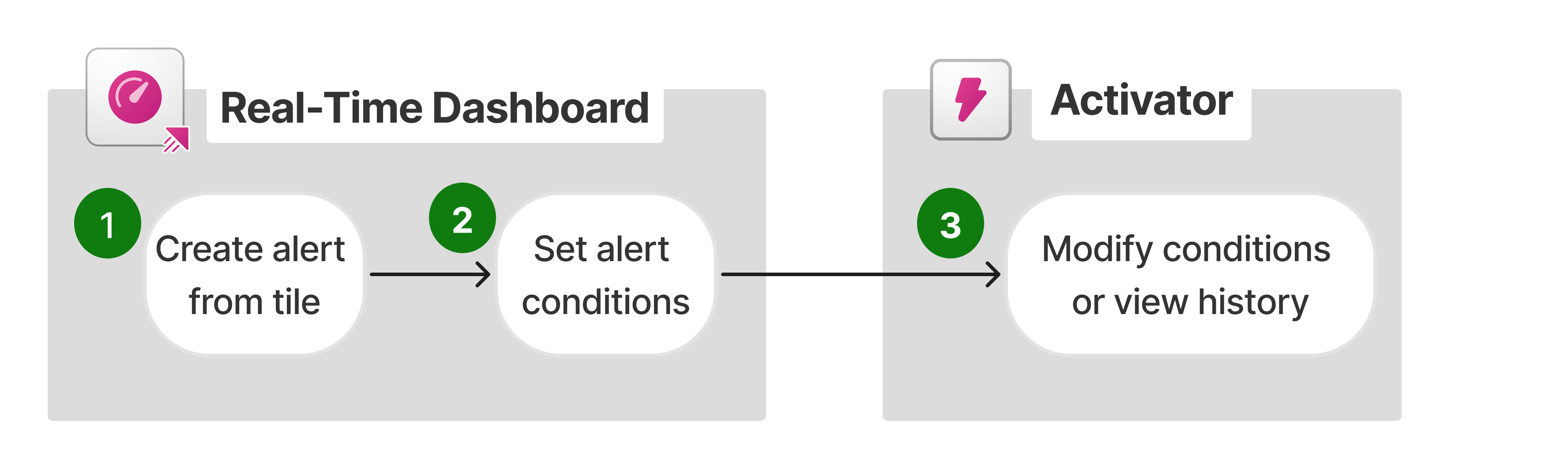
- In a Real-Time Dashboard, select the More menu [...] on the desired tile and set an alert.
- Set the alert conditions and create an alert.
- Optionally, further modify the conditions and actions in Activator.
For more information, see Create alerts from a Real-Time Dashboard.
Steps - KQL Queryset
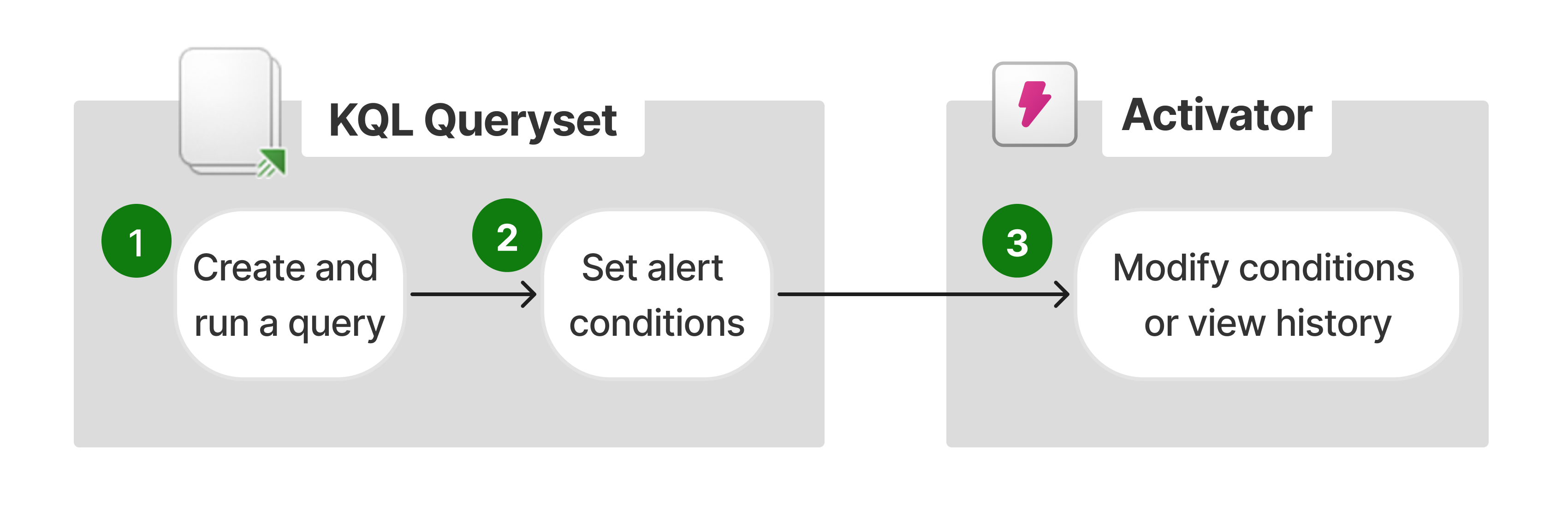
- In a KQL Queryset, create a query. This query can either trigger an alert when a scheduled KQL query returns results, or when conditions are met on data in the query result.
- Set the alert conditions and create an alert.
- Optionally, further modify the alert in Activator.
For more information, see Create alerts from a KQL Queryset.
Potential use cases
- Real-Time Dashboard: This feature lets you monitor live data trends by setting conditions on visualizations. For instance, if you visualize sales data distribution across product categories in a pie chart, you can set an alert to notify you if the share of any category drops below a certain threshold. This helps you quickly identify and address potential issues with that product line.
- KQL Queryset: For example, on a KQL database that tracks application logs, you can configure an alert to notify you if the query, scheduled at a frequency of your choice (for example, every 5 minutes), returns any logs where the message field contains the string "error".