Nota
L-aċċess għal din il-paġna jeħtieġ l-awtorizzazzjoni. Tista’ tipprova tidħol jew tibdel id-direttorji.
L-aċċess għal din il-paġna jeħtieġ l-awtorizzazzjoni. Tista’ tipprova tibdel id-direttorji.
Transfer ownership of a Power Pages site when responsibility for managing the site moves to another user in your organization. The new owner becomes the primary owner of the site.
Depending on the site's permissions and configuration, the previous owner might lose access to the site.
Important
You can't automatically undo an ownership transfer. To restore the previous owner, an authorized administrator must transfer ownership back to that user.
Prerequisites
Before you transfer site ownership, ensure that:
- You are the website app owner and have any one of the following roles:
- System administrator
- Dynamics 365 administrator
- Power Platform administrator
- You have access to the Power Platform admin center.
- The new owner is an enabled Microsoft Entra user with a Member user type.
To learn more about the roles required, see Admin roles required for website administrative tasks.
Important
Websites on Power Platform managed identity model don't need web app ownership as a prerequisite for initiating transfer. For other portals, if you don't see the ownership transfer option, check whether you're the web app owner. Learn more in Add an Owner to an Application Using Microsoft Graph.
Transfer site ownership
- Sign in to the Power Platform admin center.
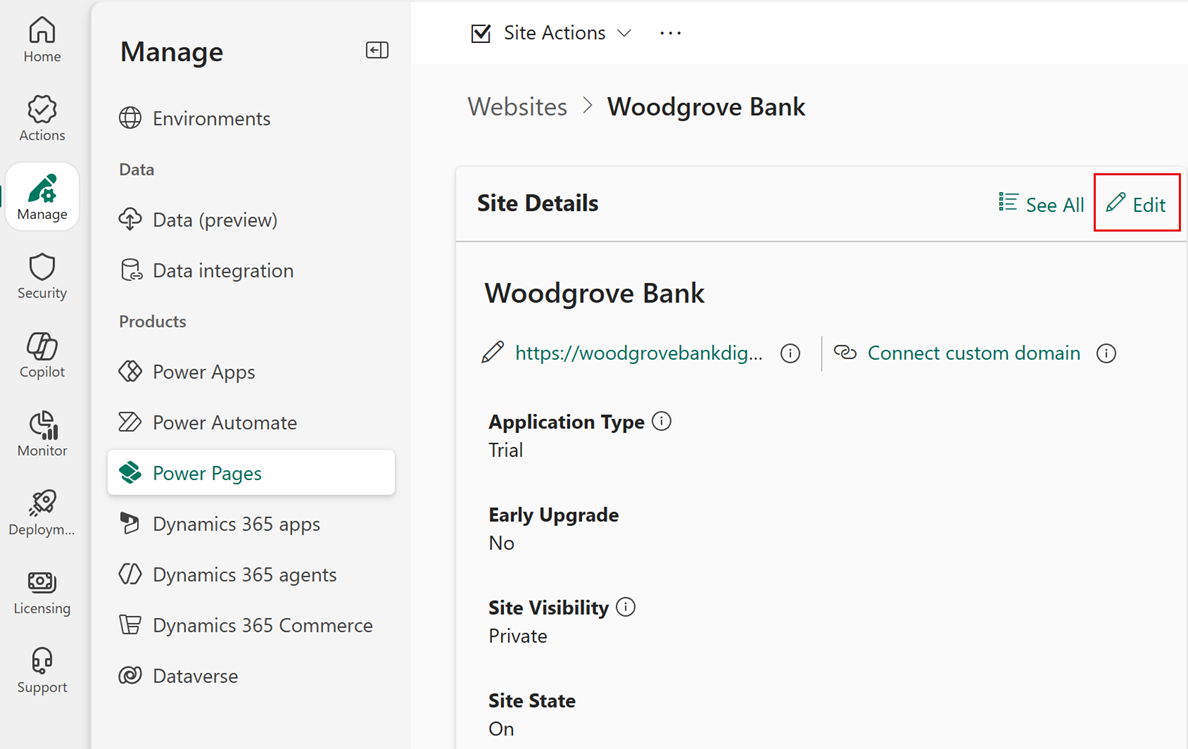
- In the left navigation pane, select Manage, and then select Power Pages.
- Select the Power Pages site that you want to update.
- On the Site Details page, select Edit.
- In the Owner field, remove the current owner and search for the new owner.
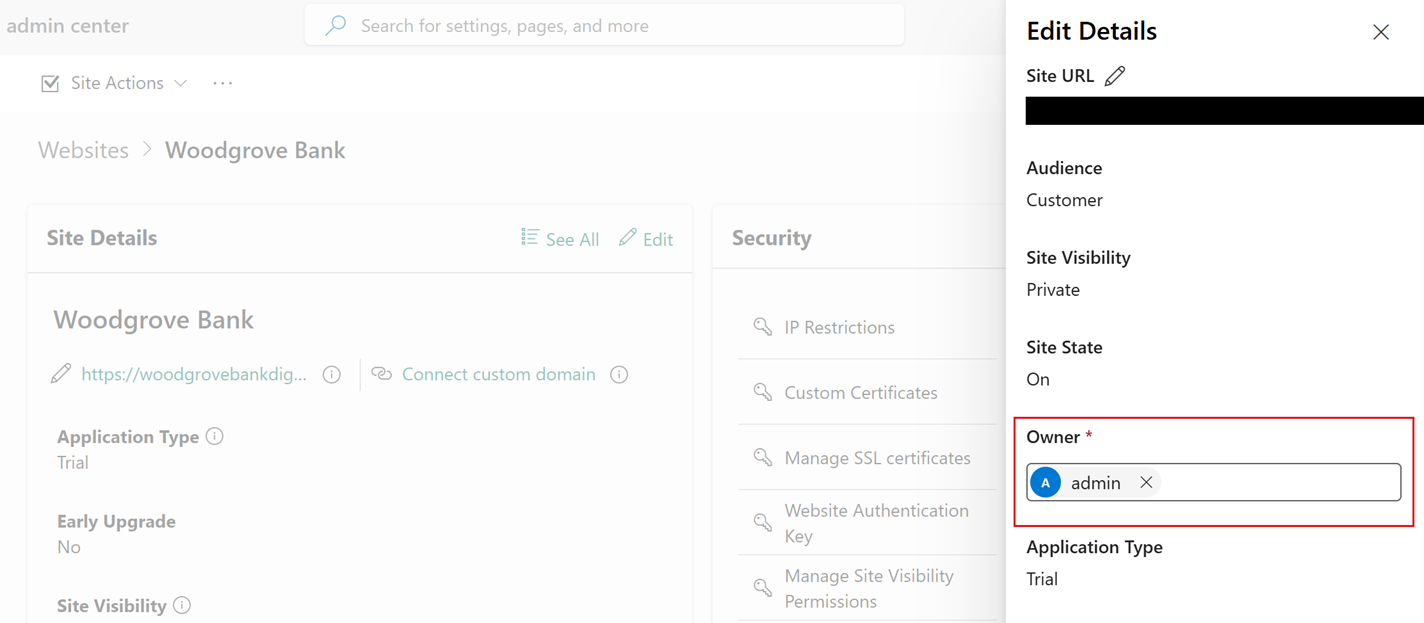
- Select the new owner, and then select Save.
- Review the confirmation message, and then select Transfer.
When the transfer finishes, the selected user becomes the primary owner of the site. Verify that the new owner can access and manage the site.
To view ownership transfer activity in Microsoft Purview, see View Power Pages activity logs in Microsoft Purview.