Nota
L-aċċess għal din il-paġna jeħtieġ l-awtorizzazzjoni. Tista’ tipprova tidħol jew tibdel id-direttorji.
L-aċċess għal din il-paġna jeħtieġ l-awtorizzazzjoni. Tista’ tipprova tibdel id-direttorji.
With the introduction of self-service purchases for Microsoft Power Platform products, license purchases aren't restricted to Power Platform admins. With this change, you need the ability to view self-service capacity data. Take the following steps to view the storage capacity provided with purchased licenses.
Sign in to the Power Platform admin center at https://admin.powerplatform.microsoft.com with admin or end-user credentials.
In the navigation pane, select Licensing.
In the Licensing pane, select Capacity add-ons.
Select the Summary tab.
Note
Admins and end users see the same tenant capacity on the summary page. If tenant users don't purchase licenses, then the Capacity from self-service user licenses page is blank.
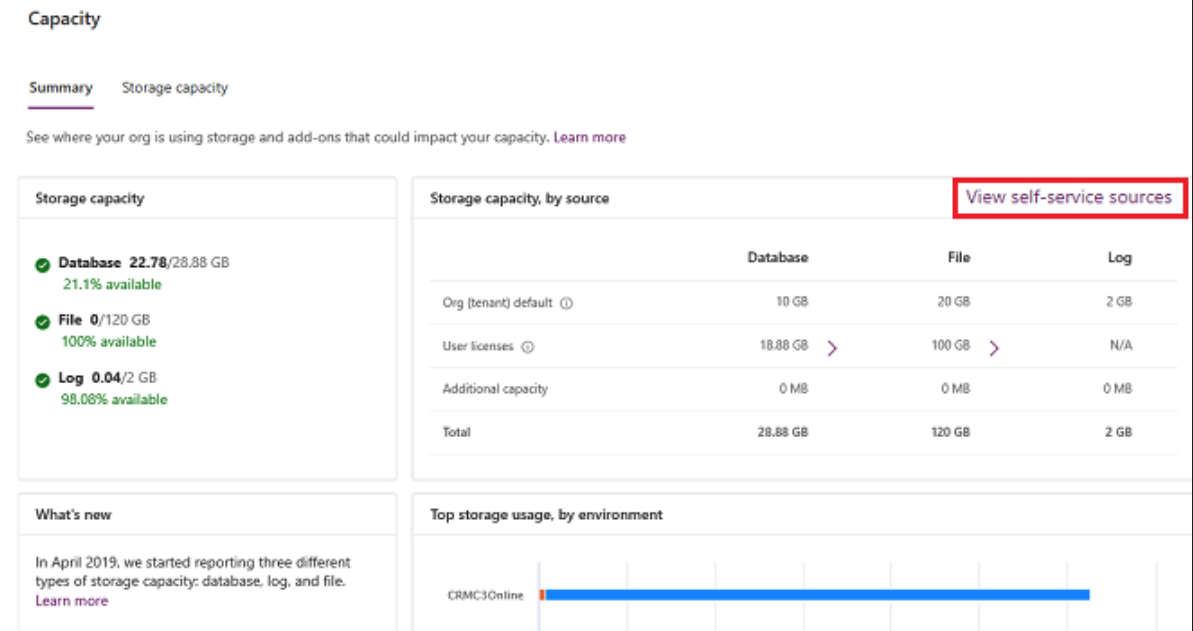
In the Storage capacity, by source tile, select View self-service sources.
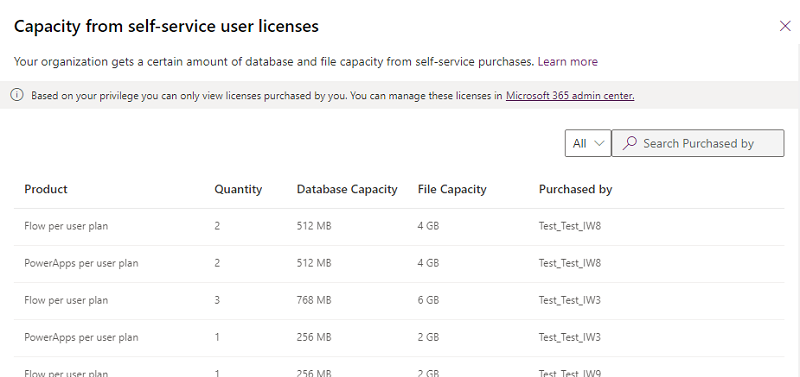
View storage capacity as a Power Platform admin
You see all licenses purchased by users in the tenant. You can filter or search for licenses to shorten the list.
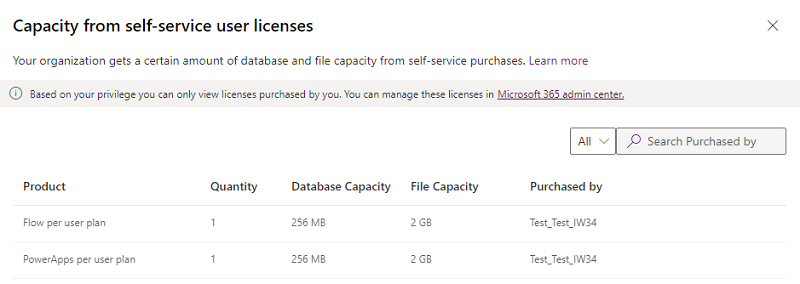
View storage capacity as an end user
You see the license and capacity information for the licenses you purchased.