Filter and browse inventory summaries
Similar to Dynamics 365 Supply Chain Management, you can use an Advanced filter on the Microsoft Dataverse app to create a personal view that displays only the data that's relevant to you. The advanced filter options are broad and include options for grouped and nested conditions on your filters.
For more information, see Create and manage personal views on a grid page - Power Apps | Microsoft Learn.
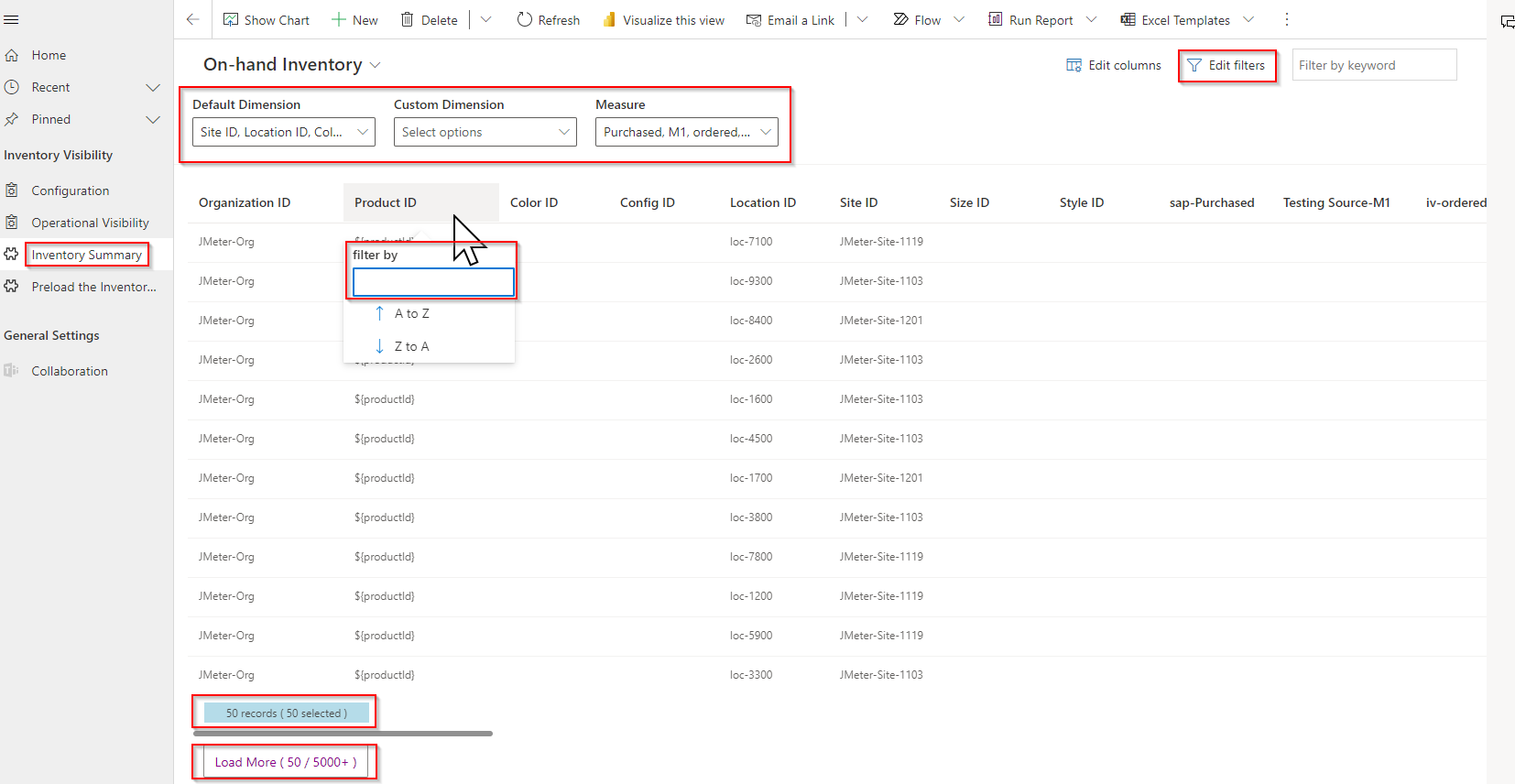
The Inventory Summary page provides three fields above the grid: Default Dimension, Custom Dimension, and Measure. You can use these fields to control which columns are visible in the grid. You can directly filter on columns by selecting the column header of the column that you want to filter on. If the following screenshot appears, notice that it highlights the dimension filtering, result count, and Load More options on the Inventory Summary page.
Because you've already predefined the dimensions that are used for loading summary data, you can use the Preload the Inventory Visibility summary page to view dimension-related columns. This page provides filters that you might notice are similar to the ones on the Inventory Summary page. However, the dimensions are already selected in this case. Review the following screenshot for the filtering options that are available on the Preload the Inventory Visibility summary page.
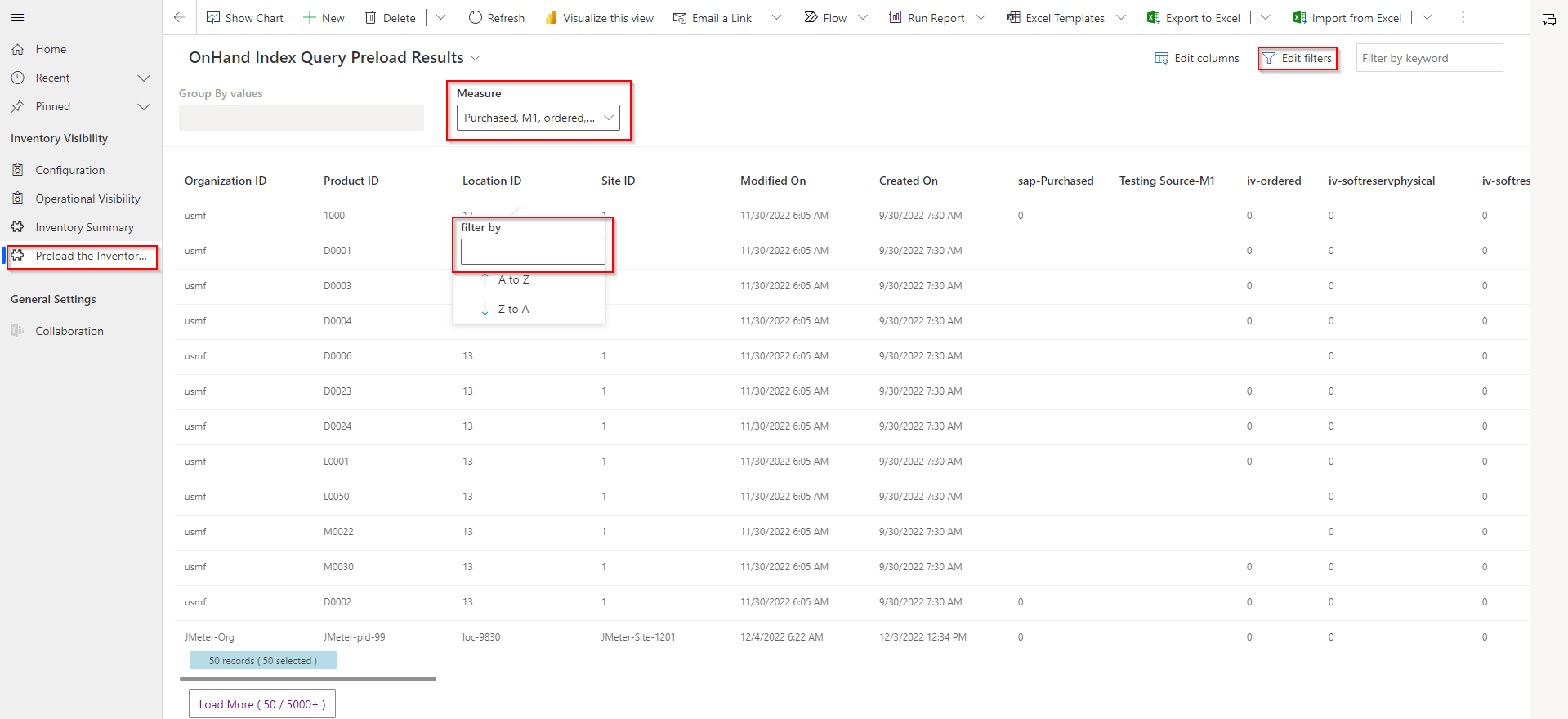
At the bottom of this page and the Inventory Summary page, a phrase will display at the bottom that states something like, "50 records (50 selected)". The records refer to the rows of data that are received from the Advanced filter result. The selected amounts are the number of records that have been selected by using the column header filter for the loaded records.
Additionally, a Load More option is available at the bottom of the results. You can use this option to load more records from Dataverse. The default number of loaded records is 50, so when you select the option, the next 1000 records will be loaded. The number on the Load More option shows the current number of records that are loaded from the Advanced filter result versus the total number of records that match the filter.