Merk
Tilgang til denne siden krever autorisasjon. Du kan prøve å logge på eller endre kataloger.
Tilgang til denne siden krever autorisasjon. Du kan prøve å endre kataloger.
In this article, you'll learn to create a new user-defined restore point for a dedicated SQL pool in Azure Synapse Analytics by using the Azure portal.
Create user-defined restore points through the Azure portal
User-defined restore points can also be created through Azure portal.
Sign in to your Azure portal account.
Navigate to the dedicated SQL pool that you want to create a restore point for.
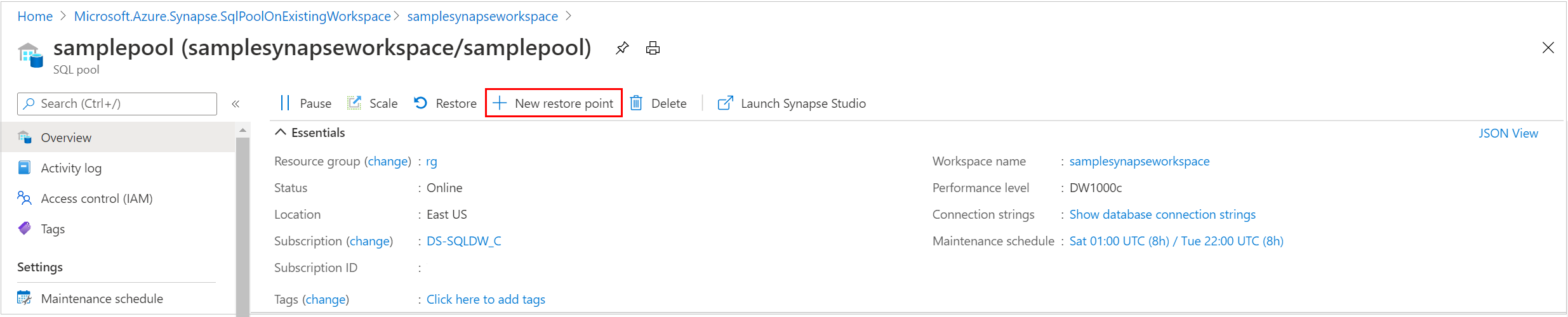
Select Overview from the left pane, select + New restore point. If the New Restore Point button isn't enabled, make sure that the dedicated SQL pool isn't paused.
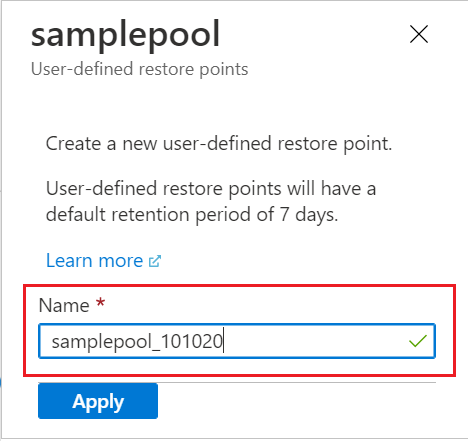
Specify a name for your user-defined restore point and select Apply. User-defined restore points have a default retention period of seven days.