Merk
Tilgang til denne siden krever autorisasjon. Du kan prøve å logge på eller endre kataloger.
Tilgang til denne siden krever autorisasjon. Du kan prøve å endre kataloger.
For as long as I have been working on Virtual PC – people have been asking me:
“Do I need to install Antivirus software inside the virtual machine?”
And the answer has always been: “Yes! You need to treat each virtual machine just like it were a separate physical computer and ensure that it is configured as securely as you would configure a physical computer.”
Because of this, I am really glad that we (Microsoft) have released Microsoft Security Essentials. Microsoft Security Essentials is a free antivirus / anti-malware / anti-spyware program that is available for Windows XP, Windows Vista and Windows 7. It is also supported inside of virtual machines – in fact the product system requirements page explicitly states that it is supported under Windows XP Mode.
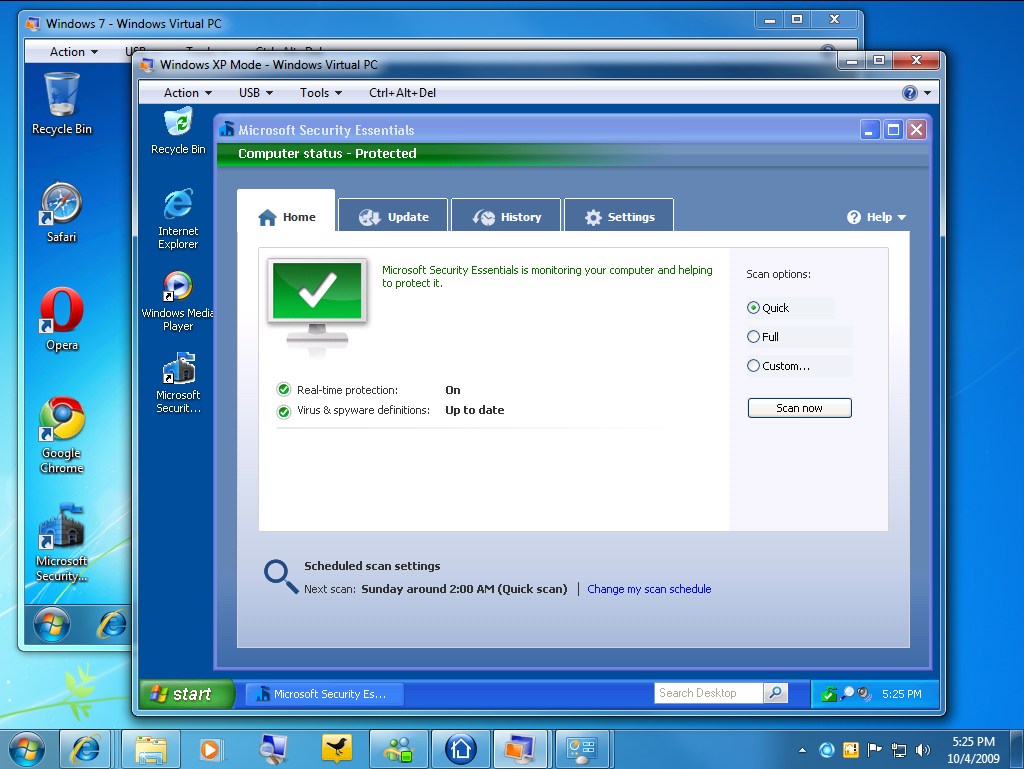
You can learn more about Microsoft Security Essentials here: https://www.microsoft.com/security_essentials/default.aspx
I find this particularly useful – as I am often too lazy to bother installing a proper antivirus solution in my virtual machines, but now I do not have any excuses not to.
Cheers,
Ben
Comments
Anonymous
October 05, 2009
Now we would just need some way to put it onto the Windows install setup, so that it just is installed by default when we set up a new machein :)Anonymous
October 05, 2009
The comment has been removedAnonymous
October 05, 2009
Hi Ben, Thank you for a wonderfully ensightful blog and great products! Your advice from a blog dated December 2004 helped me to (almost) successfully convert my very old, very bloated physical XP-SP3 installation to XP Mode running on the same Dell D620 laptop platform as the physical installation. The magic appeared to be copying the HAL from the distribution XP Mode system32 to my XP installation. Unfortunately I am experiencing a problem with Integration Features. The custom XP Mode VM came up correctly once following installation of the KB961742-v3 hotfix. Thereafter, no matter how I twitch my nose, following logon I get the Logon Message: "You are attempting to connect back to your own computer. The requested operation is not allowed." Same result if I logon as a different user (e.g., Administrator.) If I cancel out of the Integration Features logon window, I get another error message, "A duplicate name exists on the network." If I disable Integration, all is well. Any ideas? Many thanks, BruceAnonymous
October 05, 2009
Ben, I forgot to say that all is well in my custom XP Mode instance of Device Manager except that the device "Virtual Integration Device" (VPCBUS) shows a yellow question mark, the Device status says "This device is working properly," and Driver Details says that no drivers are required. Also, this is an Intel Core2 Duo processor. Both processors are being managed by the HAL. Thanks.Anonymous
October 06, 2009
Was there any thought given to including Security Esssentials in the XP Mode default install?Anonymous
October 06, 2009
What do you use to secure HyperV itself? It's unfortunate that MS Security Essentials doesn't run on Hyper-V 2008 R2. While the chance for the host to be infected is relatively rare it would be nice to have something effective with a small foot print such as MS Security Essentials to protect the host.Anonymous
October 07, 2009
@Robert Riebisch Robert, Simply download it using Firefox ;-) I am from Poland. HTH P.M.Anonymous
October 12, 2009
Never mind; I resolved the problem that generated the Logon Message: "You are attempting to connect back to your own computer. The requested operation is not allowed." This occurs if an XP Mode VM is assigned the same computer name as the host machine. BruceAnonymous
October 18, 2009
How about the licensing? Is Security Essentials only for use in your home-based small business?Anonymous
August 12, 2011
The comment has been removedAnonymous
August 20, 2011
Gary Levin - The link is working fine for me - so I am not sure what the problem could be for you. Cheers, BenAnonymous
November 04, 2013
I downloaded the file to install ms security essentials, and when I launch the file in xp mode on virtual pc, I get a message that the application is not a valid win 32 application. how do I install it on virtual pc then?