Merk
Tilgang til denne siden krever autorisasjon. Du kan prøve å logge på eller endre kataloger.
Tilgang til denne siden krever autorisasjon. Du kan prøve å endre kataloger.
Widgets
Windows widgets are small UI containers associated with an installed app. The Widgets Board displays them in a grid over the Windows desktop, with personalized content and quick actions from your app. You can define content with Adaptive Cards, which bind data to a JSON template, or display HTML from a URL with a web widget provider. Web widgets still use an Adaptive Card JSON payload to specify the content URL.
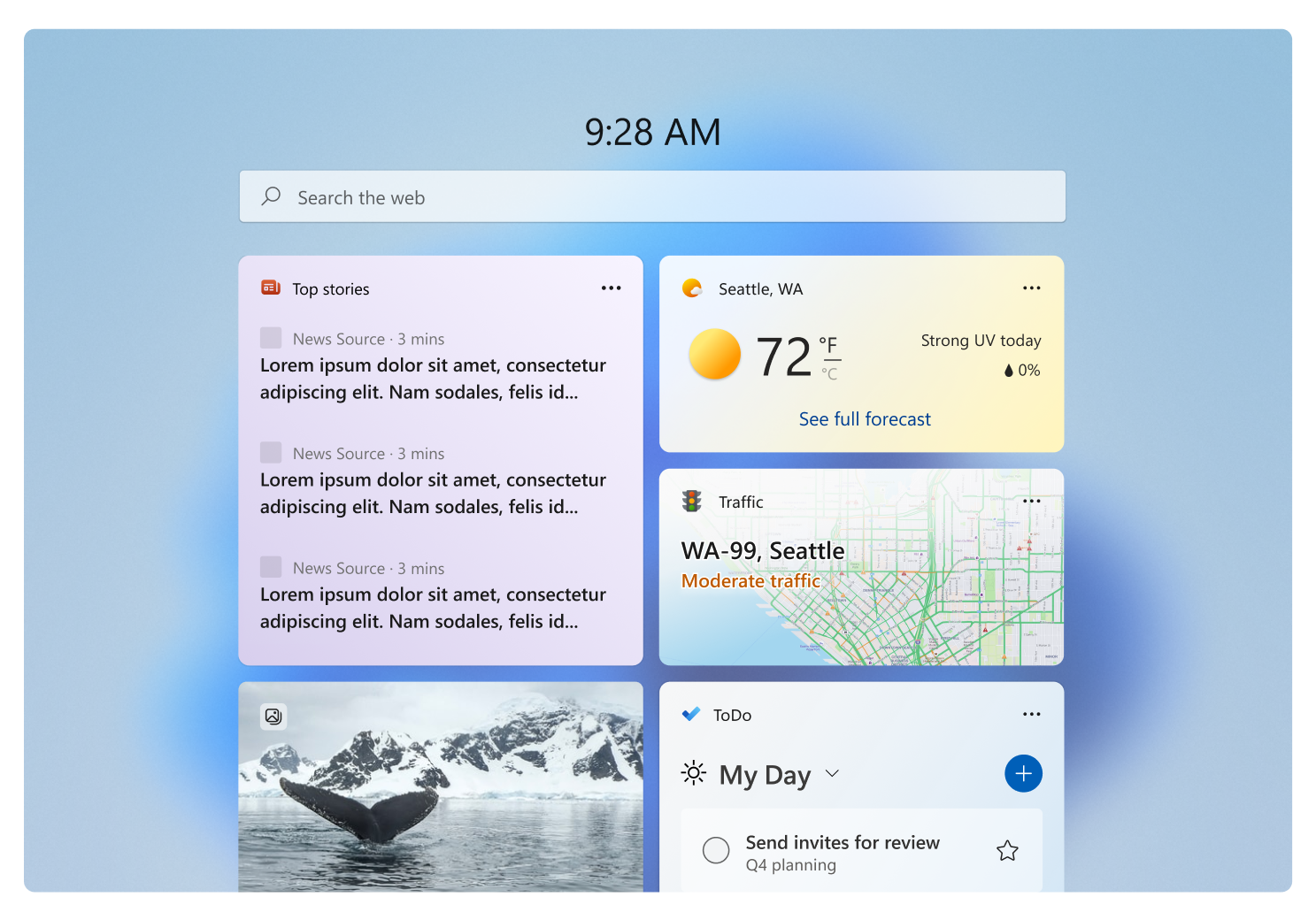
For design guidance, see Windows Widgets design overview.
Choose a widget development path
Use this table to select the implementation path and the next topic to open.
| If you want to... | Use this approach | Start here |
|---|---|---|
| Add an Adaptive Card widget to a packaged C# desktop app | Implement IWidgetProvider, send template and data updates with WidgetManager, and register the provider through the package manifest. | C# widget provider walkthrough |
| Add an Adaptive Card widget to a packaged C++/WinRT desktop app | Implement IWidgetProvider in the out-of-process COM server and register its CLSID and widget definitions in the package manifest. | C++/WinRT widget provider walkthrough |
| Display HTML from a URL inside a desktop widget | Use a web widget provider. This feature is available only to users in the EEA. The provider still sends an Adaptive Card payload containing the web URL and fallback content. | Web widget providers |
| Add a widget for an existing Progressive Web App (PWA) | Define the widget in the web app manifest and handle widget events in the service worker. This is separate from the desktop IWidgetProvider path. | Build PWA-driven widgets |
| Handle a button or form action in your desktop provider | Use Action.Execute and handle the verb in OnActionInvoked. Show it only when $host.isUserContextAuthenticated is true. |
Create a widget template |
| Open an app page or website without a provider callback | Use Action.OpenUrl. This remains available when the widget user context isn't authenticated. | Create a widget template |
| Let users configure a widget | Implement IWidgetProvider2, set the manifest's IsCustomizable attribute, and supply a customization payload. | Implement widget customization |
| Adapt content for size, theme, settings, header, web support, or authentication | Use Windows $host properties in the Adaptive Card template and declare every supported size in the package manifest. |
Windows widget host properties |
| Show loading or signed-out content | Send a deliberate fallback template and data. Set IsPlaceholderContent when content isn't yet personalized or actionable. | Widget providers |
| Add a dashboard feed instead of an individual widget | Implement a feed provider. Feed providers are a separate integration and are available only in the EEA. | Dashboards and feed providers |
| Ask GitHub Copilot to create and validate a widget | Use the reusable prompt, which selects a supported path and requires package, manifest, build, and Widgets Board validation. | Create a Windows widget with GitHub Copilot |
Dashboards
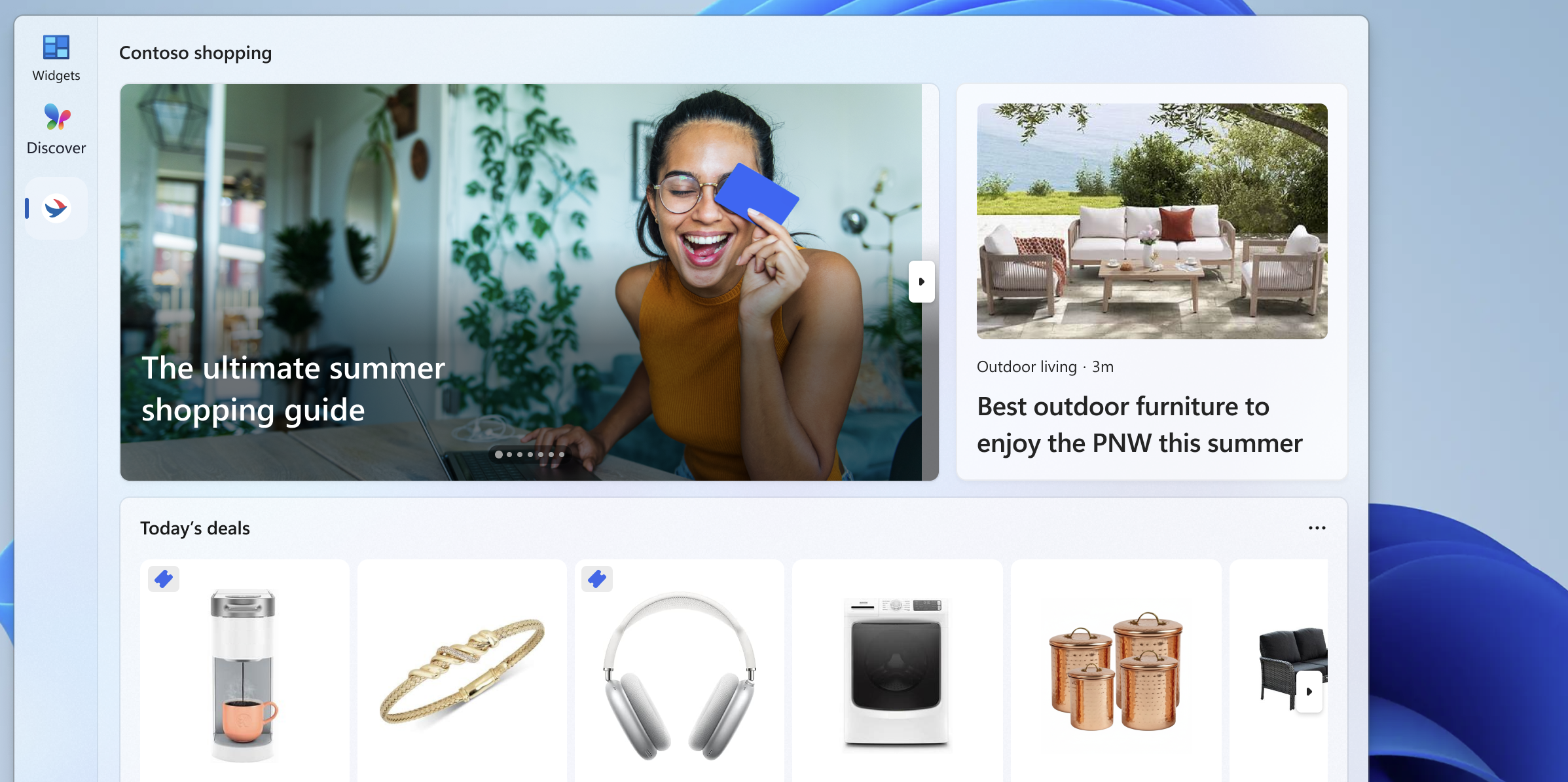
Feed providers register content feeds that appear as dashboards in the Widgets Board. A feed provider is a separate integration from a widget provider; displaying HTML inside a widget doesn't register a dashboard feed.
Important
Feed providers are available only to users in the European Economic Area (EEA). For availability and implementation requirements, see Dashboards and feed providers.
In this section
| Topic | Description |
|---|---|
| Feed providers | Learn how to register your app's content feeds to appear directly in the Windows Widgets Board. |
| Widget providers | Learn how to implement a widget provider that supplies content, layout, and interactive elements for your widgets. |
| Web widget providers | Display HTML in a widget and handle resource requests and messages between your provider and web content. |
| Adaptive Cards Designer | Walk through creating a widget template using the Adaptive Cards Designer. |
| Create a Windows widget with GitHub Copilot | Use a reusable prompt to generate, package, and validate a widget in an existing repository. |
Samarbeid med oss på GitHub
Du finner kilden for dette innholdet på GitHub. Der du også kan opprette og se gjennom problemer og pull-forespørsler. Hvis du vil ha mer informasjon, kan du se vår bidragsyterveiledning.

Windows developer