Note
Access to this page requires authorization. You can try signing in or changing directories.
Access to this page requires authorization. You can try changing directories.
Note
This connector is owned and provided by BQE.
Summary
| Property | Value |
|---|---|
| Connector |  BQE CORE BQE CORE |
| Products | Power BI (semantic models) Power Query Online |
| Release state | General availability |
| Category | Other |
| Authentication kinds | CORE Login |
| Data source kind | BQECore |
| Function Reference Documentation | BQECore.Contents |
| Support link | CORE-Microsoft Power BI integration |
Prerequisites
To use the BQE Core Power BI connector, you must have a BQE Core account with username and password.
Supported capabilities
- Import
Parameters
Entry point: BQECore.Contents
Required parameter count: 0
This function has no parameters.
Connect from Power Query Desktop
To connect to BQE Core data:
Launch Power BI Desktop and enter the Get Data experience.
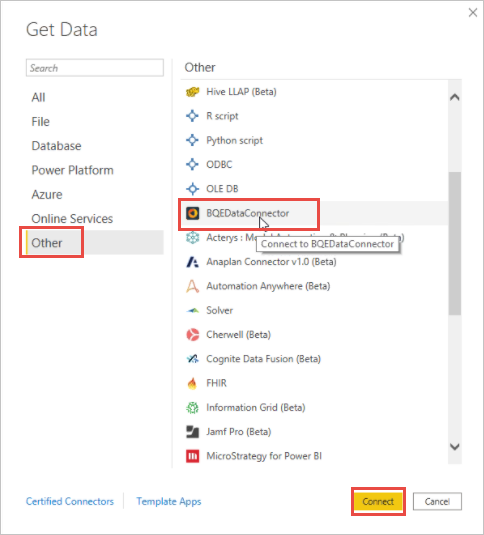
From the Other category, select BQEDataConnector, and then select Connect.
Select Sign In. You're prompted to sign in to Core.
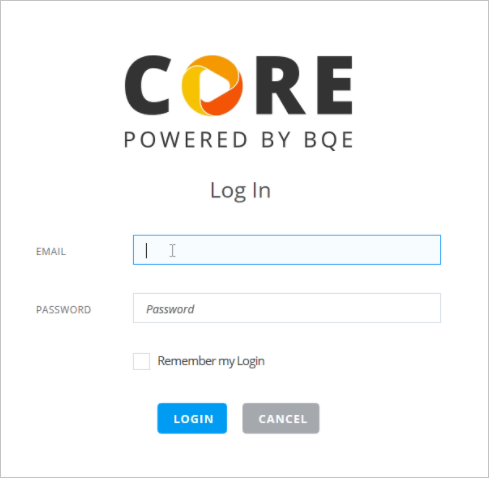
In the sign in screen, enter your Core email and password. Select Sign in.
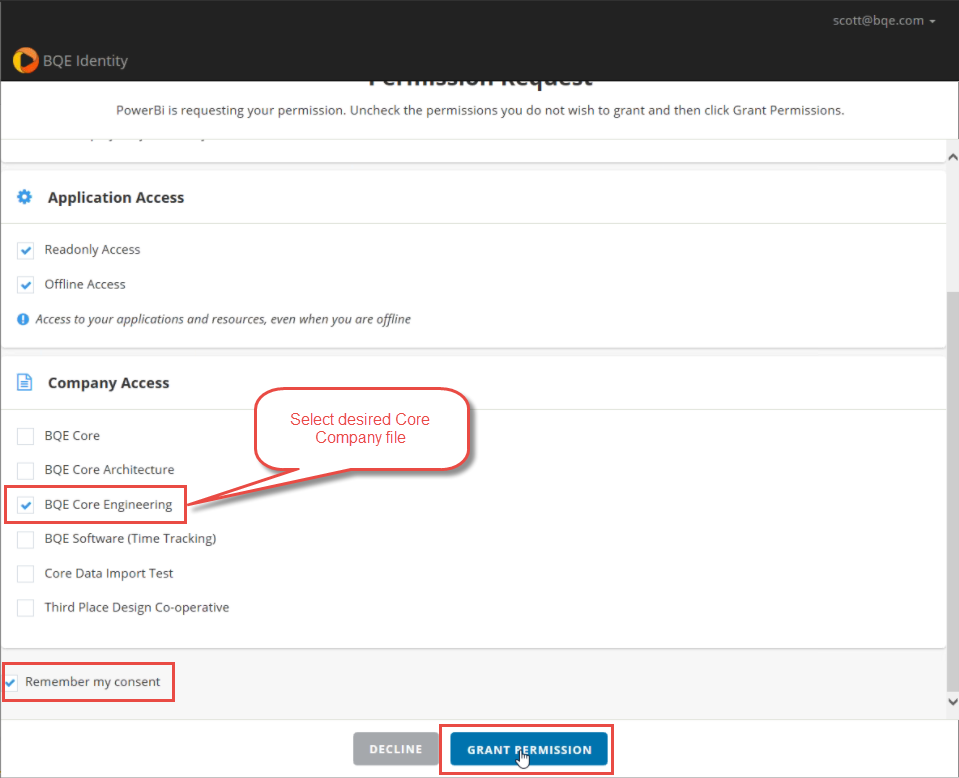
You're then prompted to select your Core company file.
- Select the Core company file you want to use.
- (Optional) If you select Remember my consent, the next time you connect to this Core company file you won't need to grant permission again.
- Select Grant Permission.
Select Connect, and then select a module. For reference, review the API Reference under the Core API Documentation.
From the Navigator, select the tables to load, and then select Transform Data to transform the data in Power Query.