Примечание.
Для доступа к этой странице требуется авторизация. Вы можете попробовать войти или изменить каталоги.
Для доступа к этой странице требуется авторизация. Вы можете попробовать изменить каталоги.
Note
Community interest groups have now moved from Yammer to Microsoft Viva Engage. To join a Viva Engage community and take part in the latest discussions, fill out the Request access to Finance and Operations Viva Engage Community form and choose the community you want to join.
Microsoft Dynamics 365 Finance version 10.0.12 includes a Daylight Saving Time support for batch job active periods feature that you can turn on in Feature management. This feature introduces daylight saving time (DST) support for the active periods for batch jobs and lets you associate your active periods with different time zones.
Note
This feature is one-way. You can't turn it off after you turn it on.
When you turn on this feature, the following changes occur:
On the Active periods for batch jobs page, a Timezone field is added for each active period. This field specifies the time zone that the active period uses. By default, every active period initially uses the Coordinated Universal Time (UTC) time zone.
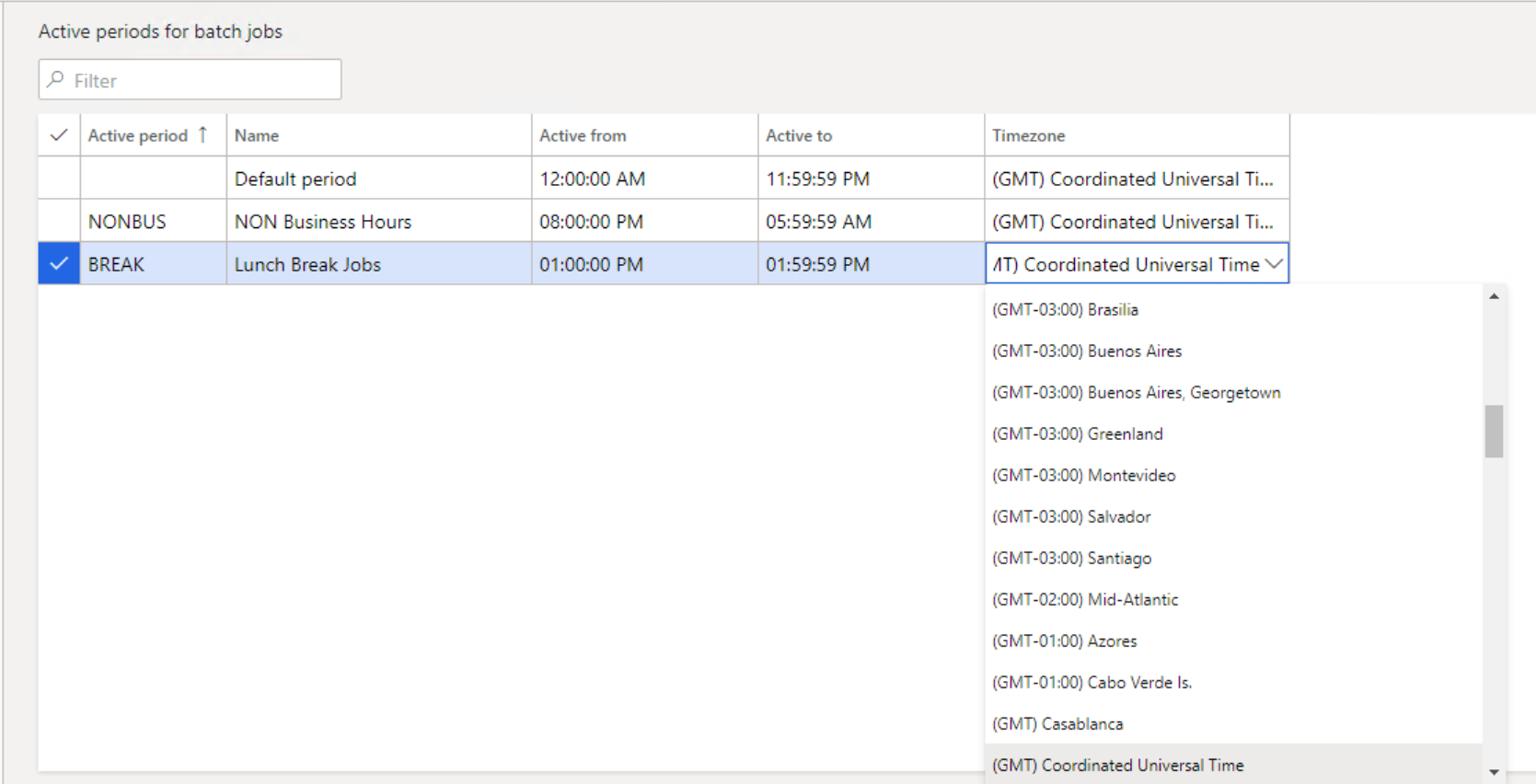
The start and end times of existing active periods are adjusted according to the UTC time zone. Although the active periods continue to start and end at the same times that they previously started and ended, the times that are shown might change if the user's preferred time zone isn't UTC.
Active periods follow the DST adjustments of the time zones that they're associated with.