Note
Access to this page requires authorization. You can try signing in or changing directories.
Access to this page requires authorization. You can try changing directories.
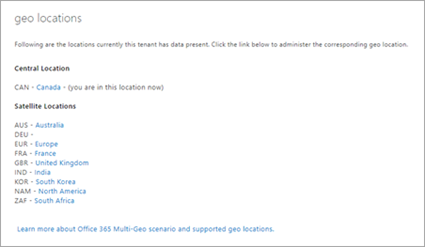
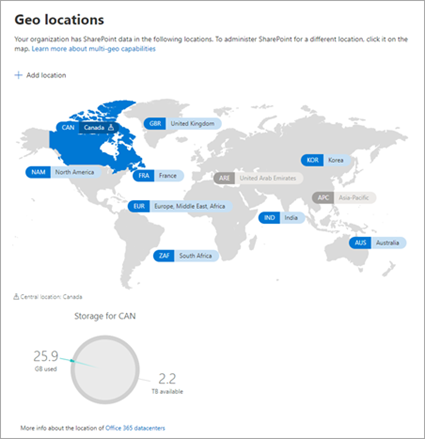
This article covers all the features on the geo locations page in the classic SharePoint admin center and where you can find them at Geo locations in the new SharePoint admin center. In the new SharePoint admin center, you can also add and delete satellite locations.
Manage geo locations
| Classic | New |
|---|---|
 |
 |
| Classic | New |
|---|---|
| Switch between locations | Select a different location on the map or from the list at the top of the navigation pane. |
| Identify the central location | Look for the pin on the map. |
| See list of satellite locations | Expand the list at the top of the navigation pane. |