Introducing variables
While developing flows, you often need to reuse information in multiple actions and update it based on certain conditions. For example, you might need to store some retrieved emails and process them later in your flow.
Power Automate desktop app enables you to store this information for later use through variables. Variables provide a way to label data with a descriptive name and refer to it by name.
Think of variables as storage bins that save valuable information while a flow is running. The stored information can be virtually any type, such as numbers, text, dates, or files and folders.
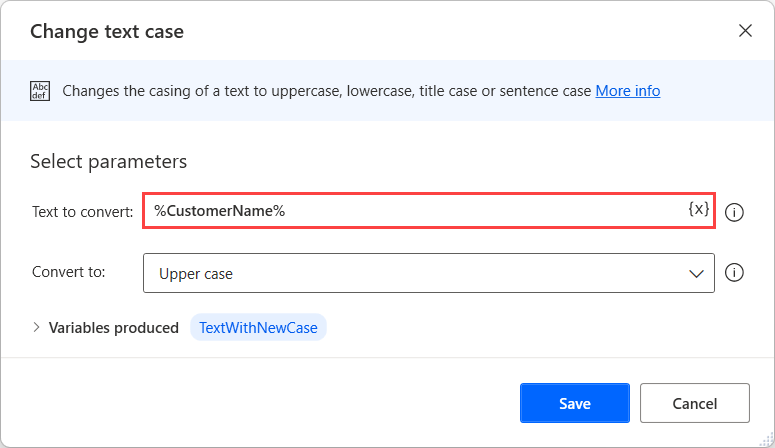
To use variables as input parameters in actions, enclose their names in percentage characters. By using this notation, you command the platform to interpret the value as a variable and not hardcoded content.
For example, to use a variable named CustomerName, populate the action's respective input parameter with the expression: %CustomerName%.
By the end of this module, you can use variables in your flows and create advanced automations with them.
Learning objectives
In this module, you:
- Create, edit, and manipulate variables.
- Examine the variables pane.
- Become familiar with various variable data types and their properties.
- Configure input and output variables.
Prerequisites
- Basic familiarity with the Power Automate desktop app console and flow designer.