Note
Access to this page requires authorization. You can try signing in or changing directories.
Access to this page requires authorization. You can try changing directories.
AccChecker Console (AccCheckConsole.exe) is a command-line tool for verifying the accessibility implementation of your application's UI. The command-line accepts a variety of inputs (such as HWND, window title, and verification routine) and supplies an exit code that corresponds to the error log count.
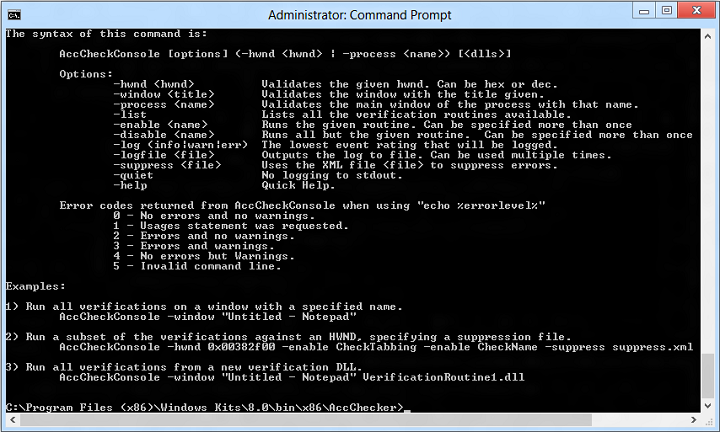
Command-line Syntax
AccChecker Console has the following command-line syntax.
AccCheckConsole [options] (-hwnd <hwnd> | -process <name>) [<dlls>]
The command-line options are as follows.
| Options | Description |
|---|---|
| -hwnd <hwnd> |
Validates the window that has the specified handle (HWND). The handle can be specified in hexidecimal or decimal. |
| -window <title> |
Validates the window that has the specified title. |
| -process <name> |
Validates the main window of the process that has the specified name. |
| -list |
Lists all of the available verification routines. |
| -enable <name> |
Runs the specified verification routine. This option can be specified more than once. |
| -disable <name> |
Runs all but the specified verification routine. This option can be specified more than once. |
| -log (info|warn|err) |
The lowest event rating that will be logged. |
| -logfile <file> |
Write the output to the specified log file. This option can be specified more than once. |
| -suppress <file> |
Use the specified XML file to suppress errors. |
| -quiet |
Do not write logging output to stdout. |
| -help |
Displays quick help. |
Command-line Error Codes
Following are error codes returned from AccCheckConsole when using "echo %errorlevel%"
| Error code | Description |
|---|---|
| 0 |
No errors and no warnings. |
| 1 |
Usages statement was requested. |
| 2 |
Errors and no warnings. |
| 3 |
Errors and warnings. |
| 4 |
Warnings but no errors. |
| 5 |
Invalid command line. |
Command-line Examples
Following are several AccChecker Console command-line examples.
Run all verifications on a window with a specified name.
AccCheckConsole -window "Untitled - Notepad"
Run a subset of the verifications against an HWND, specifying a suppression file.
AccCheckConsole -hwnd 0x00382f00 -enable CheckTabbing -enable CheckName -suppress suppress.xml
Run all verifications from a new verification DLL.
AccCheckConsole -window "Untitled - Notepad" VerificationRoutine1.dll