本教學探討如何將 RAG 圖案整合至 OpenAI 模型與向量搜尋功能於 .NET 應用程式中。 範例應用程式對儲存在 Azure DocumentDB 中的自訂資料進行向量搜尋,並進一步利用生成式 AI 模型(如 GPT-5)細化回應。 在接下來的章節中,你將建立一個範例應用程式,並探索展示這些概念的關鍵程式碼範例。
先決條件
- .NET 8.0
- Azure 帳戶
- 一個 Azure DocumentDB 服務
-
Azure OpenAI 服務
- 部署
text-embedding-ada-002模型以用於嵌入 - 部署
gpt-35-turbo聊天完成模型
- 部署
應用程式概觀
Cosmos 食譜指南應用程式讓你能針對一組食譜資料進行向量與 AI 驅動的搜尋。 直接搜尋可用食譜,或直接在應用程式中提示食材名稱,以找到相關食譜。 應用程式及前方章節將引導您完成以下工作流程,以示範這類功能:
將樣本資料上傳到 Azure DocumentDB 資料庫。
使用 Azure OpenAI
text-embedding-3-small模型為上傳的樣本資料建立嵌入和向量索引。根據使用者提示執行向量相似性搜尋。
利用 Azure OpenAI
gpt-35-turbo完成模型,根據搜尋結果資料撰寫更有意義的答案。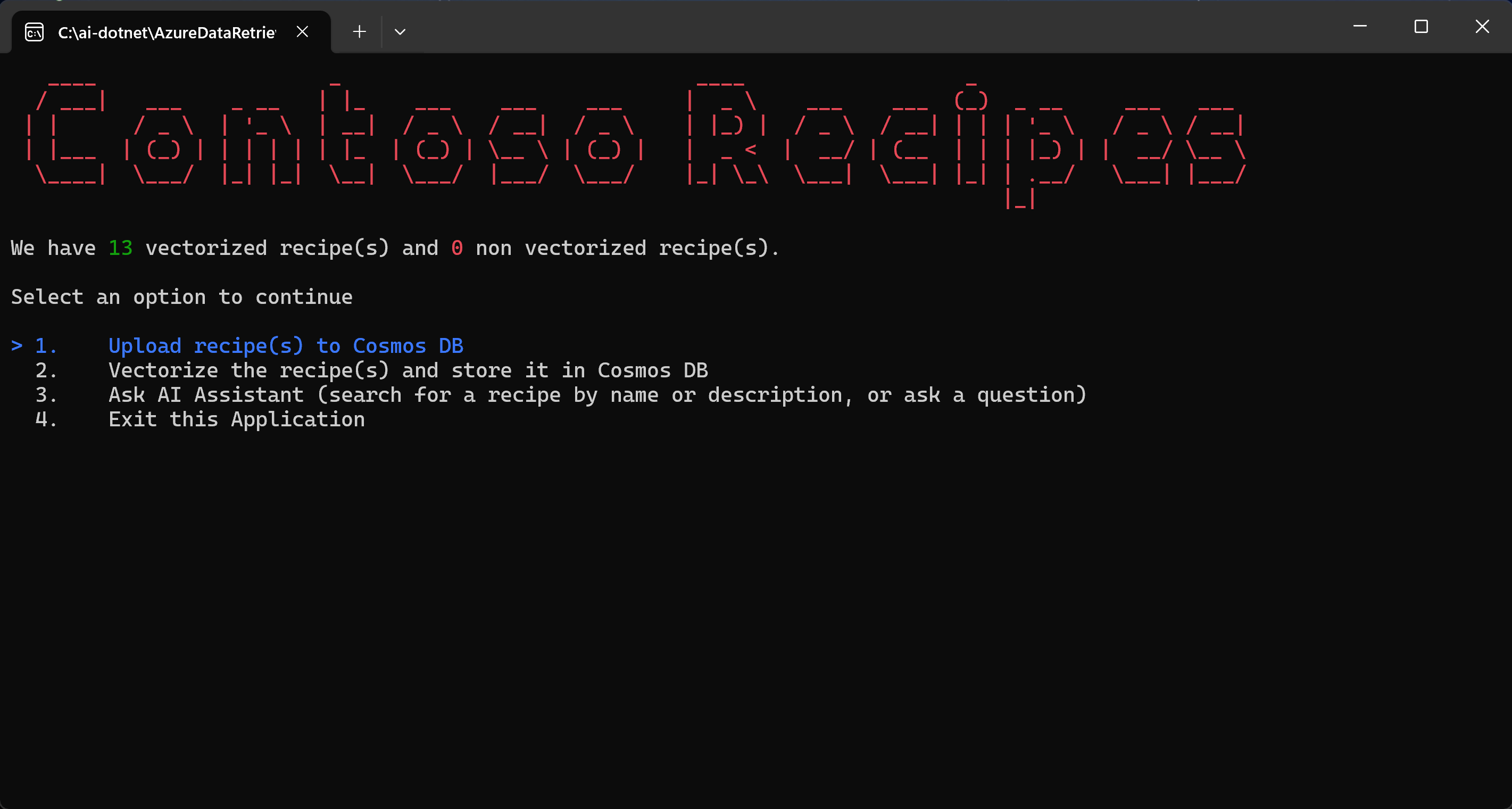
開始
複製以下 GitHub 倉庫:
git clone https://github.com/microsoft/AzureDataRetrievalAugmentedGenerationSamples.git在 C#/CosmosDB-MongoDBvCore 資料夾中,開啟 CosmosRecipeGuide.sln 檔案。
在 appsettings.json 檔案中,將以下設定值替換為你Azure OpenAI 和 Azure DocumentDB 的值:
"OpenAIEndpoint": "https://<your-service-name>.openai.azure.com/",
"OpenAIKey": "<your-API-key>",
"OpenAIEmbeddingDeployment": "<your-ADA-deployment-name>",
"OpenAIcompletionsDeployment": "<your-GPT-deployment-name>",
"MongoVcoreConnection": "<your-Mongo-connection-string>"
按下 Visual Studio 頂端的 開始 按鈕啟動應用程式。
探索應用程式
當你第一次執行這個應用程式時,它會連接到 Azure DocumentDB,並回報目前還沒有可用的食譜。 依照應用程式顯示的步驟開始核心工作流程。
選擇 將食譜上傳到 Cosmos 資料庫 ,然後按下 Enter。 此指令會讀取本地專案的範例 JSON 檔案,並將其上傳至 Azure DocumentDB 叢集。
Utility.cs 類別的程式碼會解析本地的 JSON 檔案。
public static List<Recipe> ParseDocuments(string Folderpath)
{
    List<Recipe> recipes = new List<Recipe>();

    Directory.GetFiles(Folderpath)
        .ToList()
        .ForEach(f =>
        {
            var jsonString= System.IO.File.ReadAllText(f);
            Recipe recipe = JsonConvert.DeserializeObject<Recipe>(jsonString);
            recipe.id = recipe.name.ToLower().Replace(" ", "");
            recipes.Add(recipe);
        }
    );

    return recipes;
}
在 VCoreMongoService.cs 檔案中的
UpsertVectorAsync方法是將文件上傳到 Azure DocumentDB。public async Task UpsertVectorAsync(Recipe recipe) { BsonDocument document = recipe.ToBsonDocument(); if (!document.Contains("_id")) { Console.WriteLine("UpsertVectorAsync: Document does not contain _id."); throw new ArgumentException("UpsertVectorAsync: Document does not contain _id."); } string? _idValue = document["_id"].ToString(); try { var filter = Builders<BsonDocument>.Filter.Eq("_id", _idValue); var options = new ReplaceOptions { IsUpsert = true }; await _recipeCollection.ReplaceOneAsync(filter, document, options); } catch (Exception ex) { Console.WriteLine($"Exception: UpsertVectorAsync(): {ex.Message}"); throw; } }選擇 向量化配方,並將它們儲存在 Cosmos DB。
上傳到 Azure DocumentDB 的 JSON 項目沒有嵌入,因此並未針對向量搜尋的 RAG 進行優化。 嵌入是一種資訊密集、以數值形式呈現文本語意意義的表示法。 向量搜尋可以找到具有上下文相似嵌入的項目。
GetEmbeddingsAsync檔案中的方法會為資料庫中的每個項目建立嵌入。public async Task<float[]?> GetEmbeddingsAsync(dynamic data) { try { EmbeddingsOptions options = new EmbeddingsOptions(data) { Input = data }; var response = await _openAIClient.GetEmbeddingsAsync(openAIEmbeddingDeployment, options); Embeddings embeddings = response.Value; float[] embedding = embeddings.Data[0].Embedding.ToArray(); return embedding; } catch (Exception ex) { Console.WriteLine($"GetEmbeddingsAsync Exception: {ex.Message}"); return null; } }CreateVectorIndexIfNotExists檔案中的 S 會建立向量索引,讓你能進行向量相似性搜尋。public void CreateVectorIndexIfNotExists(string vectorIndexName) { try { //Find if vector index exists in vectors collection using (IAsyncCursor<BsonDocument> indexCursor = _recipeCollection.Indexes.List()) { bool vectorIndexExists = indexCursor.ToList().Any(x => x["name"] == vectorIndexName); if (!vectorIndexExists) { BsonDocumentCommand<BsonDocument> command = new BsonDocumentCommand<BsonDocument>( BsonDocument.Parse(@" { createIndexes: 'Recipe', indexes: [{ name: 'vectorSearchIndex', key: { embedding: 'cosmosSearch' }, cosmosSearchOptions: { kind: 'vector-ivf', numLists: 5, similarity: 'COS', dimensions: 1536 } }] }")); BsonDocument result = _database.RunCommand(command); if (result["ok"] != 1) { Console.WriteLine("CreateIndex failed with response: " + result.ToJson()); } } } } catch (MongoException ex) { Console.WriteLine("MongoDbService InitializeVectorIndex: " + ex.Message); throw; } }在應用程式中選擇「 問 AI 助理」(依食譜名稱或描述搜尋食譜,或提出問題) 選項來執行使用者查詢。
該應用程式會利用 OpenAI 服務和嵌入模型將使用者查詢轉換成嵌入,然後將嵌入資料傳送到 Azure DocumentDB 進行向量搜尋。 SearchAsync VCoreMongoService.cs 檔案中的方法會進行向量搜尋,尋找接近所提供向量的向量,並回傳來自 Azure DocumentDB 的文件清單
public async Task<List<Recipe>> VectorSearchAsync(float[] queryVector)
    {
        List<string> retDocs = new List<string>();
        string resultDocuments = string.Empty;

        try
        {
            //Search Azure DocumentDB collection for similar embeddings
            //Project the fields that are needed
            BsonDocument[] pipeline = new BsonDocument[]
            {
                BsonDocument.Parse(
                    @$"{{$search: {{
                            cosmosSearch:
                                {{ vector: [{string.Join(',', queryVector)}],
                                   path: 'embedding',
                                   k: {_maxVectorSearchResults}}},
                                   returnStoredSource:true
                                }}
                            }}"),
                BsonDocument.Parse($"{{$project: {{embedding: 0}}}}"),
            };

            var bsonDocuments = await _recipeCollection
                .Aggregate<BsonDocument>(pipeline).ToListAsync();

            var recipes = bsonDocuments
                .ToList()
                .ConvertAll(bsonDocument =>
                    BsonSerializer.Deserialize<Recipe>(bsonDocument));
            return recipes;
        }
        catch (MongoException ex)
        {
            Console.WriteLine($"Exception: VectorSearchAsync(): {ex.Message}");
            throw;
        }
    }
此
GetChatCompletionAsync方法根據使用者提示及相關向量搜尋結果,產生更完善的聊天完成回應。public async Task<(string response, int promptTokens, int responseTokens)> GetChatCompletionAsync(string userPrompt, string documents) { try { ChatMessage systemMessage = new ChatMessage( ChatRole.System, _systemPromptRecipeAssistant + documents); ChatMessage userMessage = new ChatMessage( ChatRole.User, userPrompt); ChatCompletionsOptions options = new() { Messages = { systemMessage, userMessage }, MaxTokens = openAIMaxTokens, Temperature = 0.5f, //0.3f, NucleusSamplingFactor = 0.95f, FrequencyPenalty = 0, PresencePenalty = 0 }; Azure.Response<ChatCompletions> completionsResponse = await openAIClient.GetChatCompletionsAsync(openAICompletionDeployment, options); ChatCompletions completions = completionsResponse.Value; return ( response: completions.Choices[0].Message.Content, promptTokens: completions.Usage.PromptTokens, responseTokens: completions.Usage.CompletionTokens ); } catch (Exception ex) { string message = $"OpenAIService.GetChatCompletionAsync(): {ex.Message}"; Console.WriteLine(message); throw; } }該應用程式也採用提示工程,確保 OpenAI 服務對所提供食譜的回應進行限制與格式化。
//System prompts to send with user prompts to instruct the model for chat session
private readonly string _systemPromptRecipeAssistant = @"
    You are an intelligent assistant for Contoso Recipes.
    You are designed to provide helpful answers to user questions about
    recipes, cooking instructions provided in JSON format below.

    Instructions:
    - Only answer questions related to the recipe provided below.
    - Don't reference any recipe not provided below.
    - If you're unsure of an answer, say ""I don't know"" and recommend users search themselves.
    - Your response  should be complete.
    - List the Name of the Recipe at the start of your response followed by step by step cooking instructions.
    - Assume the user is not an expert in cooking.
    - Format the content so that it can be printed to the Command Line console.
    - In case there is more than one recipe you find, let the user pick the most appropriate recipe.";
