本文展示了如何透過 Azure Databricks 無伺服器運算連接 OneLake。
必要條件
在你連線之前,請確保你具備:
- Fabric 工作區和 Lakehouse。
- 進階版 Azure Databricks 工作區。
- 一個至少具備Contributor角色指派的服務主體。
- 資料庫機密或 Azure Key Vault (AKV) 用於儲存和擷取機密。 此範例會使用 Databricks 機密資訊。
使用 Databricks 無伺服器計算連接至 OneLake
透過使用 Databricks 的無伺服器運算,你可以在不配置叢集的情況下執行工作負載。 根據 Databricks 無伺服器文件,為了在無伺服器運算上自動設定 Spark,Databricks Serverless 僅允許配置 部分支援的 Spark 屬性。
注意
此限制並非 Azure Databricks 獨有。 Amazon Web Services (AWS) 和 Google Cloud 上的 Databricks 無伺服器實作會表現出相同的行為。
如果您嘗試在連結至 Databricks 無伺服器計算的筆記本中修改或設定不支援的 Spark 設定,系統會傳回CONFIG_NOT_AVAILABLE錯誤。

OneLake 支援來自 Databricks 無伺服器計算的輸入連線。 如果你有適當的存取權限,並且 DataBricks 的無伺服器運算和 OneLake 之間有網路路徑,你可以從 Databricks 的無伺服器運算連接到 OneLake。 使用 Databricks 無伺服器時,請確保你的程式碼不會修改任何不支援的 Spark 屬性。
撰寫 Notebook
在 Databricks 工作區中建立筆記本,並將它附加至無伺服器計算。
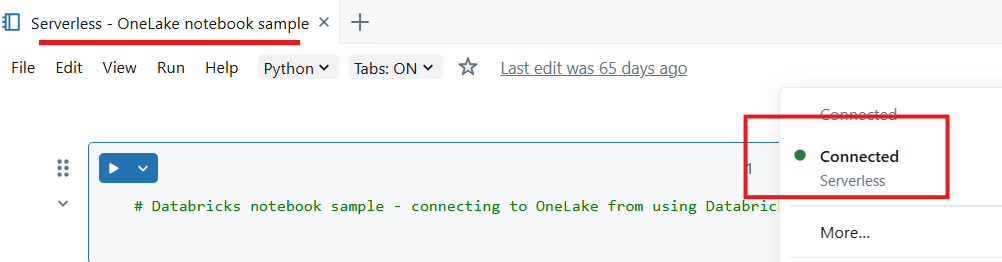
匯入 Python 模組——在此範例中,請使用三個模組:
- msal 是 Microsoft 認證函式庫(MSAL),旨在協助開發者將 Microsoft 身份平台認證整合到他們的應用程式中。
- requests 模組用於使用 Python 進行 HTTP 請求。
- delta lake 用於使用 Python 來讀寫 Delta Lake 資料表。
from msal import ConfidentialClientApplication
import requests
from deltalake import DeltaTable
宣告 Microsoft Entra 租戶的變數,包括應用程式識別碼。 使用部署 Microsoft Fabric 之租戶的租戶識別碼。
# Fetch from Databricks secrets.
tenant_id = dbutils.secrets.get(scope="<replace-scope-name>",key="<replace value with key value for tenant _id>")
client_id = dbutils.secrets.get(scope="<replace-scope-name>",key="<replace value with key value for client _id>")
client_secret = dbutils.secrets.get(scope="<replace-scope-name>",key="<replace value with key value for secret>")
宣告 Fabric 工作區變數。
workspace_id = "<replace with workspace name>"
lakehouse_id = "<replace with lakehouse name>"
table_to_read = "<name of lakehouse table to read>"
storage_account_name = workspace_id
onelake_uri = f"abfss://{workspace_id}@onelake.dfs.fabric.microsoft.com/{lakehouse_id}.lakehouse/Tables/{table_to_read}"
初始化客戶端以取得令牌。
authority = f"https://login.microsoftonline.com/{tenant_id}"

app = ConfidentialClientApplication(
 client_id,
 authority=authority,
 client_credential=client_secret
 )

 result = app.acquire_token_for_client(scopes=["https://onelake.fabric.microsoft.com/.default"])

 if "access_token" in result:
   access_token = result["access_token"]
   print("Access token acquired.")
   token_val = result['access_token']
讀取 OneLake 的 delta 資料表
dt = DeltaTable(onelake_uri, storage_options={"bearer_token": f"{token_val}", "use_fabric_endpoint": "true"})
df = dt.to_pandas()
print(df.head())
注意
服務主體擁有「參與者」工作區角色指派,您可以使用它將資料寫回 OneLake。
完成上述步驟後,你可以使用 Databricks 筆記型電腦,這台連接無伺服器運算的筆記型電腦,讀取 OneLake 的資料。