重要事項
本文中的部分資訊與發行前版本產品有關,在產品正式發行前可能會大幅度修改。 Microsoft 對此處提供的資訊,不提供任何明確或隱含的瑕疵擔保。
這個範例引導你建立一個代理程式,幫助安全分析師了解特定網址的託管位置。 範例 YAML 使用全域Microsoft工具、GPT、API 及 KQL 工具 (技能) 。
整體流程如下:
- 步驟 1:建立並上傳代理 YAML
- 步驟 2:在管理來源中啟用或切換代理
- 步驟 3:在 Security Copilot 中設定代理
- 步驟四:執行代理人
了解 (技巧) 通話流程
本節說明代理如何調用 YAML 工具 (技能) ,以及需要哪些插件。
此設計 DCA URL Geolocation 090925 Agent 旨在幫助安全分析師了解特定 URL 的託管位置。 它遵循 YAML 清單中定義的結構化調用流程,利用多種工具 (技能) 跨 GPT 與 KQL 格式。
了解代理人觸發器是如何被啟動的
代理人觸發器的啟動方式如下:
代理人每 300 秒透過預設觸發器被觸發一次。
它首先啟動了 FetchSkill:
Contoso.SecurityCopilot.Samples-0909d.RecentUrlClicks_DCA-090925。 KQL 技能 (Format: KQL) 查詢 Defender 最近點擊的網址日誌。接著會啟動 ProcessSkill:
Contoso.SecurityCopilot.Samples-090925.URL_Location_DCA_Agent_Entrypoint-090925。 代理技能 (Format:AGENT) 調查該網址的主機位置。
當你執行該代理人時,會啟動取物技能 Contoso.SecurityCopilot.Samples-0909d.RecentUrlClicks_DCA-090925
了解特工技能的入門點
URL_Location_DC_Agent_Entrypoint-090925代理人技能定義於 下FORMAT:AGENT,並執行以下步驟:
輸入:只需一次輸入:URL (該網址即可調查) 。
說明:代理人會依循三個步驟來啟動兒童技能:
ExtractHostname:使用 GPT 工具ExtractHostname_DCA-090925解析主機名稱與網址。GetDnsResolutionsByIndicators:使用 Microsoft 威脅情報 技能組來取得與主機名稱相關的 IP 位址。 確保必須新增,RequiredSkillsets: ThreatIntelligence.DTI但不會啟動哪個GetDnsResolutionsByIndicators工具。lookupIpAddressGeolocation: 是operationIdOpenAPI 規範中的 ,API 外掛DCA_SampleAPIPlugin會引用該規範來查詢每個 IP 位址的地理位置資料。 參考資料請參閱 Build API 範例。
步驟 1:建立並上傳代理 YAML
代理 YAML 定義如下:
Descriptor:
  Name: Contoso.SecurityCopilot.Samples-090925_1b
  Description: DCA URL Geolocation 090925 Agent_1b
  DisplayName: DCA URL Geolocation 090925 Agent_1b

SkillGroups:
- Format: AGENT
  Skills:
  - Name: URL_Location_DCA_Agent_Entrypoint-090925_1b
    Description: The entrypoint into the URL Location Agent
    Interfaces:
    - Agent
    Inputs:
    - Required: true
      Name: URL
      Description: A URL the agent should investigate
    Settings:
      Model: gpt-4.1
      Instructions: |
            <|im_start|>system
            You are an AI agent that helps a security analyst understand the hosting situation of a URL (the input).
            You'll do this by following a three-step process:
            1) Use ExtractHostname to find the hostname from the URL provided as input
            2) Use GetDnsResolutionsByIndicators to extract IP Addresses that the hostname has been observed resolving to. This may produce a list of IP Addresses.
            3) One-at-a time, use lookupIpAddressGeolocation to look up the geolocation of an IP address.

            Produce a simply formatted response telling the security analyst which locations that URL is being served from.
            If you encounter an error share that.
            Always return something the user knows that something happened.

            <|im_end|>
            <|im_start|>user
            {{URL}}
            <|im_end|>

    ChildSkills:
    - lookupIpAddressGeolocation
    - ExtractHostname_DCA-090925_1b
    - GetDnsResolutionsByIndicators
- Format: GPT
  Skills:
  - Name: ExtractHostname_DCA-090925_1b
    DisplayName: ExtractHostname_DCA-090925_1b
    Description: ExtractHostname_DCA-090925_1b
    Inputs:
    - Name: URL
      Description: A URL string
    Settings:
      ModelName: gpt-4.1
      Template: |-
        <|im_start|>system
        Return the hostname component of the URL provided as input.  For example:
        - If the input is 'https://www.mlb.com/', return 'www.mlb.com'
        - If the input is 'http://dev.mycompany.co.uk/sign-up/blah?a=12&b=12&c=32#23', return 'dev.mycompany.co.uk'
        - If the input is 'ftp:/x.espon.com', return 'x.espon.com'
        <|im_end|>
        <|im_start|>user
        {{URL}}
        <|im_end|>
- Format: KQL
  Skills:
    - Name: RecentUrlClicks_DCA-090925_1b
      Description: Returns recently clicked URLs
      Inputs:
        - Name: LookbackMinutes
          Description: Number of minutes to lookback
          Required: false
      Settings:
        Target: Defender
        Template: UrlClickEvents | sort by TimeGenerated desc | limit 10 | project Url

AgentDefinitions:
  - Name:  URLLocationAgent-090925_1b
    DisplayName: URLLocationAgent 090925_1b
    Description: An agent to help an analyst understand URL hosting
    Publisher: Contoso
    Product: Security Copilot
    RequiredSkillsets:
      - SecurityCopilot
      - ThreatIntelligence.DTI
      - DCA_SampleAPIPlugin
    AgentSingleInstanceConstraint: None
    Settings:
      - Name: LookbackWindowMinutes
        Label: Max Lookback Window in minutes
        Description: The maximum number of minutes to find clicked URLs
        HintText: You should probably enter 5
        SettingType: String
        Required: true
    Triggers:
      - Name: Default
        DefaultPeriodSeconds: 300
        FetchSkill: Contoso.SecurityCopilot.Samples-090925_1b.RecentUrlClicks_DCA-090925_1b
        ProcessSkill: Contoso.SecurityCopilot.Samples-090925_1b.URL_Location_DCA_Agent_Entrypoint-090925_1b
        Settings:

Settings:
    HistoryPassDownMode: None
    IncludeSessionHistory: false
WorkspaceId: SecurityCopilot_Workspace
步驟 2:在管理來源中啟用或切換代理
啟用代理的步驟如下:
檢查已上傳的 YAML (外掛) 是否已設定或在提示欄的 「管理來源 > 自訂 」中切換。
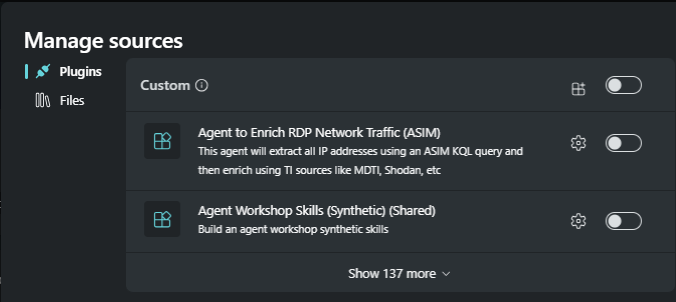
搜尋 ,
DCA URL Geolocation 090925 Agent即Descriptor.DisplayName。
注意事項
一般來說,有些外掛在設定代理時可能需要設定一些設定。
步驟 3:在 Security Copilot 中設定代理
設定代理的步驟如下:
前往 房屋 > 仲介。
在代理函式庫中搜尋代理
URLLocationAgent-090925,該代理來自AgentDefinitions.DisplayNameYAML。 如果搜尋中沒有顯示該代理人,請在代理資料庫中重新整理畫面。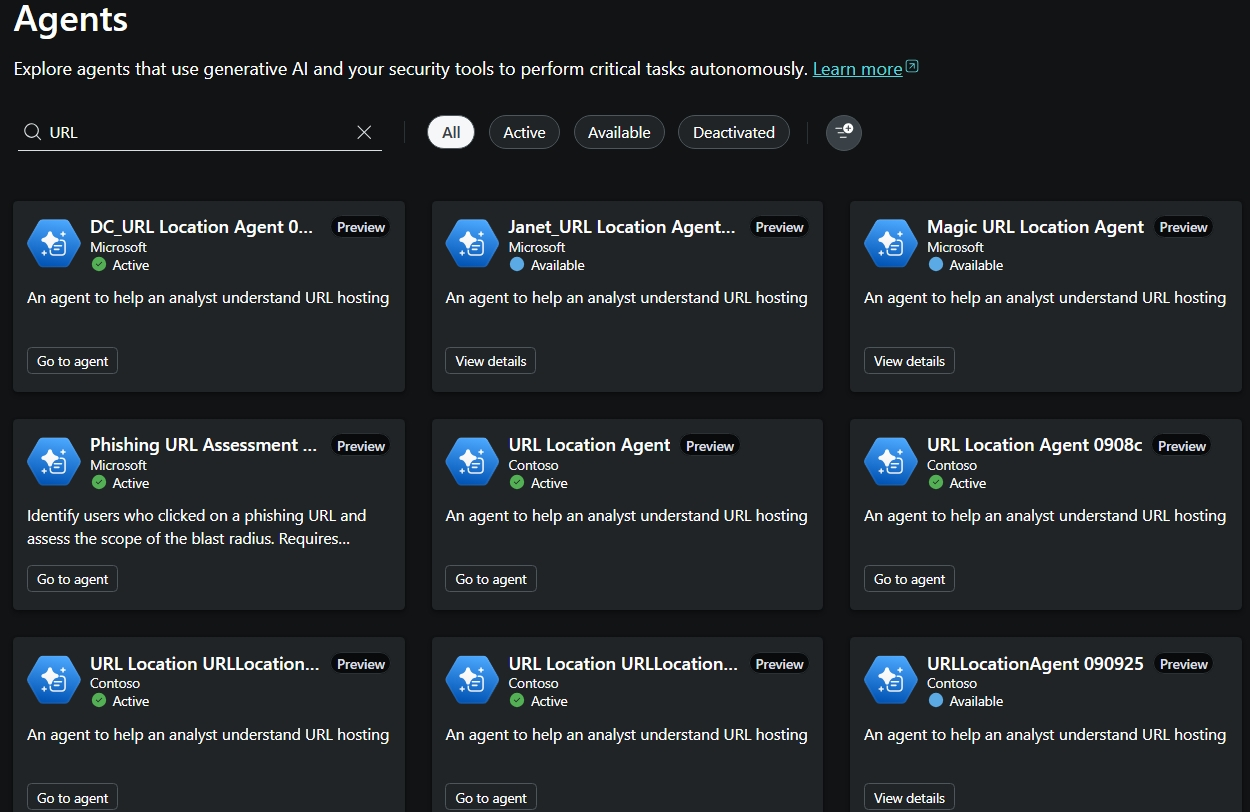
在代理人卡片上,選擇 「檢視詳情 」以 設定 代理人。

你可以在「插件」區塊看到啟用的插件。
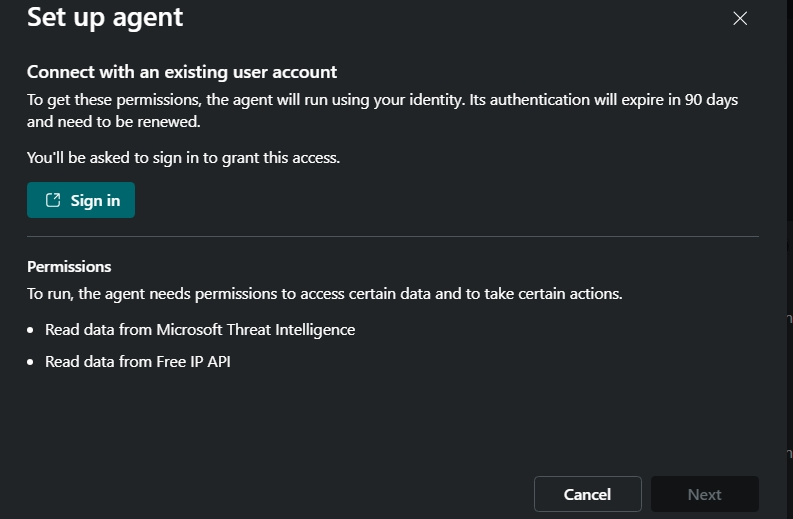
提供設定代理所需的輸入參數。

選擇 登入 以進行驗證。


步驟四:執行代理人
執行代理的步驟如下:
選擇 完成 以執行代理。 這會顯示代理執行畫面。
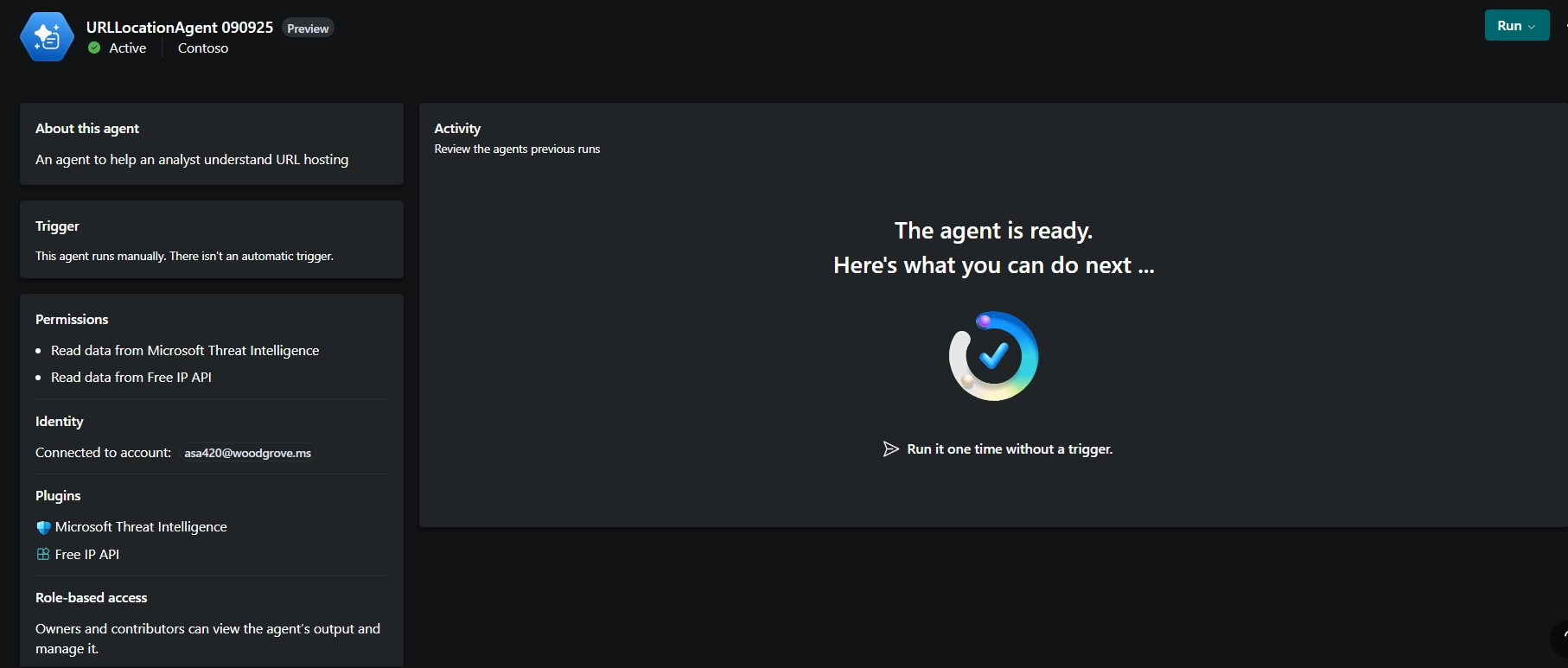
選擇執行 一次且沒有觸發條件 的代理。
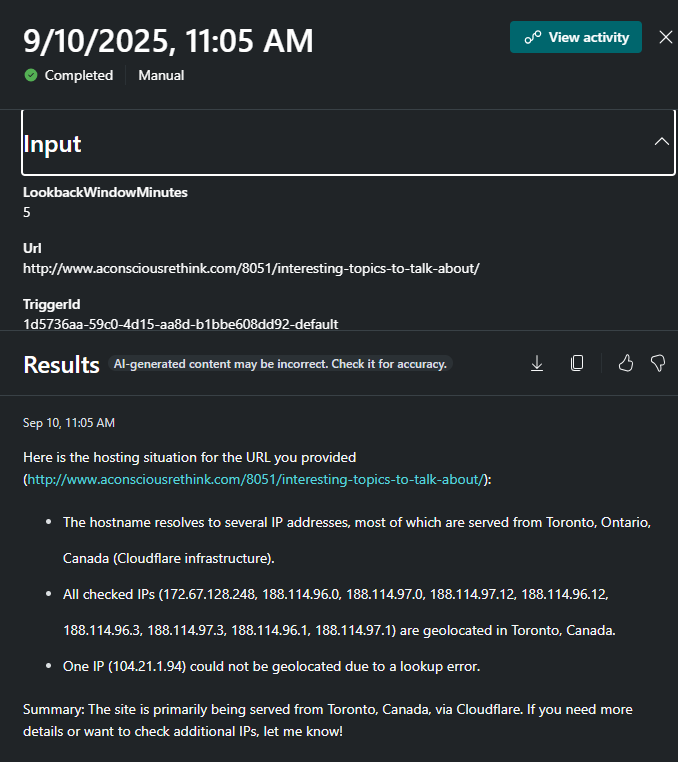
這次試劑的結果如所示。
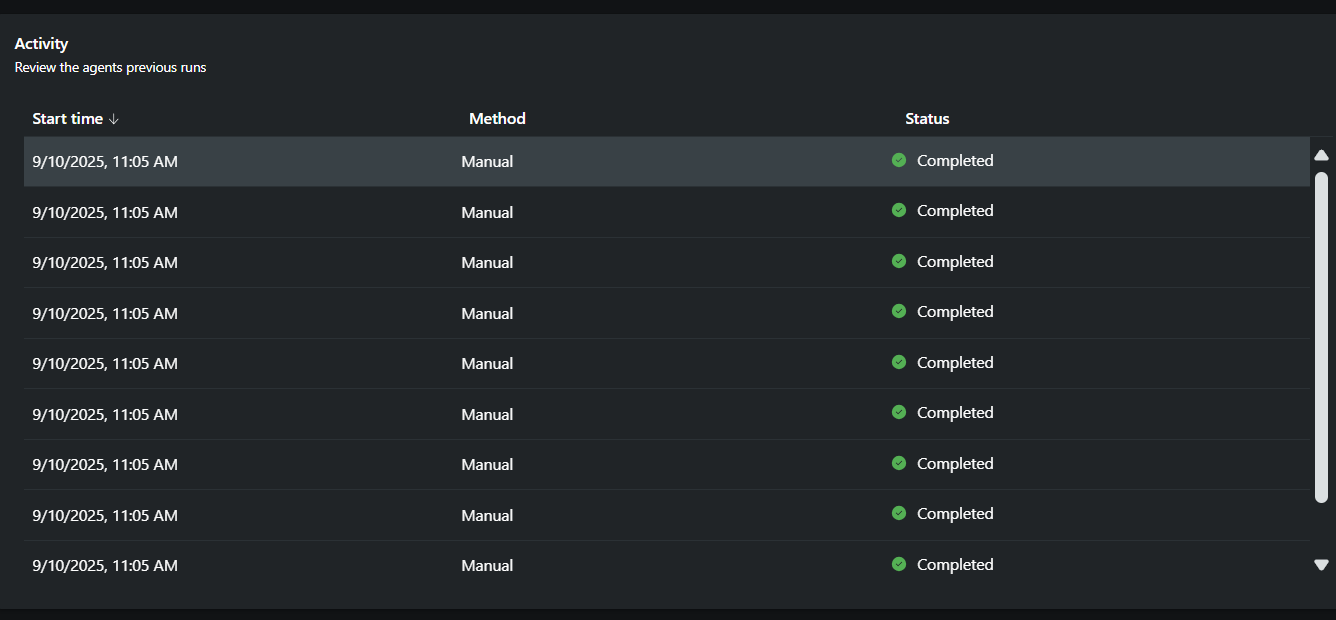
選擇 檢視活動 以查看每個代理人的結果。