適用於:✅ Microsoft Fabric 中的 SQL 分析端點和倉儲
在這個第一個教學中,學習如何建立一個工作區來支援 系列中其他教學。
建立工作區
在這項工作中,瞭解如何建立工作區。 工作區包含數據倉儲所需的專案,並可包含Data Factory管線、數據倉儲、Power BI語意模型和報表。
登入 Power BI。
從瀏覽窗格中,選取 [工作區],然後選取 [+ 新增工作區]。
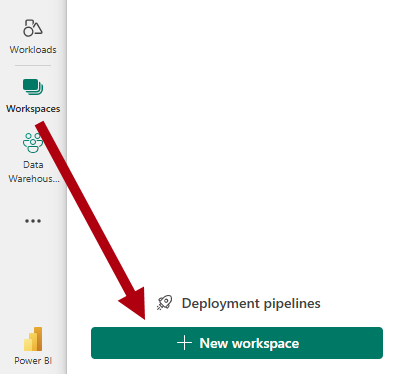
在 「建立工作區 」面板的 名稱 框裡,輸入
Data Warehouse Tutorial(如果名稱無法提供,請加上一些後尾字元)。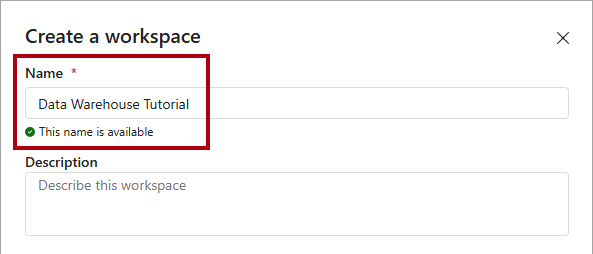
展開 [ 進階] 區段。
請選擇 布料 容量或 布料試用 工作區類型。
在 容量 下拉選單中,選擇你能使用的高級容量。
選取 [] 並 [套用] 以建立並開啟新的工作區。
Note
請確保使用此工作區來完成本系列中的所有