本文回答有關在 Intune 中使用 Microsoft Copilot 的常見問題。 若要深入瞭解 Intune 中的 Copilot 並開始使用,請參閱 Intune 中的 Microsoft Copilot 概觀。
Copilot 的存取權
如何在 Intune 中控制 Copilot 的存取權?
當 Microsoft Intune 在 Security Copilot 中啟用為資料來源時,預設:
- Microsoft Entra ID Intune 系統管理員角色會自動繼承 Security Copilot 擁有者對 Intune 中的 Copilot 存取權。
- 所有其他內建和自訂Intune角色型存取 (RBAC) 角色會自動繼承Security Copilot參與者對 Intune 中的 Copilot 存取權。
Security Copilot 擁有者和參與者角色描述於 Microsoft Security Copilot 中的角色和驗證。 Intune 中的 Microsoft Copilot 概觀也有更多資訊。
還有可以控制 Security Copilot 存取權的 Microsoft Entra 角色。
在 Security Copilot 中啟用 Intune 之後,您的 Intune 系統管理員可以在 Intune 系統管理中心看到 Copilot 功能。 但是,他們只能存取具有權限的資料。 Copilot 接受已指派給系統管理員的現有 Intune RBAC 角色和 Intune 範圍標籤。
因此,如果系統管理員嘗試存取他們沒有權限的 Intune 資料,他們會收到下列錯誤訊息:
You don't have permission to access this feature. Reach out to your IT administrator for help.
如果我不是 Intune 系統管理員,我可以使用 Security Copilot 嗎,反之亦然?
是。 對 Security Copilot 的存取權是使用 Security Copilot 或 Microsoft Entra 角色進行管理。 如需詳細資訊,請參閱 Microsoft Security Copilot 中的角色和驗證。
Security Copilot 的範圍限定為您的所有內嵌服務。
如果您是 Intune 系統管理員或 IT 系統管理員,而且只想要 Intune 資料,應該使用 Intune 中的 Copilot。 其範圍僅限 Intune 資料,且其功能已整合到 Intune 系統管理中心的相關區域。
如果您是安全性系統管理員,若只想要 Intune 資料的深入解析,可以在使用 Intune 中的 Copilot。
功能和成本
如何開啟 Intune 功能?
在 Microsoft Security Copilot 入口網站右上角 (提示列 >) 選取來源,然後啟用 Microsoft Intune 外掛程式。 此外掛程式可讓您存取 Intune 資料,並使用 Intune 系統管理中心的 Copilot 功能。
如需管理外掛程式的詳細資訊,請參閱管理 Security Copilot 中的外掛程式。
我可以在 Intune 系統管理中心使用其他 Copilot 服務的功能嗎?
不能。 Intune 系統管理中心 Intune 中的 Copilot 僅適用於 Intune 功能。
您無法從其他 Microsoft 服務取得深入解析,例如 Microsoft Defender、Microsoft Entra 和 Microsoft Purview。 若要從其他 Microsoft 服務取得深入解析,您可以使用 Security Copilot 入口網站。
Intune 中的 Copilot 需要多少費用?
Intune 中的 Copilot 隨附於 Security Copilot。 Security Copilot 使用安全性運算單元 (SCU) 。 使用 Intune 中的 Copilot 時,沒有任何其他授權需求或 Intune 特定授權。
您需要啟用 Security Copilot 才能存取 Intune 中的 Copilot 功能。 某些 Intune 中的 Copilot 功能幾乎可以使用甚至完全不使用佈建的 SCU,而其他功能則可以使用更多。 使用方式也會隨著 Intune 中的 Copilot 功能隨著時間而變更和改善。
如需 SCU 的詳細資訊,請參閱:
提示輸出是否有限制?
Intune 中的 Copilot 受 Security Copilot 中的任何權杖限制。 如需詳細資訊,請參閱 Security Copilot 常見問題集 - 權杖限制。
Security Copilot 與 Intune 中的 Copilot
Security Copilot 是否提供系統管理員比 Intune 系統管理中心所提供的更多 Intune 資料存取權?
不能。 Security Copilot 中的 Intune 功能是使用現有的 Microsoft Graph API 建置,這些 API 與 Intune 系統管理中心使用的 API 相同。 這兩種 Copilot 體驗都使用相同的 Intune 功能。
若要取得 Intune 深入解析,我應該使用 Security Copilot 或 Intune 中的 Copilot?
若要搭配 Intune 資料使用 Copilot,您可以使用 Intune 中的 Copilot 或 Security Copilot。 以下是兩種體驗的比較:
| 功能 | Intune 中的 Copilot | Security Copilot |
|---|---|---|
| 存取和資料深入解析 | 此 Copilot 內嵌在 Intune 系統管理中心,且範圍僅限於顯示 Intune 資料。 Intune 系統管理員應該針對僅限 Intune 的工作使用 Intune 中的 Copilot。 |
此 Copilot 是獨立體驗。 可以存取其他內嵌服務,例如 Microsoft Defender、Microsoft Entra ID、Microsoft Purview 和 Microsoft Intune。 會存取與 Intune 中的 Copilot 相同的 Intune 功能。 |
| 開啟提示 | Intune 具有內建提示,您可以從 Intune 中的 Copilot Chat 使用和存取。 在 Copilot Chat 中,您可以輸入查詢。 Copilot 會摘要結果,並根據您輸入的文字建議內建提示。 沒有開啟提示。 未來有計劃包含開啟提示 (沒有ETA)。 |
可以使用開啟提示或使用提示集。 |
| 提示歷程記錄 | Intune 系統管理中心無法使用提示/回應歷程記錄。 若要檢視提示歷程記錄,請使用 Security Copilot。 與 Intune 中顯示的提示相較之下,提示看起來可能不同,因為 Intune 會為您輸入提示。 |
即使在獨立或內嵌體驗中提交提示,您也可以檢閱提示/回應歷程記錄。 |
| 目標對象 | 焦點是 IT 系統管理員/IT 專業人員。 | 焦點是安全性作業中心 (SOC),可供 IT 系統管理員使用。 |
Copilot 的意見反應和疑難排解
Copilot 似乎顯示錯誤的資訊。 如何偵錯和驗證?
如果您認為輸出不正確,請在 Intune 的 Copilot Chat 工作階段中提交意見反應,並提供您看到內容的詳細資料。
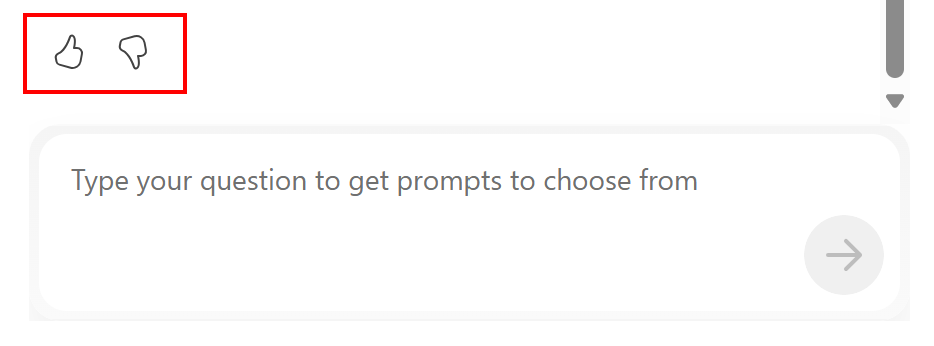
每個 Copilot 回應都有兩個意見反應按鈕 - 當回應符合您的預期時,請豎起大拇指,而當回應不是您預期的時,則向下豎起大拇指。 此意見反應有助於改善 Copilot 體驗。
您可以嘗試的其他項目:
在 Microsoft Edge 中,您可以使用 F12 開發人員工具來偵錯問題。 在開發人員偵錯工具中,選取 [網路] 檢視。 在 Copilot 中,選取提示以取得輸出。 在開發人員偵錯工具中,使用記錄項目更仔細地查看提示輸入與輸出之間的步驟。
如果您正在使用 Microsoft 來偵錯問題,客戶服務可能會要求您提供工作階段識別碼。 若要取得工作階段識別碼,您可以:
- 在瀏覽器中使用 F12 開發人員工具。 此資訊會顯示 Copilot 所使用的功能。
- 在 Security Copilot 入口網站中,您可以從 Intune 內嵌體驗檢視提示工作階段和工作階段識別碼。
若要深入瞭解隱私權和資料安全性、會收集哪些資料做為意見反應的一部分,以及如何停用意見反應,請參閱 Security Copilot 中的隱私權和資料安全性。
我可以使用 [提供意見反應] 來提交意見反應嗎?
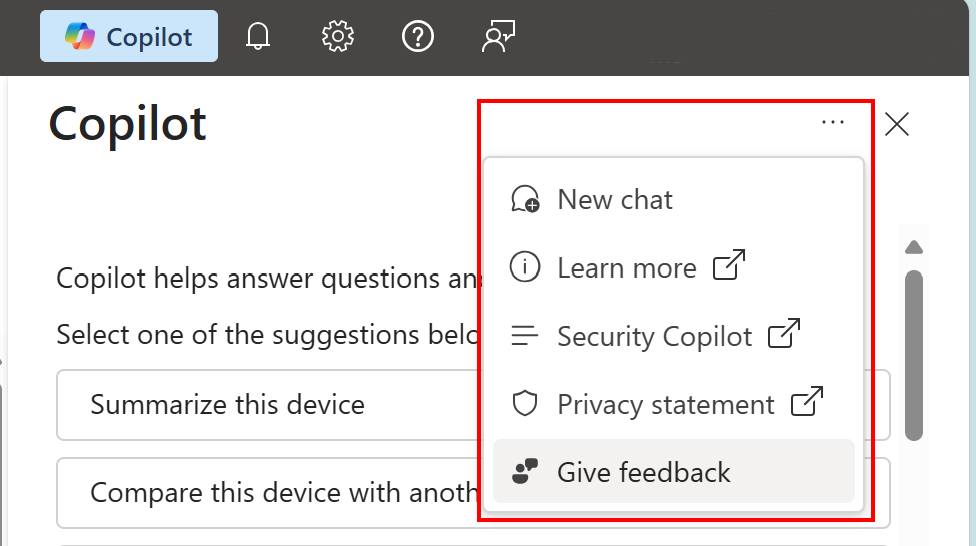
在系統管理中心,如果您選取右上角的三個點 (...) ,您會看到 [ 提供意見反應 ] 選項。 此選項適用於有關 Microsoft Azure 的一般意見反應,不適用於 Intune 中的 Copilot。 請勿使用此選項來提供與 Intune 中的 Security Copilot 相關的任何意見反應。
若要停用 Microsoft Azure 提供意見反應表單,請參閱管理 Azure 中 Microsoft Copilot 的存取權。