秘訣
推薦項目: 從 Work IQ 開發工具 開始,支援專業程式碼宣告式代理程式和外掛程式案例。 請參閱 WIQD 快速入門。 工具組式指示仍然適用於需要工具組的指示的現有專案和工作流程。 在選擇工具之前,請先檢查 功能和目標體驗支援 : WIQD 不會以自訂引擎代理程式為目標。
您可以透過新增功能或自訂動作來增強客服專員的能力。 您可以啟用 影像產生器 或 程式碼解釋器等內建功能,或將 MCP 或 API 外掛程式 新增為自訂動作來增強代理程式。 本教學課程新增了 API 外掛程式。 若要新增 MCP 伺服器,請參閱 建置或重複使用 MCP 伺服器 和 從 MCP 伺服器建置宣告式代理程式的外掛程式。
重要
本指南假設您已完成使用 Microsoft 365 代理程式工具組和 JSON 建立宣告式代理 程式教學課程。
將影像產生器新增至代理程式
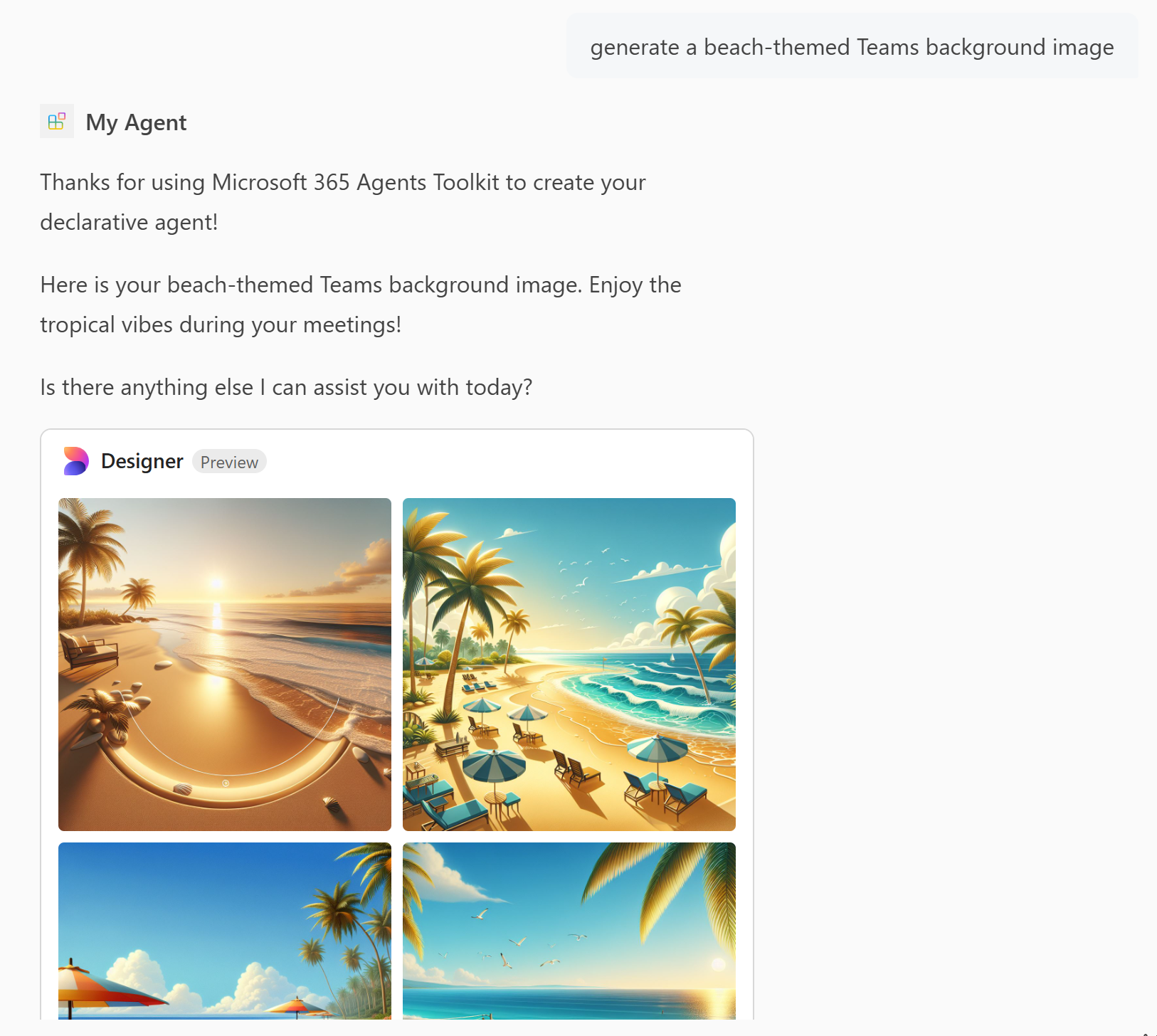
圖像生成器功能使代理能夠根據用戶提示生成圖像。 若要新增影像產生器:
開啟
appPackage/declarativeAgent.json檔案並將項目capabilities新增至GraphicArt陣列。 如需詳細資訊,請參閱 圖形藝術物件。{ "name": "GraphicArt" }在 Microsoft 365 Agents Toolkit 的 [ 生命週期 ] 窗格中,選取 [佈建]。
宣告式代理程式可以在您重新載入頁面後產生影像。
注意
影像產生器不適用於 Microsoft 365 政府社群雲端高 (GCCH) 環境中的代理程式。
將程式碼解譯器新增至代理程式
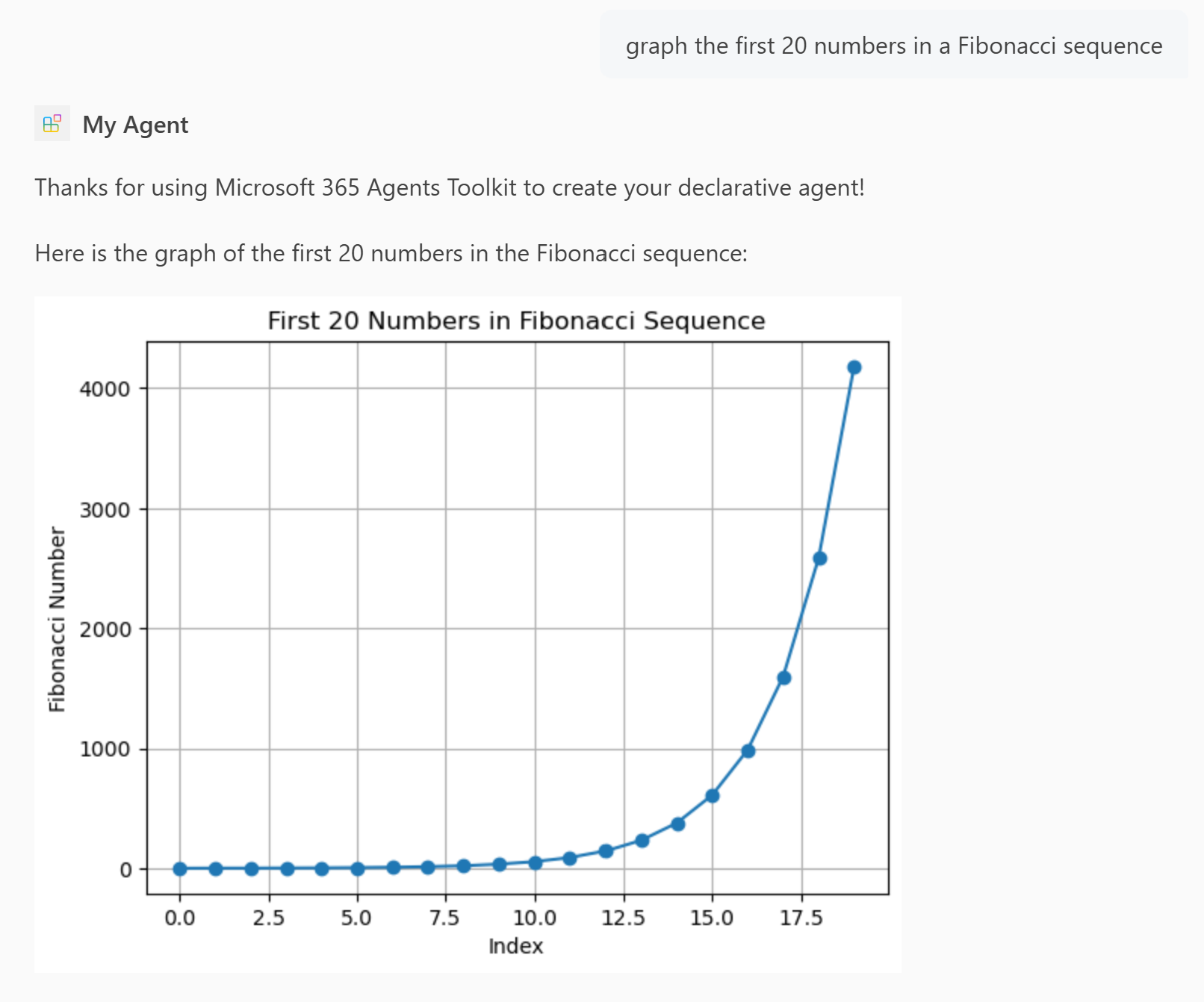
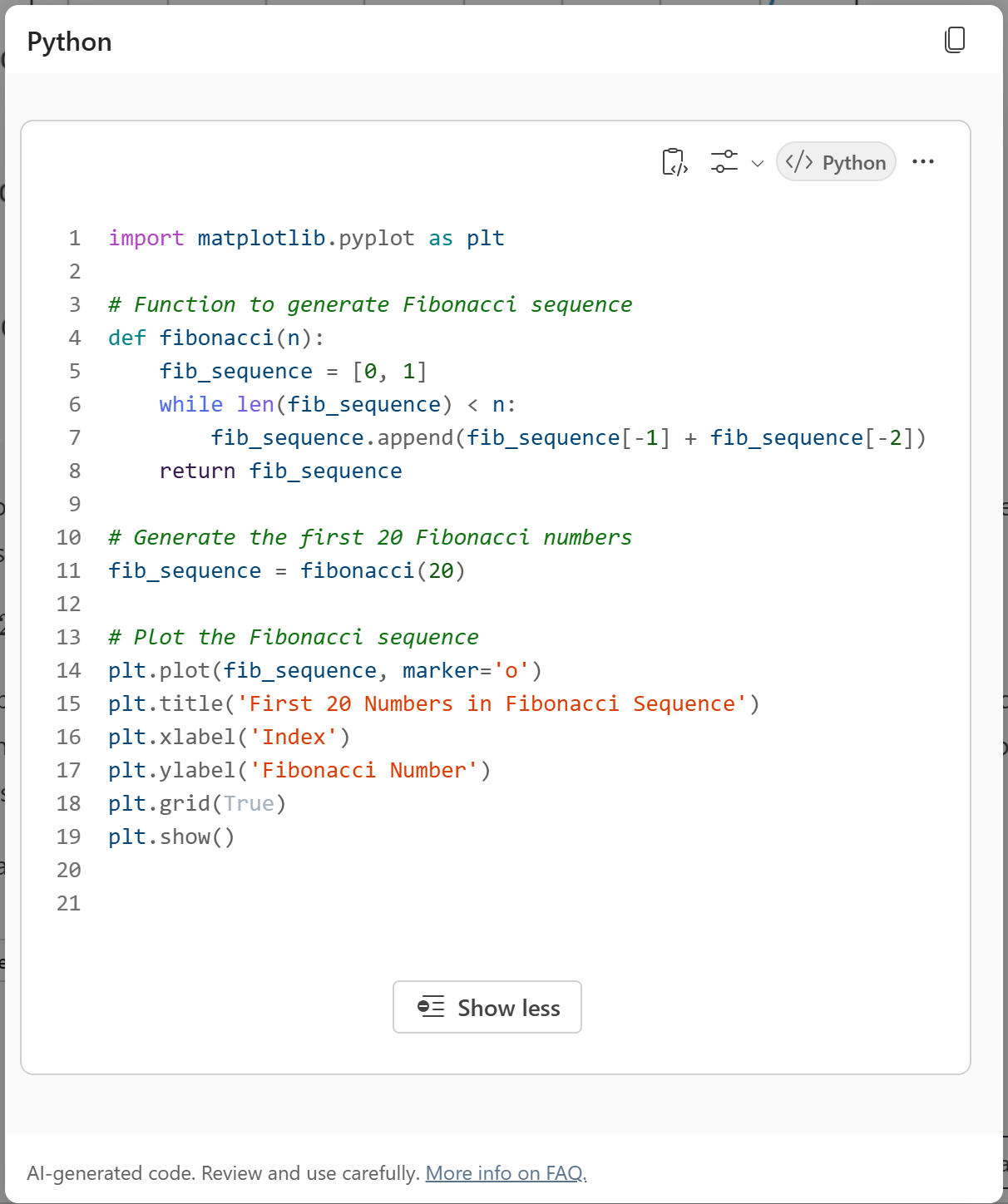
程式碼解釋器是一種高級工具,旨在透過 Python 程式碼解決複雜的任務。
注意
在 GCCH 環境中,程式碼解譯器僅可供擁有 Microsoft 365 Copilot 附加元件授權的使用者使用。
開啟
appPackage/declarativeAgent.json檔案並將項目capabilities新增至CodeInterpreter陣列。{ "name": "CodeInterpreter" }如需詳細資訊,請參閱 程式碼解譯器物件。
在 [Agents Toolkit] 的 [生命週期] 窗格中選取 [佈建]。
在您重新載入頁面之後,宣告式代理程式具有程式碼解譯器功能。
將 API 外掛程式新增為代理程式的自訂動作
API 外掛程式允許您的代理程式與 REST API 互動,為您的代理程式新增功能。
注意
GCCH 環境中不支援自訂動作。
在您開始之前,請建立一個名為 posts-api.ymlPosts API OpenAPI 描述文件的檔並新增程式碼。
在 Agents Toolkit 的 [開發] 窗格中選取 [新增動作]。
選取 [從 OpenAPI 描述文件開始]。
選取 [ 瀏覽 ],然後瀏覽至
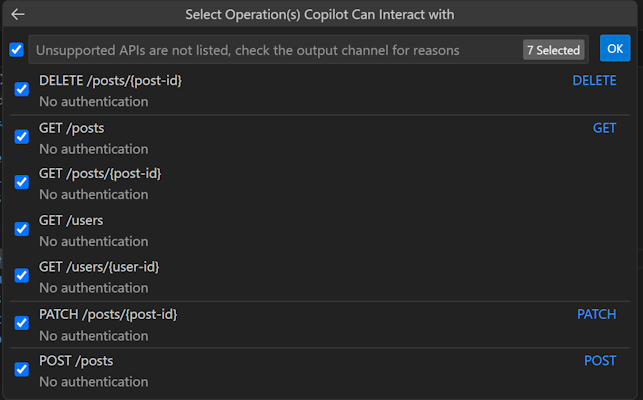
posts-api.yml檔案。選取所有可用的 API,然後選取 [確定]。
選取 [manifest.json]。
檢閱對話方塊中的警告。 當您準備好繼續時,請選取 [新增]。
在 [Agents Toolkit] 的 [生命週期] 窗格中選取 [佈建]。
宣告式代理程式可以存取您的外掛程式內容,以便在您重新載入頁面後產生其答案。
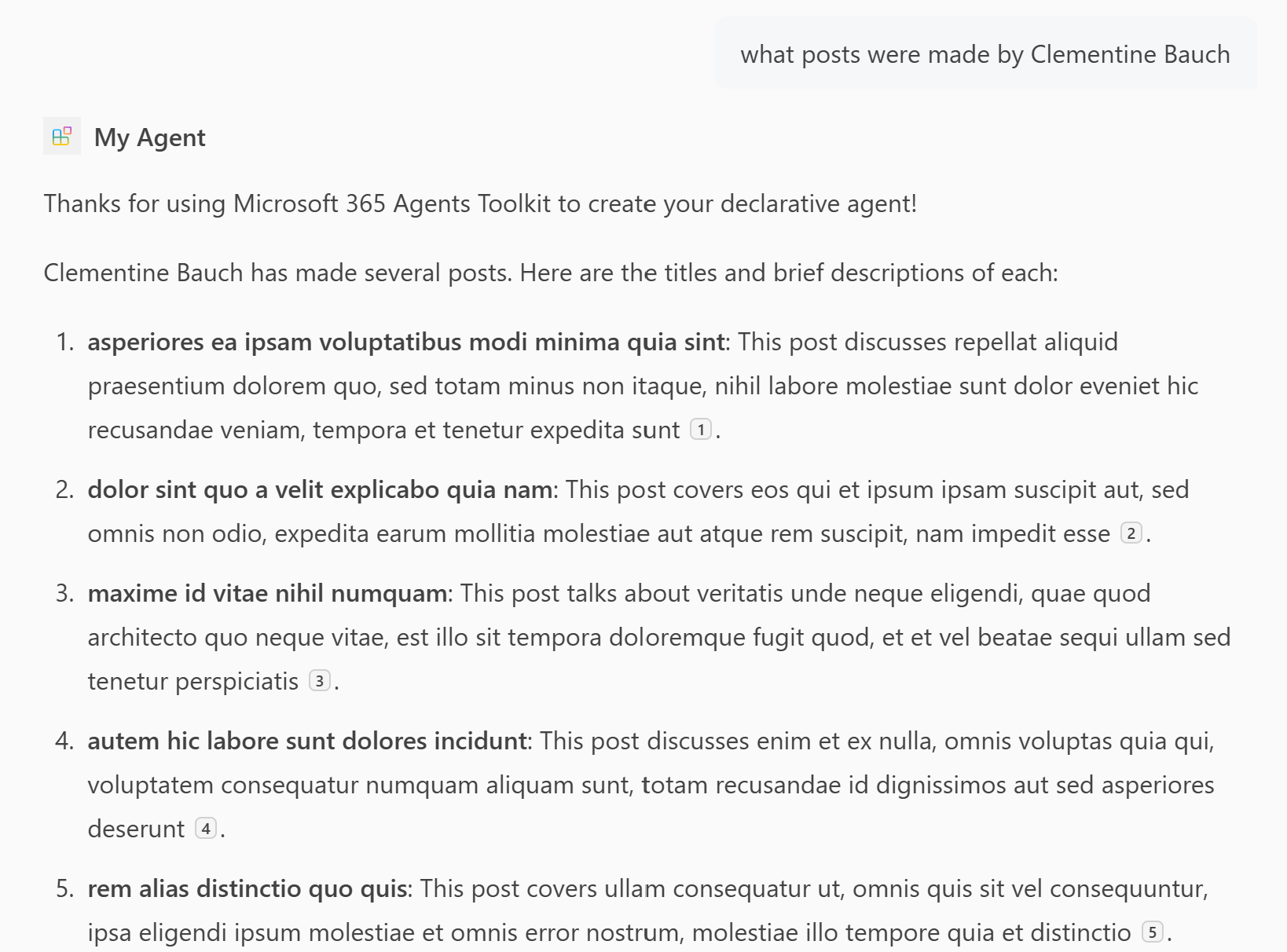
貼文 API OpenAPI 描述文件
以下 OpenAPI 描述適用於 JSONPlaceHolder API,這是一個免費的線上 REST API,您可以在需要一些虛假資料時使用它。
openapi: '3.0.2'
info:
  title: Posts API
  version: '1.0'
servers:
- url: https://jsonplaceholder.typicode.com/

components:
  schemas:
    post:
      type: object
      properties:
        userId:
          type: integer
          description: The ID of the user that authored the post.
        id:
          type: integer
        title:
          type: string
        body:
          type: string
    user:
      type: object
      properties:
        id:
          type: integer
        name:
          type: string
        username:
          type: string
        email:
          type: string
        phone:
          type: string
        website:
          type: string
        address:
          $ref: '#/components/schemas/address'
        company:
          $ref: '#/components/schemas/company'
    address:
      type: object
      properties:
        street:
          type: string
        suite:
          type: string
        city:
          type: string
        zipcode:
          type: string
        geo:
          $ref: '#/components/schemas/coordinates'
    coordinates:
      type: object
      properties:
        lat:
          type: string
          description: The latitude of the location
        lng:
          type: string
          description: The longitude of the location
    company:
      type: object
      properties:
        name:
          type: string
        catchPhrase:
          type: string
        bs:
          type: string
  parameters:
    post-id:
      name: post-id
      in: path
      description: 'key: id of post'
      required: true
      style: simple
      schema:
        type: integer
    user-id:
      name: user-id
      in: path
      description: 'key: id of user'
      required: true
      style: simple
      schema:
        type: integer

paths:
  /posts:
    get:
      description: Get posts
      operationId: GetPosts
      parameters:
      - name: userId
        in: query
        description: Filter results by user ID
        required: false
        style: form
        schema:
          type: integer
          maxItems: 1
      - name: title
        in: query
        description: Filter results by title
        required: false
        style: form
        schema:
          type: string
          maxItems: 1
      responses:
        '200':
          description: OK
          content:
            application/json:
              schema:
                type: array
                items:
                  $ref: '#/components/schemas/post'
    post:
      description: 'Create post'
      operationId: CreatePost
      requestBody:
        required: true
        content:
          application/json:
            schema:
              $ref: '#/components/schemas/post'
      responses:
        '201':
          description: Created
          content:
            application/json:
              schema:
                $ref: '#/components/schemas/post'
  /posts/{post-id}:
    get:
      description: 'Get post by ID'
      operationId: GetPostById
      parameters:
      - $ref: '#/components/parameters/post-id'
      responses:
        '200':
          description: OK
          content:
            application/json:
              schema:
                $ref: '#/components/schemas/post'
    patch:
      description: 'Update post'
      operationId: UpdatePost
      requestBody:
        required: true
        content:
          application/json:
            schema:
              $ref: '#/components/schemas/post'
      parameters:
      - $ref: '#/components/parameters/post-id'
      responses:
        '200':
          description: OK
          content:
            application/json:
              schema:
                $ref: '#/components/schemas/post'
    delete:
      description: 'Delete post'
      operationId: DeletePost
      parameters:
      - $ref: '#/components/parameters/post-id'
      responses:
        '200':
          description: OK
  /users:
    get:
      summary: Get users
      description: Returns details about users
      operationId: GetUsers
      parameters:
      - name: name
        in: query
        description: The user's real name
        schema:
          type: string
      - name: username
        in: query
        description: The user's login name
        schema:
          type: string
      responses:
        '200':
          description: OK
          content:
            application/json:
              schema:
                type: array
                items:
                  $ref: '#/components/schemas/user'
  /users/{user-id}:
    get:
      description: 'Get user by ID'
      operationId: GetUserById
      parameters:
      - $ref: '#/components/parameters/user-id'
      responses:
        '200':
          description: OK
          content:
            application/json:
              schema:
                $ref: '#/components/schemas/user'
相關內容
您已完成 Microsoft 365 Copilot 的宣告式代理程式指南。 現在您已熟悉宣告式代理程式的功能,您可以在下列文章中深入了解宣告式代理程式。
- 使用 Microsoft 365 Agents Toolkit 和 TypeSpec 建立宣告式代理程式
- 了解如何為您的客服專員 撰寫有效的說明 。
- 使用開發人員模式測試您的代理程式,以驗證 Copilot 協調器是否及如何選取您的知識來源以用於回應指定的提示。 如需詳細資訊,請參閱 使用 開發人員模式測試和偵錯 Microsoft 365 Agents Toolkit 中的代理程式。
- 取得 常見問題的解答。
- 瞭解建置宣告式代理程式的其他方法: Agent Builder 中的無程式碼,或 Copilot Studio 中的低程式碼。