適用於: 畫布應用程式 Copilot Studio 桌面流程 Power Platform CLI Dataverse 函數 Power Pages
Description
此 Distinct 函數會評估表格每筆記錄的公式,並傳回已移除重複值的結果的單欄表格。 欄名稱為 Value。
目前處理中的記錄其各個欄位可供您在公式內使用。 使用 ThisRecord 運算子,,或只需依名稱參照欄位,就像任何其他的值一樣。 As 運算子也可以用來命名所處理的記錄,這有助於讓您的公式更易於了解並讓嵌套記錄可以存取。 如需更多資訊,請參閱下列範例以及 處理記錄範圍。
搭配資料來源使用時,無法委派此函式。 將僅擷取資料來源的第一個部分,然後再套用函式。 結果不一定代表完整的全貌。 製作期間可能會出現警告,提醒您有此限制並建議盡可能切換至可委派的替代函式。 如需詳細資訊,請參閱委派概觀。
語法
Distinct( 表格、 公式 )
- Table - 必需。 要跨評估的資料表。
- 公式 - 必需。 評估每一筆記錄的公式。
範例
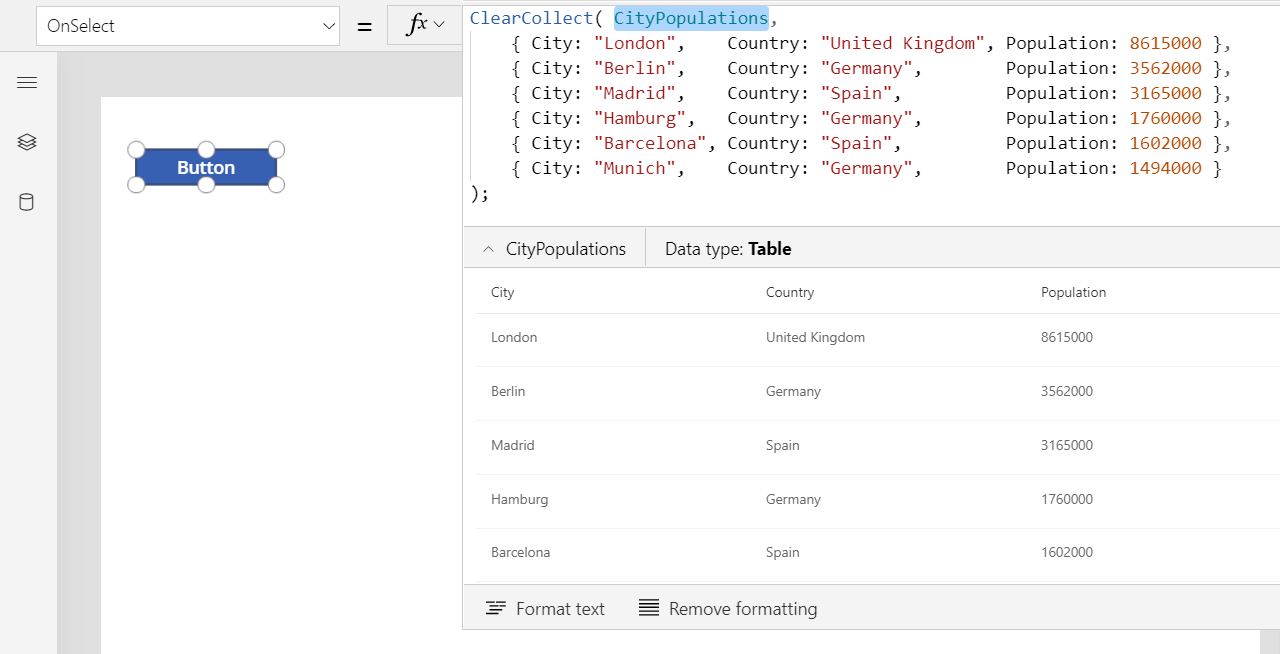
插入 Button 控制項,並將其 OnSelect 屬性設定為以下公式。
ClearCollect( CityPopulations,
    { City: "London",    Country: "United Kingdom", Population: 8615000 },
    { City: "Berlin",    Country: "Germany",        Population: 3562000 },
    { City: "Madrid",    Country: "Spain",          Population: 3165000 },
    { City: "Hamburg",   Country: "Germany",        Population: 1760000 },
    { City: "Barcelona", Country: "Spain",          Population: 1602000 },
    { City: "Munich",    Country: "Germany",        Population: 1494000 }
);
按住 Alt 鍵時,選取按鈕。
公式為已評估,並建立可藉由在公式列中選取 CityPopulations 來顯示的 CityPopulations 集合:
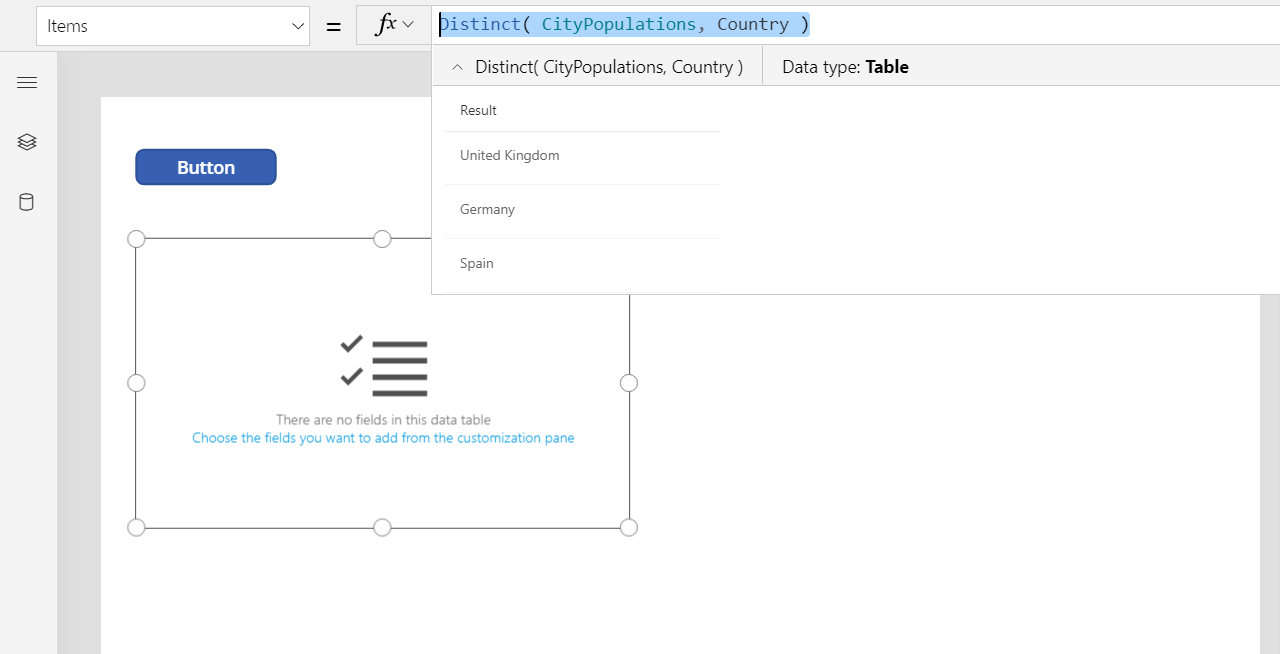
插入 Data table 控制項,並將其 Items 屬性設定為以下公式:
Distinct( CityPopulations, Country )您可以選取整個公式,在公式列中查看此公式的結果:
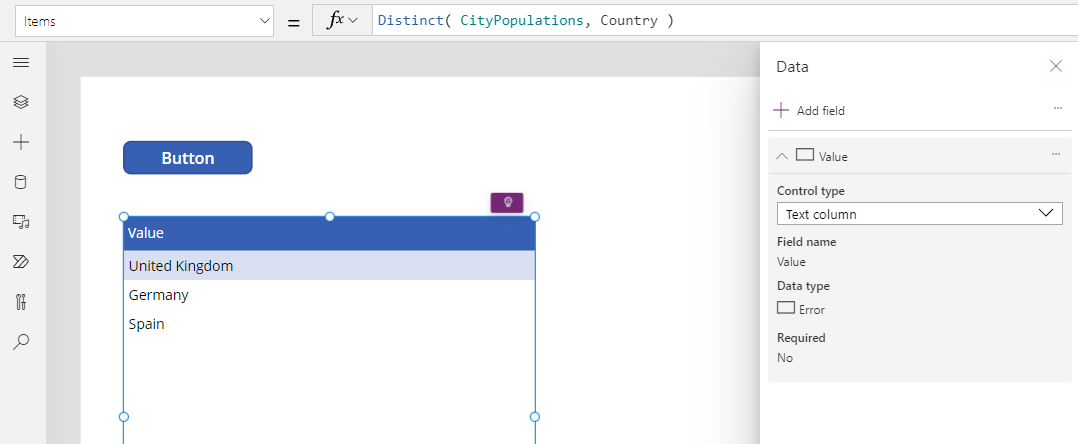
使用資料表屬性窗格中的編輯欄位連結來新增值欄位:
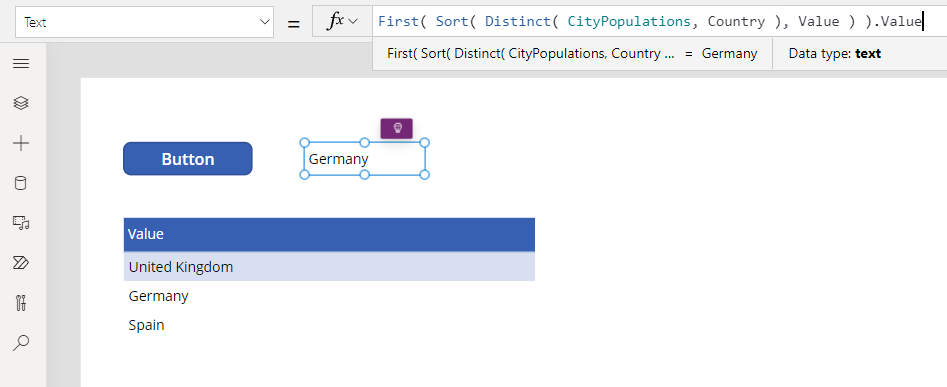
插入 Label 控制項,並將其 Text 屬性設定為以下公式:
First( Sort( Distinct( CityPopulations, Country ), Value ) ).Value此公式會使用 Sort 函數排序結果Distinct,使用 First 函數從結果資料表中取得第一筆記錄,並擷取 Result 欄位以僅取得國家/地區名稱。