共用方式為


步驟 1: 註冊應用程式以使用 Azure Active Directory

  1. 流覽至 windowsazure.com ,然後在 Azure 入口網站中使用您的 Microsoft 帳戶或組織帳戶登入。 如果您沒有 Azure 訂用帳戶,您可以從 azure.com 取得試用版

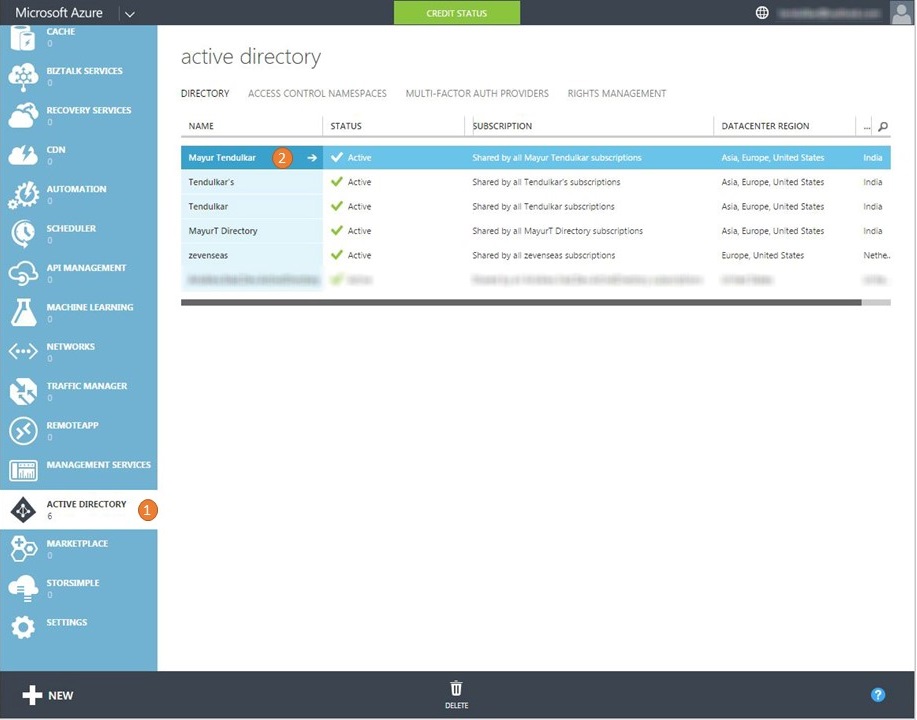
  2. 登入之後,請移至 [Active Directory (1)] 區段,然後選擇您要註冊應用程式的目錄 (2)

    section and choose the directory where you want to register the application

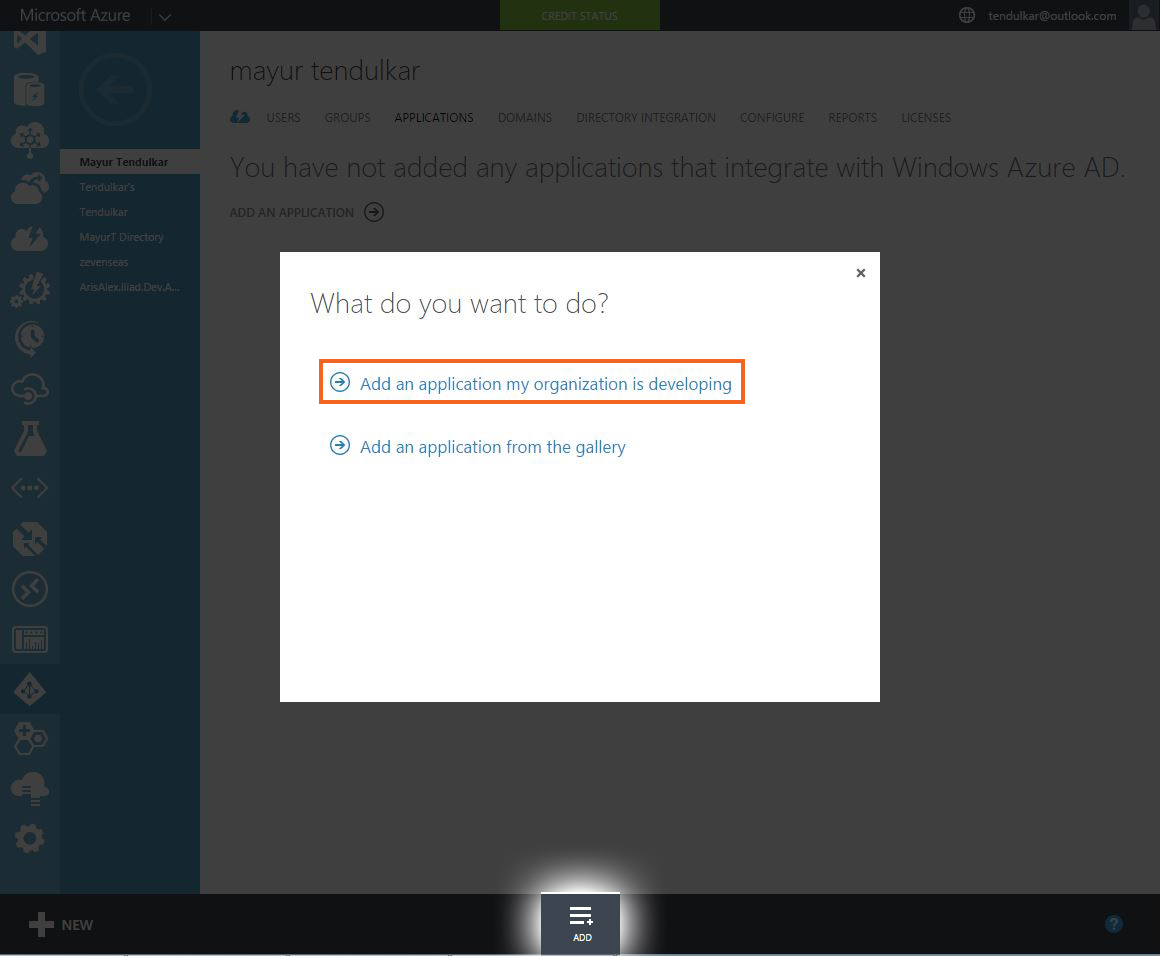
  3. 單擊 [ 新增 ] 以建立新的應用程式,然後選取 [ 新增我的組織正在開發的應用程式]

    Add an application my organization is developing

  4. 在下一個畫面上,提供您的應用程式名稱(例如XAM-DEMO)。 請確定您選取 [原生用戶端應用程式 ] 作為應用程式類型。

    Make sure you select Native Client Application as the type of application

  5. 在最後一個畫面上,提供應用程式唯一的 *重新導向 URI ,因為它會在驗證完成時返回此 URI。

    On the final screen, provide a Redirect URI that is unique to your application as it will return to this URI when authentication is complete

  6. 建立應用程式之後,流覽至 [設定] 索引標籤。記下我們稍後將在應用程式中使用的用戶端識別符。 此外,在此畫面上,您可以授與行動應用程式對 Active Directory 的存取權,或新增另一個應用程式,例如 Web API 或 Office365,一旦驗證完成,行動應用程式就可以使用。

    Also, on this screen you can give your mobile application access to Active Directory or add another application like Web API or Office365