開發以視覺為基礎的聊天應用程式
Tip
有關更多詳細信息,請參閱 文本和圖像 選項卡!
若要開發用戶端應用程式,以使用多模態模型參與以視覺為基礎的聊天,您可以使用與文字型聊天所用的相同基本技術。 您需要連線至部署模型的端點,並使用該端點將訊息組成的提示提交至模型並處理回應。
主要差異在於,基於視覺的聊天提示包含多部分的使用者訊息,包含文字內容與圖片內容。
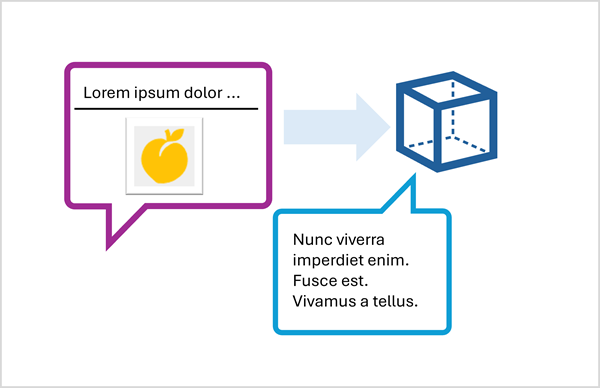
請使用 回應 API 提交基於圖片的提示
若要使用 Responses API 在提示中包含圖片,請指定網頁圖片檔案的 URL,或載入本地圖片並以 Base64 格式編碼其資料,並依該格式 data:image/jpeg;base64,{image_data} 提交 URL(視情況將「jpeg」替換為「png」或其他格式)。
以下 Python 範例展示了如何使用 Responses API 在提示中提交圖片:
# Read the image data from a local file
image_path = Path("dragon-fruit.jpeg")
image_format = "jpeg"
with open(image_path, "rb") as image_file:
    image_data = base64.b64encode(image_file.read()).decode("utf-8")

data_url = f"data:image/{image_format};base64,{image_data}" # You can also use a web URL

# Send the image data in a prompt to the model
response = client.responses.create(
    model="gpt-4.1",
    input=[
        {"role": "developer", "content": "You are an AI assistant for chefs planning recipes."},
        {"role": "user", "content": [
            { "type": "input_text", "text": "What desserts could I make with this?"},
            { "type": "input_image", "image_url": data_url}
        ] }
    ]
)
print(response.output_text)
請使用 ChatCompletions API 提交基於圖片的提示
當使用 Azure OpenAI 端點向不支援 Responses API 的模型提交提示時,你可以使用 CatCompletions API;像這樣:
# Read the image data from a local file
image_path = Path("orange.jpeg")
image_format = "jpeg"
with open(image_path, "rb") as image_file:
    image_data = base64.b64encode(image_file.read()).decode("utf-8")

data_url = f"data:image/{image_format};base64,{image_data}" # You can also use a web URL

# Send the image data in a prompt to the model
response = client.chat.completions.create(
    model="Phi-4-multimodal-instruct",
    messages=[
        {"role": "system", "content": "You are an AI assistant for chefs planning recipes."},
        { "role": "user", "content": [
            { "type": "text", "text": "What can I make with this fruit?"},
            { "type": "image_url", "image_url": {"url": data_url}}
        ] }
    ]
)
print(response.choices[0].message.content)