啟用整合式快取
啟用整合式快取
使用兩個主要步驟來完成啟用整合式快取:
- 在 Azure Cosmos DB for NoSQL 帳戶中建立專用閘道
- 更新 SDK 程式碼以使用閘道來進行要求
建立專用閘道
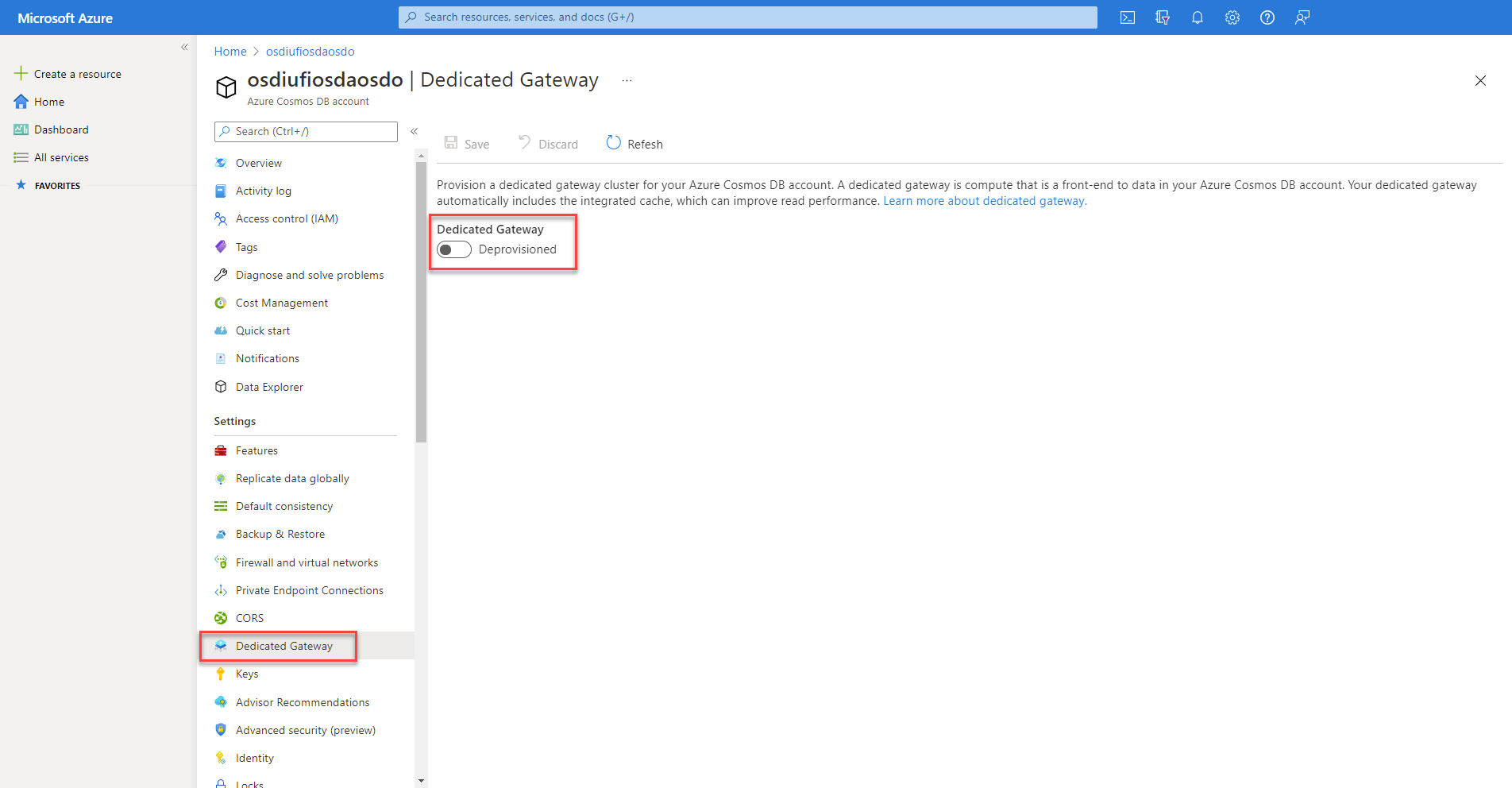
首先,您必須在帳戶中佈建專用閘道。 您可以使用入口網站和 [專用閘道] 窗格來完成此動作。
在佈建流程中,系統會要求您設定閘道執行個體數目和 SKU。 這些設定會決定每個閘道節點的節點數目以及計算和記憶體大小。 您稍後可以隨您需要快取的資料量增加來修改節點數目和 SKU。
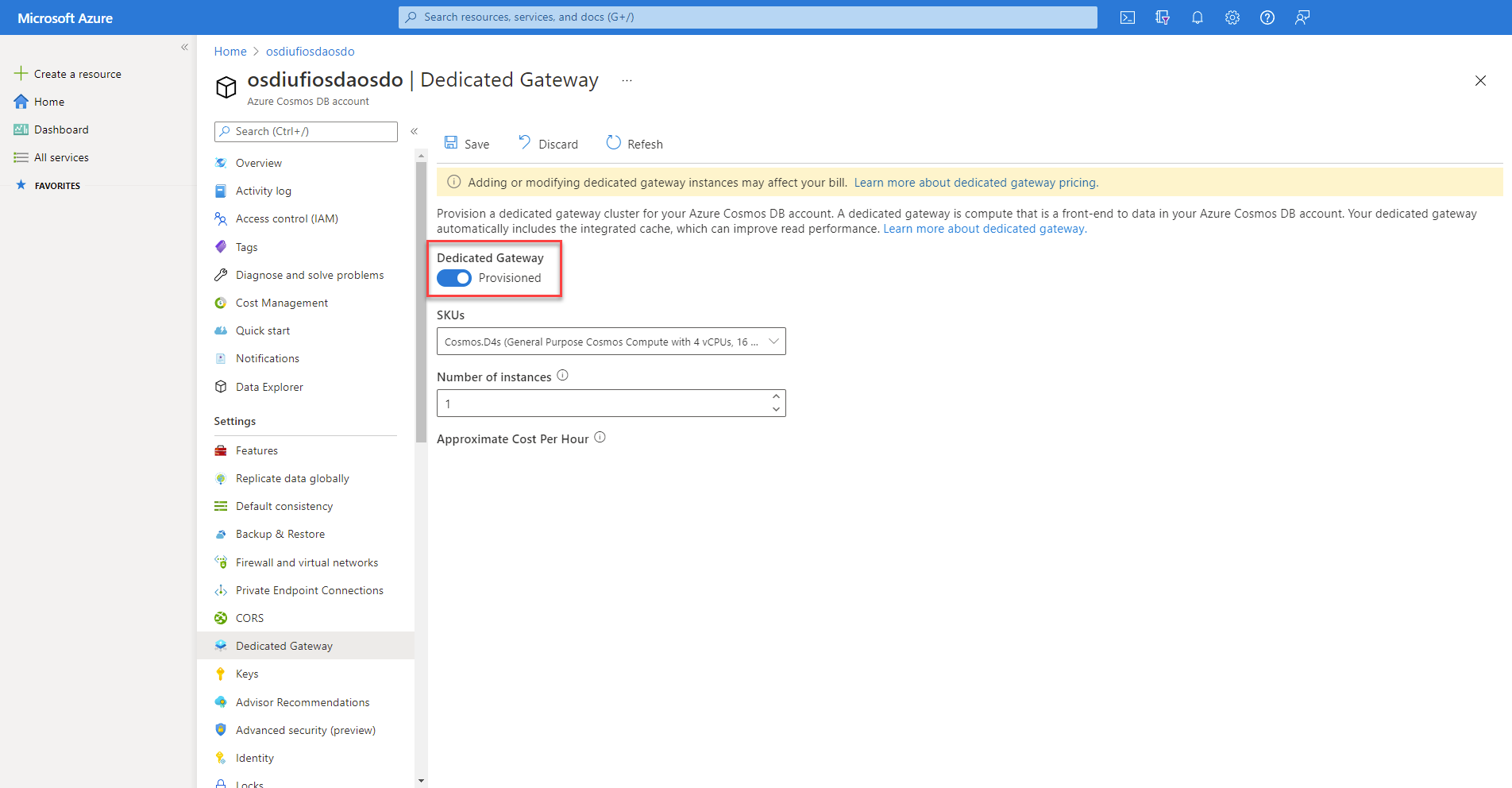
佈建新的閘道之後,您即可取得閘道的端點。
注意
閘道端點與搭配 Azure Cosmos DB for NoSQL 用戶端使用的一般端點不同。
更新 .NET SDK 程式碼
若要讓 .NET SDK 用戶端使用整合式快取,您必須確定做到三件事:
- 用戶端會使用專用閘道端點,而不是一般端點
- 用戶端設定為使用 [閘道] 模式,而不是預設的 [直接] 連線模式
- 用戶端的一致性層級必須設定為工作階段或最終
首先,請確認端點已設定為專用閘道的端點。 一般而言,Azure Cosmos DB for NoSQL 端點的格式為 <cosmos-account-name>.documents.azure.com。 針對專用閘道,端點的結構為 <cosmos-account-name>.sqlx.cosmos.azure.com。
不要使用帳戶金鑰,而是將 SDK 設定為使用 受控識別 進行驗證。 已更新的程式碼如下。
using Azure.Identity;
using Microsoft.Azure.Cosmos;

string endpoint = "https://<cosmos-account-name>.sqlx.cosmos.azure.com/";

CosmosClientOptions options = new()
{
    ConnectionMode = ConnectionMode.Gateway,
    ConsistencyLevel = ConsistencyLevel.Session // or ConsistencyLevel.Eventual
};

// Use DefaultAzureCredential to authenticate with managed identity.
CosmosClient client = new(endpoint, new DefaultAzureCredential(), options);
注意
請確保您的應用程式已啟用受控識別,且受控識別已獲授與 Azure Cosmos DB 帳戶上的 Cosmos DB 內建資料參與者角色。
設定點讀取作業
若要設定點讀取作業以使用整合式快取,您必須建立 ItemRequestOptions 類型的物件。 在此物件中,您可以手動將 ConsistencyLevel 屬性設定為 ConsistencyLevel.Session 或 ConsistencyLevel.Eventual。 接著,您可以在 ReadItemAsync 方法調用中使用 options 變數。
string id = "9DB28F2B-ADC8-40A2-A677-B0AAFC32CAC8";
PartitionKey partitionKey = new("56400CF3-446D-4C3F-B9B2-68286DA3BB99");

ItemRequestOptions requestOptions = new()
{
    ConsistencyLevel = ConsistencyLevel.Session
};

ItemResponse<Product> response = await container.ReadItemAsync<Product>(id, partitionKey, requestOptions: requestOptions);
若要觀察 RU 使用量,請使用響應變數的 RequestCharge 屬性。 此讀取作業的第一個叫用會使用預期的要求單位數目。 在此範例中,其會是點讀取作業的一個 RU。 後續要求不會使用任何要求單位,因為會從快取提取資料,直到其過期為止。
Console.WriteLine($"Request charge:\t{response.RequestCharge:0.00} RU/s");
設定查詢
若要設定查詢以使用整合式快取,請建立 QueryRequestOptions 類型的物件。 在此物件中,您也應該手動變更一致性層級。 然後,將 options 變數傳入 GetItemQueryIterator 方法調用。
string sql = "SELECT * FROM products";
QueryDefinition query = new(sql);

QueryRequestOptions queryOptions = new()
{
    ConsistencyLevel = ConsistencyLevel.Eventual
};

FeedIterator<Product> iterator = container.GetItemQueryIterator<Product>(query, requestOptions: queryOptions);
您也可以取得與每個結果頁面相關聯之每個 FeedResponse 物件的 RequestCharge 屬性,以觀察 RU 使用量。 如果您彙總要求費用,則會收到整個查詢的要求費用總計。 第一個查詢與點讀取很類似,會使用一般要求單位數目。 任何額外的查詢都不會使用任何要求單位,直到資料在快取中過期為止。
double totalRequestCharge = 0;
while(iterator.HasMoreResults)
{
    FeedResponse<Product> response = await iterator.ReadNextAsync();
    totalRequestCharge += response.RequestCharge;
    Console.WriteLine($"Request charge:\t\t{response.RequestCharge:0.00} RU/s");
}

Console.WriteLine($"Total request charge:\t{totalRequestCharge:0.00} RU/s");