UserControl Class
Definition
Important
Some information relates to prerelease product that may be substantially modified before it’s released. Microsoft makes no warranties, express or implied, with respect to the information provided here.
Provides the base class for defining a new control that encapsulates related existing controls and provides its own logic.
/// [Windows.Foundation.Metadata.ContractVersion(Windows.Foundation.UniversalApiContract, 65536)]
/// [Windows.Foundation.Metadata.MarshalingBehavior(Windows.Foundation.Metadata.MarshalingType.Agile)]
/// [Windows.Foundation.Metadata.Threading(Windows.Foundation.Metadata.ThreadingModel.Both)]
/// [Windows.UI.Xaml.Markup.ContentProperty(Name="Content")]
class UserControl : Control
[Windows.Foundation.Metadata.ContractVersion(typeof(Windows.Foundation.UniversalApiContract), 65536)]
[Windows.Foundation.Metadata.MarshalingBehavior(Windows.Foundation.Metadata.MarshalingType.Agile)]
[Windows.Foundation.Metadata.Threading(Windows.Foundation.Metadata.ThreadingModel.Both)]
[Windows.UI.Xaml.Markup.ContentProperty(Name="Content")]
public class UserControl : ControlPublic Class UserControl
Inherits Control<UserControl ...>
singleContentElement
</UserControl>
-or-
<UserControl .../>
- Inheritance
- Derived
- Attributes
Windows requirements
| Requirements | Description |
|---|---|
| Device family |
Windows 10 (introduced in 10.0.10240.0)
|
| API contract |
Windows.Foundation.UniversalApiContract (introduced in v1.0)
|
Examples
The following examples demonstrate creating a UserControl and using it multiple times in an app. This first example creates a UserControl called NameReporter that asks for a name of a person, and reports it back to the user. NameReporter has several TextBlock controls, two TextBox controls, and a Button. The user enters a first and last name into the appropriate TextBox, and then clicks the button. The control then displays a message box with the name that the user entered.
<UserControl x:Class="UserControlExample.NameReporter"
    xmlns="http://schemas.microsoft.com/winfx/2006/xaml/presentation"
    xmlns:x="http://schemas.microsoft.com/winfx/2006/xaml" >
  <StackPanel HorizontalAlignment="Center">

    <StackPanel.Resources>
      <!--Create a Style for a TextBlock.-->
      <Style TargetType="TextBlock" x:Key="TextBlockStyle">
        <Setter Property="FontSize" Value="14"/>
        <Setter Property="VerticalAlignment" Value="Bottom"/>
      </Style>

      <!--Create a Style for a TextBox.-->
      <Style TargetType="TextBox" x:Key="TextBoxStyle">
        <Setter Property="Width" Value="200"/>
        <Setter Property="Height" Value="30"/>
        <Setter Property="Margin" Value="4"/>
        <Setter Property="FontSize" Value="14"/>
      </Style>
    </StackPanel.Resources>
    <TextBlock FontSize="18" Text="Enter your name."/>
    <StackPanel Orientation="Horizontal">
      <TextBlock Style="{StaticResource TextBlockStyle}">
                First Name:
      </TextBlock>
      <TextBox Name="firstName" Style="{StaticResource TextBoxStyle}"/>
    </StackPanel>
    <StackPanel Orientation="Horizontal">
      <TextBlock Style="{StaticResource TextBlockStyle}">
                Last Name:
      </TextBlock>
      <TextBox Name="lastName" Style="{StaticResource TextBoxStyle}"
                     Margin="6,4,4,4"/>

    </StackPanel>
    <Button Content="Submit" Click="Button_Click"/>
    <TextBlock Name="result" Style="{StaticResource TextBlockStyle}" />

    </StackPanel>
</UserControl>
using System.Text;
using Windows.UI.Xaml;
using Windows.UI.Xaml.Controls;

namespace UserControlExample
{
    public partial class NameReporter : UserControl
    {
        public NameReporter()
        {
            InitializeComponent();
        }

        private void Button_Click(object sender, RoutedEventArgs e)
        {
            StringBuilder displayText = new StringBuilder("Hello, ");
            displayText.AppendFormat("{0} {1}.", firstName.Text, lastName.Text);
            result.Text = displayText.ToString();
        }
    }
}
Imports System.Text
Imports System.Windows
Imports System.Windows.Controls

Partial Public Class NameReporter
    Inherits UserControl
    Public Sub New()
        InitializeComponent()
    End Sub

    Private Sub Button_Click(ByVal sender As Object, ByVal e As RoutedEventArgs)
        Dim displayText As New StringBuilder("Hello, ")
        'displayText.AppendFormat("{0} {1}.", firstName.Text, lastName.Text)

        MessageBox.Show(displayText.ToString())
    End Sub

End Class
Note
The src prefix in this XAML references the app itself and the UserControlExample code namespace within it. That is where the NameReporter control is defined. For more info on XAML prefixes, see XAML namespaces and namespace mapping.
  <Grid xmlns:src="using:UserControlExample"
         Margin="0,50,0,0">
  <Grid.RowDefinitions>
    <RowDefinition Height="Auto"/>
    <RowDefinition Height="Auto"/>
  </Grid.RowDefinitions>
  <src:NameReporter Grid.Row="0"/>
  <src:NameReporter Grid.Row="1" Margin="0,15,0,0"/>
</Grid>
Remarks
Note that UserControl does not manifest the value of its property in its control template. Instead, set the Background of the root element inside the UserControl. For more info, see Remarks in Control.Background.
Constructors
| Name | Description |
|---|---|
| UserControl() |
Initializes a new instance of the UserControl class. |
Properties
| Name | Description |
|---|---|
| AccessKey |
Gets or sets the access key (mnemonic) for this element. (Inherited from UIElement) |
| AccessKeyScopeOwner |
Gets or sets a source element that provides the access key scope for this element, even if it's not in the visual tree of the source element. (Inherited from UIElement) |
| ActualHeight |
Gets the rendered height of a FrameworkElement. See Remarks. (Inherited from FrameworkElement) |
| ActualOffset |
Gets the position of this UIElement, relative to its parent, computed during the arrange pass of the layout process. (Inherited from UIElement) |
| ActualSize |
Gets the size that this UIElement computed during the arrange pass of the layout process. (Inherited from UIElement) |
| ActualTheme |
Gets the UI theme that is currently used by the element, which might be different than the RequestedTheme. (Inherited from FrameworkElement) |
| ActualWidth |
Gets the rendered width of a FrameworkElement. See Remarks. (Inherited from FrameworkElement) |
| AllowDrop |
Gets or sets a value that determines whether this UIElement can be a drop target for purposes of drag-and-drop operations. (Inherited from UIElement) |
| AllowFocusOnInteraction |
Gets or sets a value that indicates whether the element automatically gets focus when the user interacts with it. (Inherited from FrameworkElement) |
| AllowFocusWhenDisabled |
Gets or sets whether a disabled control can receive focus. (Inherited from FrameworkElement) |
| Background |
Gets or sets a brush that provides the background of the control. (Inherited from Control) |
| BackgroundSizing |
Gets or sets a value that indicates how far the background extends in relation to this element's border. (Inherited from Control) |
| BaseUri |
Gets a Uniform Resource Identifier (URI) that represents the base Uniform Resource Identifier (URI) for an XAML-constructed object at XAML load time. This property is useful for Uniform Resource Identifier (URI) resolution at run time. (Inherited from FrameworkElement) |
| BorderBrush |
Gets or sets a brush that describes the border fill of a control. (Inherited from Control) |
| BorderThickness |
Gets or sets the border thickness of a control. (Inherited from Control) |
| CacheMode |
Gets or sets a value that indicates that rendered content should be cached as a composited bitmap when possible. (Inherited from UIElement) |
| CanBeScrollAnchor |
Gets or sets a value that indicates whether the UIElement can be a candidate for scroll anchoring. (Inherited from UIElement) |
| CanDrag |
Gets or sets a value that indicates whether the element can be dragged as data in a drag-and-drop operation. (Inherited from UIElement) |
| CenterPoint |
Gets or sets the center point of the element, which is the point about which rotation or scaling occurs. Affects the rendering position of the element. (Inherited from UIElement) |
| CharacterSpacing |
Gets or sets the uniform spacing between characters, in units of 1/1000 of an em. (Inherited from Control) |
| Clip |
Gets or sets the RectangleGeometry used to define the outline of the contents of a UIElement. (Inherited from UIElement) |
| CompositeMode |
Gets or sets a property that declares alternate composition and blending modes for the element in its parent layout and window. This is relevant for elements that are involved in a mixed XAML / Microsoft DirectX UI. (Inherited from UIElement) |
| Content |
Gets or sets the content that is contained within a user control. |
| ContentProperty |
Identifies the Content dependency property. |
| ContextFlyout |
Gets or sets the flyout associated with this element. (Inherited from UIElement) |
| CornerRadius |
Gets or sets the radius for the corners of the control's border. (Inherited from Control) |
| DataContext |
Gets or sets the data context for a FrameworkElement. A common use of a data context is when a FrameworkElement uses the {Binding} markup extension and participates in data binding. (Inherited from FrameworkElement) |
| DefaultStyleKey |
Gets or sets the key that references the default style for the control. Authors of custom controls use this property to change the default for the style that their control uses. (Inherited from Control) |
| DefaultStyleResourceUri |
Gets or sets the path to the resource file that contains the default style for the control. (Inherited from Control) |
| DesiredSize |
Gets the size that this UIElement computed during the measure pass of the layout process. (Inherited from UIElement) |
| Dispatcher |
Gets the CoreDispatcher that this object is associated with. The CoreDispatcher represents a facility that can access the DependencyObject on the UI thread even if the code is initiated by a non-UI thread. (Inherited from DependencyObject) |
| ElementSoundMode |
Get or sets a value that specifies a control's preference for whether sounds are played. (Inherited from Control) |
| ExitDisplayModeOnAccessKeyInvoked |
Gets or sets a value that specifies whether the access key display is dismissed when an access key is invoked. (Inherited from UIElement) |
| FlowDirection |
Gets or sets the direction in which text and other UI elements flow within any parent element that controls their layout. This property can be set to either LeftToRight or RightToLeft. Setting FlowDirection to RightToLeft on any element sets the alignment to the right, the reading order to right-to-left and the layout of the control to flow from right to left. (Inherited from FrameworkElement) |
| FocusState |
Gets a value that specifies whether this control has focus, and the mode by which focus was obtained. (Inherited from Control) |
| FocusVisualMargin |
Gets or sets the outer margin of the focus visual for a FrameworkElement. (Inherited from FrameworkElement) |
| FocusVisualPrimaryBrush |
Gets or sets the brush used to draw the outer border of a |
| FocusVisualPrimaryThickness |
Gets or sets the thickness of the outer border of a |
| FocusVisualSecondaryBrush |
Gets or sets the brush used to draw the inner border of a |
| FocusVisualSecondaryThickness |
Gets or sets the thickness of the inner border of a |
| FontFamily |
Gets or sets the font used to display text in the control. (Inherited from Control) |
| FontSize |
Gets or sets the size of the text in this control. (Inherited from Control) |
| FontStretch |
Gets or sets the degree to which a font is condensed or expanded on the screen. (Inherited from Control) |
| FontStyle |
Gets or sets the style in which the text is rendered. (Inherited from Control) |
| FontWeight |
Gets or sets the thickness of the specified font. (Inherited from Control) |
| Foreground |
Gets or sets a brush that describes the foreground color. (Inherited from Control) |
| Height |
Gets or sets the suggested height of a FrameworkElement. (Inherited from FrameworkElement) |
| HighContrastAdjustment |
Gets or sets a value that indicates whether the framework automatically adjusts the element's visual properties when high contrast themes are enabled. (Inherited from UIElement) |
| HorizontalAlignment |
Gets or sets the horizontal alignment characteristics that are applied to a FrameworkElement when it is composed in a layout parent, such as a panel or items control. (Inherited from FrameworkElement) |
| HorizontalContentAlignment |
Gets or sets the horizontal alignment of the control's content. (Inherited from Control) |
| IsAccessKeyScope |
Gets or sets a value that indicates whether an element defines its own access key scope. (Inherited from UIElement) |
| IsDoubleTapEnabled |
Gets or sets a value that determines whether the DoubleTapped event can originate from that element. (Inherited from UIElement) |
| IsEnabled |
Gets or sets a value indicating whether the user can interact with the control. (Inherited from Control) |
| IsFocusEngaged |
Get or sets a value that indicates whether focus is constrained within the control boundaries (for game pad/remote interaction). (Inherited from Control) |
| IsFocusEngagementEnabled |
Get or sets a value that indicates whether focus can be constrained within the control boundaries (for game pad/remote interaction). (Inherited from Control) |
| IsHitTestVisible |
Gets or sets whether the contained area of this UIElement can return true values for hit testing. (Inherited from UIElement) |
| IsHoldingEnabled |
Gets or sets a value that determines whether the Holding event can originate from that element. (Inherited from UIElement) |
| IsLoaded |
Gets a value that indicates whether the element has been added to the element tree and is ready for interaction. (Inherited from FrameworkElement) |
| IsRightTapEnabled |
Gets or sets a value that determines whether the RightTapped event can originate from that element. (Inherited from UIElement) |
| IsTabStop |
Gets or sets a value that indicates whether a control is included in tab navigation. (Inherited from Control) |
| IsTapEnabled |
Gets or sets a value that determines whether the Tapped event can originate from that element. (Inherited from UIElement) |
| IsTextScaleFactorEnabled |
Gets or sets whether automatic text enlargement, to reflect the system text size setting, is enabled. (Inherited from Control) |
| KeyboardAcceleratorPlacementMode |
Gets or sets a value that indicates whether the control tooltip displays the key combination for its associated keyboard accelerator. (Inherited from UIElement) |
| KeyboardAcceleratorPlacementTarget |
Gets or sets a value that indicates the control tooltip that displays the accelerator key combination. (Inherited from UIElement) |
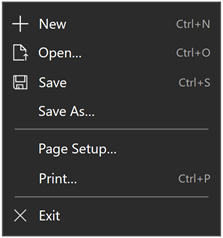
| KeyboardAccelerators |
Gets the collection of key combinations that invoke an action using the keyboard. Accelerators are typically assigned to buttons or menu items.
|
| KeyTipHorizontalOffset |
Gets or sets a value that indicates how far left or right the keytip is placed in relation to the UIElement. (Inherited from UIElement) |
| KeyTipPlacementMode |
Gets or sets a value that indicates where the access key keytip is placed in relation to the boundary of the UIElement. (Inherited from UIElement) |
| KeyTipTarget |
Gets or sets a value that indicates the element targeted by the access key keytip. (Inherited from UIElement) |
| KeyTipVerticalOffset |
Gets or sets a value that indicates how far up or down the keytip is placed in relation to the UI element. (Inherited from UIElement) |
| Language |
Gets or sets localization/globalization language information that applies to a FrameworkElement, and also to all child elements of the current FrameworkElement in the object representation and in UI. (Inherited from FrameworkElement) |
| Lights |
Gets the collection of XamlLight objects attached to this element. (Inherited from UIElement) |
| ManipulationMode |
Gets or sets the ManipulationModes value used for UIElement behavior and interaction with gestures. Setting this value enables handling the manipulation events from this element in app code. (Inherited from UIElement) |
| Margin |
Gets or sets the outer margin of a FrameworkElement. (Inherited from FrameworkElement) |
| MaxHeight |
Gets or sets the maximum height constraint of a FrameworkElement. (Inherited from FrameworkElement) |
| MaxWidth |
Gets or sets the maximum width constraint of a FrameworkElement. (Inherited from FrameworkElement) |
| MinHeight |
Gets or sets the minimum height constraint of a FrameworkElement. (Inherited from FrameworkElement) |
| MinWidth |
Gets or sets the minimum width constraint of a FrameworkElement. (Inherited from FrameworkElement) |
| Name |
Gets or sets the identifying name of the object. When a XAML processor creates the object tree from XAML markup, run-time code can refer to the XAML-declared object by this name. (Inherited from FrameworkElement) |
| Opacity |
Gets or sets the degree of the object's opacity. (Inherited from UIElement) |
| OpacityTransition |
Gets or sets the ScalarTransition that animates changes to the Opacity property. (Inherited from UIElement) |
| Padding |
Gets or sets the padding inside a control. (Inherited from Control) |
| Parent |
Gets the parent object of this FrameworkElement in the object tree. (Inherited from FrameworkElement) |
| PointerCaptures |
Gets the set of all captured pointers, represented as Pointer values. (Inherited from UIElement) |
| Projection |
Gets or sets the perspective projection (3-D effect) to apply when rendering this element. (Inherited from UIElement) |
| RenderSize |
Gets the final render size of a UIElement. Use is not recommended, see Remarks. (Inherited from UIElement) |
| RenderTransform |
Gets or sets transform information that affects the rendering position of a UIElement. (Inherited from UIElement) |
| RenderTransformOrigin |
Gets or sets the origin point of any possible render transform declared by RenderTransform, relative to the bounds of the UIElement. (Inherited from UIElement) |
| RequestedTheme |
Gets or sets the UI theme that is used by the UIElement (and its child elements) for resource determination. The UI theme you specify with RequestedTheme can override the app-level RequestedTheme. (Inherited from FrameworkElement) |
| RequiresPointer |
Gets or sets whether a UI element supports mouse mode, which emulates pointer interaction experiences with non-pointer input devices such as an game pad or remote control. (Inherited from Control) |
| Resources |
Gets the locally defined resource dictionary. In XAML, you can establish resource items as child object elements of a |
| Rotation |
Gets or sets the angle of clockwise rotation, in degrees. Rotates relative to the RotationAxis and the CenterPoint. Affects the rendering position of the element. (Inherited from UIElement) |
| RotationAxis |
Gets or sets the axis to rotate the element around. (Inherited from UIElement) |
| RotationTransition |
Gets or sets the ScalarTransition that animates changes to the Rotation property. (Inherited from UIElement) |
| Scale |
Gets or sets the scale of the element. Scales relative to the element's CenterPoint. Affects the rendering position of the element. (Inherited from UIElement) |
| ScaleTransition |
Gets or sets the Vector3Transition that animates changes to the Scale property. (Inherited from UIElement) |
| Shadow |
Gets or sets the shadow effect cast by the element. (Inherited from UIElement) |
| Style |
Gets or sets an instance Style that is applied for this object during layout and rendering. (Inherited from FrameworkElement) |
| TabFocusNavigation |
Gets or sets a value that modifies how tabbing and TabIndex work for this control. (Inherited from UIElement) |
| TabIndex |
Gets or sets a value that indicates the order in which elements receive focus when the user navigates through the app UI using the Tab key. (Inherited from Control) |
| TabNavigation |
Gets or sets a value that modifies how tabbing and TabIndex work for this control. Note For Windows 10 Creators Update (build 10.0.15063) and newer, the TabFocusNavigation property is available on the UIElement base class to include objects in the tab sequence that do not use a ControlTemplate. |
| Tag |
Gets or sets an arbitrary object value that can be used to store custom information about this object. (Inherited from FrameworkElement) |
| Template |
Gets or sets a control template. The control template defines the visual appearance of a control in UI, and is defined in XAML markup. (Inherited from Control) |
| Transform3D |
Gets or sets the 3-D transform effect to apply when rendering this element. (Inherited from UIElement) |
| TransformMatrix |
Gets or sets the transformation matrix to apply to the element. (Inherited from UIElement) |
| Transitions |
Gets or sets the collection of Transition style elements that apply to a UIElement. (Inherited from UIElement) |
| Translation |
Gets or sets the x, y, and z rendering position of the element. (Inherited from UIElement) |
| TranslationTransition |
Gets or sets the Vector3Transition that animates changes to the Translation property. (Inherited from UIElement) |
| Triggers |
Gets the collection of triggers for animations that are defined for a FrameworkElement. Not commonly used. See Remarks. (Inherited from FrameworkElement) |
| UIContext |
Gets the context identifier for the element. (Inherited from UIElement) |
| UseLayoutRounding |
Gets or sets a value that determines whether rendering for the object and its visual subtree should use rounding behavior that aligns rendering to whole pixels. (Inherited from UIElement) |
| UseSystemFocusVisuals |
Gets or sets a value that indicates whether the control uses focus visuals that are drawn by the system or those defined in the control template. (Inherited from Control) |
| VerticalAlignment |
Gets or sets the vertical alignment characteristics that are applied to a FrameworkElement when it is composed in a parent object such as a panel or items control. (Inherited from FrameworkElement) |
| VerticalContentAlignment |
Gets or sets the vertical alignment of the control's content. (Inherited from Control) |
| Visibility |
Gets or sets the visibility of a UIElement. A UIElement that is not visible is not rendered and does not communicate its desired size to layout. (Inherited from UIElement) |
| Width |
Gets or sets the width of a FrameworkElement. (Inherited from FrameworkElement) |
| XamlRoot |
Gets or sets the |
| XYFocusDown |
Gets or sets the object that gets focus when a user presses the Directional Pad (D-pad) down. (Inherited from Control) |
| XYFocusDownNavigationStrategy |
Gets or sets a value that specifies the strategy used to determine the target element of a down navigation. (Inherited from UIElement) |
| XYFocusKeyboardNavigation |
Gets or sets a value that enables or disables navigation using the keyboard directional arrows. (Inherited from UIElement) |
| XYFocusLeft |
Gets or sets the object that gets focus when a user presses the Directional Pad (D-pad) left. (Inherited from Control) |
| XYFocusLeftNavigationStrategy |
Gets or sets a value that specifies the strategy used to determine the target element of a left navigation. (Inherited from UIElement) |
| XYFocusRight |
Gets or sets the object that gets focus when a user presses the Directional Pad (D-pad) right. (Inherited from Control) |
| XYFocusRightNavigationStrategy |
Gets or sets a value that specifies the strategy used to determine the target element of a right navigation. (Inherited from UIElement) |
| XYFocusUp |
Gets or sets the object that gets focus when a user presses the Directional Pad (D-pad) up. (Inherited from Control) |
| XYFocusUpNavigationStrategy |
Gets or sets a value that specifies the strategy used to determine the target element of an up navigation. (Inherited from UIElement) |
Methods
| Name | Description |
|---|---|
| AddHandler(RoutedEvent, Object, Boolean) |
Adds a routed event handler for a specified routed event, adding the handler to the handler collection on the current element. Specify handledEventsToo as true to have the provided handler be invoked even if the event is handled elsewhere. (Inherited from UIElement) |
| ApplyTemplate() |
Loads the relevant control template so that its parts can be referenced. (Inherited from Control) |
| Arrange(Rect) |
Positions child objects and determines a size for a UIElement. Parent objects that implement custom layout for their child elements should call this method from their layout override implementations to form a recursive layout update. (Inherited from UIElement) |
| ArrangeOverride(Size) |
Provides the behavior for the "Arrange" pass of layout. Classes can override this method to define their own "Arrange" pass behavior. (Inherited from FrameworkElement) |
| CancelDirectManipulations() |
Cancels ongoing direct manipulation processing (system-defined panning/zooming) on any ScrollViewer parent that contains the current UIElement. (Inherited from UIElement) |
| CapturePointer(Pointer) |
Sets pointer capture to a UIElement. Once captured, only the element that has capture will fire pointer-related events. (Inherited from UIElement) |
| ClearValue(DependencyProperty) |
Clears the local value of a dependency property. (Inherited from DependencyObject) |
| FindName(String) |
Retrieves an object that has the specified identifier name. (Inherited from FrameworkElement) |
| FindSubElementsForTouchTargeting(Point, Rect) |
Enables a UIElement subclass to expose child elements that assist with resolving touch targeting. (Inherited from UIElement) |
| Focus(FocusState) |
Attempts to set the focus on the control. (Inherited from Control) |
| GetAnimationBaseValue(DependencyProperty) |
Returns any base value established for a dependency property, which would apply in cases where an animation is not active. (Inherited from DependencyObject) |
| GetBindingExpression(DependencyProperty) |
Returns the BindingExpression that represents the binding on the specified property. (Inherited from FrameworkElement) |
| GetChildrenInTabFocusOrder() |
Enables a UIElement subclass to expose child elements that take part in Tab focus. (Inherited from UIElement) |
| GetTemplateChild(String) |
Retrieves the named element in the instantiated ControlTemplate visual tree. (Inherited from Control) |
| GetValue(DependencyProperty) |
Returns the current effective value of a dependency property from a DependencyObject. (Inherited from DependencyObject) |
| GoToElementStateCore(String, Boolean) |
When implemented in a derived class, enables per-state construction of a visual tree for a control template in code, rather than by loading XAML for all states at control startup. (Inherited from FrameworkElement) |
| InvalidateArrange() |
Invalidates the arrange state (layout) for a UIElement. After the invalidation, the UIElement will have its layout updated, which will occur asynchronously. (Inherited from UIElement) |
| InvalidateMeasure() |
Invalidates the measurement state (layout) for a UIElement. (Inherited from UIElement) |
| InvalidateViewport() |
Invalidates the viewport state for a UIElement that is used to calculate the effective viewport. (Inherited from FrameworkElement) |
| Measure(Size) |
Updates the DesiredSize of a UIElement. Typically, objects that implement custom layout for their layout children call this method from their own MeasureOverride implementations to form a recursive layout update. (Inherited from UIElement) |
| MeasureOverride(Size) |
Provides the behavior for the "Measure" pass of the layout cycle. Classes can override this method to define their own "Measure" pass behavior. (Inherited from FrameworkElement) |
| OnApplyTemplate() |
Invoked whenever application code or internal processes (such as a rebuilding layout pass) call ApplyTemplate. In simplest terms, this means the method is called just before a UI element displays in your app. Override this method to influence the default post-template logic of a class. (Inherited from FrameworkElement) |
| OnBringIntoViewRequested(BringIntoViewRequestedEventArgs) |
Called before the BringIntoViewRequested event occurs. (Inherited from UIElement) |
| OnCharacterReceived(CharacterReceivedRoutedEventArgs) |
Called before the CharacterReceived event occurs. (Inherited from Control) |
| OnCreateAutomationPeer() |
When implemented in a derived class, returns class-specific AutomationPeer implementations for the Microsoft UI Automation infrastructure. (Inherited from UIElement) |
| OnDisconnectVisualChildren() |
Override this method to implement how layout and logic should behave when items are removed from a class-specific content or children property. (Inherited from UIElement) |
| OnDoubleTapped(DoubleTappedRoutedEventArgs) |
Called before the DoubleTapped event occurs. (Inherited from Control) |
| OnDragEnter(DragEventArgs) |
Called before the DragEnter event occurs. (Inherited from Control) |
| OnDragLeave(DragEventArgs) |
Called before the DragLeave event occurs. (Inherited from Control) |
| OnDragOver(DragEventArgs) |
Called before the DragOver event occurs. (Inherited from Control) |
| OnDrop(DragEventArgs) |
Called before the Drop event occurs. (Inherited from Control) |
| OnGotFocus(RoutedEventArgs) |
Called before the GotFocus event occurs. (Inherited from Control) |
| OnHolding(HoldingRoutedEventArgs) |
Called before the Holding event occurs. (Inherited from Control) |
| OnKeyboardAcceleratorInvoked(KeyboardAcceleratorInvokedEventArgs) |
Called when a keyboard shortcut (or accelerator) is processed in your app. Override this method to handle how your app responds when a keyboard accelerator is invoked. (Inherited from UIElement) |
| OnKeyDown(KeyRoutedEventArgs) |
Called before the KeyDown event occurs. (Inherited from Control) |
| OnKeyUp(KeyRoutedEventArgs) |
Called before the KeyUp event occurs. (Inherited from Control) |
| OnLostFocus(RoutedEventArgs) |
Called before the LostFocus event occurs. (Inherited from Control) |
| OnManipulationCompleted(ManipulationCompletedRoutedEventArgs) |
Called before the ManipulationCompleted event occurs. (Inherited from Control) |
| OnManipulationDelta(ManipulationDeltaRoutedEventArgs) |
Called before the ManipulationDelta event occurs. (Inherited from Control) |
| OnManipulationInertiaStarting(ManipulationInertiaStartingRoutedEventArgs) |
Called before the ManipulationInertiaStarting event occurs. (Inherited from Control) |
| OnManipulationStarted(ManipulationStartedRoutedEventArgs) |
Called before the ManipulationStarted event occurs. (Inherited from Control) |
| OnManipulationStarting(ManipulationStartingRoutedEventArgs) |
Called before the ManipulationStarting event occurs. (Inherited from Control) |
| OnPointerCanceled(PointerRoutedEventArgs) |
Called before the PointerCanceled event occurs. (Inherited from Control) |
| OnPointerCaptureLost(PointerRoutedEventArgs) |
Called before the PointerCaptureLost event occurs. (Inherited from Control) |
| OnPointerEntered(PointerRoutedEventArgs) |
Called before the PointerEntered event occurs. (Inherited from Control) |
| OnPointerExited(PointerRoutedEventArgs) |
Called before the PointerExited event occurs. (Inherited from Control) |
| OnPointerMoved(PointerRoutedEventArgs) |
Called before the PointerMoved event occurs. (Inherited from Control) |
| OnPointerPressed(PointerRoutedEventArgs) |
Called before the PointerPressed event occurs. (Inherited from Control) |
| OnPointerReleased(PointerRoutedEventArgs) |
Called before the PointerReleased event occurs. (Inherited from Control) |
| OnPointerWheelChanged(PointerRoutedEventArgs) |
Called before the PointerWheelChanged event occurs. (Inherited from Control) |
| OnPreviewKeyDown(KeyRoutedEventArgs) |
Called before the PreviewKeyDown event occurs. (Inherited from Control) |
| OnPreviewKeyUp(KeyRoutedEventArgs) |
Called before the PreviewKeyUp event occurs. (Inherited from Control) |
| OnProcessKeyboardAccelerators(ProcessKeyboardAcceleratorEventArgs) |
Called just before a keyboard shortcut (or accelerator) is processed in your app. Invoked whenever application code or internal processes call ProcessKeyboardAccelerators. Override this method to influence the default accelerator handling. (Inherited from UIElement) |
| OnRightTapped(RightTappedRoutedEventArgs) |
Called before the RightTapped event occurs. (Inherited from Control) |
| OnTapped(TappedRoutedEventArgs) |
Called before the Tapped event occurs. (Inherited from Control) |
| PopulatePropertyInfo(String, AnimationPropertyInfo) |
Defines a property that can be animated. (Inherited from UIElement) |
| PopulatePropertyInfoOverride(String, AnimationPropertyInfo) |
When overridden in a derived class, defines a property that can be animated. (Inherited from UIElement) |
| ReadLocalValue(DependencyProperty) |
Returns the local value of a dependency property, if a local value is set. (Inherited from DependencyObject) |
| RegisterPropertyChangedCallback(DependencyProperty, DependencyPropertyChangedCallback) |
Registers a notification function for listening to changes to a specific DependencyProperty on this DependencyObject instance. (Inherited from DependencyObject) |
| ReleasePointerCapture(Pointer) |
Releases pointer captures for capture of one specific pointer by this UIElement. (Inherited from UIElement) |
| ReleasePointerCaptures() |
Releases all pointer captures held by this element. (Inherited from UIElement) |
| RemoveFocusEngagement() |
Releases focus from the control boundaries for a control that has focus engagement (for game pad/remote interaction). (Inherited from Control) |
| RemoveHandler(RoutedEvent, Object) |
Removes the specified routed event handler from this UIElement. Typically the handler in question was added by AddHandler. (Inherited from UIElement) |
| SetBinding(DependencyProperty, BindingBase) |
Attaches a binding to a FrameworkElement, using the provided binding object. (Inherited from FrameworkElement) |
| SetValue(DependencyProperty, Object) |
Sets the local value of a dependency property on a DependencyObject. (Inherited from DependencyObject) |
| StartAnimation(ICompositionAnimationBase) |
Begins the specified animation on the element. (Inherited from UIElement) |
| StartBringIntoView() |
Initiates a request to the XAML framework to bring the element into view within any scrollable regions it is contained within. (Inherited from UIElement) |
| StartBringIntoView(BringIntoViewOptions) |
Initiates a request to the XAML framework to bring the element into view using the specified options. (Inherited from UIElement) |
| StartDragAsync(PointerPoint) |
Initiates a drag-and-drop operation. (Inherited from UIElement) |
| StopAnimation(ICompositionAnimationBase) |
Stops the specified animation on the element. (Inherited from UIElement) |
| TransformToVisual(UIElement) |
Returns a transform object that can be used to transform coordinates from the UIElement to the specified object. (Inherited from UIElement) |
| TryInvokeKeyboardAccelerator(ProcessKeyboardAcceleratorEventArgs) |
Attempts to invoke a keyboard shortcut (or accelerator) by searching the entire visual tree of the UIElement for the shortcut. (Inherited from UIElement) |
| UnregisterPropertyChangedCallback(DependencyProperty, Int64) |
Cancels a change notification that was previously registered by calling RegisterPropertyChangedCallback. (Inherited from DependencyObject) |
| UpdateLayout() |
Ensures that all positions of child objects of a UIElement are properly updated for layout. (Inherited from UIElement) |
Events
| Name | Description |
|---|---|
| AccessKeyDisplayDismissed |
Occurs when access keys should no longer be displayed. (Inherited from UIElement) |
| AccessKeyDisplayRequested |
Occurs when the user requests that access keys be displayed. (Inherited from UIElement) |
| AccessKeyInvoked |
Occurs when a user completes an access key sequence. (Inherited from UIElement) |
| ActualThemeChanged |
Occurs when the ActualTheme property value has changed. (Inherited from FrameworkElement) |
| BringIntoViewRequested |
Occurs when StartBringIntoView is called on this element or one of its descendants. (Inherited from UIElement) |
| CharacterReceived |
Occurs when a single, composed character is received by the input queue. (Inherited from UIElement) |
| ContextCanceled |
Occurs when a context input gesture continues into a manipulation gesture, to notify the element that the context flyout should not be opened. (Inherited from UIElement) |
| ContextRequested |
Occurs when the user has completed a context input gesture, such as a right-click. (Inherited from UIElement) |
| DataContextChanged |
Occurs when the value of the FrameworkElement.DataContext property changes. (Inherited from FrameworkElement) |
| DoubleTapped |
Occurs when an otherwise unhandled DoubleTap interaction occurs over the hit test area of this element. (Inherited from UIElement) |
| DragEnter |
Occurs when the input system reports an underlying drag event with this element as the target. (Inherited from UIElement) |
| DragLeave |
Occurs when the input system reports an underlying drag event with this element as the origin. (Inherited from UIElement) |
| DragOver |
Occurs when the input system reports an underlying drag event with this element as the potential drop target. (Inherited from UIElement) |
| DragStarting |
Occurs when a drag operation is initiated. (Inherited from UIElement) |
| Drop |
Occurs when the input system reports an underlying drop event with this element as the drop target. (Inherited from UIElement) |
| DropCompleted |
Occurs when a drag-and-drop operation with this element as the source is ended. (Inherited from UIElement) |
| EffectiveViewportChanged |
Occurs when the FrameworkElement's effective viewport changes. (Inherited from FrameworkElement) |
| FocusDisengaged |
Occurs when focus is released from the control boundaries (for game pad/remote interaction). (Inherited from Control) |
| FocusEngaged |
Occurs when focus is constrained within the control boundaries (for game pad/remote interaction). (Inherited from Control) |
| GettingFocus |
Occurs before a UIElement receives focus. This event is raised synchronously to ensure focus isn't moved while the event is bubbling. (Inherited from UIElement) |
| GotFocus |
Occurs when a UIElement receives focus. This event is raised asynchronously, so focus can move again before bubbling is complete. (Inherited from UIElement) |
| Holding |
Occurs when an otherwise unhandled Hold interaction occurs over the hit test area of this element. (Inherited from UIElement) |
| IsEnabledChanged |
Occurs when the IsEnabled property changes. (Inherited from Control) |
| KeyDown |
Occurs when a keyboard key is pressed while the UIElement has focus. (Inherited from UIElement) |
| KeyUp |
Occurs when a keyboard key is released while the UIElement has focus. (Inherited from UIElement) |
| LayoutUpdated |
Occurs when the layout of the visual tree changes, due to layout-relevant properties changing value or some other action that refreshes the layout. (Inherited from FrameworkElement) |
| Loaded |
Occurs when a FrameworkElement has been constructed and added to the object tree, and is ready for interaction. (Inherited from FrameworkElement) |
| Loading |
Occurs when a FrameworkElement begins to load. (Inherited from FrameworkElement) |
| LosingFocus |
Occurs before a UIElement loses focus. This event is raised synchronously to ensure focus isn't moved while the event is bubbling. (Inherited from UIElement) |
| LostFocus |
Occurs when a UIElement loses focus. This event is raised asynchronously, so focus can move again before bubbling is complete. (Inherited from UIElement) |
| ManipulationCompleted |
Occurs when a manipulation on the UIElement is complete. (Inherited from UIElement) |
| ManipulationDelta |
Occurs when the input device changes position during a manipulation. (Inherited from UIElement) |
| ManipulationInertiaStarting |
Occurs when the input device loses contact with the UIElement object during a manipulation and inertia begins. (Inherited from UIElement) |
| ManipulationStarted |
Occurs when an input device begins a manipulation on the UIElement. (Inherited from UIElement) |
| ManipulationStarting |
Occurs when the manipulation processor is first created. (Inherited from UIElement) |
| NoFocusCandidateFound |
Occurs when a user attempts to move focus (via tab or directional arrows), but focus doesn't move because no focus candidate is found in the direction of movement. (Inherited from UIElement) |
| PointerCanceled |
Occurs when a pointer that made contact abnormally loses contact. (Inherited from UIElement) |
| PointerCaptureLost |
Occurs when pointer capture previously held by this element moves to another element or elsewhere. (Inherited from UIElement) |
| PointerEntered |
Occurs when a pointer enters the hit test area of this element. (Inherited from UIElement) |
| PointerExited |
Occurs when a pointer leaves the hit test area of this element. (Inherited from UIElement) |
| PointerMoved |
Occurs when a pointer moves while the pointer remains within the hit test area of this element. (Inherited from UIElement) |
| PointerPressed |
Occurs when the pointer device initiates a Press action within this element. (Inherited from UIElement) |
| PointerReleased |
Occurs when the pointer device that previously initiated a Press action is released, while within this element. Note that the end of a Press action is not guaranteed to fire a PointerReleased event; other events may fire instead. For more info, see Remarks. (Inherited from UIElement) |
| PointerWheelChanged |
Occurs when the delta value of a pointer wheel changes. (Inherited from UIElement) |
| PreviewKeyDown |
Occurs when a keyboard key is pressed while the UIElement has focus. (Inherited from UIElement) |
| PreviewKeyUp |
Occurs when a keyboard key is released while the UIElement has focus. (Inherited from UIElement) |
| ProcessKeyboardAccelerators |
Occurs when a keyboard shortcut (or accelerator) is pressed. (Inherited from UIElement) |
| RightTapped |
Occurs when a right-tap input stimulus happens while the pointer is over the element. (Inherited from UIElement) |
| SizeChanged |
Occurs when either the ActualHeight or the ActualWidth property changes value on a FrameworkElement. (Inherited from FrameworkElement) |
| Tapped |
Occurs when an otherwise unhandled Tap interaction occurs over the hit test area of this element. (Inherited from UIElement) |
| Unloaded |
Occurs when this object is no longer connected to the main object tree. (Inherited from FrameworkElement) |