應用程式通知是一個 UI 彈出視窗,會出現在應用程式視窗外,向使用者提供即時的資訊或操作。 通知可以僅提供資訊、在點擊後啟動您的應用程式,或觸發背景動作而不把應用程式切換到前台。
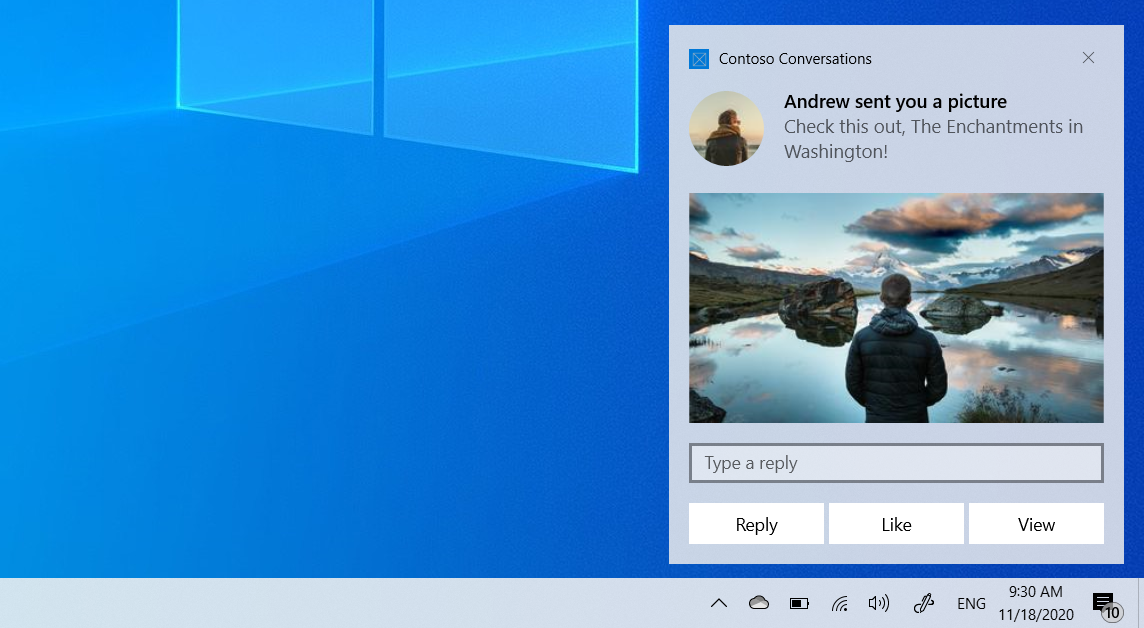
本文將帶你一步步從 .NET 控制台應用程式建立並發送應用程式通知,並在使用者互動時處理啟用。 本文使用 Windows 應用程式 SDKMicrosoft.Windows.AppNotifications API。
關於應用程式通知的概述及其他框架的指引,請參閱 應用程式通知概述。
本文介紹了本地通知。 關於如何從雲端服務傳遞通知的資訊,請參見 推播通知。
這很重要
目前不支援提升(管理員)應用程式的通知。
先決條件
- 針對 .NET 6 或更新版本的 .NET 控制台應用程式
-
Windows 應用程式 SDK NuGet 套件(
Microsoft.WindowsAppSDK)
設定你的專案
在你的專案檔案(.csproj)中,確保 TargetFramework 包含一個Windows的目標框架:
<TargetFramework>net9.0-windows10.0.19041.0</TargetFramework>
新增 Windows 應用程式 SDK NuGet 套件:
<PackageReference Include="Microsoft.WindowsAppSDK" Version="1.7.250310001" />
對於未封裝的應用程式,請新增:
<WindowsPackageType>None</WindowsPackageType>
註冊以接收應用程式通知
在你的 Main 方法中,先註冊 NotificationInvoked 事件處理程序,再呼叫Register。 當點擊通知時,主控台應用程式必須持續運行,才能接收啟用回撥。
Program.cs
using Microsoft.Windows.AppNotifications;
using Microsoft.Windows.AppNotifications.Builder;

// Register the notification handler before calling Register
AppNotificationManager.Default.NotificationInvoked += (sender, args) =>
{
    // Handle notification activation.
    // args.Argument contains the arguments from the notification
    // or button that was clicked, as key=value pairs separated
    // by '&', for example "action=acknowledge".
    Console.WriteLine($"Notification activated! Arguments: {args.Argument}");
};

AppNotificationManager.Default.Register();
備註
對於未封裝的應用程式,Register() 會自動設定 COM 伺服器註冊,讓 Windows 在點擊通知時啟動你的應用程式。 你不需要手動設定 COM 啟用或 AUMID。
發送應用程式通知
使用 AppNotificationBuilder 來建構通知內容,並使用 AppNotificationManager.Show 發送通知。
var notification = new AppNotificationBuilder()
    .AddArgument("action", "viewItem")
    .AddText("Console Notification")
    .AddText("This was sent from a console app using Windows App SDK.")
    .AddButton(new AppNotificationButton("Acknowledge")
        .AddArgument("action", "acknowledge"))
    .BuildNotification();

AppNotificationManager.Default.Show(notification);
繼續讓應用程式運作
要呼叫 NotificationInvoked 處理器,使用者點擊通知時主控台應用程式必須仍在執行。 如果應用程式在使用者與通知互動前退出,下一次點擊將會冷啟動一個新的程序。
Console.WriteLine("Notification sent! Waiting for activation...");
Console.WriteLine("Press Enter to exit.");
Console.ReadLine();

// Unregister when the app exits
AppNotificationManager.Default.Unregister();
完整範例
這裡有一個 Program.cs 完整系統,可以發送通知並處理啟用:
using Microsoft.Windows.AppNotifications;
using Microsoft.Windows.AppNotifications.Builder;

Console.WriteLine("Console App Notification Test");

// Step 1: Register for notification activation
AppNotificationManager.Default.NotificationInvoked += (sender, args) =>
{
    Console.WriteLine($"Notification activated! Arguments: {args.Argument}");
};

AppNotificationManager.Default.Register();

// Step 2: Send a notification
var notification = new AppNotificationBuilder()
    .AddArgument("action", "viewItem")
    .AddText("Console Notification")
    .AddText("This was sent from a console app using Windows App SDK.")
    .AddButton(new AppNotificationButton("Acknowledge")
        .AddArgument("action", "acknowledge"))
    .BuildNotification();

AppNotificationManager.Default.Show(notification);

// Step 3: Wait for user interaction
Console.WriteLine("Notification sent! Click it to test activation.");
Console.WriteLine("Press Enter to exit.");
Console.ReadLine();

AppNotificationManager.Default.Unregister();
相關內容
快速入門:Windows 應用程式 SDK 中的應用程式通知 - 應用程式通知內容
- AppNotificationManager 類別
- AppNotificationBuilder 類別
