在本課程模組中,我們將撰寫最小的 Windows 桌面程式。 它所做的就是建立並顯示空白視窗。 第一個程式包含大約 50 行的程式代碼,不會計算空白行和批注。 這將是我們的起點:稍後我們將新增圖形、文字、使用者輸入和其他功能。
如果您要尋找如何在 Visual Studio 中建立傳統 Windows 傳統型應用程式的詳細資訊,請參閱 逐步解說:建立傳統 Windows 傳統型應用程式 (C++)。
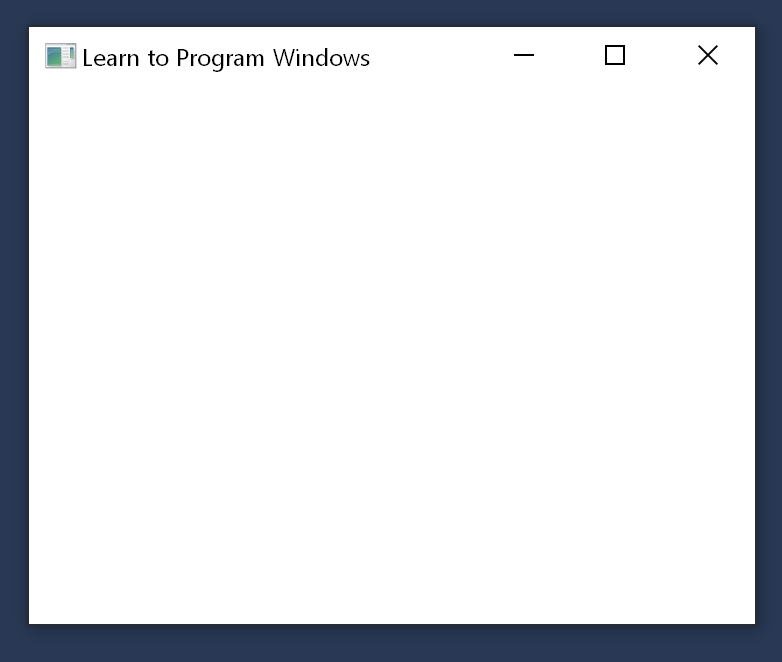
以下是程式的完整程式代碼:
#ifndef UNICODE
#define UNICODE
#endif

#include <windows.h>

LRESULT CALLBACK WindowProc(HWND hwnd, UINT uMsg, WPARAM wParam, LPARAM lParam);

int WINAPI wWinMain(HINSTANCE hInstance, HINSTANCE hPrevInstance, PWSTR pCmdLine, int nCmdShow)
{
    // Register the window class.
    const wchar_t CLASS_NAME[]  = L"Sample Window Class";

    WNDCLASS wc = { };

    wc.lpfnWndProc   = WindowProc;
    wc.hInstance     = hInstance;
    wc.lpszClassName = CLASS_NAME;

    RegisterClass(&wc);

    // Create the window.

    HWND hwnd = CreateWindowEx(
        0,                              // Optional window styles.
        CLASS_NAME,                     // Window class
        L"Learn to Program Windows",    // Window text
        WS_OVERLAPPEDWINDOW,            // Window style

        // Size and position
        CW_USEDEFAULT, CW_USEDEFAULT, CW_USEDEFAULT, CW_USEDEFAULT,

        NULL,       // Parent window
        NULL,       // Menu
        hInstance,  // Instance handle
        NULL        // Additional application data
        );

    if (hwnd == NULL)
    {
        return 0;
    }

    ShowWindow(hwnd, nCmdShow);

    // Run the message loop.

    MSG msg = { };
    while (GetMessage(&msg, NULL, 0, 0) > 0)
    {
        TranslateMessage(&msg);
        DispatchMessage(&msg);
    }

    return 0;
}

LRESULT CALLBACK WindowProc(HWND hwnd, UINT uMsg, WPARAM wParam, LPARAM lParam)
{
    switch (uMsg)
    {
    case WM_DESTROY:
        PostQuitMessage(0);
        return 0;

    case WM_PAINT:
        {
            PAINTSTRUCT ps;
            HDC hdc = BeginPaint(hwnd, &ps);

            // All painting occurs here, between BeginPaint and EndPaint.

            FillRect(hdc, &ps.rcPaint, (HBRUSH) (COLOR_WINDOW+1));

            EndPaint(hwnd, &ps);
        }
        return 0;

    }
    return DefWindowProc(hwnd, uMsg, wParam, lParam);
}
您可以從 Windows Hello World 範例下載完整的 Visual Studio 專案。
提供此程式代碼用途的簡短大綱可能很有用。 稍後的主題會詳細檢查程序代碼。
-
wWinMain 是程序進入點。 程序啟動時,它會註冊應用程式窗口行為的一些資訊。 其中一個最重要的專案是函式的位址,在此範例中名為
WindowProc。 此函式會定義窗口的行為—其外觀、與用戶互動的方式等等。 - 接下來,程式會建立視窗,並接收可唯一識別視窗的句柄。
- 如果已成功建立視窗,程式會在 循環時輸入。 程式會維持在此迴圈中,直到使用者關閉視窗並結束應用程式為止。
請注意,程式不會明確呼叫 WindowProc 函式,儘管我們表示這是定義大部分應用程式邏輯的位置。 Windows 會傳遞一系列 訊息,與程序通訊。
循環驅動此程式時, 內的程序代碼。 每次程式呼叫 DispatchMessage 函式時,都會間接導致 Windows 針對每個訊息叫用 WindowProc 函式一次。
在本節中
相關主題
-
學習在 C++ 中為 Windows 進行程式設計