Hi @Chua Boon Keong Henry,
Thank you for posting in Microsoft Q&A Forum.
May I reconfirm that you performed the “Update License” action as shown in the screenshot below?
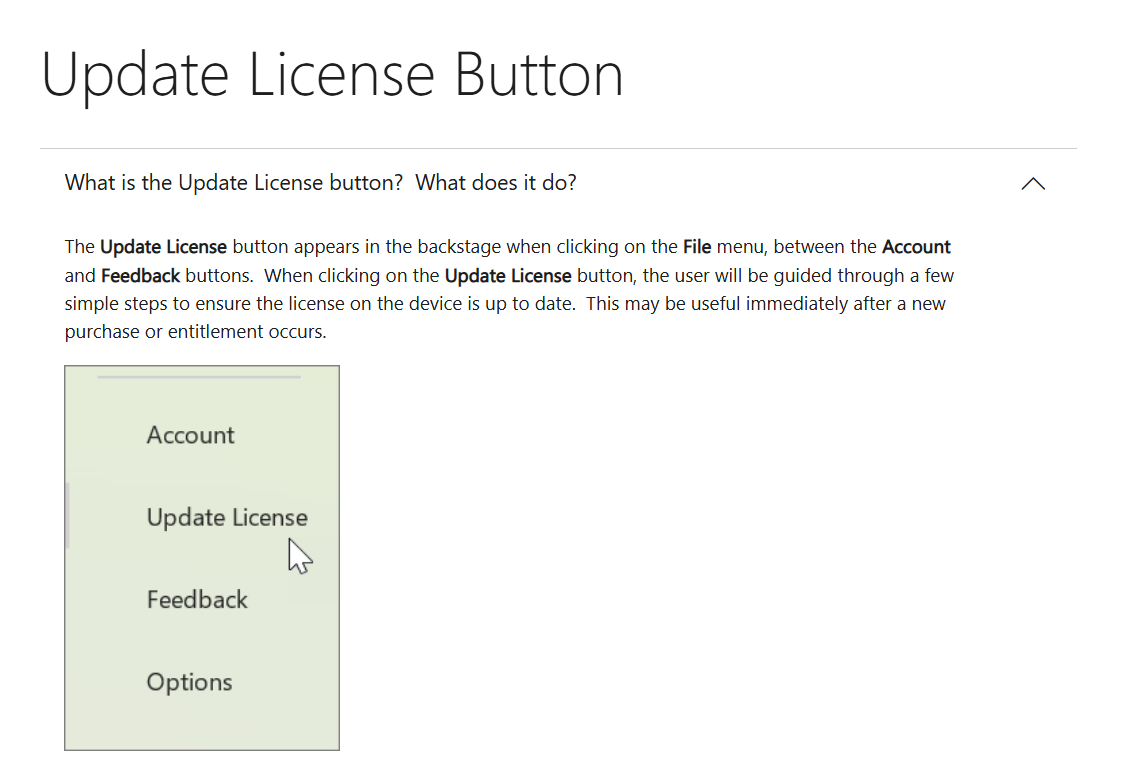
If yes, from my understanding, after updated license, the behavior you’re experiencing is related to the Office update channel.
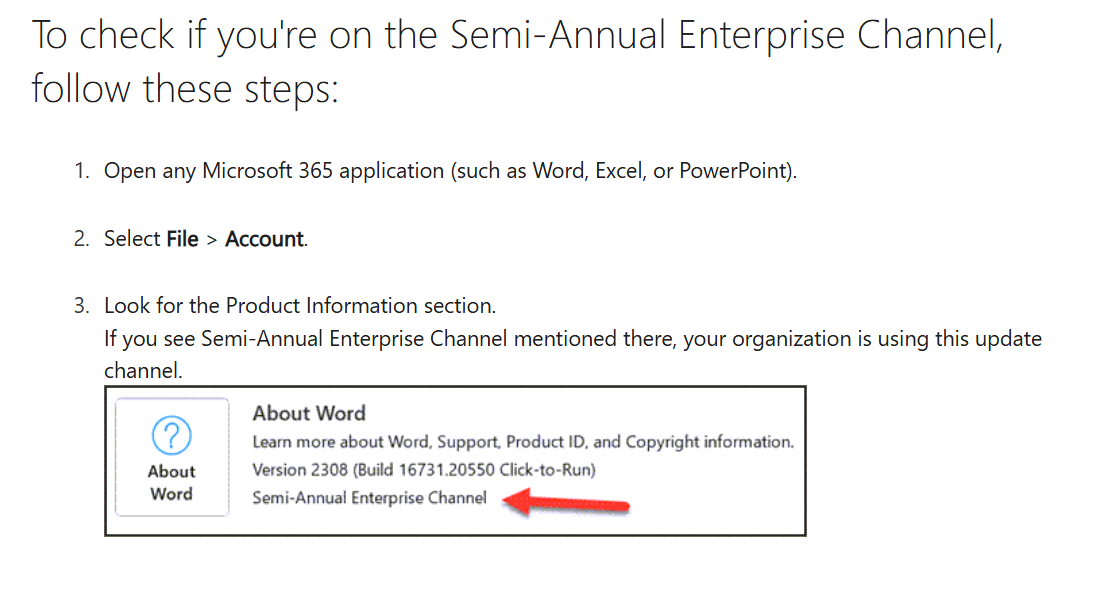
As far as I know, CoPilot in PowerPoint only works if Office is on the Current Channel or Monthly Enterprise Channel. If your device is on the Semi-Annual Enterprise Channel, CoPilot will not run in PowerPoint and will redirect you to the article you shared.
Could you please double-check and confirm if your device is currently on the Semi-Annual Enterprise Channel? It should look similar to the screenshot below:
In this case, I’d recommend reaching out to your IT admin (the person who manages Microsoft 365 accounts in your organization) and ask them to switch your update channel to Current Channel or Monthly Enterprise Channel, then update Office.
Your IT admin can refer to the relevant section in this article: Change the Microsoft 365 Apps update channel for devices in your organization.
If you're unsure who the Admin is, you can find guidance on locating them here: How do I find my Microsoft 365 admin? - Microsoft Support.
Please let me know if you have any further questions or concern.
If the answer is helpful, please click "Accept Answer" and kindly upvote it. If you have extra questions about this answer, please click "Comment".
Note: Please follow the steps in our documentation to enable e-mail notifications if you want to receive the related email notification for this thread.
' cx='32' cy='32' r='32' /%3E%3Ctext x='50%25' y='55%25' dominant-baseline='middle' text-anchor='middle' fill='%23FFF' %3ECB%3C/text%3E%3C/svg%3E)

' cx='32' cy='32' r='32' /%3E%3Ctext x='50%25' y='55%25' dominant-baseline='middle' text-anchor='middle' fill='%23FFF' %3EA%3C/text%3E%3C/svg%3E)