Nota
L'accés a aquesta pàgina requereix autorització. Podeu provar d'iniciar la sessió o de canviar els directoris.
L'accés a aquesta pàgina requereix autorització. Podeu provar de canviar els directoris.
This article describes how to share feedback about Finance Agent.
If you have any feedback about Finance Agent, you can share it from the add-in. Your feedback is valuable, and Microsoft uses it to improve the product.
To share feedback, follow these steps:
Open the Finance Agent add-in.
In the upper right, select the ellipsis (…), and then select Share feedback.
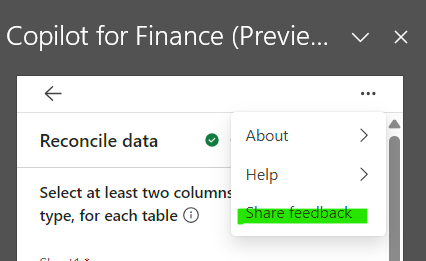
Enter your responses in the feedback form, and then select Submit.
Note
You might also receive periodic notifications that ask you to share feedback.
Share feedback on highlight cards
In all areas where you interact with AI, you can use thumbs-up/thumbs-down surveys to provide feedback.
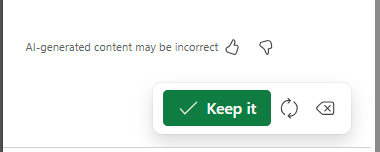
Select the appropriate option to share what you liked, or what can be improved.