Poznámka:
Přístup k této stránce vyžaduje autorizaci. Můžete se zkusit přihlásit nebo změnit adresáře.
Přístup k této stránce vyžaduje autorizaci. Můžete zkusit změnit adresáře.
V tomto kurzu použijete příznak variantní funkce ke správě prostředí pro různé uživatelské segmenty v ukázkové aplikaci Citát dne. Použijete příznak varianty vytvořený v příznaku Použít variantní funkce. Než budete pokračovat, ujistěte se, že vytvoříte příznak funkce varianty s názvem Greeting (Pozdrav) v obchodě App Configuration Store.
Požadavky
- Verze LTS Node.js.
- Postupujte podle kurzu Použití příznaků funkcí varianty a vytvořte příznak funkce variant s názvem Greeting.
Vytvoření aplikace Node.js
Vytvořte složku s názvem
quote-of-the-daya inicializujte projekt.mkdir quote-of-the-day cd quote-of-the-day npm init -yNainstalujte následující balíčky.
npm install @azure/app-configuration-provider
npm install @microsoft/feature-management
npm install express
Vytvořte nový soubor s názvem server.js a přidejte následující kód.
const express = require("express");
const server = express();

const appConfigEndpoint = process.env.AZURE_APPCONFIG_ENDPOINT;
const { DefaultAzureCredential } = require("@azure/identity");
const { load } = require("@azure/app-configuration-provider");
const { FeatureManager, ConfigurationMapFeatureFlagProvider } = require("@microsoft/feature-management");

let appConfig;
let featureManager;

async function initializeConfig() {
    appConfig = await load(appConfigEndpoint, new DefaultAzureCredential(), {
        featureFlagOptions: {
            enabled: true,
            refresh: {
                enabled: true
            }
        }
    });

    featureManager = new FeatureManager(
        new ConfigurationMapFeatureFlagProvider(appConfig));
}

function startServer() {
    // Use a middleware to refresh the configuration before each request
    server.use((req, res, next) => {
        appConfig.refresh();
        next();
    });
    server.use(express.json());
    // Serve static index.html from the current folder
    server.use(express.static("."));

    // This API returns the different greeting messages based on the segment the user belongs to.
    // It evaluates a variant feature flag based on user context. The greeting message is retrieved from the variant configuration.
    server.get("/api/getGreetingMessage", async (req, res) => {
        const { userId, groups } = req.query;
        const variant = await featureManager.getVariant("Greeting", { userId: userId, groups: groups ? groups.split(",") : [] });
        res.status(200).send({ message: variant?.configuration });
    });

    server.post("/api/like", (req, res) => {
        const { UserId } = req.body;
        if (UserId === undefined) {
            return res.status(400).send({ error: "UserId is required" });
        }
        // Here you would typically emit a 'like' event to compare variants.
        res.status(200).send();
    });

    const port = "8080";
    server.listen(port, () => {
        console.log(`Server is running at http://localhost:${port}`);
    });
}

// Initialize the configuration and start the server
initializeConfig()
    .then(() => {
        startServer();
    })
    .catch((error) => {
        console.error("Failed to load configuration:", error);
        process.exit(1);
    });
Vytvořte nový soubor s názvem index.html a přidejte následující kód:
<!DOCTYPE html>
<html lang="en">
<head>
<meta charset="UTF-8">
<title>Quote of the Day</title>
<style>
    .heart-button {
    background-color: transparent;
    border: none;
    cursor: pointer;
    font-size: 24px;
    }

    .heart-button:hover {
    background-color: #F0F0F0;
    }
</style>
</head>
<body>
<div style="display: flex; flex-direction: column; min-height: 100vh; background-color: #f4f4f4;">
    <header style="background-color: white; border-bottom: 1px solid #eaeaea; display: flex; justify-content: space-between; align-items: center; font-family: 'Arial', sans-serif; font-size: 16px;">
    <div style="font-size: 1.25em; color: black;">QuoteOfTheDay</div>
    </header>

    <main style="display: flex; justify-content: center; align-items: center; flex-grow: 1;">
    <div style="background-color: white; padding: 30px; border-radius: 8px; box-shadow: 0 2px 10px rgba(0, 0, 0, 0.1); max-width: 700px; position: relative; text-align: left;">
        <div id="quote-content">
        <h2 id="greeting">Quote of the Day</h2>
        <blockquote style="font-size: 2em; font-style: italic; color: #4EC2F7; margin: 0 0 20px 0; line-height: 1.4;">
            <p>"You cannot change what you are, only what you do."</p>
            <footer style="font-size: 0.55em; color: black; font-family: 'Arial', sans-serif; font-style: normal; font-weight: bold;">— Philip Pullman</footer>
        </blockquote>
        <div style="position: absolute; top: 10px; right: 10px; display: flex;">
            <button class="heart-button" id="like-button">
            <span id="heart-icon" style="color: #ccc">♥</span>
            </button>
        </div>
        </div>
        <div id="loading" style="display: none;">
        <p>Loading</p>
        </div>
    </div>
    </main>
</div>

<script>
    // extract URL parameters to simulate user login
    document.addEventListener('DOMContentLoaded', function() {
    const urlParams = new URLSearchParams(window.location.search);
    const currentUser = urlParams.get('userId') || '';
    let liked = false;

    const greetingElement = document.getElementById('greeting');
    const heartIcon = document.getElementById('heart-icon');
    const likeButton = document.getElementById('like-button');
    const quoteContent = document.getElementById('quote-content');
    const loadingElement = document.getElementById('loading');

    async function init() {
        quoteContent.style.display = 'none';
        loadingElement.style.display = 'block';

        const response = await fetch(`/api/getGreetingMessage?userId=${currentUser}`, {
        method: "GET"
        });
        const result = await response.json();
        greetingElement.textContent = result.message || "";
        quoteContent.style.display = 'block';
        loadingElement.style.display = 'none';
    }

    likeButton.addEventListener('click', async function() {
        if (!liked) {
        const response = await fetch("/api/like", {
            method: "POST",
            headers: { "Content-Type": "application/json" },
            body: JSON.stringify({ UserId: currentUser }),
        });
        }
        liked = !liked;
        heartIcon.style.color = liked ? 'red' : '#ccc';
    });

    init();
    });
</script>
</body>
</html>
Pro zjednodušení příklad extrahuje
userIdz parametrů dotazu URL (např.?userId=UserA) pro simulaci různých identit uživatelů.
Spuštění aplikace
Nastavte proměnnou prostředí s názvem AZURE_APPCONFIG_ENDPOINT na koncový bod obchodu App Configuration, který najdete v části Přehled obchodu na webu Azure Portal.
Pokud používáte příkazový řádek systému Windows, spusťte následující příkaz a restartujte příkazový řádek, aby se změna projevila:
setx AZURE_APPCONFIG_ENDPOINT "<endpoint-of-your-app-configuration-store>"Pokud používáte PowerShell, spusťte následující příkaz:
$Env:AZURE_APPCONFIG_ENDPOINT = "<endpoint-of-your-app-configuration-store>"Pokud používáte macOS nebo Linux, spusťte následující příkaz:
export AZURE_APPCONFIG_ENDPOINT='<endpoint-of-your-app-configuration-store>'Aplikaci spusťte.
node server.jsOtevřete prohlížeč a přejděte na
localhost:8080. Měli byste vidět výchozí zobrazení aplikace, která nemá žádnou zprávu s pozdravem.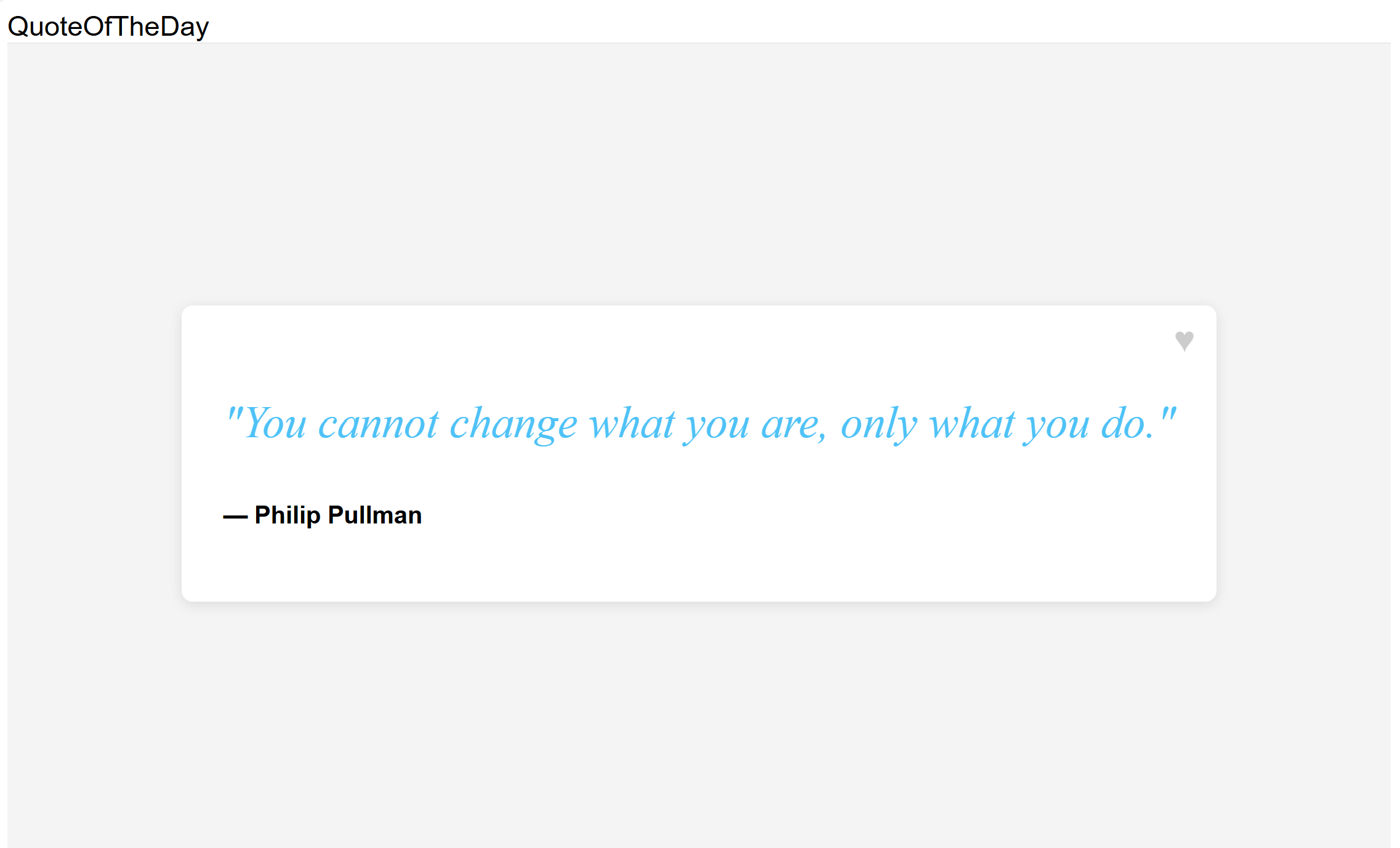
Pomocí parametru dotazu v adrese URL můžete
userIdzadat ID uživatele. Navštivtelocalhost:8080/?userId=UserAa uvidíte dlouhou zprávu s pozdravem.
Vyzkoušejte různé uživatelské ID, abyste zjistili, jak příznak varianty funkce mění zprávu s pozdravem pro různé segmenty uživatelů. Navštivte
localhost:8080/?userId=UserBa uvidíte kratší zprávu s pozdravem.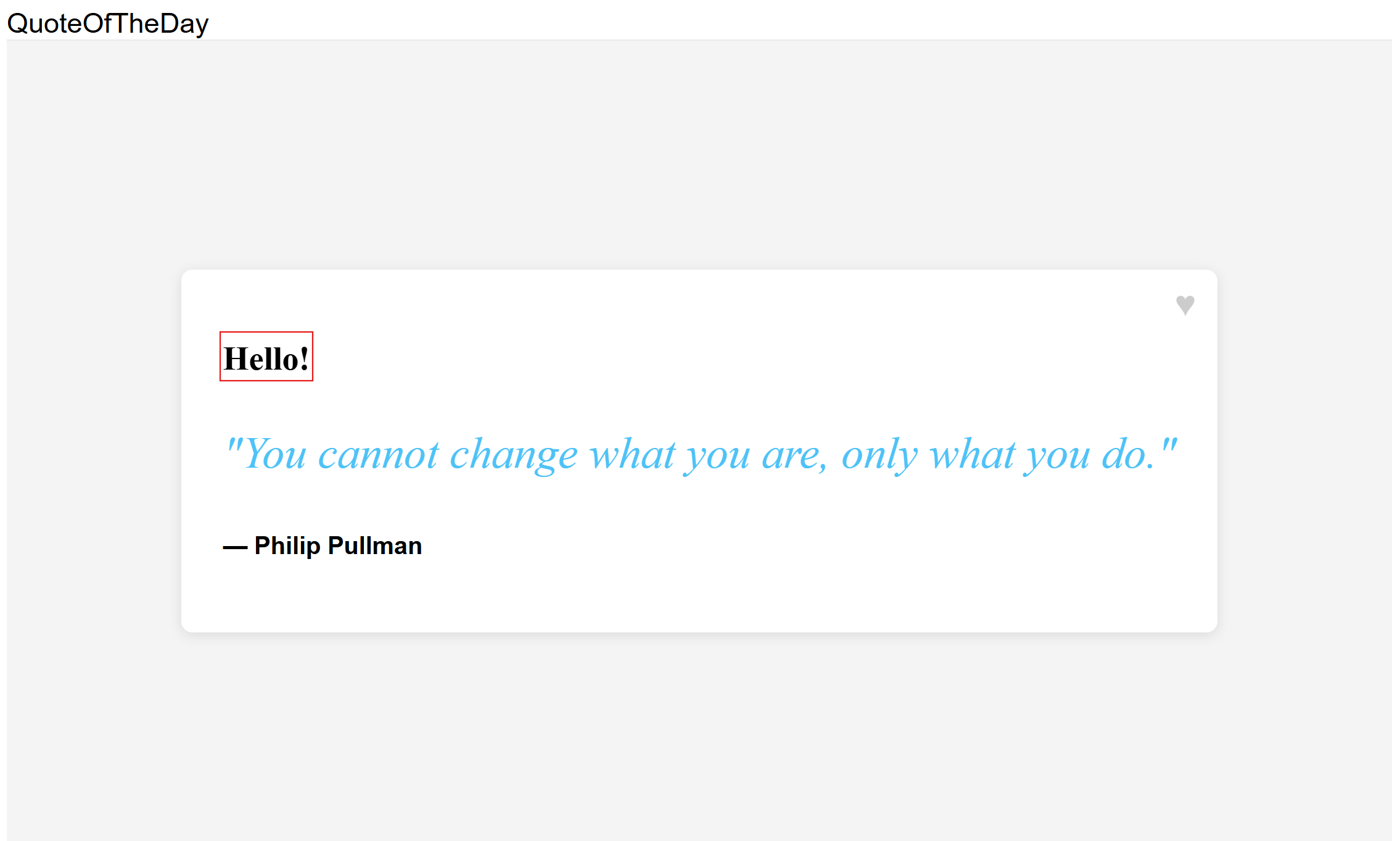
Další kroky
Úplný přehled funkcí knihovny pro správu funkcí JavaScriptu najdete v následujícím dokumentu.