Modify a Windows image
You can service, or make changes to, a Windows image in different ways:
Online servicing (audit mode): Make changes to a running Windows installation. Apply your Windows image to a new reference device and boot it into the built-in administrator account. From here, you can add drivers, apps, and customizations. When you're done, use Sysprep to generalize the device and capture a new image that can be applied to new devices.

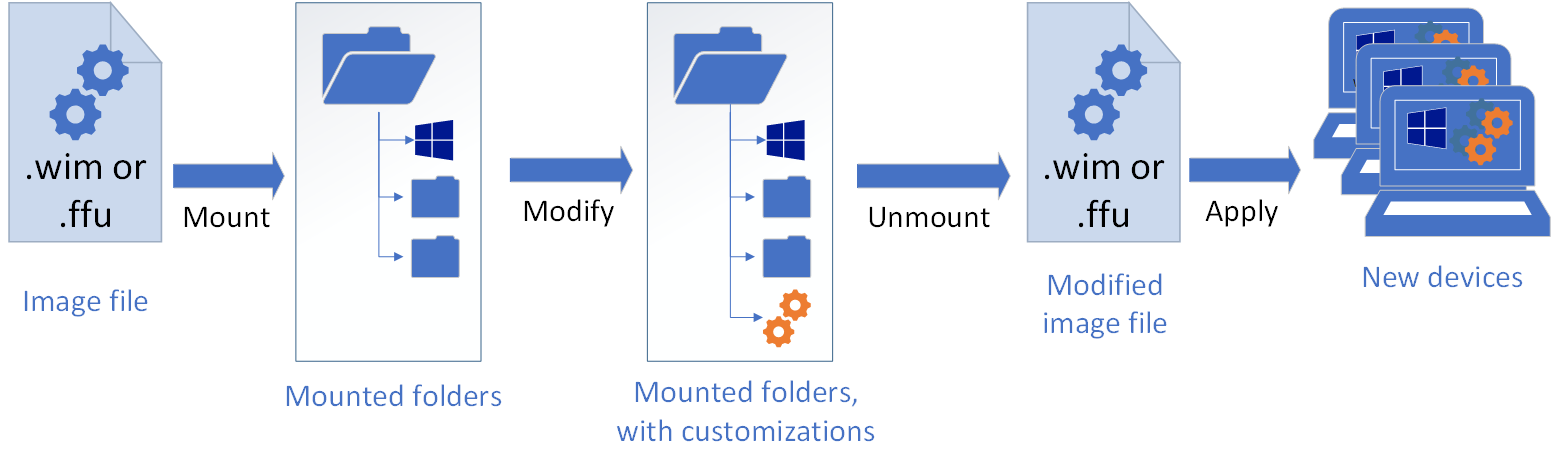
Offline servicing: Update Windows faster by using DISM to make your changes without ever booting Windows. Mount an image to a temporary location, install apps, drivers, languages, and more, and then commit the changes so they can be applied to new devices. DISM requires an elevated command-line or from PowerShell, which makes it easier to automate your changes with scripts.
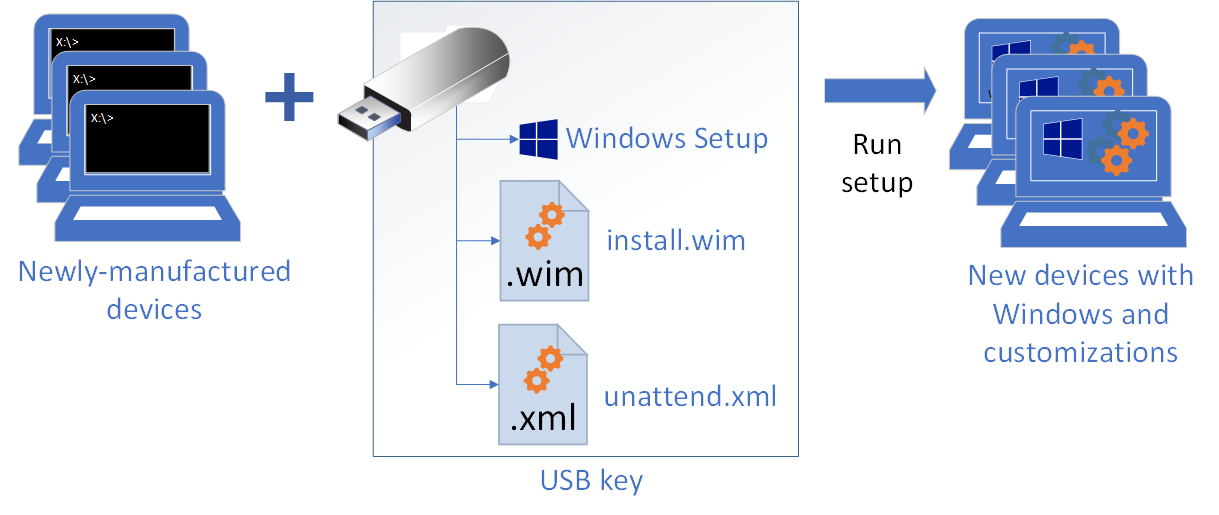
Use Windows Setup to service an image: During final deployment, you can use Windows Setup, plus a customized answer file (unattend.xml), to make final modifications.
In this section
| Topic | Description |
|---|---|
| Audit mode | Update Windows from a familiar Windows environment. |
| Mount and Modify a Windows Image Using DISM | How to use DISM to mount a Windows image and make changes |
| Repair a Windows Image | How to repair a corrupted Windows image |