Bemærk
Adgang til denne side kræver godkendelse. Du kan prøve at logge på eller ændre mapper.
Adgang til denne side kræver godkendelse. Du kan prøve at ændre mapper.
You can review and act on Defender for Cloud pull request annotations in GitHub and Azure DevOps. Use these annotations to resolve security issues before you merge code.
Resolve security issues in GitHub
To resolve security issues in GitHub:
Scroll through the pull request page to find an affected file with an annotation.
Follow the remediation steps in the annotation. If you choose not to remediate the annotation, select Dismiss alert.
Select a reason to dismiss:
- Won't fix: The alert is noted but won't be fixed.
- False positive: The alert isn't valid.
- Used in tests: The alert isn't in the production code.
Resolve security issues in Azure DevOps
After you configure Defender for Cloud pull request annotations, you can view all detected issues.
To resolve security issues in Azure DevOps:
Sign in to Azure DevOps.
Go to Pull requests and select a pull request.
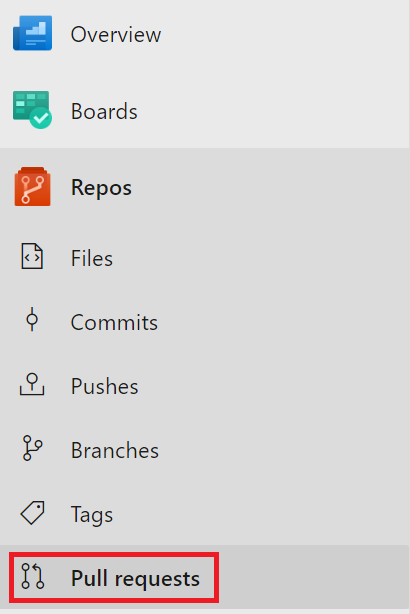
Select Files and find an affected line with an annotation.
Follow the remediation steps in the annotation.
Select Active to change the status of the annotation and access the dropdown menu.
Select an action to take:
- Active: The default status for new annotations.
- Pending: The finding is being worked on.
- Resolved: The finding is addressed.
- Won't fix: The finding is noted but won't be fixed.
- Closed: The discussion in this annotation is closed.
DevOps security in Defender for Cloud reactivates an annotation if the security issue isn't fixed in a new iteration.