Bemærk
Adgang til denne side kræver godkendelse. Du kan prøve at logge på eller ændre mapper.
Adgang til denne side kræver godkendelse. Du kan prøve at ændre mapper.
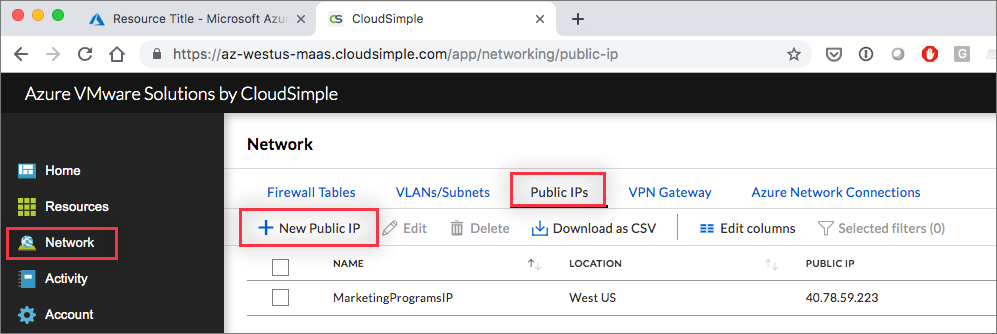
Open the Public IPs tab on the Network page to allocate public IP addresses for virtual machines in your Private Cloud environment.
Access the CloudSimple portal and select Network on the side menu.
Select Public IPs.
Click New Public IP.
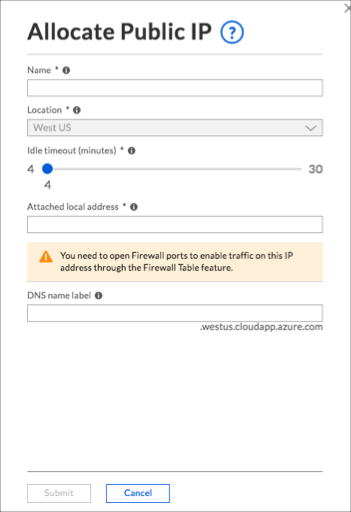
Enter a name to identify the IP address entry.
Keep the default location.
Use the slider to change the idle timeout, if needed.
Enter the local IP address for which you want to assign a public IP address.
Enter an associated DNS name.
Click Submit.
The task of allocating the public IP address begins. You can check the status of the task on the Activity > Tasks page. When allocation is complete, the new entry is shown on the Public IPs page.