Hi Warner, Sadie
Thank you for reaching out to the Microsoft Q&A Forum.
Based on your description, I understand that you are trying to export your PowerPoint slides together with the speaker notes into a Word document. I tested this on my side using PowerPoint for Mac, and the Create Handouts option is not available on macOS.
However, you can refer to the steps below as a workaround:
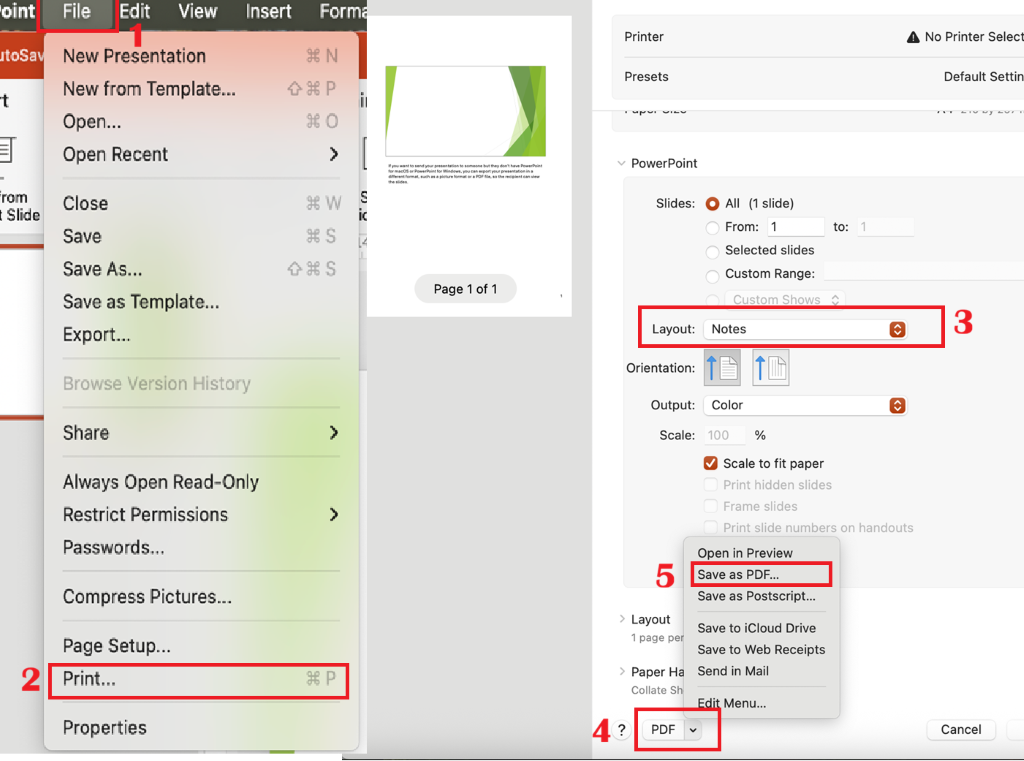
1.Save your PowerPoint as a PDF (with Notes)
-Go to File > Print
-In the Layout menu, select the option “Notes”.
-In the PDF menu, select Save as PDF.
 2.Open the PDF in Microsoft Word to convert it
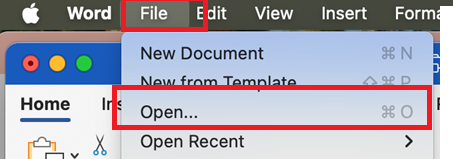
-Open Word
-Go to File > Open
-Select the PDF file you saved.
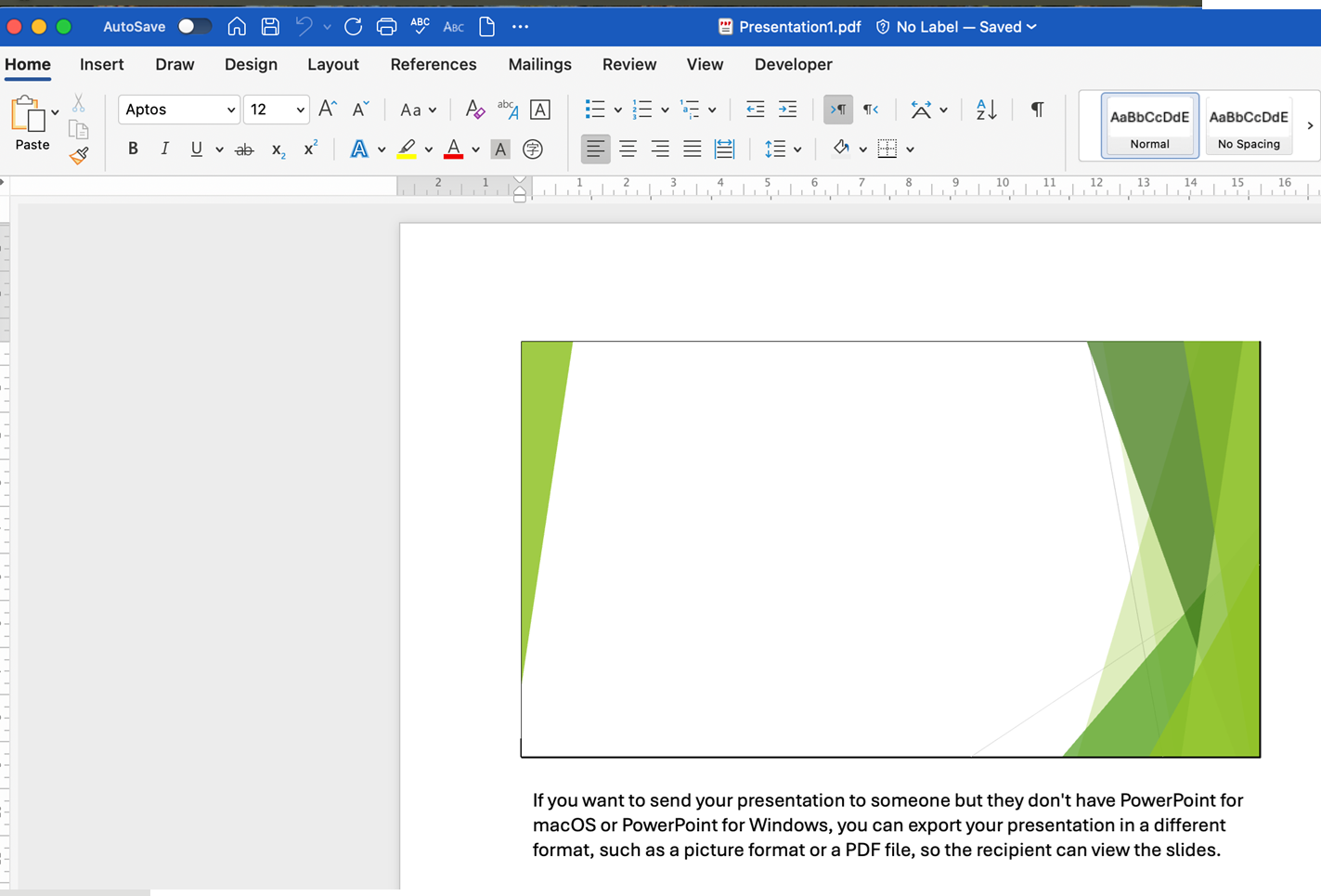
Word should be able to convert the PDF into an editable Word document.
I hope this helps.
If the answer is helpful, please click "Accept Answer" and kindly upvote it. If you have extra questions about this answer, please click "Comment".
Note: Please follow the steps in our documentation to enable e-mail notifications if you want to receive the related email notification for this thread.
' cx='32' cy='32' r='32' /%3E%3Ctext x='50%25' y='55%25' dominant-baseline='middle' text-anchor='middle' fill='%23FFF' %3EWS%3C/text%3E%3C/svg%3E)

' cx='32' cy='32' r='32' /%3E%3Ctext x='50%25' y='55%25' dominant-baseline='middle' text-anchor='middle' fill='%23FFF' %3EDT%3C/text%3E%3C/svg%3E)