Hi there! I have a desktop PC that, back in 2021 when I updated to Windows 10 Update 20H2, all audio on my computer stopped working and Windows suddenly stopped recognizing any audio output devices that were plugged in.
In 2021, after hours of troubleshooting, the bizarre workaround that I finally found was via [this forum post](https://web.archive.org/web/20251103021622/https://learn.microsoft.com/en-us/answers/questions/4213887/no-sound-after-windows-10-20h2-update-(20h2-curren?page=6#answers) in which a user described that you open Settings > Sound > Ease of Access audio settings > Click on the “Change the device or app volume” slider would cause all all audio devices to pop back into existence on Windows, and the system would begin detecting any audio devices plugged in.
This workaround had to be repeated every time the computer was turned back on again after a shutdown, so for four years I did this workaround every day. Here in 2025, I have just updated the same computer to Windows 11 and unfortunately, the audio issue has carried over with it. The bigger problem, now, is that the “Ease of Access” menu does not exist anymore in the same way so the workaround does not work.
My question is: how do I get Windows 11 to recognize plugged in audio devices? I am 100% certain that this is not “the audio jack is broken” because audio was playing on the same day I updated the computer to Windows 11, before the update. I am also sure for that same reason that it is not an issue with any individual set of headphones that I have, and I have tried multiple different sets of headphones just to make sure.
Here’s what I saw after the Windows 11 update (my motherboard is a Gigabyte G310M A-C):
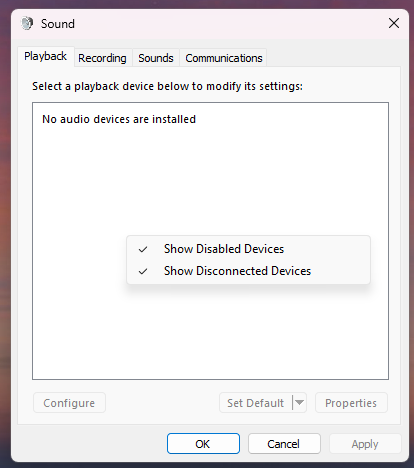
The Control Panel Multimedia interface shows no devices:
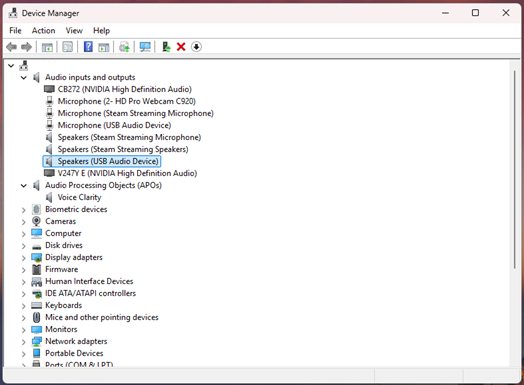
Device Manager does show devices, but no Realtek:
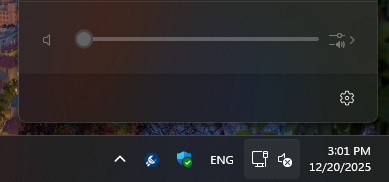
System Tray shows no devices:
Here are troubleshooting steps that I tried:
- Right-clicking “Speakers (USB Audio Device)” in Device Manager and clicking “Update Drivers” > Search automatically for drivers. It says “the best drivers for your device are already installed.”
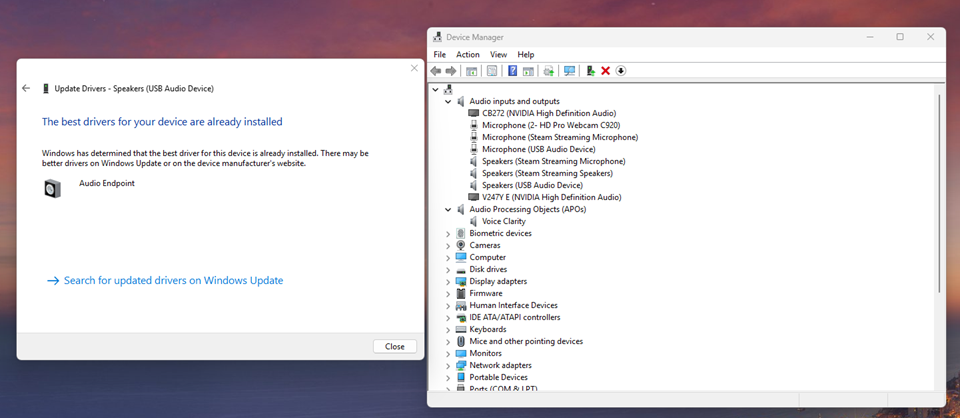
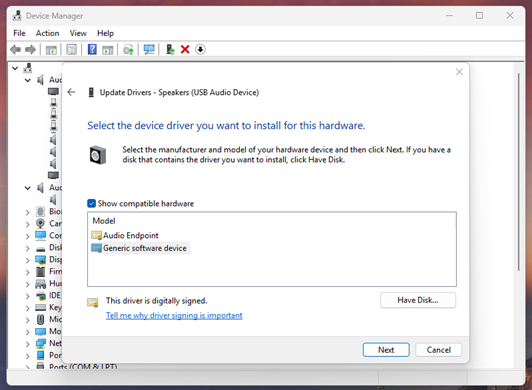
- Right-clicking “Speakers (USB Audio Device)” in Device Manager and clicking “Update Drivers” > Browse my computer for drivers > Let me pick from a list of available drivers on my computer. > Generic software device. It says “Windows has successfully updated your drivers.” but no change.
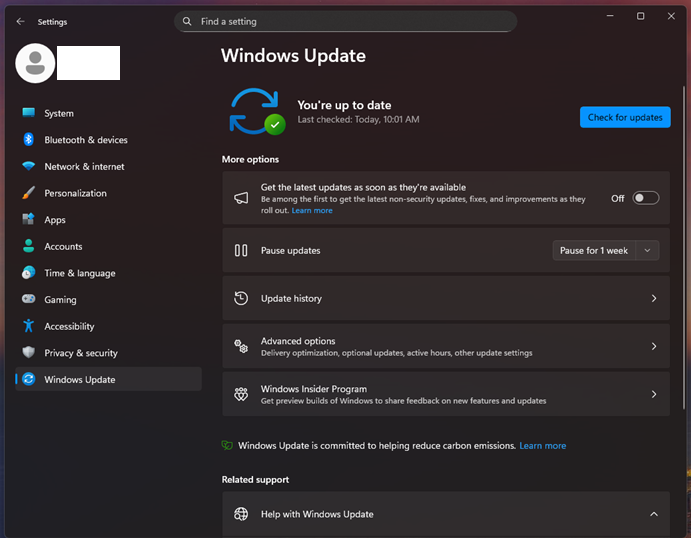
- Windows Update to have my computer fully updated. No new updates available.
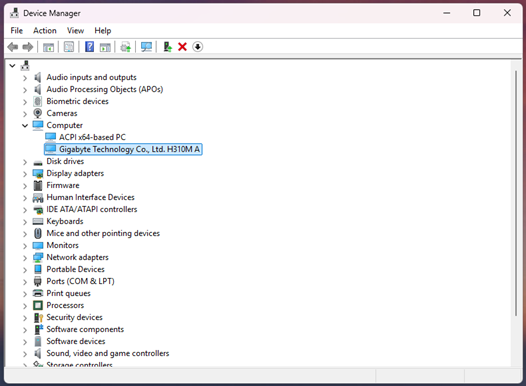
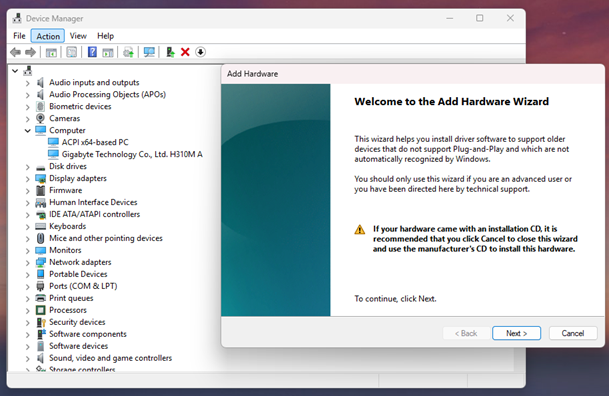
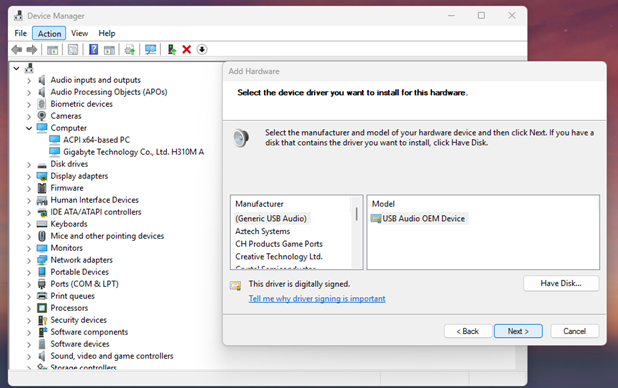
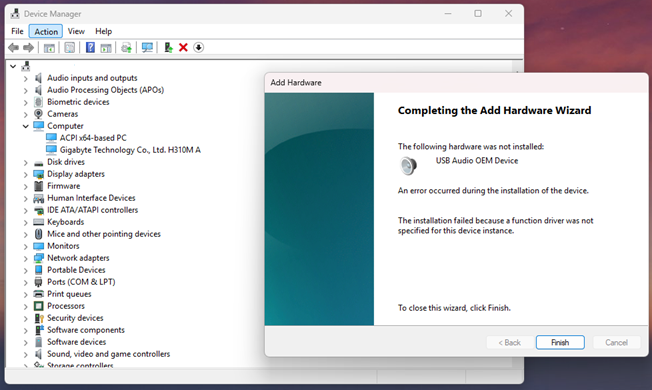
- Accessing Device Manager > Computer > my motherboard > Action > Add Legacy hardware option > Install the hardware that I manually select from a list (Advanced) > Sound, video, and game controllers > (Generic USB Audio) > USB Audio OEM Device. It says “The installation failed because a function driver was not specified for this device instance.”
- Installing the latest audio drivers from Gigabyte’s website.
After this point, while messing around in Settings > System > Sound, I toggled the “Mono audio” toggle on and back off again and then click the “All sound devices” button. It took me to a blank screen. When I clicked “back” to go to Sound settings again, suddenly my headphones and all other devices appeared in a list:
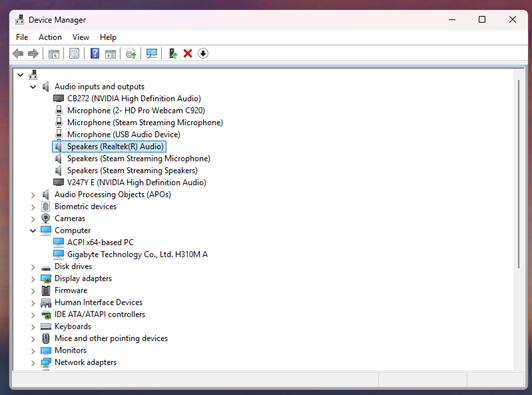
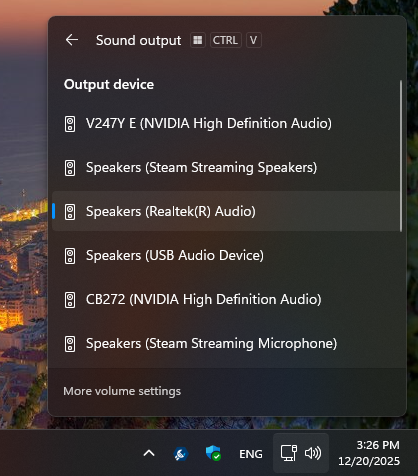
However, the only sound that would come through were Windows system sounds (like the “ba-doom”) but not sound from any apps. I tried playing sound through Google Chrome and through opening the game “Castle Crashers” on Steam. Neither of them produced any sound in the headphones despite trying to set “Default device” and “Speakers (Realtek(R) Audio) as the explicit output device. Windows sounds would continue to come through but nothing else.
I tried restarting the computer to see if this behavior would persist. Unfortunately, it did not. When the computer rebooted, Realtek(R) Audio still persisted in the Device Manager list, but toggling Mono Audio would no longer cause the device list to show up. I took a video of it here: https://youtu.be/GOxgP6ymcww
I tried disabling the "NVIDIA High Definition Audio" devices in Device Manager, but that did not work, either.
How do I get Windows 11 to recognize plugged in audio devices?
[Moderator note: PII removed]
' cx='32' cy='32' r='32' /%3E%3Ctext x='50%25' y='55%25' dominant-baseline='middle' text-anchor='middle' fill='%23FFF' %3EEW%3C/text%3E%3C/svg%3E)

' cx='32' cy='32' r='32' /%3E%3Ctext x='50%25' y='55%25' dominant-baseline='middle' text-anchor='middle' fill='%23FFF' %3EHK%3C/text%3E%3C/svg%3E)