Note
Access to this page requires authorization. You can try signing in or changing directories.
Access to this page requires authorization. You can try changing directories.
Prompt starters are ready-to-use natural language prompts included with an agent that highlight the agent's purpose and capabilities.
Prompt starters are discoverable by users in Teams chat. When a user selects one of an agent's prompt starters, Teams inserts its prompt text into the compose box.
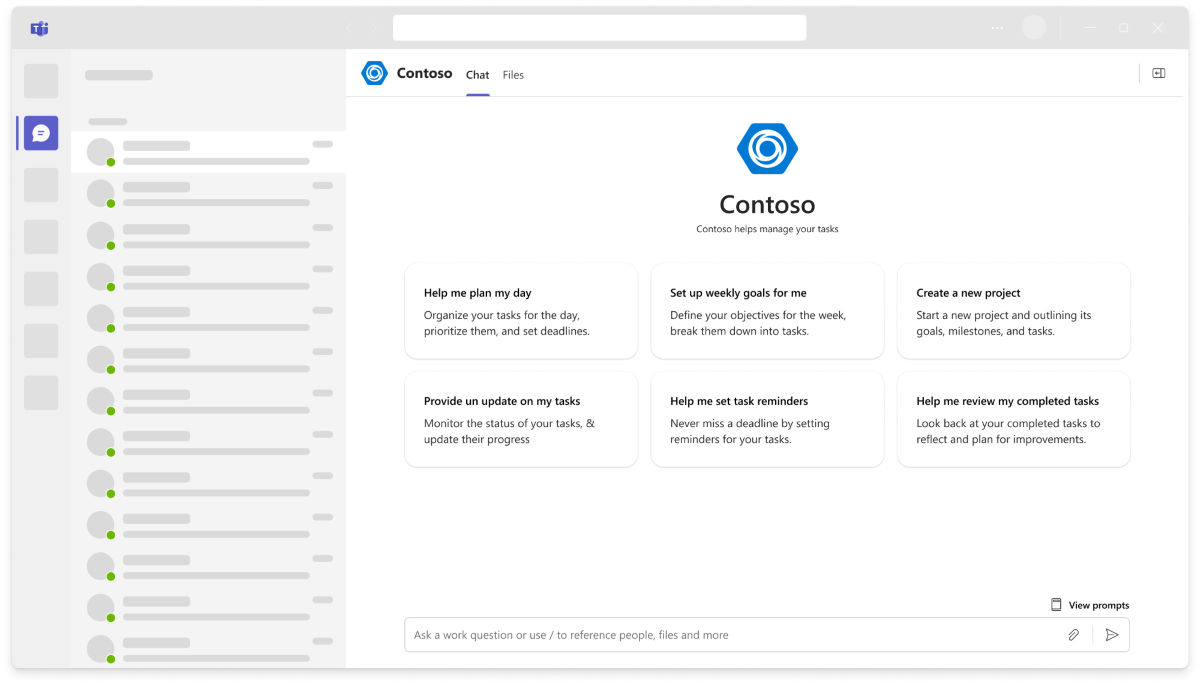
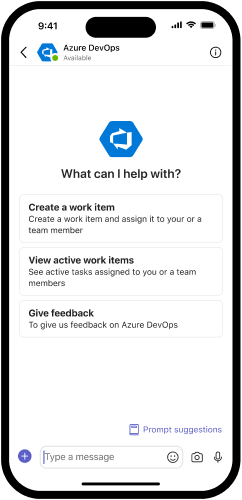
Prompt starters are available in one-on-one chats, group chats, and channels.
User experience
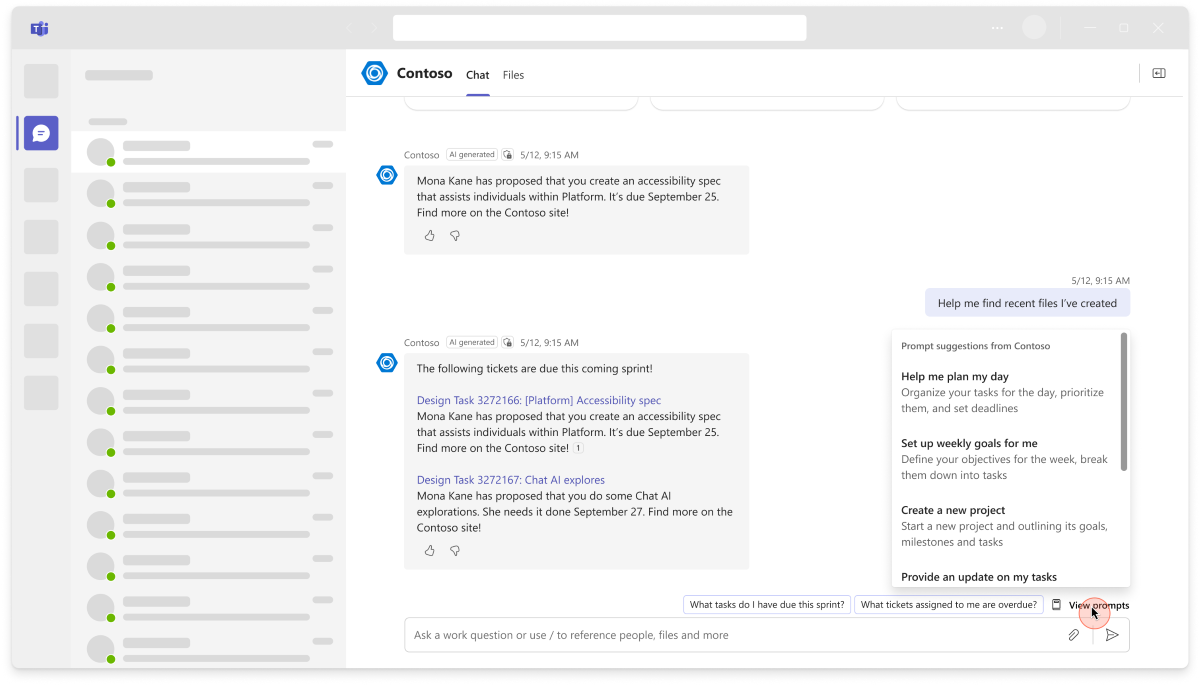
In one-on-one chats with an agent, prompt starters are always available from the View Prompts flyout above the compose box.
For agents that don't proactively start one-on-one conversations with a welcome message, Teams displays their prompt starters as cards in the conversation pane until the user sends their first message.
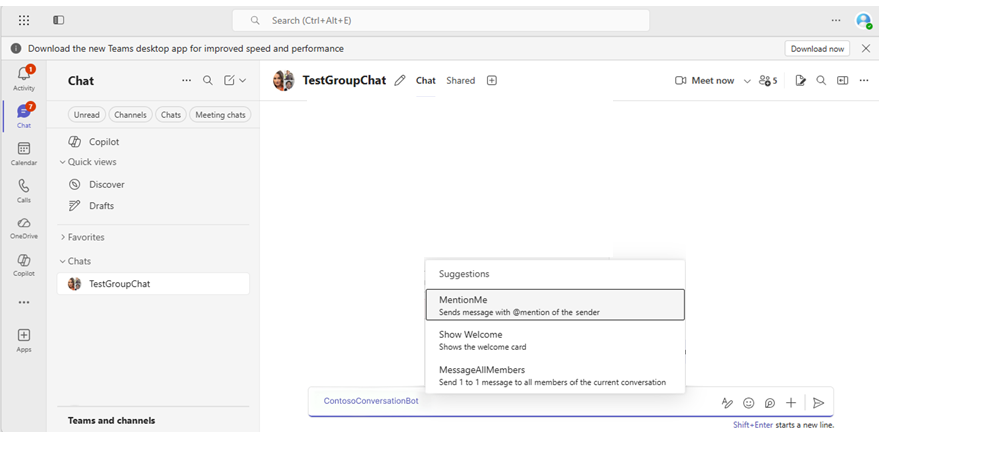
In group chats and channels, an agent's prompt starters appear in an autocomplete menu next to a user's compose box after @mentioning the agent.
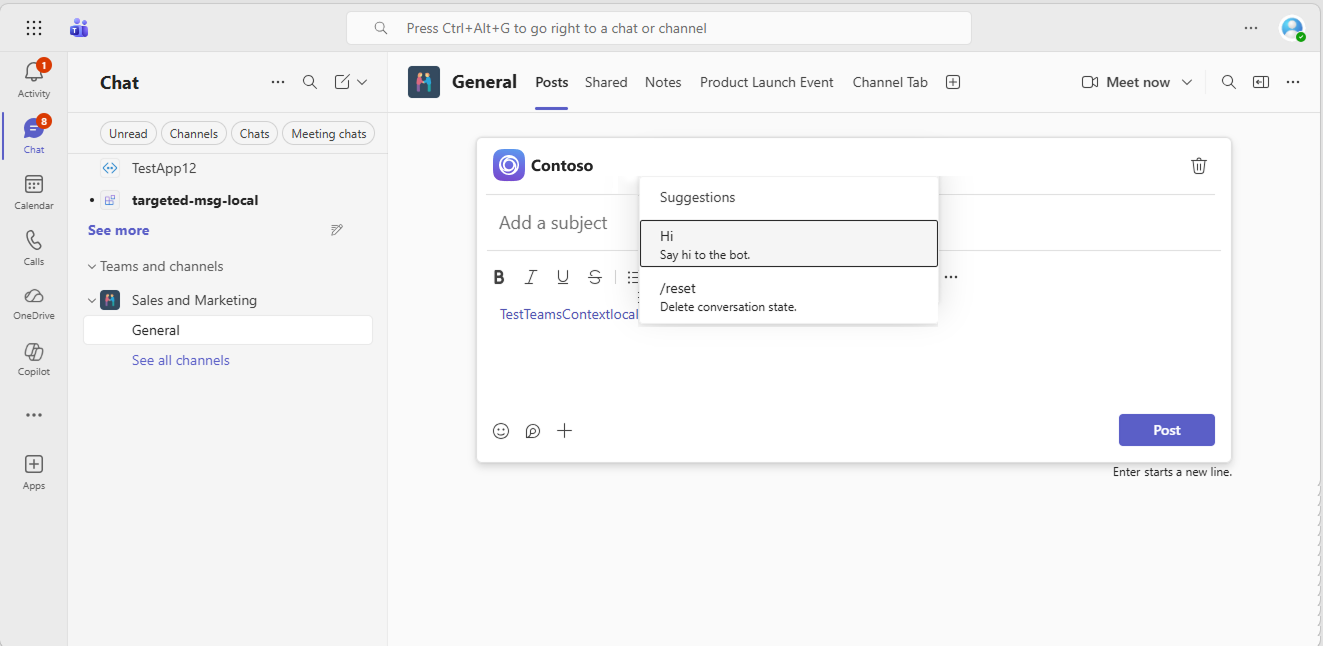
Define prompt starters for an agent
Prompt starters are configured in an agent's app manifest as commands of "type": "prompt".
{
  "bots":[
    {
      "botId":"[Microsoft App ID for your bot]",
      "scopes": [
        "personal"
      ],
      "commandLists":[
        {
          "scopes":[
            "personal"
          ],
          "commands":[
            {
              "title":"Help",
              "description":"Displays this help message"
            },
            {
              "title":"Search Flights",
              "description":"Search flights from Seattle to Phoenix May 2-5 departing after 3pm",
              "type": "prompt",
              "prompt": "Search flights from Seattle to Phoenix May 2-5 departing after 3pm. Please show me the best options."
            },
            {
              "title":"Search Hotels",
              "description":"Search hotels in Portland tonight",
              "type": "prompt",
              "prompt": "Search hotels in Portland for tonight. Please show me available options with good ratings."
            },
            {
              "title":"Best Time to Fly",
              "description":"Best time to fly to London for a 5 day trip this summer",
              "type": "prompt",
              "prompt": "What is the best time to fly to London for a 5 day trip? I'm looking for good weather and reasonable prices."
            }
          ]
        }
      ]
    }
  ],
  ...
}
Prompt starter commands must have a type of "prompt" and must define a prompt value of up to 4,000 characters.
Each prompt starter's title and description are presented to users in Teams chat. When a user selects a prompt starter, Teams inserts its prompt value into the user's compose box.
Agents can present different prompt starters in different scopes by creating multiple commandLists. Each commandList can specify one or more scopes, and can specify up to 12 commands in its commands list.
commandLists and commands in the app manifest are also used for configuring agent slash commands. For more information about the app manifest structure, see the app manifest reference.
Best practices and design guidance
Teams agents should always help users understand their capabilities by "introducing themselves" with prompt starters, welcome messages, or both. Agents distributed through the Teams Store that can be installed in personal scope (one-on-one conversations with users) must implement one or the other.
Prompt starters aren't dynamic or contextual, and you can only change them by republishing an agent's manifest. To dynamically provide users with quick command and response options in chat, use suggested actions and Adaptive Cards.
Prompt starters are for surfacing natural-language agent prompts. To enhance discoverability and usability of short text commands that your agent exposes, configure slash commands instead.
See also
Collaborate with us on GitHub
The source for this content can be found on GitHub, where you can also create and review issues and pull requests. For more information, see our contributor guide.
Platform Docs