Hi everyone,
I have a pc (W11, ryzen 5 3600x, 64GB ram, Samsung SSD 980 PRO 1TB as drive C, Nvidia GTX 1080) and nas (asustor AS6706T and AS-604T); to be safe I moved all the default directories (documents, movies, images, music...) to a NAS driver (something like "d:(my account)\documents" for documents)... and I use Kaspersky as antivirus .
this is my environment; the problem: 90% of the time I try to install the software (today, 3D mark) I have to cross my fingers because the installation starts with "computing space requirement..." and I can wait for... days (?) but the app never finish this step (0% CPU, few MB of RAM).
It doesn't happen every time, so I can imagine there are different ways to do this step (MSoffice 2021, 2019, libreoffice, Steams games are normally installed), but for sure I have encountered problems with Adobe Cad and PDF software, today 3Dmark , plus some other software that I don't remember now because it is no longer installed. Something similar happens while I try to uninstall the software.
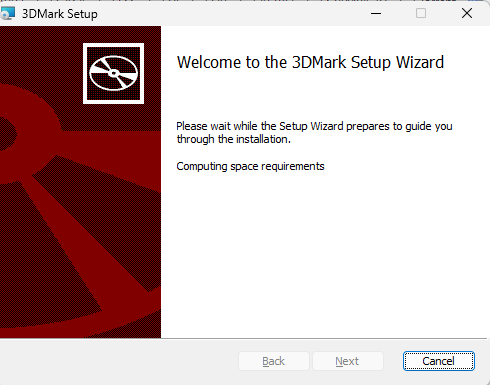
The question:
How to identify the problem if the software does not complete this step;
I'm pretty sure it's related to my change in the "document" directory, (if I remember correctly, resetting the directory and restarting the PC should work), but I don't want to change this "fççççççking" parameter every time I want to install software."
An answer is welcome, but in the meantime I'll start installing Linux on another disk... I'm a bit bored with the Windows environment, and I'll prepare the alternative.
Thank you
Marco
' cx='32' cy='32' r='32' /%3E%3Ctext x='50%25' y='55%25' dominant-baseline='middle' text-anchor='middle' fill='%23FFF' %3EA%3C/text%3E%3C/svg%3E)
