Azure Data Factory
An Azure service for ingesting, preparing, and transforming data at scale.
This browser is no longer supported.
Upgrade to Microsoft Edge to take advantage of the latest features, security updates, and technical support.
' cx='32' cy='32' r='32' /%3E%3Ctext x='50%25' y='55%25' dominant-baseline='middle' text-anchor='middle' fill='%23FFF' %3EJS%3C/text%3E%3C/svg%3E)
Hi Team,
The input excel sheet has a table with 100 protected rows with data only in 20 rows and 80 rows are empty and protected . The destination table can not take in NULL values.
How can we make the copy command run only on the 20 rows, without bothering about the 80 empty protected rows.
Thanks,
Jas
An Azure service for ingesting, preparing, and transforming data at scale.
' cx='32' cy='32' r='32' /%3E%3Ctext x='50%25' y='55%25' dominant-baseline='middle' text-anchor='middle' fill='%23FFF' %3EKM%3C/text%3E%3C/svg%3E)
Welcome to Microsoft Q&A forum and thanks for reaching out here.
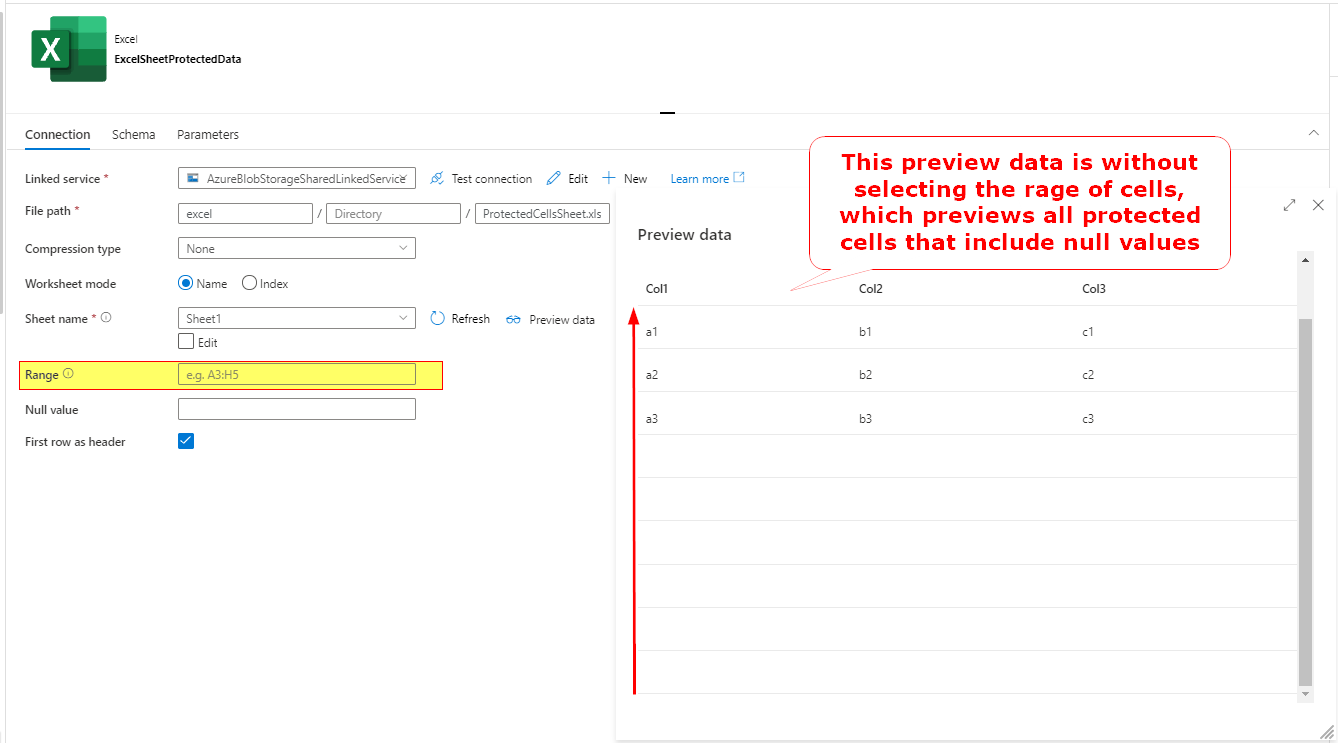
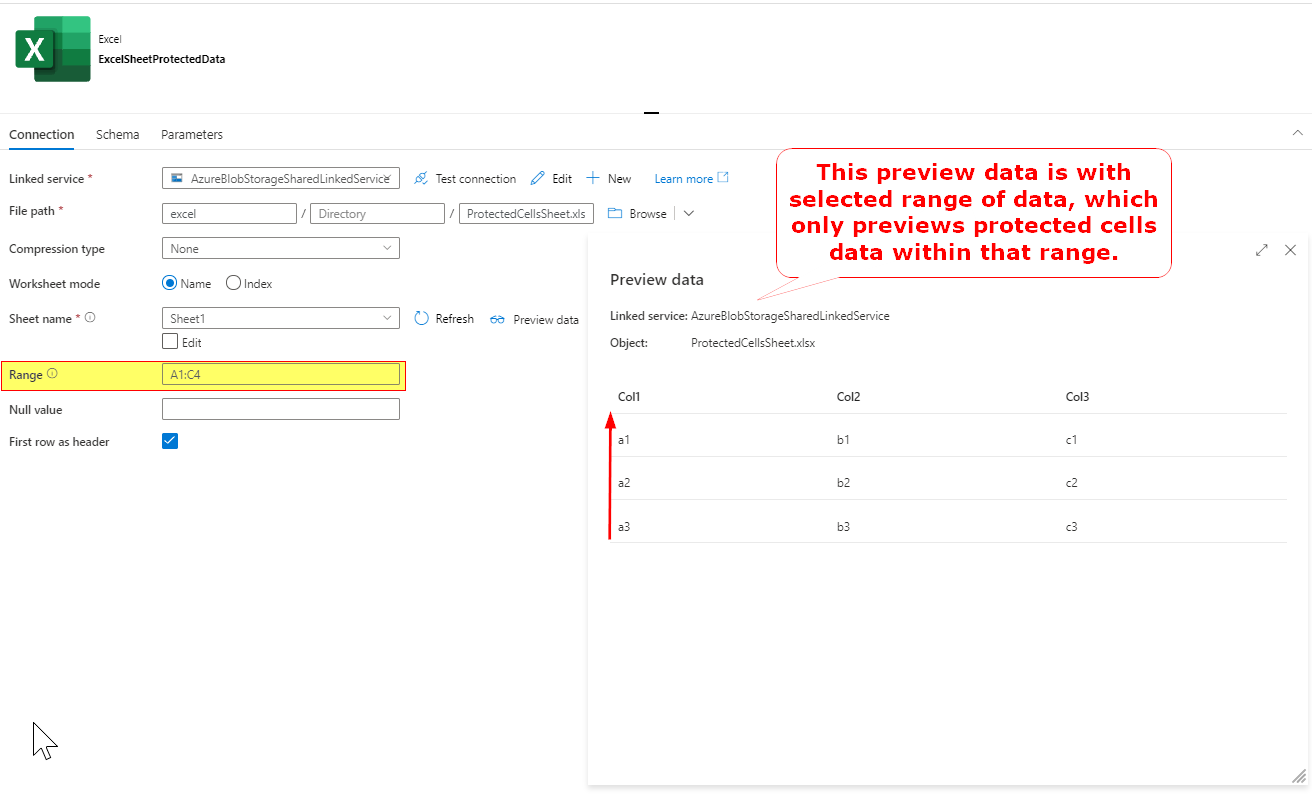
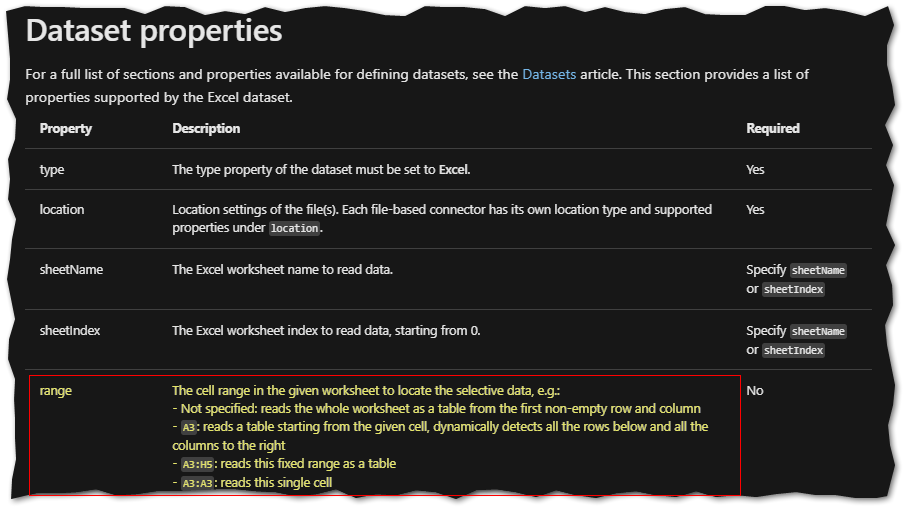
If you want to copy only the cell/rows with data and exclude empty rows, then one option is to define the cell range in the dataset properties as explained in below screenshots which should help achieve your requirement. For example if you want to copy only first 20 rows then you can select a range like A1:C21 (i.e assuming you have 20 rows with data including 1 header column)
Data preview when cell range is not selected:
Data preview when cell range is selected to limited cells (Cells that has data only)
Here is the documentation related to this functionality in excel dataset: Excel dataset properties
Hope this info helps. Do let us know if you have further query.
----------
 and upvote
  button whenever the information provided helps you. Original posters help the community find answers faster by identifying the correct answer. Here is how
Hi @Jaspreet Singh ,
We still have not heard back from you. Just wanted to check if the above suggestion was helpful? If it answers your query, please do click “Accept Answer” and/or Up-Vote, as it might be beneficial to other community members reading this thread. And, if you have any further query do let us know.