Note
Access to this page requires authorization. You can try signing in or changing directories.
Access to this page requires authorization. You can try changing directories.
This article provides an executive overview of Microsoft AI agent solutions and answers the key questions executives need to make an informed adoption decisions.
AI agents can improve productivity by reasoning about information and taking actions to complete tasks. Organizations must determine whether these capabilities provide enough business value to justify the additional cost and risk. This article explains when agents are useful, which Microsoft solutions are available, and what executives should consider before investing.
AI agent decision tree and architecture

1. What is an AI agent?
An AI agent is software that uses AI models and tools to pursue goals and complete tasks. Traditional automation follows fixed rules. An agent reasons about available information and chooses its next action. For example, an IT support agent can investigate an incident and recommend a fix. The same agent can also run an approved remediation. The term "agent" covers products with very different risk profiles. A shared definition gives leaders a common basis for investment and risk decisions.
2. When should we use AI agents?
Not every business problem requires an AI agent. Traditional automation and generative AI can deliver the required outcome with more predictable behavior. The appropriate solution depends on the capabilities the task requires.
Traditional automation or code: Structured and predictable tasks fit rule-based automation. These solutions follow predefined steps and don't need AI reasoning. Invoice routing by vendor code is a typical example. Power Automate and workflows in Microsoft Copilot Studio support this kind of work.
Retrieval-augmented generation (RAG): RAG fits scenarios where people need answers from organizational knowledge. A RAG solution retrieves relevant content and generates a response. It doesn't select or execute actions. An HR policy assistant is a typical example. Microsoft 365 Copilot, Copilot Studio, and Microsoft Foundry provide RAG over organizational content. Azure AI Search supports custom RAG solutions.
AI agents: Agents fit tasks where AI must reason about information and decide or coordinate actions dynamically. Agents can recommend actions for human approval. They can also execute actions within defined permissions.
3. What AI solutions do we make available?
Microsoft provides prebuilt agents and platforms for developing custom agents. Organizations should make available the agetnts and platforms that meets their business requirements.
Prebuilt agents: Start with existing solutions when they meet business requirements. Microsoft provides agents through products such as Microsoft 365 Copilot, GitHub Copilot, Microsoft Fabric, and Dynamics 365. These solutions reduce development effort but offer less customization than purpose-built agents.
Custom agents: Make development platforms available when prebuilt agents can't meet business requirements. The appropriate platform depends on the organization's development capabilities and need for customization.
Microsoft Copilot Studio: Supports low-code agent development with managed platform capabilities. It suits organizations that want to enable business users and developers to create agents with less engineering effort.
Microsoft Foundry: Supports code-first agent development with greater flexibility. It suits organizations with specialized requirements and engineering teams that can manage more of the development lifecycle.
Azure infrastructure: Supports custom agent solutions that require direct control over infrastructure or capabilities beyond managed platforms. It offers greater flexibility but increases operational responsibility.
Organizations can support multiple platforms to meet different business needs. The goal is to provide enough choice without creating unnecessary platform complexity. For a detailed comparison of solutions, see What AI should we use?.
4. What about risks?
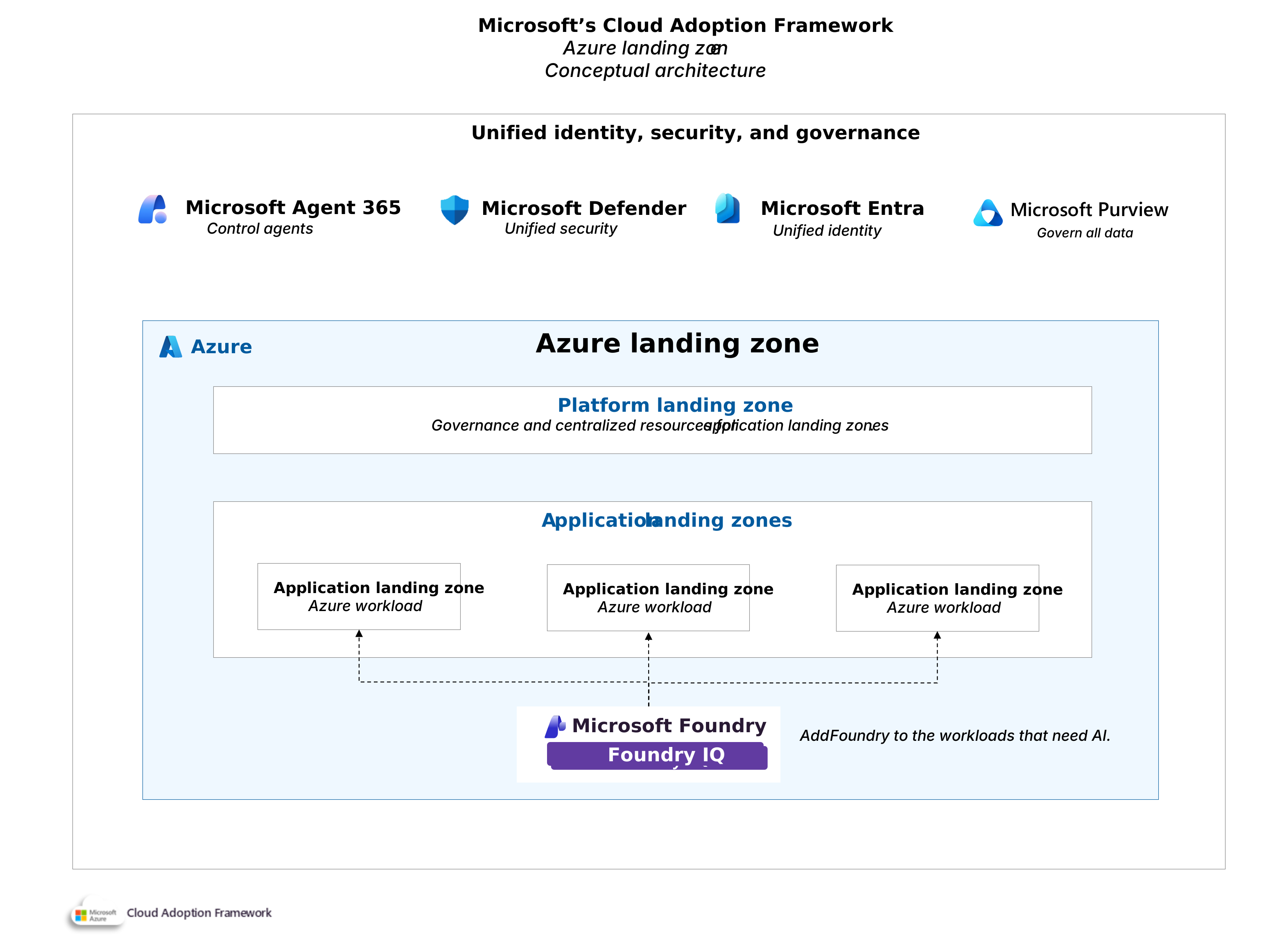
AI agents introduce risk because they access business information and act in connected systems. An agent can expose sensitive data or take an unintended action. Greater autonomy increases the impact of errors. Organizations manage this risk by limiting agent access and by requiring human approval for higher-risk actions. Microsoft provides capabilities for each risk area.
| Risk category | Microsoft solution | Description |
|---|---|---|
| Agent governance | Microsoft Agent 365 | Provides centralized visibility and lifecycle governance across Microsoft and supported third-party agents. |
| Agent security | Microsoft Entra Agent ID and Microsoft Defender | Help secure agent identities and detect threats involving agents. |
| Data governance | Microsoft Purview | Helps protect sensitive information accessed or processed by agents. |
| Agent behavior | Prebuilt SaaS agents, Microsoft Copilot agents, Microsoft Copilot Studio, and Microsoft Foundry | Provide product-specific controls and safeguards to manage agent behavior and reduce the risk of unintended actions. |
These capabilities help organizations adopt agents within acceptable risk boundaries. For more information, see Agent governance.
6. How to adopt AI agents
Organizations can use the Microsoft Cloud Adoption Framework to evaluate whether to invest in AI agents and prepare for adoption. The framework helps teams assess business value and organizational readiness before establishing the governance and operational standards needed to deploy agents.

Organizational readiness: Learn how to plan AI agent adoption through clear ownership, workforce preparation, financial management, and use-case prioritization.
Architecture and governance: Learn how to establish architecture standards and governance controls for AI agents across your organization.
Operational standards: Establish requirements for evaluating agent behavior, monitoring actions, and managing agents throughout their lifecycle.