Note
Access to this page requires authorization. You can try signing in or changing directories.
Access to this page requires authorization. You can try changing directories.
Note
Teams Phone Agent is currently only available to customers in the Frontier Public Preview program.
Teams users can receive and answer calls from Teams Phone Agent, Auto Attendant, and Call Queue directly in their Teams client.
Users can differentiate incoming calls from a Teams Phone Agent, Auto Attendant, or Call Queue before they answer the call.
Handling a Teams Phone Agent call
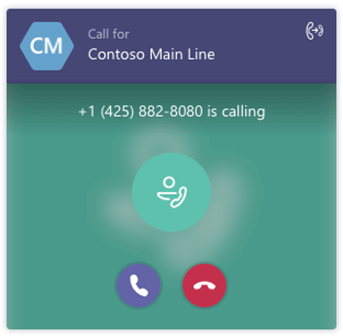
When users receive a call from a Teams Phone Agent, the information in the toast contains the name or number of the caller, the display name of the resource account assigned to the Teams Phone Agent that answered the call, and the caller's intent.
Note
Calls from Teams Phone Agents are forwarded based on the user's call answering rules configuration.
Handling an Auto Attendant call
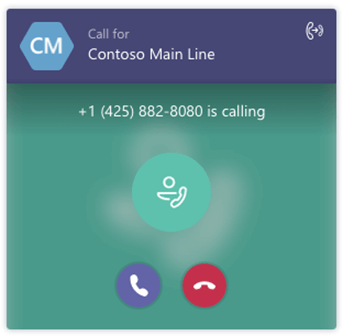
When users receive a call from an auto attendant, the information in the toast contains the name or number of the caller and the display name of the resource account assigned to the auto attendant that answered the call.
Note
Calls from Auto Attendants are forwarded based on the user's call answering rules configuration.
Handling a Call Queue call
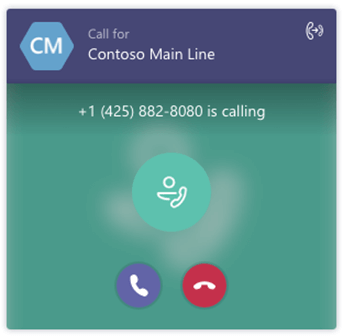
When representatives (agents) receive a call from a call queue, the toast displays information based on how the representatives received the call.
- If the call was transferred to the call queue without a resource account, the representative receives the name of the call queue in the toast.
- If the call was transferred to the call queue through a resource account, the representative receives the display name of the resource account.
Note
Call queue calls aren't forwarded based on the user's call answering rules configuration. This ensures that callers remain in the queue until a representative can answer the call and that the caller isn't forwarded unexpectedly.
Representatives receiving calls from call queues are only presented with the name of the caller if it's provided from the Public Switched Telephone Network (PSTN) or if the caller's number matches the target representative's local Teams client contacts.
By default, representatives aren't notified of any missed calls or voicemails for call queue calls. For more information, see Shared Call History.
Transferring and conferencing
Once a Teams Phone Agent, Auto Attendant, or Call Queue call is answered, the user can handle the call like any other call. They can conference in another user or transfer the call to another party.
Supported clients
Support for Teams Phone Agent, Auto Attendant, and Call Queue calls is available in the following clients:
- Microsoft Teams Windows client (32-bit and 64-bit versions)
- Microsoft Teams Mac client
- Microsoft Teams iPhone app
- Microsoft Teams Android app
The Teams client is only supported with a coexistence mode of Teams Only.
Known issues
When a call queue representative receives a call on their mobile device, the call might go on hold if the device is locked. The representative must unlock the device first, and then answer the call.