Note
Access to this page requires authorization. You can try signing in or changing directories.
Access to this page requires authorization. You can try changing directories.
This article explains how to configure data quality scans in Microsoft Purview for data assets that are mirrored from external sources into Microsoft Fabric.
Mirroring in Fabric is a low-cost, low-latency solution that replicates data from sources like Azure SQL Database, Azure Cosmos DB, and Snowflake into Fabric's OneLake. For more information, see the Fabric mirroring documentation.
Configure data quality for a Fabric mirrored database
To set up data quality for a Fabric mirrored database, complete the following steps:
Note
Before you begin, make sure you have:
- A Microsoft Fabric workspace with mirroring enabled.
- A Lakehouse in your Fabric workspace (or permissions to create one).
- Access to Microsoft Purview Data Map with service principal authentication configured.
Enable mirroring in your Fabric tenant. A Power BI administrator can enable mirroring for the entire organization or for specific security groups in the Power BI admin portal. You can replicate an entire database or individual tables.
After enabling mirroring and initiating replication, confirm that replication completes successfully.
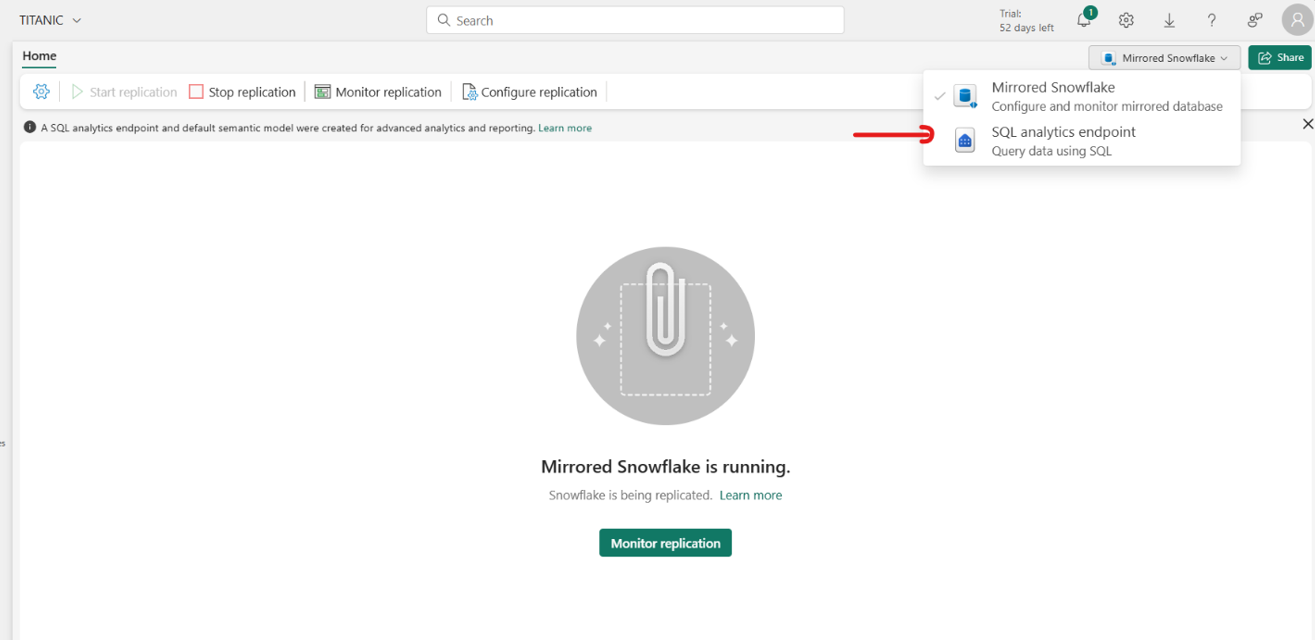
Open the SQL analytics endpoint.
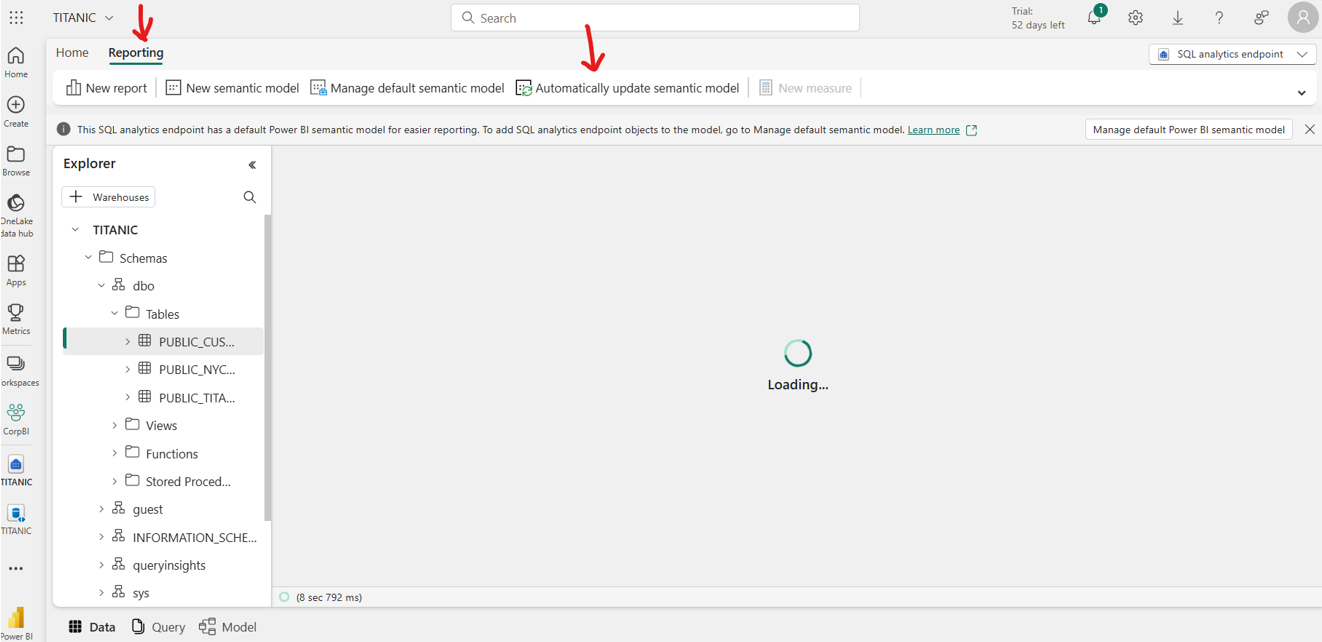
On the Reporting tab, select Automatically update semantic model.
Create a Lakehouse in your Fabric workspace if you don't have one created.
Create a Fabric shortcut from your mirrored database to the lakehouse.
Go to Microsoft Purview Data Map and run a Data Map scan on the lakehouse you created in the previous step. Use service principal authentication.
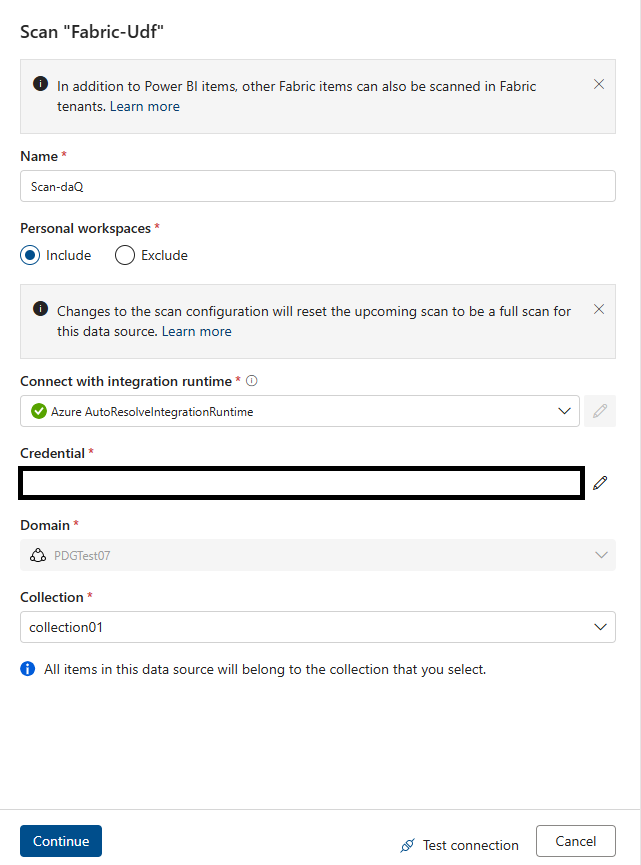
When the scan is completed, associate the discovered Lakehouse table assets with a data product. Make sure to select the Lakehouse tables to associate to your data product.
After associating the Lakehouse tables with your target data product in Unified Catalog, you can profile and measure the data quality of all mirrored tables as Lakehouse tables in Microsoft Purview.
In the Data quality area of Health management in Unified Catalog, run a data quality scan or profile your data as usual.
Important
- Use service principal for Data Map scans, and use a managed identity for data quality scans.
- Select the mirrored database instead of individual tables.
- Update the semantic model every time when you add new table to the mirrored database.
- If your mirrored database tables aren't available in the Fabric Lakehouse, contact Fabric support.
- Data quality scanning is supported only for Lakehouse Delta, Iceberg, and Parquet file formats.