Note
Access to this page requires authorization. You can try signing in or changing directories.
Access to this page requires authorization. You can try changing directories.
In this sprint, out-of-order stage execution lets you skip ahead in a YAML pipeline rollout. We're also introducing options to abandon and force-cancel pipeline runs, Commit Search general availability, a new Wiki editor, improved Wiki page search, GitHub connection updates, and Copilot Code Review enhancements.
Check out the release notes for details.
General
GitHub Advanced Security for Azure DevOps
Azure Boards
Azure Repos
Azure Pipelines
Wiki
General
Commit Search is now generally available
Finding a commit no longer requires remembering its ID. Commit Search is now generally available across Azure DevOps. You can search Git commits by text in the commit title or description across every repository and project you can access.
Use the search box at the top of your project, enter your keywords, and select the Commits tab to see matching commits. You can narrow the results by Project, Repository, Author, and Branch, and sort by commit time or relevance. Select a result to open the commit details, including associated changes, work items, and pull requests.
Commit Search is available alongside Code, Work Item, Wiki, and Package search with no setup required.
Remote MCP in Copilot Cowork (public preview)
GitHub Advanced Security for Azure DevOps
Copilot Autofix for dependency and code scanning alerts (limited public preview)
Copilot Autofix in GitHub Advanced Security for Azure DevOps now generates suggested fixes for supported dependency scanning security vulnerabilities and code scanning alerts. Open an alert and select Generate fix. The Copilot coding agent uses repository context to propose a fix in a pull request, so you can review and test the changes before merging.
Copilot Autofix remains in limited public preview. Microsoft isn't currently accepting additional participants.
For more information, see Copilot Autofix for code security alerts.
Azure Boards
Rotate GitHub personal access tokens without recreating connections
You can now rotate personal access tokens (PATs) for Azure Boards and GitHub connections without having to recreate the connection.
For connections that use PAT authentication, select Update token from the connection menu to replace the existing token.
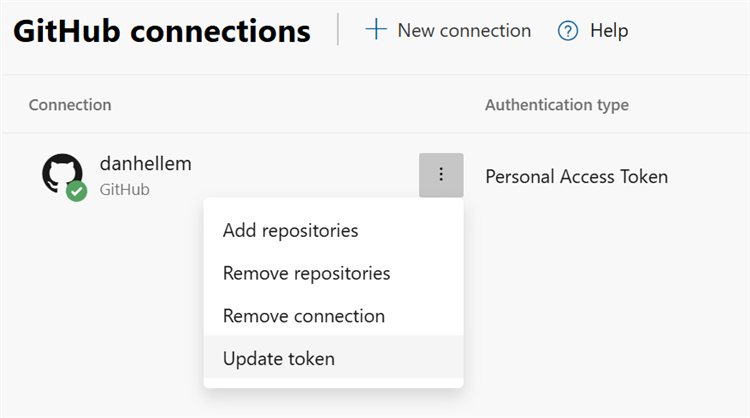
Token rotation is also supported through REST APIs, allowing organizations to automate the process.
Azure Repos
Resolve comments when applying suggestions
Note
Copilot Code Review is in public preview.
You can now resolve related Copilot Code Review comments when you apply and commit suggested changes, without having to resolve each comment individually.
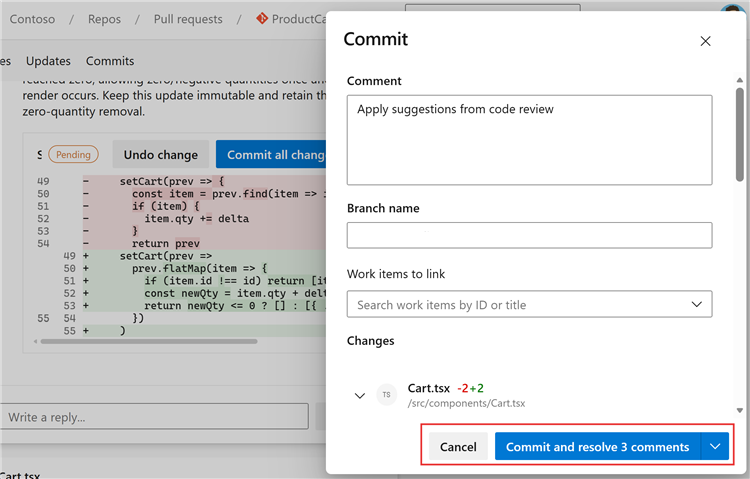
This enhancement makes it easier to work through pull request feedback and track comments that still need attention.
Audit log events for Copilot Code Review
Note
Copilot Code Review is in public preview.
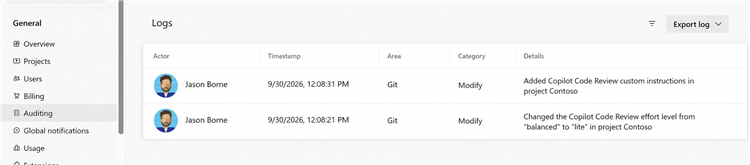
Azure DevOps audit logs now capture configuration changes to Copilot Code Review, giving organization administrators better visibility into how the feature is managed.
New audit events include:
- Enabling or disabling Copilot Code Review at the organization, project, or repository level.
- Changes to the configured agent pool.
- Updates to custom instructions.
- Changes to the default effort level.
- Changes to branch policies for automatic code reviews.
These events are available on the Auditing page in Azure DevOps, helping administrators track Copilot Code Review configuration changes across their organization.
Azure Pipelines
Abandon pipeline run
To improve deployment security and prevent redeployment of the wrong artifact, you can now abandon a pipeline run. Abandoning a run makes it read-only, so its stages can't be rerun.
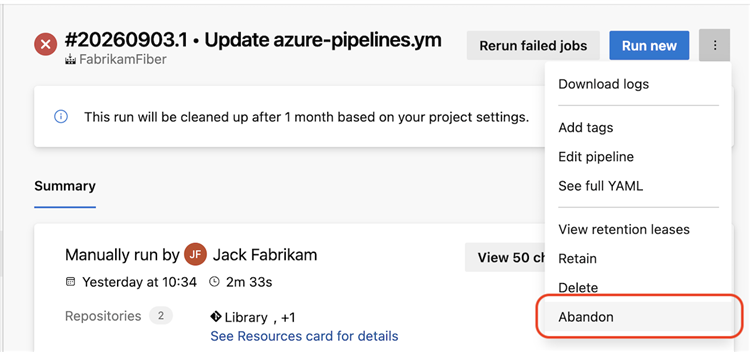
A run must be in a final state, such as Failed or Canceled, before you can abandon it. Abandoning a run can't be reversed. You must have the Abandon builds pipeline permission to abandon a run.
Out-of-order stage execution
Sometimes, you want to accelerate a rollout, such as when you're deploying a hotfix. Out-of-order stage execution lets you skip ahead when running a pipeline.
Imagine you have a pipeline that deploys to three Azure regions in sequence: West US, Central US, and East US.
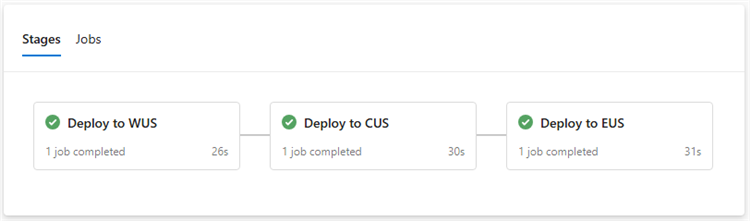
If you're deploying a hotfix, you might want to deploy to Central US and East US before the West US deployment finishes. Expand the stage that you want to run out of order, and then select Run stage.
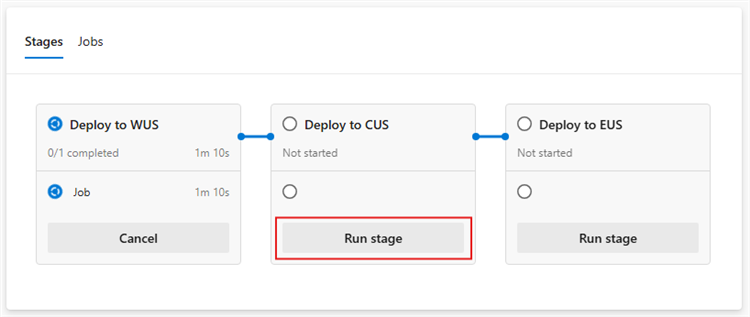
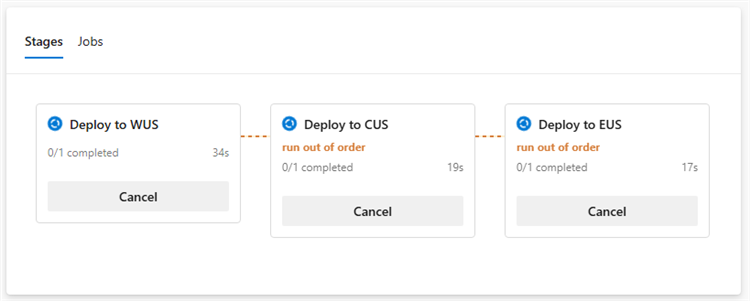
Out-of-order stage execution also lets you bypass a failed stage. For example, if deployment to West US fails and the failure will take time to resolve, you can still proceed with deployment to Central US.
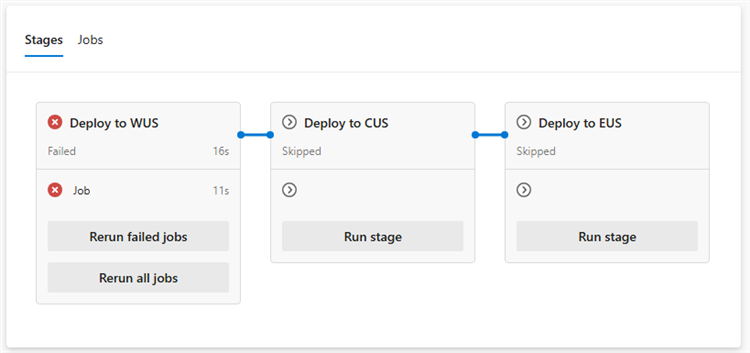
Access to out-of-order stage execution requires the new Manage stage run order permission.
You can't skip ahead of a stage marked isSkippable: false. For example, if you mark the stage that deploys to Central US as non-skippable, you can't run the East US stage before the Central US stage finishes successfully.
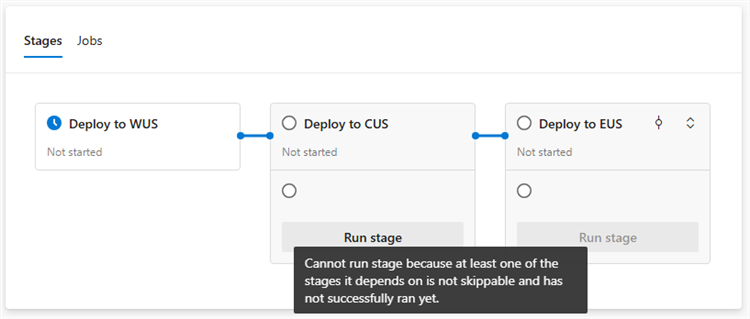
When you run a stage out of order, Azure Pipelines evaluates its run condition. For example, if a stage specifies condition: eq(variables['Build.SourceBranchName'], 'main') and you're running the pipeline on a release branch, you can't run the stage out of order because the condition evaluates to false.
Force-cancel pipeline runs
Writing YAML stage condition expressions can lead to unexpected pipeline run behavior, such as a stage that can't be canceled. This issue occurs when the stage condition evaluates to true regardless of the pipeline run state. For example, condition: eq(variables['Build.SourceBranchName'], 'main') doesn't check the run state.
You can now force-cancel a pipeline run to stop this behavior.

Warning
Force-canceling a pipeline run terminates all running stages, jobs, and steps immediately. No further stages, jobs, or steps run. This action might leave your system in an inconsistent or undesired state. The run is abandoned and can't be rerun.
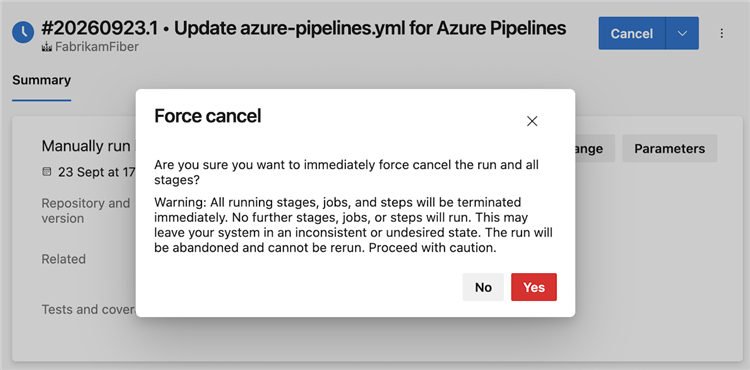
To force-cancel a pipeline run, you need the following pipeline permissions:
- Manage stage run order
- Stop builds
- Abandon builds
Wiki
New Wiki editor experience (public preview)
We've introduced a new Wiki editor powered by Monaco Editor, the same technology used in Visual Studio Code. The new editor provides an improved Markdown editing experience while maintaining existing Wiki functionality.
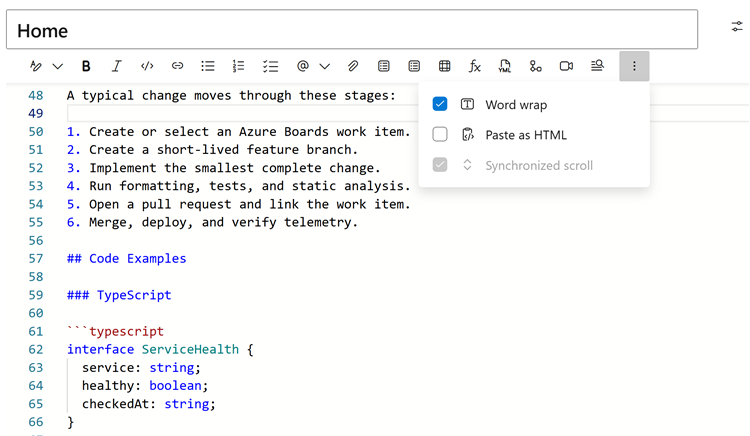
The new editor includes:
- Visual Studio Code-style editing with Markdown syntax highlighting and line numbers.
- Find and replace to quickly locate and update content.
- Improved undo and redo for formatting, pasting, attachments, and autocomplete.
- Autocomplete support for pull requests (
!), people (@), work items (#), Wiki links, and templates. - Persistent editor preferences for word wrap and synchronized scrolling.
To try the new editor, enable it through Preview features for yourself or your entire organization.
Improved Wiki page search
We've redesigned how Wiki page search works to improve responsiveness, especially for larger wikis. When you enter text in the Filter pages box, matching pages now appear faster.
The new solution also improves performance for other Wiki search operations, such as:
- Selecting a destination in the Move page panel.
- Viewing Wiki page suggestions when adding links in the Markdown editor.
- Filtering pages and folders by name in the Wiki page tree.
Note
Search results no longer follow custom page order. Pages appear alphabetically for a consistent, predictable experience. This order might differ from the custom order in the regular Wiki navigation tree.
Next steps
Note
These features will roll out over the next two to three weeks. Go to Azure DevOps and take a look.
How to provide feedback
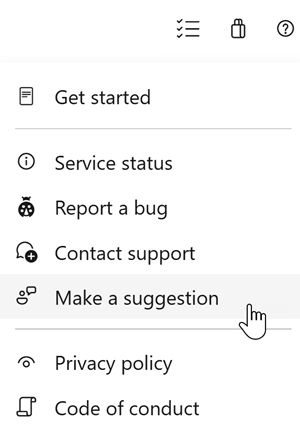
We want to hear what you think about these features. Use the help menu to report a problem or provide a suggestion.
You can also get advice and have your questions answered by the community on Stack Overflow.