Hi Dani_S,
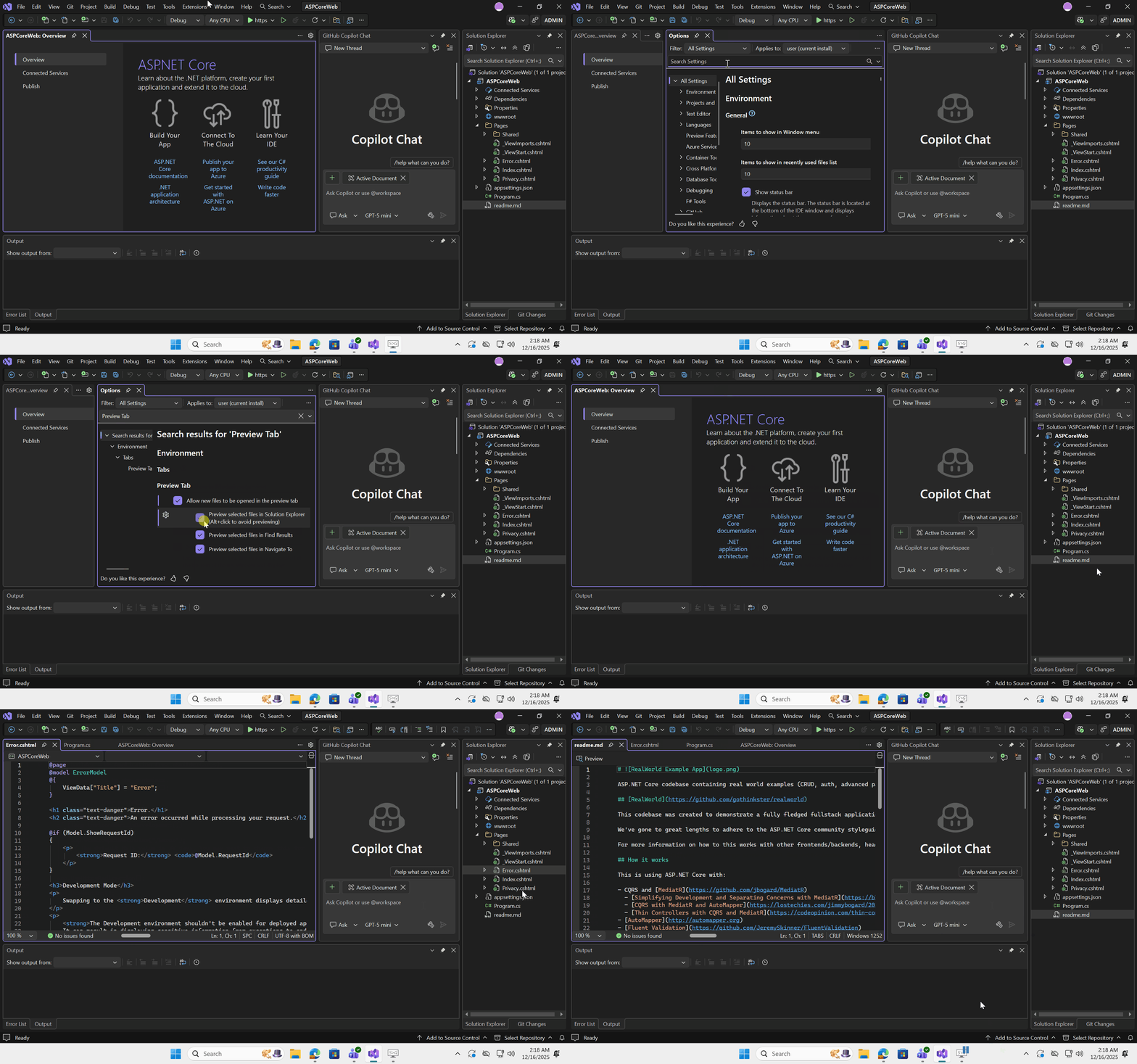
Thank you for sharing your concern. To ensure that all files always open in the left group tab, you can go to Tools > Environment, search "Preview Tab", uncheck "Preview selected files in Solution Explorer (Alt + click to avoid previewing)". Then, close Visual Studio and try again.
See? When I turned off these settings, all files opened in the left group tab, regardless of the file type, as shown below:
I hope this information is helpful. If you don’t have any further questions on this topic, please mark my answer so I’ll know the issue has been resolved. If you do have additional questions, feel free to leave a comment and I’ll be glad to assist
' cx='32' cy='32' r='32' /%3E%3Ctext x='50%25' y='55%25' dominant-baseline='middle' text-anchor='middle' fill='%23FFF' %3ED%3C/text%3E%3C/svg%3E)
' cx='32' cy='32' r='32' /%3E%3Ctext x='50%25' y='55%25' dominant-baseline='middle' text-anchor='middle' fill='%23FFF' %3ELT%3C/text%3E%3C/svg%3E)