Note
Access to this page requires authorization. You can try signing in or changing directories.
Access to this page requires authorization. You can try changing directories.
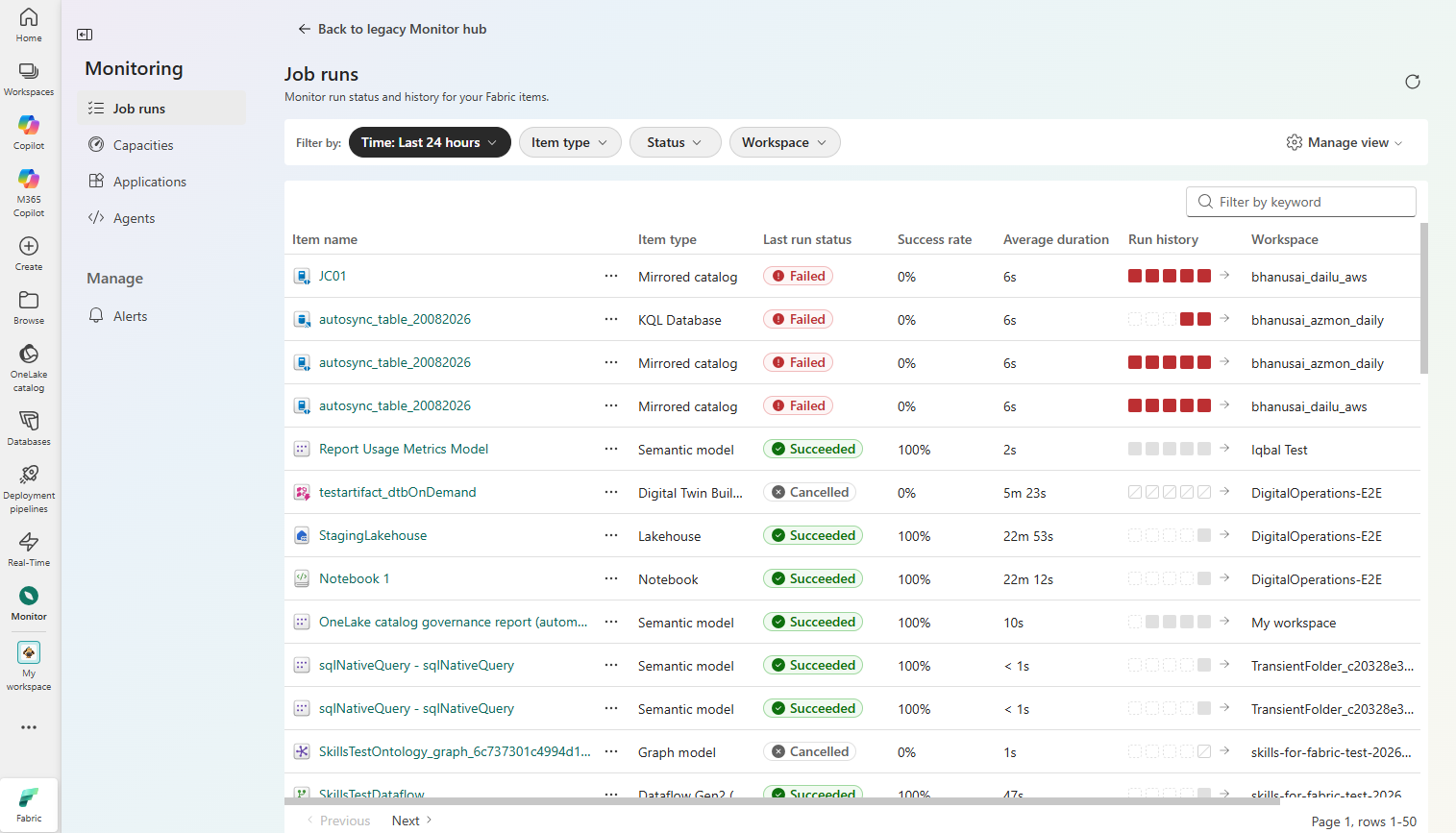
The Monitor hub is the unified observability pane in Microsoft Fabric. It brings job execution health, alerts, capacity, agents, and application telemetry together in one place. Instead of checking each item type on its own, you can spot problems across your Fabric estate and act on them from a single surface.
This article explains what you can monitor in the Monitor hub and how its dedicated pages for job runs, job alerts, applications, capacity, and agents map to different parts of your environment.
Any Fabric user can open the Monitor hub, but you only see activities for Fabric items you have permission to view.
Important
The Monitor hub is currently in preview.
See the Supplemental Terms of Use for Microsoft Azure Previews for legal terms that apply to Azure features that are in beta, preview, or otherwise not yet released into general availability.
What can you monitor in the Monitor hub?
The Monitor hub organizes observability into dedicated pages, each focused on a different part of your Fabric estate. Select a page to learn how to use it:
- Job runs — Track job runs across the items in your workspace.
- Applications — Monitor application health and usage.
- Capacity and cost — Monitor capacity health and consumption.
- Agents — Monitor agent activity and health.
- Alerts — Manage who receives notifications about job failures and other job events.
Investigate failed pipeline runs with the Operations agent (preview)
For failed pipeline runs, the Monitor hub gives you an entry point to a read-only Operations agent (preview) investigation. From the run history of a failed pipeline job, you can start an investigation that reviews the run and surfaces likely root causes without changing your pipeline or its configuration. This entry point connects job-run monitoring in the Monitor hub to the Operations agent (preview) in Real-Time Intelligence.
To start an investigation from a failed run, see Monitor job runs in the Monitor hub. For Operations agent (preview) setup, prerequisites, governance, responsible AI guidance, and limitations, see Create and configure operations agents.