Note
Access to this page requires authorization. You can try signing in or changing directories.
Access to this page requires authorization. You can try changing directories.
Important
This feature is in preview.
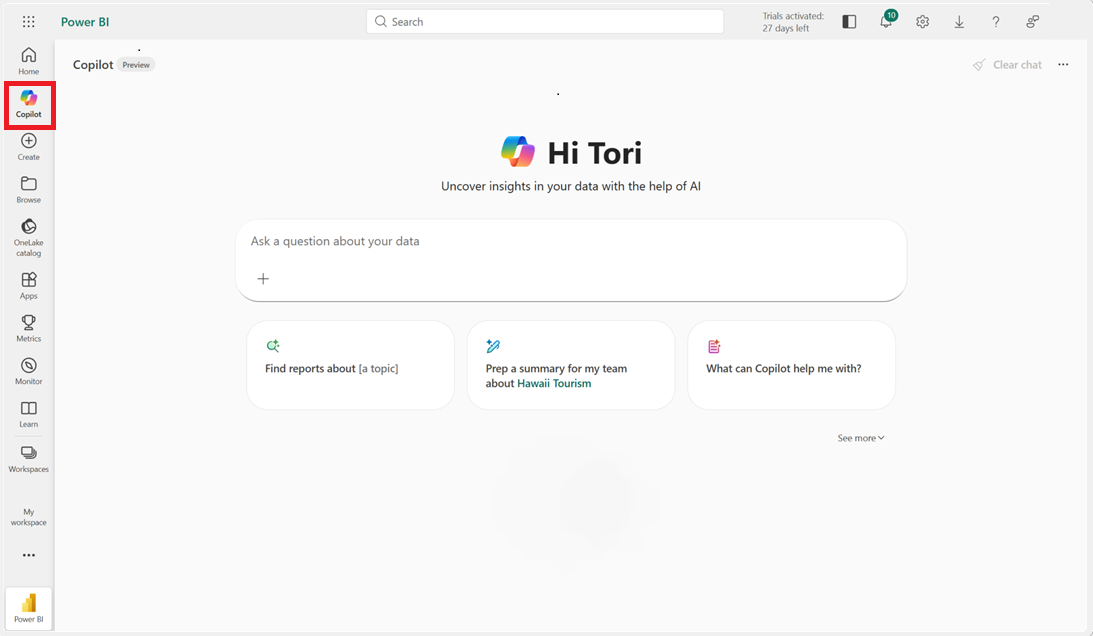
Copilot in Power BI is available as a full-screen, standalone Copilot experience that finds and answers questions about any report, semantic model, and Fabric data agent you have access to. This experience is different from the Copilot pane, which only answers questions about the report you have open. The standalone Copilot experience is also available in preview in the Power BI mobile apps.
The first entry point is the Copilot icon in the left navigation bar. You can move or unpin the Copilot icon like other items.
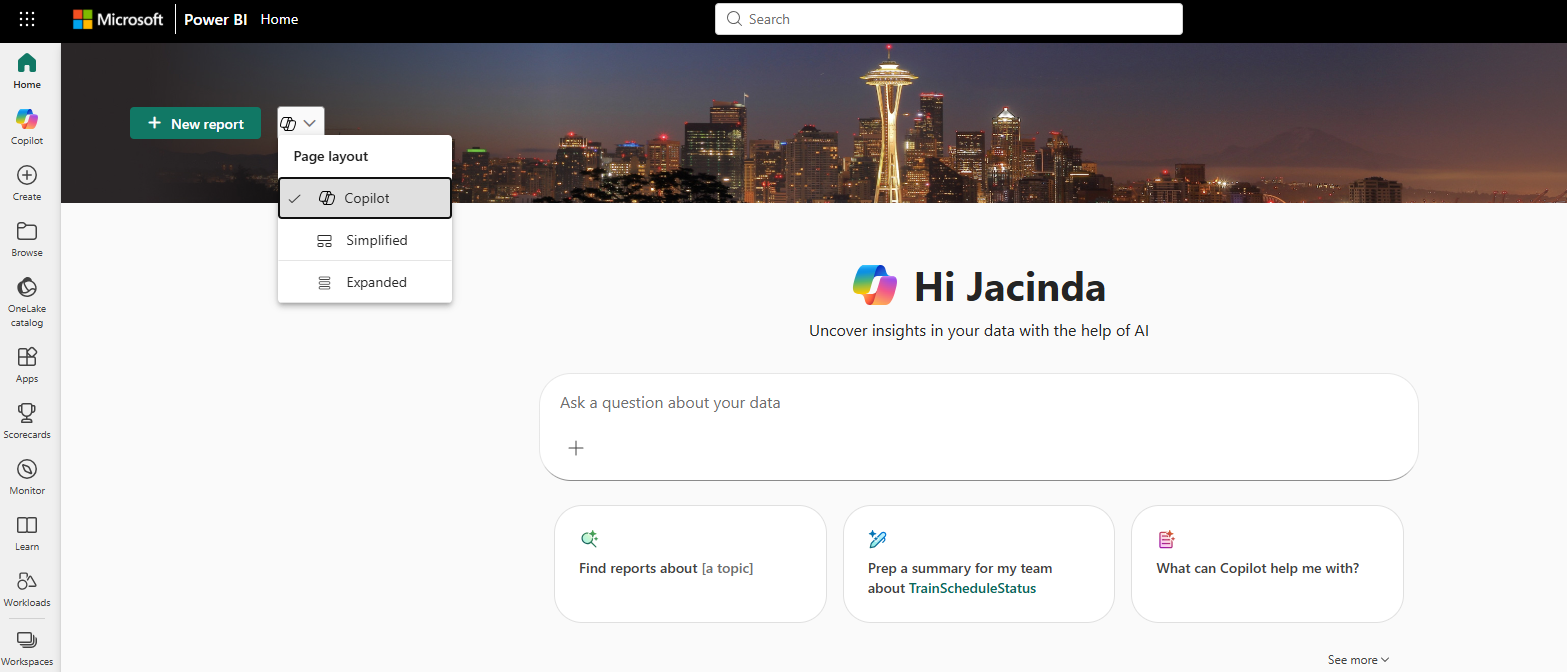
The second entry point is on the Power BI Home page. This entry point appears automatically when your tenant admin enables the standalone Copilot and a valid Copilot capacity is available. If you prefer the classic view, you can switch back to Simplified by using the picker at the top of the Home page.
Note
Admins need to turn on the tenant setting: To try it out, admins need to enable Copilot in Power BI, and enable the following new tenant setting: Users can access a standalone, cross-item Power BI Copilot experience.
Data must be prepped for Copilot: Copilot works best when the report author prepares the data specifically for Copilot, and marks the model as approved for Copilot. If that setup isn't complete, answers might be limited or inaccurate. For more information, see Prepare your data for AI.
Approve your data for Copilot: Semantic model authors can approve a model for use with Copilot in model settings. This approval affects content warnings for users. For more information, see Approve your model for use with AI.
Warnings on data not set as approved for Copilot: Models that aren't approved for Copilot appear with warnings that the answer quality could be low.
Capabilities
The standalone Copilot experience in Power BI helps you interact with your data more effectively. Copilot provides a conversational interface that simplifies data exploration and analysis. This experience includes the following key features.
Find the right data to answer your question
When you ask questions about your data, Copilot works with you to understand your topic of interest and use that context to identify the right report, semantic model, or data agent to use as its source. If it finds an item that's a strong match for your question, it selects it in the background and delivers an answer right away. When it needs more context, Copilot asks simple clarifying questions to narrow it down. For best results, instead of typing a few keywords like you might with a search engine, communicate like you would with a colleague:
- Use full sentences.
- Include contextual details to help Copilot find the right source.
- Respond thoughtfully to follow-up questions.
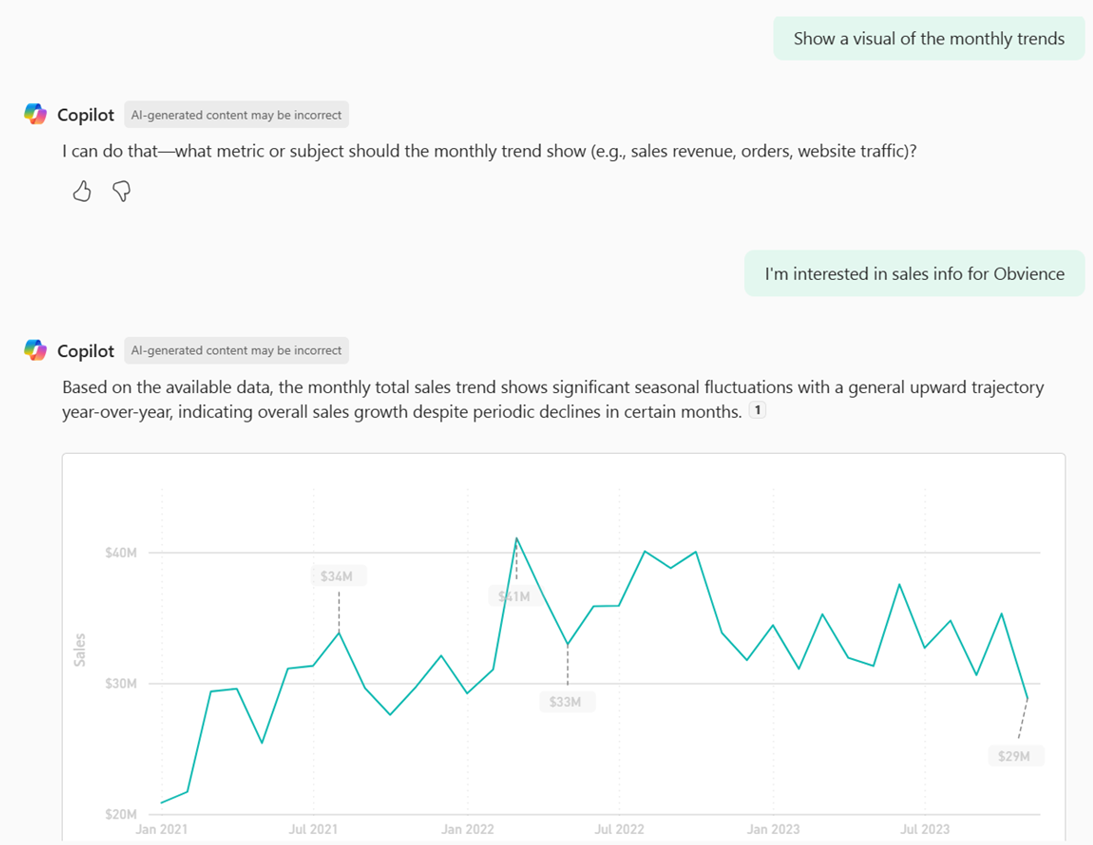
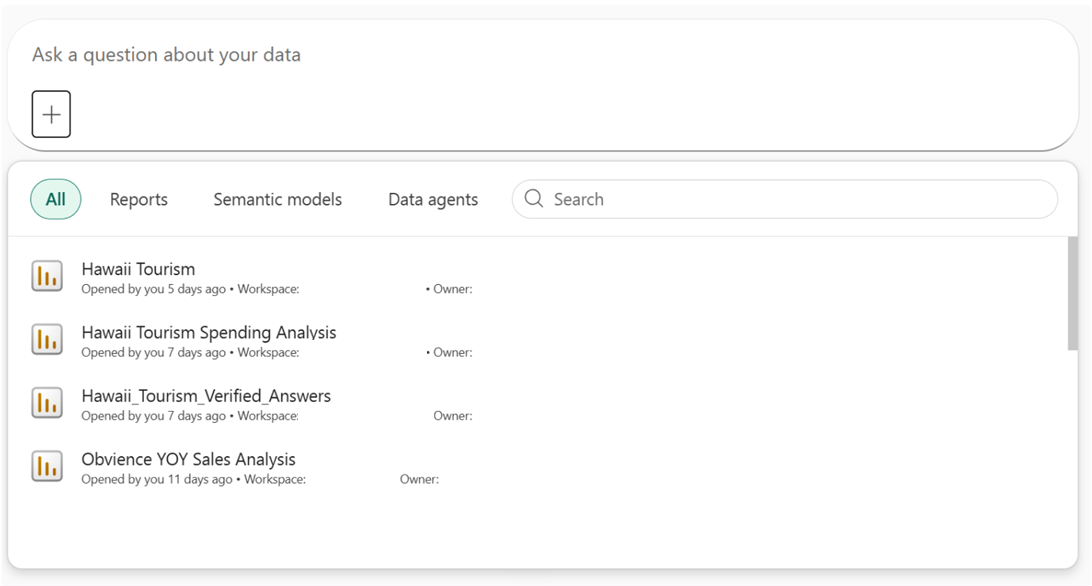
Although the additional reasoning might require a short wait, getting your answer from a reliable source is worth the pause. Alternatively, if you know exactly which report or semantic model you want to reference, you can attach it to your chat by using the + option. Then it appears in the Copilot conversation, and Copilot uses it to answer your questions.
Deliver answers, visuals, and summaries
The standalone Copilot experience can summarize data from reports and use the report visuals to answer specific questions. If Copilot can't find the answer in the report, it then uses the measures and other data fields in your semantic model (or even creates new DAX calculations) to generate the answer for you. Learn more about asking questions about your data.
Search for items
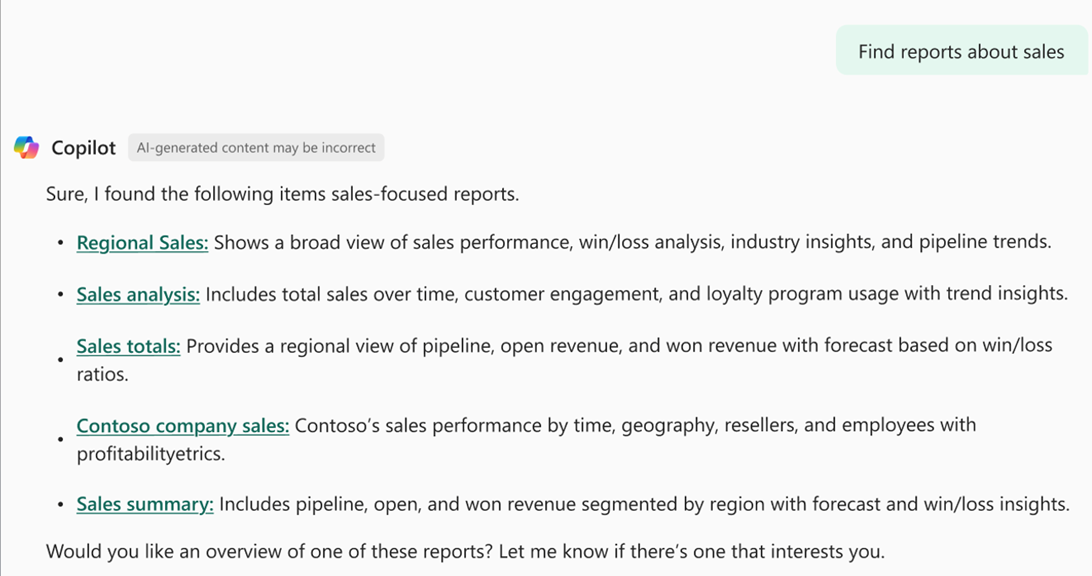
You can ask Copilot to find reports, semantic models, apps, and data agents that you have access to. In response, you get a hyperlinked list of relevant items with helpful descriptions to help you find the right one. Learn more about searching for items.
Use a Fabric data agent
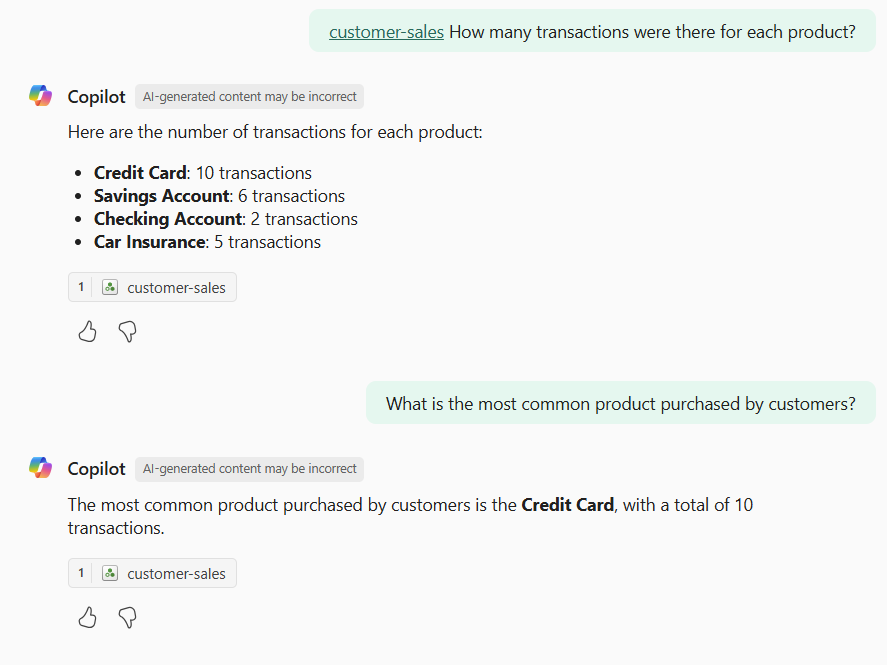
You can use Fabric data agents to get answers without leaving the standalone Copilot experience. A developer in your organization builds and trains Fabric data agents to be experts in specific topics.
Prep data for AI and mark as approved for Copilot
You must prepare your data for it to work well with Copilot. Preparing your data for AI creates the foundation for high-quality, grounded, and context-aware AI experiences. When data is unstructured or ambiguous, AI systems can struggle to interpret it correctly - leading to generic, inaccurate, or even misleading outputs.
After you prepare your data for AI, mark the semantic model as approved for Copilot. If you don't mark your data as approved for Copilot, you get a warning that the answer might be low quality. You can choose to explore the data or view the answer anyway.

If you select the View answer button, the response appears in chat.
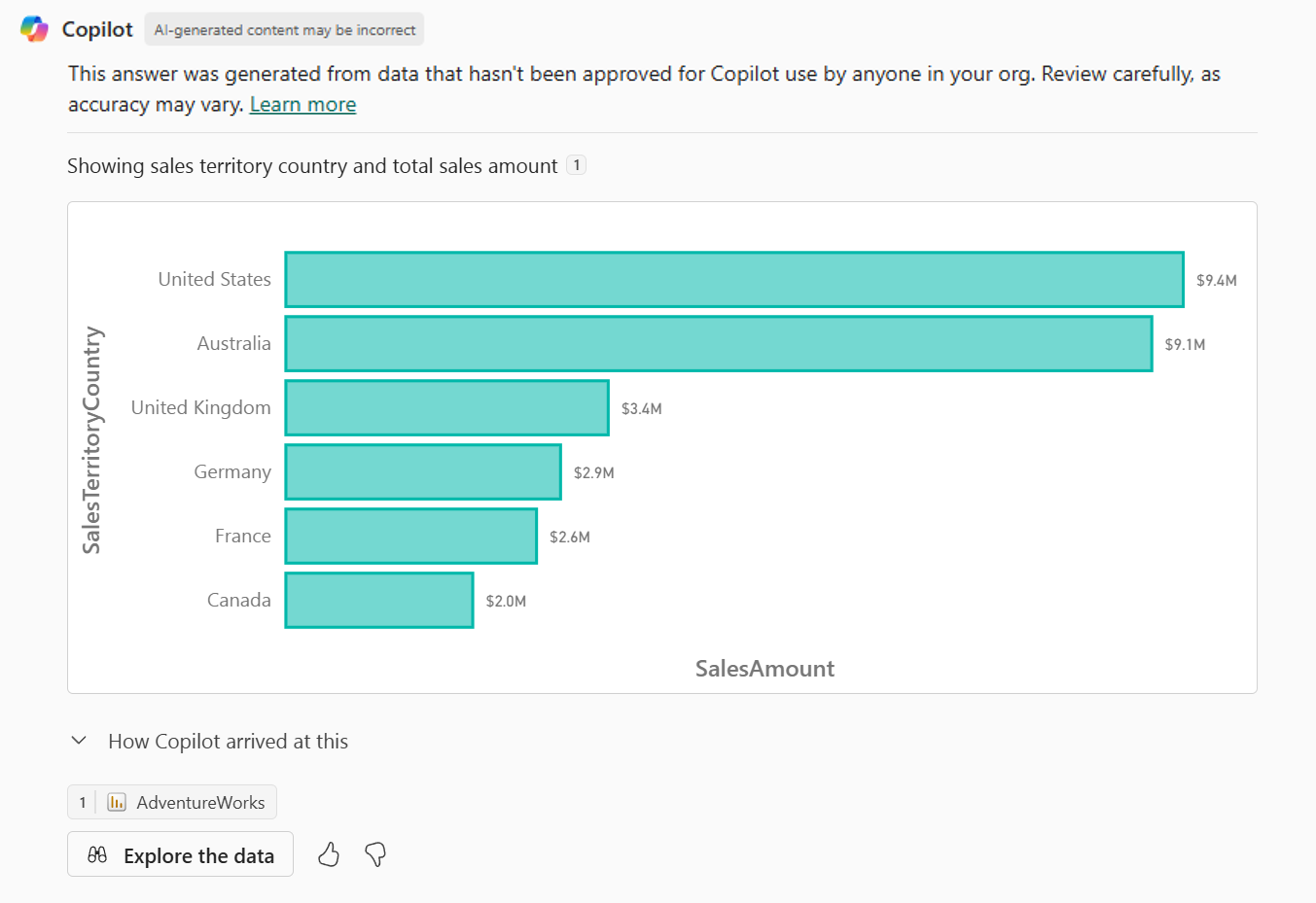
Once your data is set as approved for Copilot, responses appear in the chat without the warning.
Copilot requirements
Read about requirements to use the standalone Copilot experience.
Considerations and limitations
- The standalone Copilot experience is available only if your home tenant is in a region that supports Fabric. You don't need Fabric enabled to use Copilot, but your home tenant must be in a supported region.