' cx='32' cy='32' r='32' /%3E%3Ctext x='50%25' y='55%25' dominant-baseline='middle' text-anchor='middle' fill='%23FFF' %3EUN%3C/text%3E%3C/svg%3E)


' cx='32' cy='32' r='32' /%3E%3Ctext x='50%25' y='55%25' dominant-baseline='middle' text-anchor='middle' fill='%23FFF' %3EA%3C/text%3E%3C/svg%3E)
Hi,
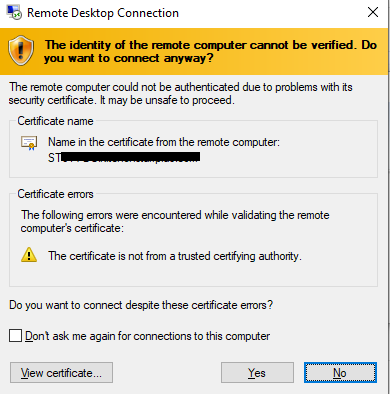
Whether you use certificate issued by the internal CA or public CA, you will need to follow the steps in below artcicle to configure Remote Desktop listener certificate to resolve the error.
Remote Desktop listener certificate configurations
https://learn.microsoft.com/en-us/troubleshoot/windows-server/remote/remote-desktop-listener-certificate-configurations
In summary, all what you need to do are as below:
- Follow @v-itcarr 's instructions to issue a certificate from a template using your CA
- Configure Remote Desktop listener certificate on your RDS server as per above link
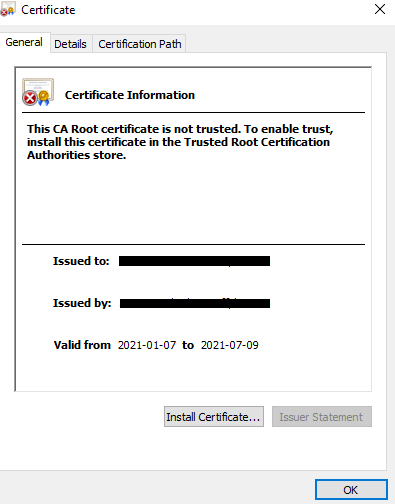
- In domain environment, you can use GPO to distribute the certificate to the clients. In workgroup environment, you need to import the certificate to the client's Trusted Root Certification Authorities (mmc>Certificates (local computer)>Trusted Root Certification Authorities>Certificates)
Thanks,
Eleven
----------
If the Answer is helpful, please click "Accept Answer" and upvote it. Thanks.
' cx='32' cy='32' r='32' /%3E%3Ctext x='50%25' y='55%25' dominant-baseline='middle' text-anchor='middle' fill='%23FFF' %3EVI%3C/text%3E%3C/svg%3E)