Hi kristianhou,
Thank you for your further reply and cooperation.
After my test and based on your description, I can also repro this situation as it is indeed related to the interface difference between the Plan 1 made plan and Plan 3 made plan.
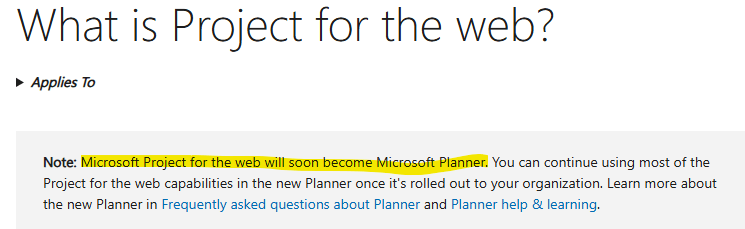
If the plan is made with Plan 1, it is actually a basic Planner plan with advanced feature with basic interface instead. If the plan is made with Plan 3 in Project for the web, it is actually **a premium plan with advanced interface and features.**You can go to Planner for Web (https://planner.cloud.microsoft/) to confirm this point as well:
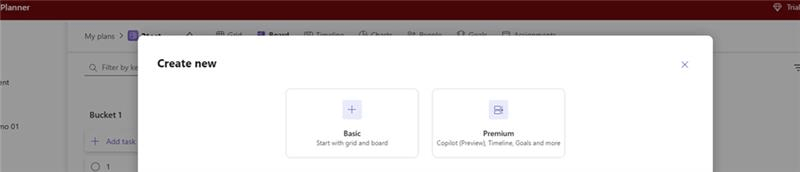
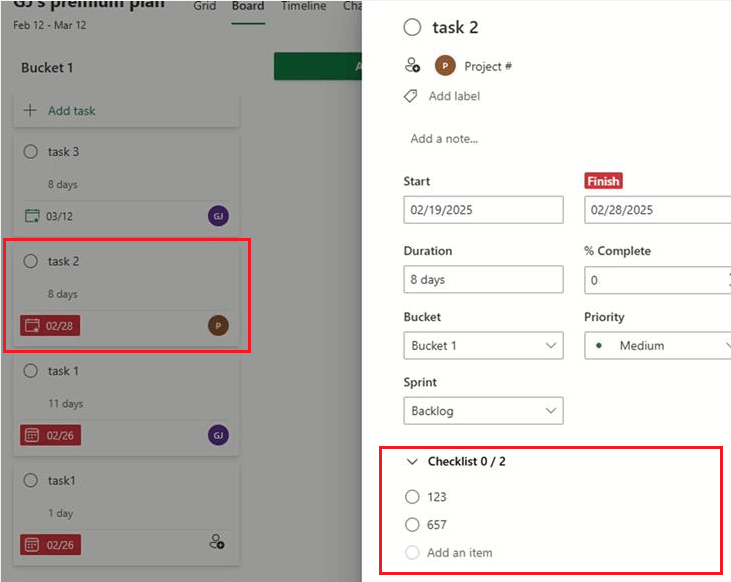
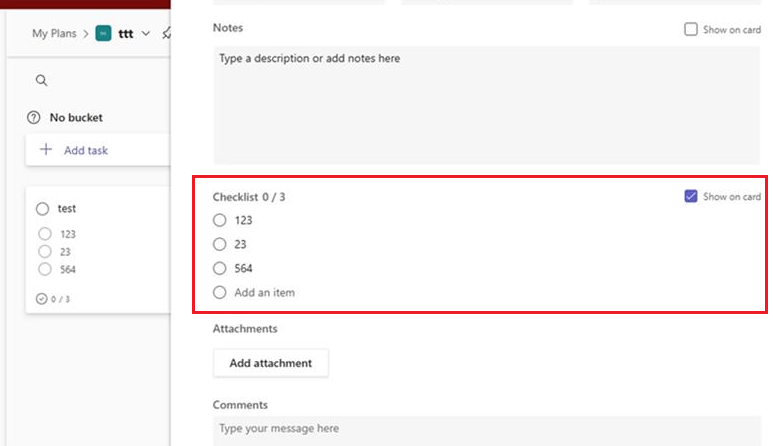
Here is also my test result as reference for you, it is indeed when you access the premium plan the checklist will not show on the board view of task, while in basic plan or view task in basic view of the plan, the checklists can be show in task as there’s a specific setting called Show on card in basic plan to show the checklists:
Premium view:
Basic view and settings:
Due to this situation, I fully understand the convenience and necessity of being able to view the checklists on card with Project Plan 3 made plan, for this situation you’ve encountered, I again apologize about it. In that case, I sincerely you can report this issue to the Microsoft Product Team as they have advance permission and resources of Microsoft Products than us moderators, and they constantly check customer reviews and feedback. And a lot of the features are fixed and improved based on customer feedback.
If you are an admin, I recommend you report this issue to contact Microsoft Support by following steps from this link: Get support - Microsoft 365 admin | Microsoft Learn to raise a support ticket from admin center or calling the phone support to contact Microsoft Support: Customer service phone numbers - Microsoft Support.
If you are not an admin, you can contact your admin to contact Microsoft support. You can look for the way to find your admin through this link: How do I find my Microsoft 365 admin? - Microsoft Support.
Please notice and accept my apologies that as moderators in the community, we are not supported for the product design and have limited resources for the advanced info for Microsoft products. To help you report this situation and send your feedback to the related development team, we have redirected you to the correct path.
Greatly Appreciate for your patience and understanding, and Hopefully Microsoft will make improvements soon.
Hope you having a nice day and wish you all the best as well! 😊
Sincerely,
Harry | Microsoft Community Moderator
' cx='32' cy='32' r='32' /%3E%3Ctext x='50%25' y='55%25' dominant-baseline='middle' text-anchor='middle' fill='%23FFF' %3EA%3C/text%3E%3C/svg%3E)
