Hi @milo last
Thank you for posting question to Microsoft Q&A.
According to this issue, I have done some research on this - please have a look at this screenshot:
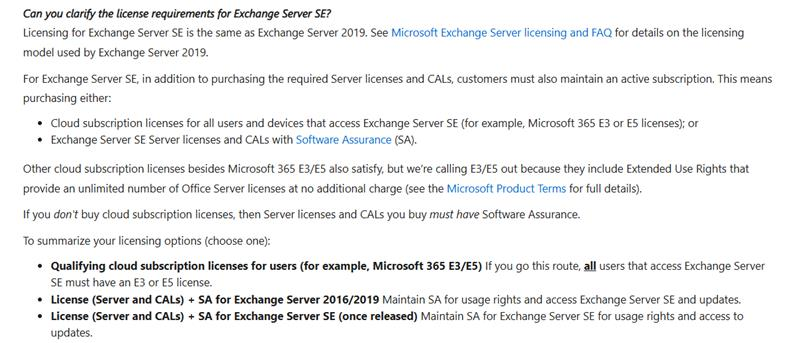
Reference: https://techcommunity.microsoft.com/blog/exchange/upgrading-your-organization-from-current-versions-to-exchange-server-se/4241305
This confirms that Exchange Server SE requires you to maintain an active subscription either by licensing every accessing user/device with qualifying cloud subscriptions such as Microsoft 365 E3/E5, certain Office 365 plans, or Exchange Online plans that include CAL equivalency, or by using the traditional server plus CAL model under Volume Licensing with active Software Assurance.
In practice, that means your existing Exchange Server 2019 CALs are valid for SE only if they’re covered by Software Assurance; if not, you must either acquire SE server and CALs with SA or cover all users/devices with qualifying cloud subscriptions.
I hope this information is helpful - please let me know if you have any further questions.
If the answer is helpful, please click "Accept Answer" and kindly upvote it. If you have extra questions about this answer, please click "Comment".
Note: Please follow the steps in our documentation to enable e-mail notifications if you want to receive the related email notification for this thread.
' cx='32' cy='32' r='32' /%3E%3Ctext x='50%25' y='55%25' dominant-baseline='middle' text-anchor='middle' fill='%23FFF' %3EML%3C/text%3E%3C/svg%3E)
' cx='32' cy='32' r='32' /%3E%3Ctext x='50%25' y='55%25' dominant-baseline='middle' text-anchor='middle' fill='%23FFF' %3EAH%3C/text%3E%3C/svg%3E)