Note
Access to this page requires authorization. You can try signing in or changing directories.
Access to this page requires authorization. You can try changing directories.
APPLIES TO:  Power BI Desktop
  Power BI service
Before your business can use Copilot capabilities in Power BI, your administrator needs to enable Copilot in Microsoft Fabric.
Note
Keep the following requirements in mind:
- Your administrator needs to enable Copilot in Microsoft Fabric.
- Your Fabric capacity needs to be in one of the regions listed in this article, Fabric region availability. If it isn't, you can't use Copilot.
- Your administrator needs to enable the tenant switch before you start using Copilot. See the article Copilot tenant settings for details.
- If your tenant or capacity is outside the US or France, Copilot is disabled by default. The one exception is if your Fabric tenant admin enables the Data sent to Azure OpenAI can be processed outside your tenant's geographic region, compliance boundary, or national cloud instance tenant setting. You can find this setting in the Fabric admin portal.
- Copilot in Microsoft Fabric isn't supported on trial SKUs. Only paid SKUs are supported.
- To see the standalone Copilot experience in Power BI, your tenant admin needs to enable the tenant switch.
Sample prompts for report pages
The following prompts work well with Copilot in Power BI.
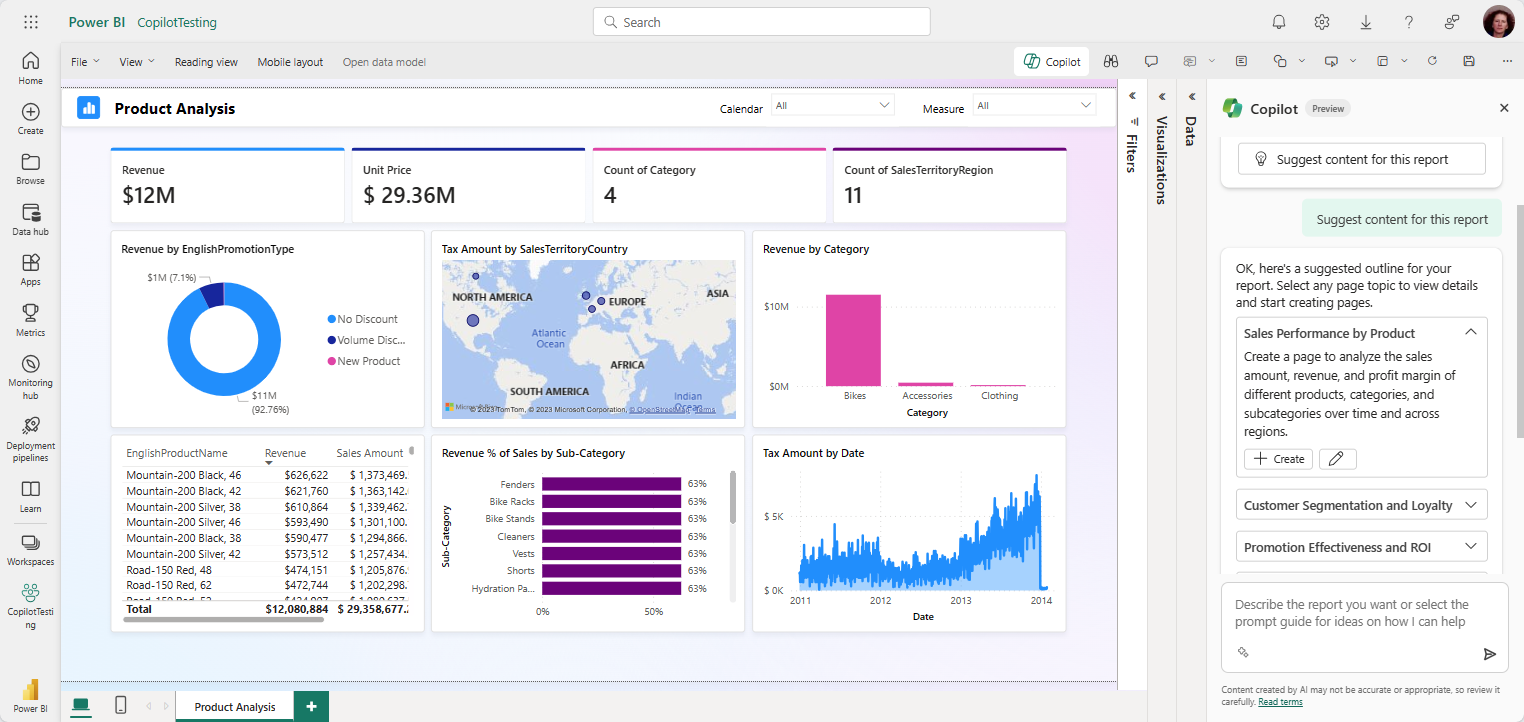
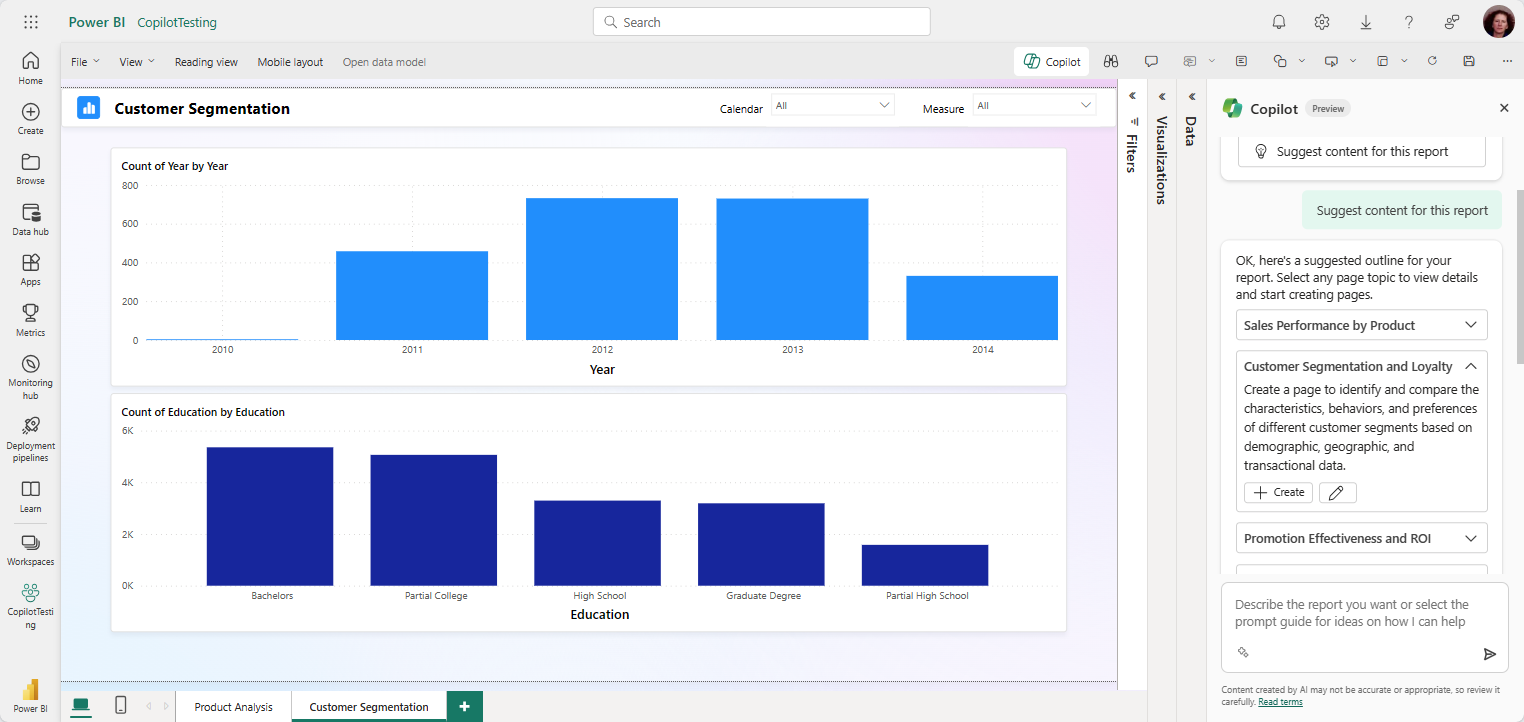
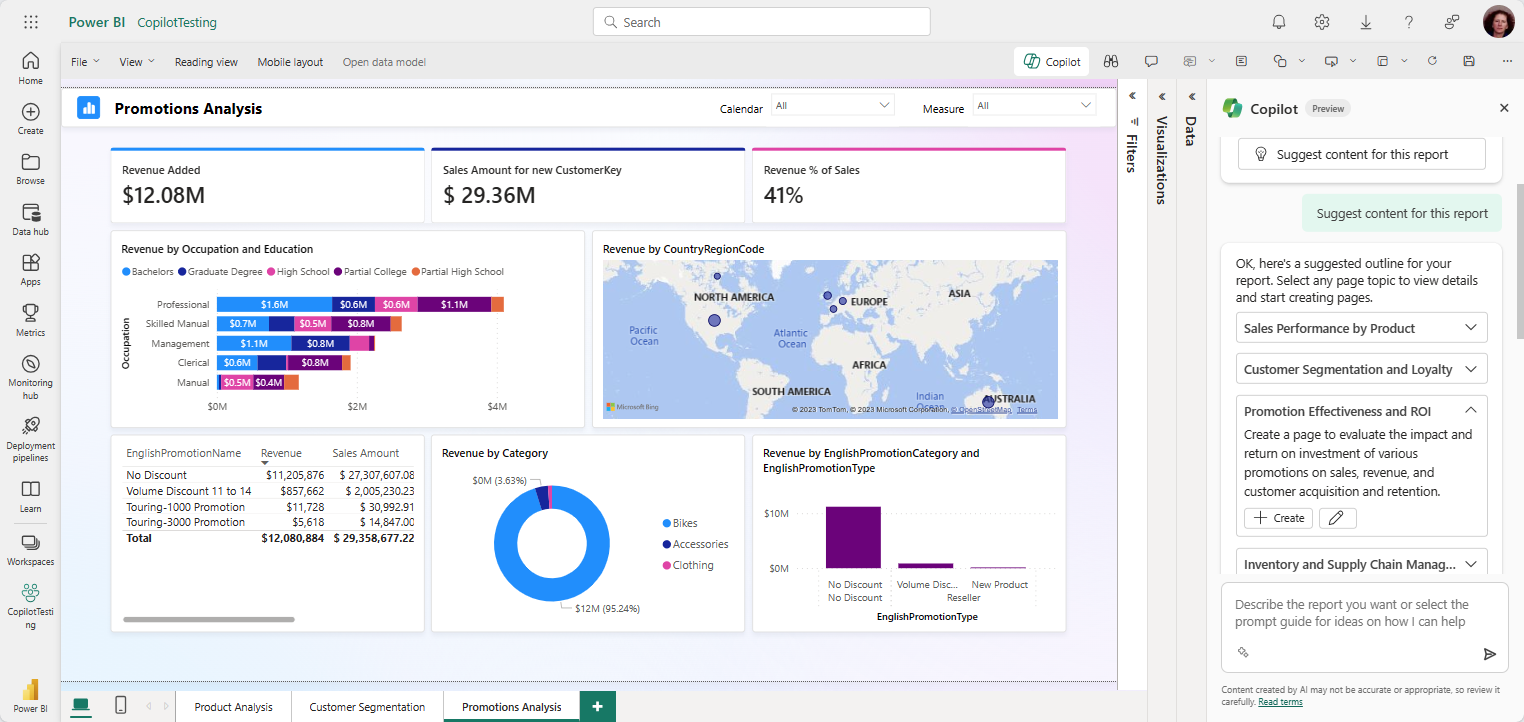
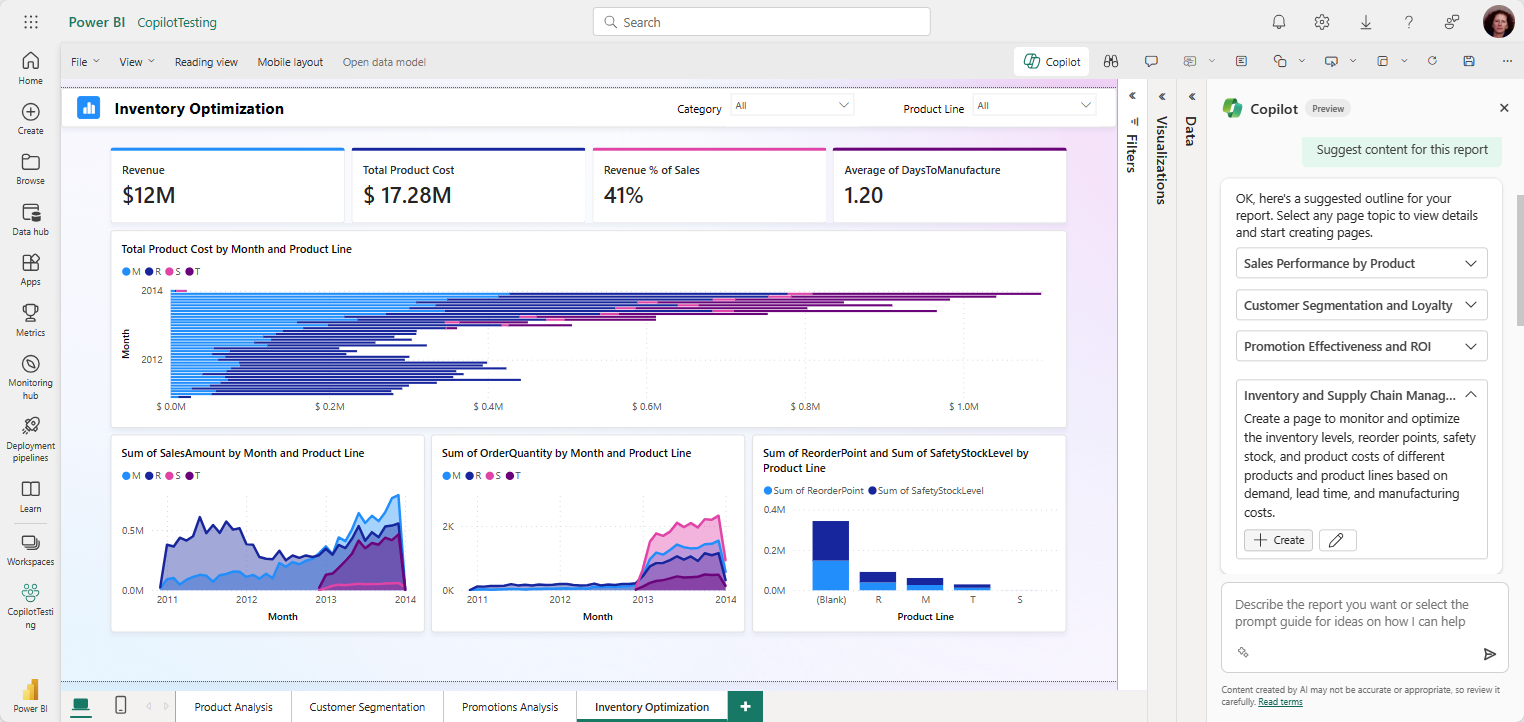
Each sample prompt shows a report page that Copilot generated from the prompt. Your prompts help Copilot understand what you're looking for, but they might not produce a page that's exactly what you want. It's a starting point for creating your report page. Modify the report page that Copilot created.
Sales performance by product
"Create a page to analyze the sales amount, revenue, and profit margin of different products, categories, and subcategories over time and across regions."
Customer segmentation and loyalty
"Create a page to identify and compare the characteristics, behaviors, and preferences of different customer segments based on demographic, geographic, and transactional data."
Promotion effectiveness and ROI
"Create a page to evaluate the impact and return on investment of various promotions on sales, revenue, and customer acquisition and retention."
Inventory and supply chain management
"Create a page to monitor and optimize the inventory levels, reorder points, safety stock, and product costs of different products and product lines based on demand, lead time, and manufacturing costs."
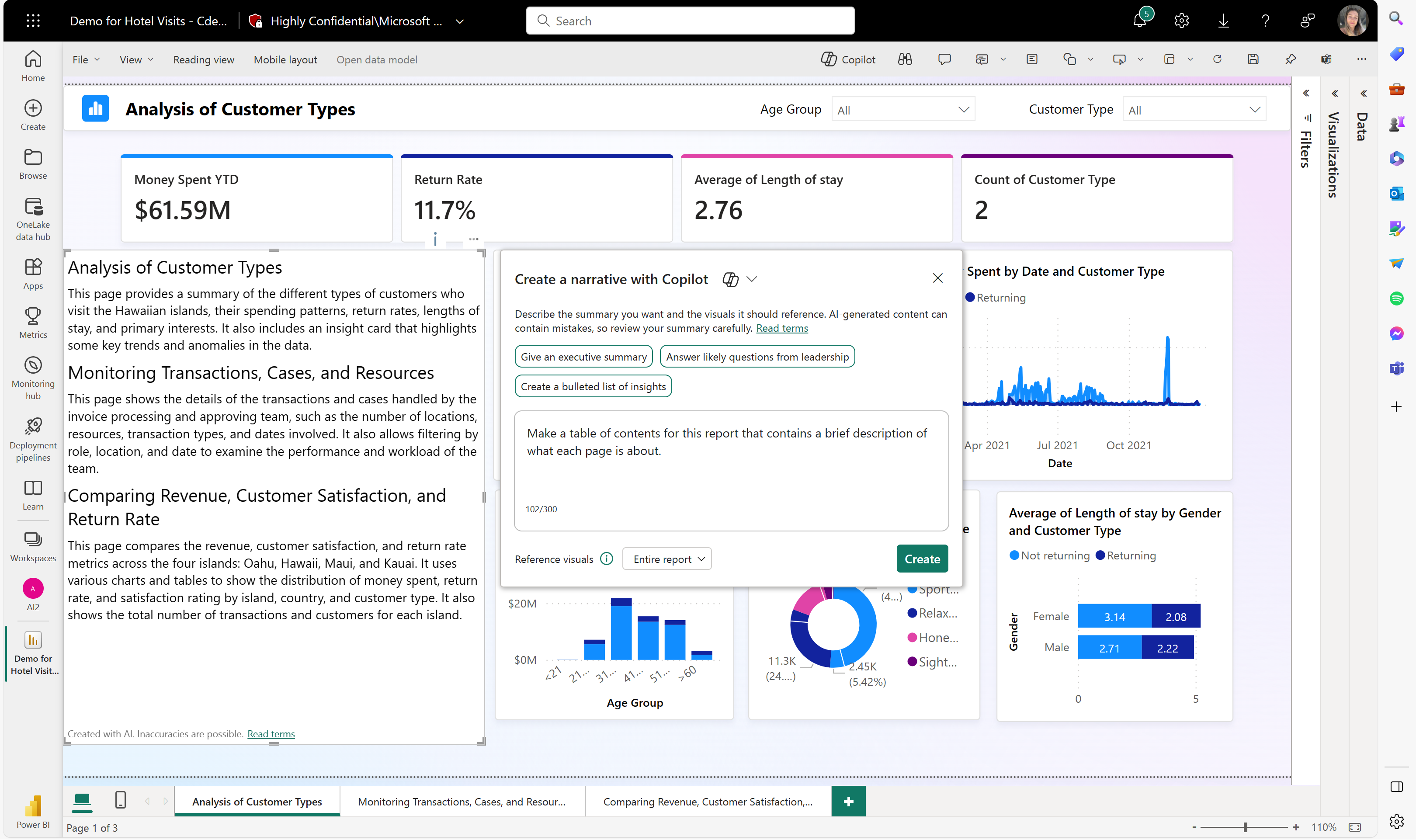
Create a table of contents
Generate a table of contents across your report pages.
"Make a table of contents for this report that contains a brief description of what each page is about."
Send feedback
Share your feedback about the product anytime. During public preview, your feedback especially helps improve the product faster.