Note
Access to this page requires authorization. You can try signing in or changing directories.
Access to this page requires authorization. You can try changing directories.
The jobs timeline in the Spark UI shows which jobs run, how long each job takes, and whether any jobs or executors fail. Start with the jobs timeline when a pipeline or query is slow or expensive. The pattern in the timeline determines which page in this guide to read next.
Use this page at the start of an investigation, before you know whether the problem is failures, idle time, one long job, or many short jobs. To open the Spark UI, see How to open the Spark UI.
How to open the jobs timeline
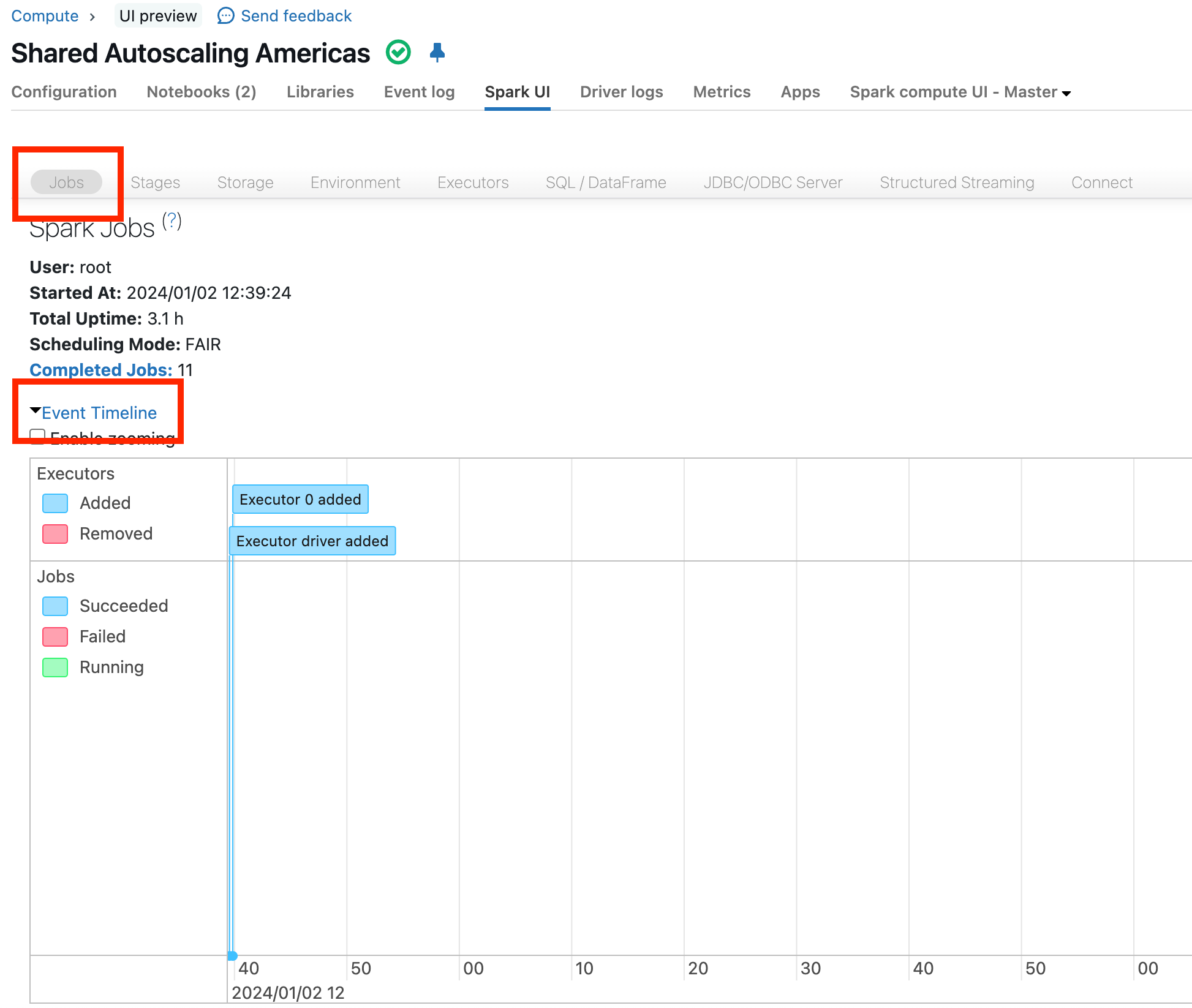
In the Spark UI, click Jobs, and then click Event Timeline, as highlighted in red in the following screenshot. The example timeline shows when the driver and executor 0 are added:
What to look for
The following sections describe patterns in the event timeline that point to the cause of a performance or cost issue. Each section ends with a link to the page that diagnoses that pattern.
Note
A job appears as running from the moment it's submitted, not from when its first task starts. When you submit jobs in parallel, for example using multiple threads and Futures, all of the jobs can appear to start at the same time. This is expected and doesn't indicate a problem on its own.
Failing jobs or failing executors
In the event timeline, failed jobs and removed executors have a red status, for example:
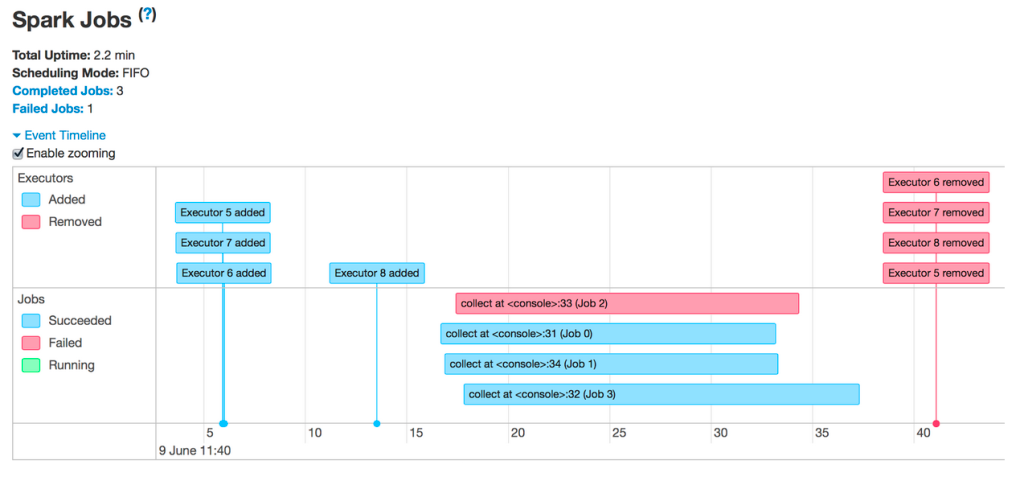
If the timeline shows failed jobs or removed executors, see Failing jobs or executors removed.
Gaps in execution
Look for gaps of a minute or more, for example:
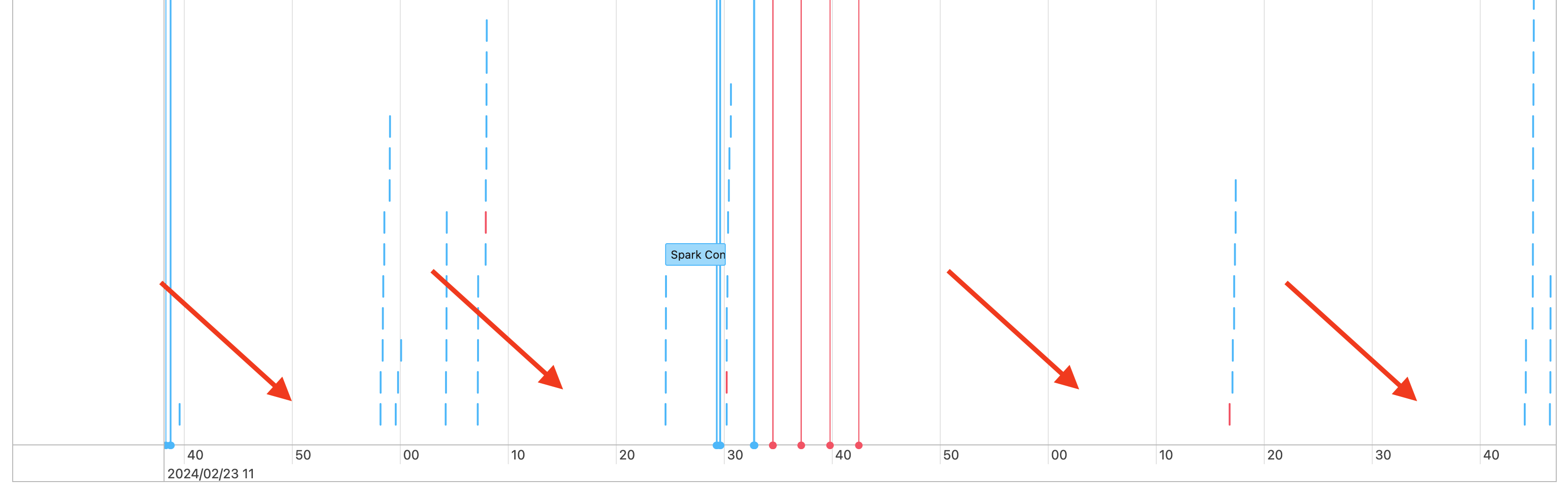
This example has several gaps, and red arrows highlight a few of them. Short gaps are expected while the driver coordinates work. Gaps of a minute or more need investigation when they occur in the middle of a pipeline. If the cluster runs continuously, a gap might be a pause between workloads. To tell the difference, compare the gaps with the times your workload started and ended.
If the timeline shows long, unexplained gaps in the middle of a pipeline, see Gaps between Spark jobs.
Long jobs
Check whether one or a few long jobs dominate the timeline. In this example, one job takes much longer than the others, so it's the job to investigate:
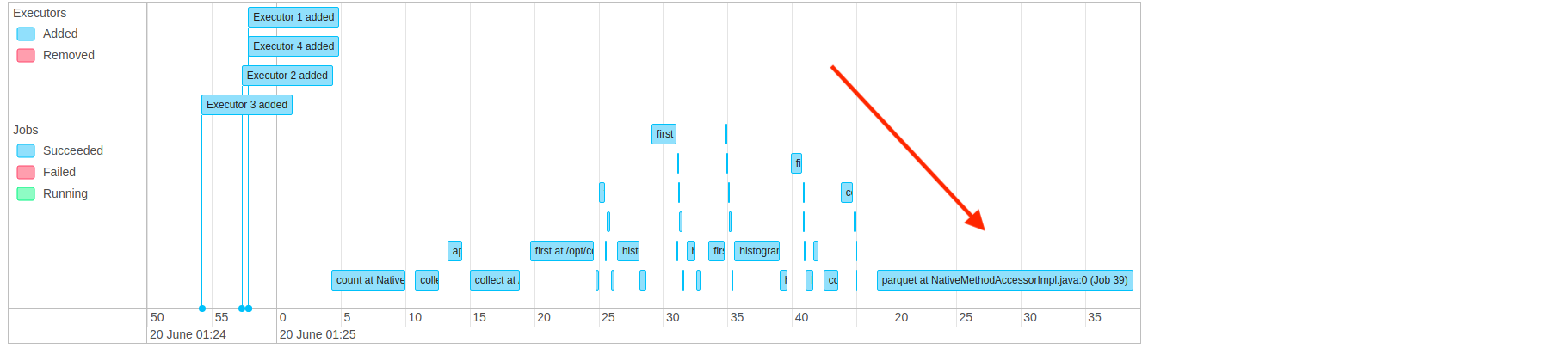
To investigate a long job, click it, and then see Diagnosing a long job in Spark.
Many small jobs
Look for a timeline dominated by small jobs, for example:
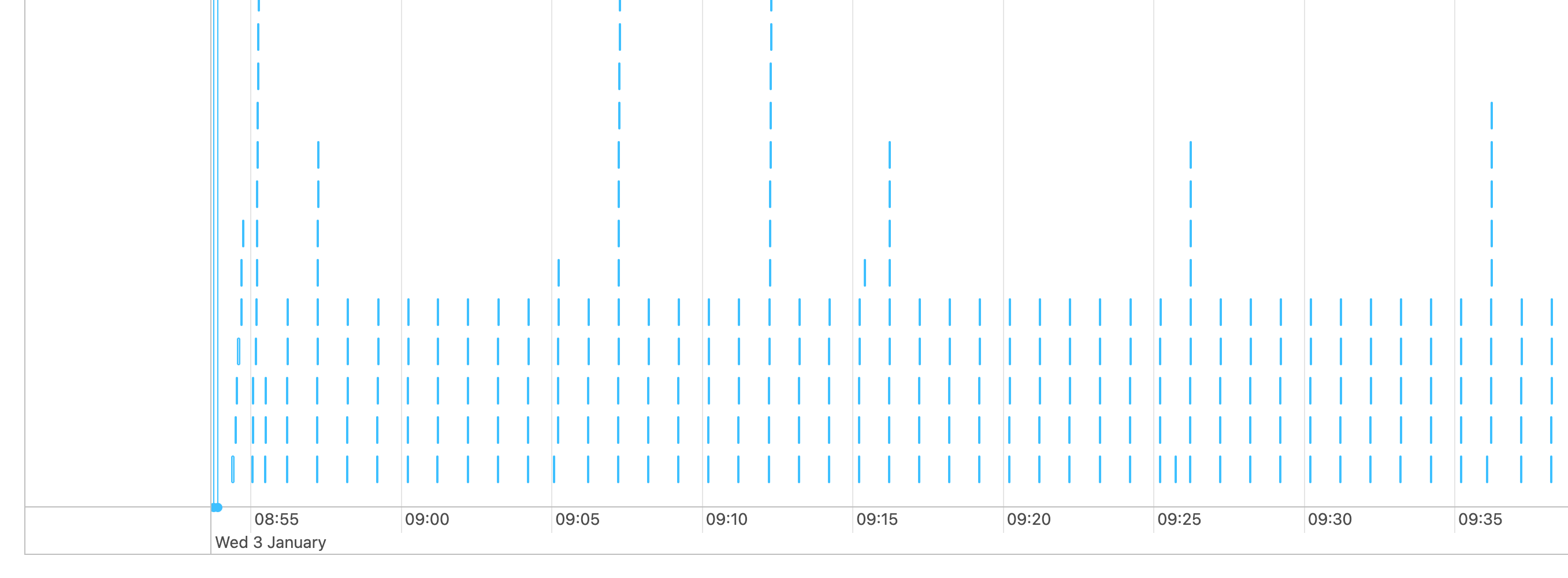
Each thin blue line is a small job that takes a few seconds or less.
If the timeline shows mostly small jobs, see Many small Spark jobs.
None of the above
If the timeline doesn't match any of the preceding patterns, find the longest job. Sort the jobs by duration, and then click the link in the description of the longest job:

After you open the page for the longest job, investigate its longest stage. See Diagnosing a long job in Spark.