Note
Access to this page requires authorization. You can try signing in or changing directories.
Access to this page requires authorization. You can try changing directories.
A gap in the jobs timeline is a period when no Spark job is running. During a gap, the workers are usually idle, but you still pay for the cluster. If gaps make up a large share of a workload's runtime, the workload takes longer and costs more than the Spark work alone requires.
Use this page when the jobs timeline shows gaps of a minute or more in the middle of a pipeline, for example:
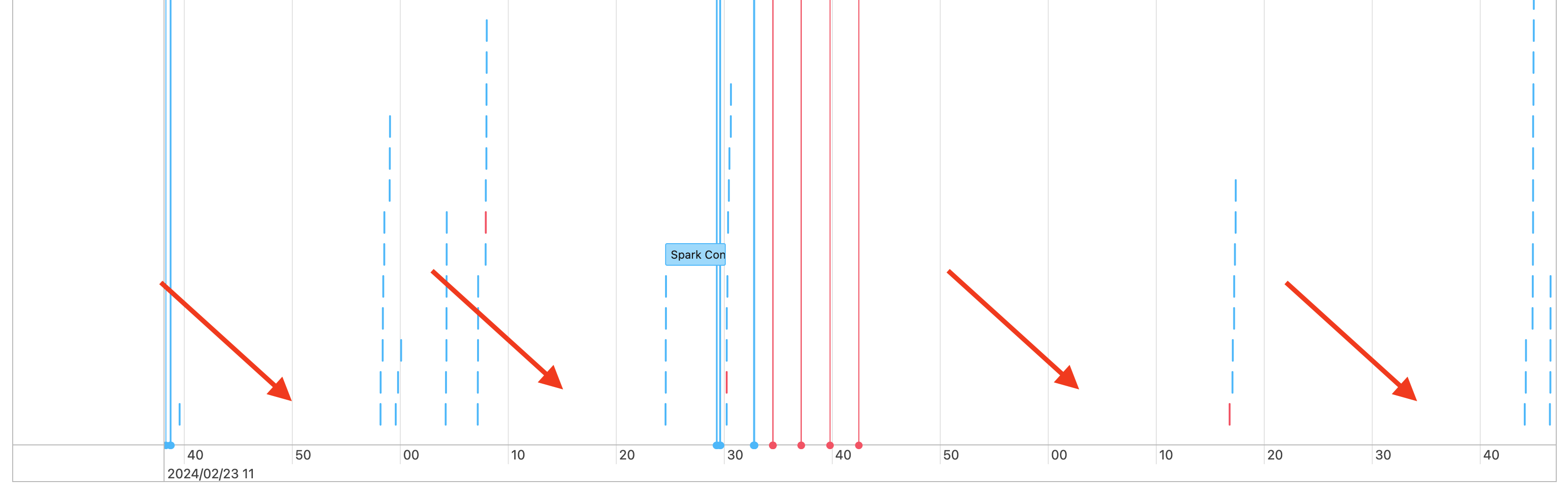
Short gaps are expected while the driver coordinates work. If the timeline shows a different pattern such as long jobs, review the jobs timeline for other patterns and use the other pages in this guide to diagnose the issue. See Diagnose cost and performance issues using the Spark UI.
To decide whether the gaps are expected, figure out what the cluster is doing during them. The most common causes are:
- No work
- Complex execution plan
- Execution of non-Spark code
- Driver is overloaded
- Cluster is malfunctioning
No work
On all-purpose compute, gaps usually mean the cluster has no work to do. For example, users submit queries intermittently, so the cluster sits idle between them. To reduce costs, Databricks recommends using serverless compute, where you don't pay for idle time.
Complex execution plan
A driver might take a long time to build and process a complex execution plan. No Spark jobs run during that time, so it appears as a gap in the jobs timeline. For example, calling withColumn() in a loop creates a very expensive plan. To fix this, simplify the code. Use selectExpr() to combine multiple withColumn() calls into one expression, or convert the code to SQL. You can embed the SQL in Python code and use Python string functions to build the query.
Execution of non-Spark code
Spark code uses SQL or a Spark API such as PySpark. Code that doesn't use Spark appears in the timeline as gaps. For example, a Python loop that calls native Python functions runs outside Spark. If you aren't sure whether your code runs Spark, run it interactively in a notebook. If the code uses Spark, you see Spark jobs under the cell:

To check whether those jobs are still running, expand the Spark Jobs drop-down under the cell. If the code doesn't use Spark, the cell shows no Spark Jobs, or none of the jobs are running. If you can't run the code interactively, add logging to the code and match the gaps to sections of the code by timestamp. That approach might be tricky.
If the timeline shows gaps from running non-Spark code, the workers sit idle during the gaps, but you still pay for them. If this is unintentional, rewrite the code to use Spark and fully utilize the cluster:
- If you're new to Spark, see Tutorial: Load and transform data using Apache Spark DataFrames.
- If the code uses Python, see PySpark basics.
- If the code uses pandas, use the pandas API on Spark.
If the non-Spark code is necessary, consider serverless compute, where you don't pay for idle time. This approach might significantly reduce the cost.
Driver is overloaded
To check whether the driver is overloaded, look at the cluster metrics. On Databricks Runtime 13.0 and above, click Metrics, as highlighted in this screenshot:
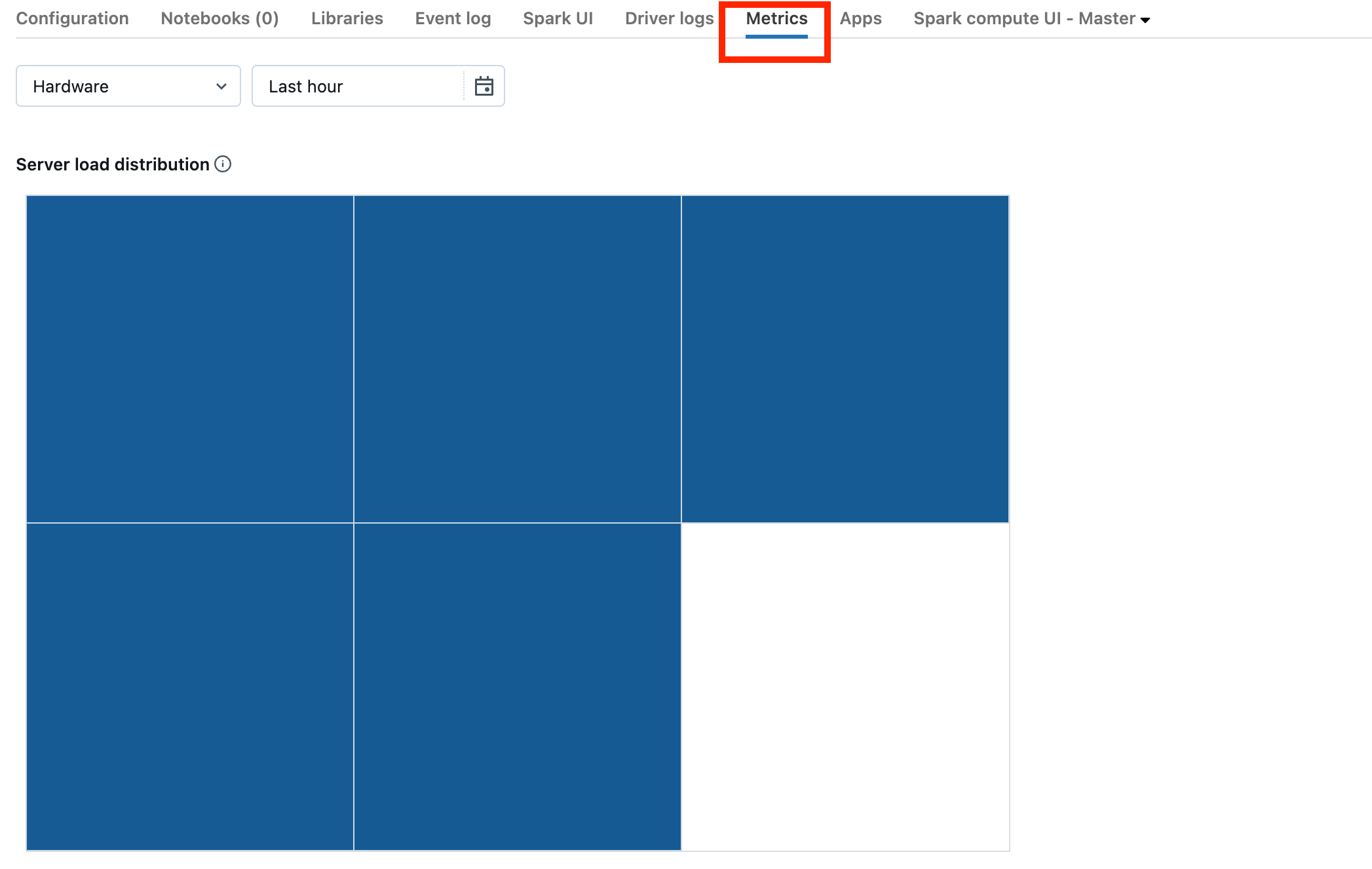
In the Server load distribution visualization, check whether the driver is heavily loaded. The visualization has a block of color for each machine in the cluster. Red indicates heavy load, and blue indicates no load.
The preceding screenshot shows a mostly idle cluster. If the driver is overloaded, the visualization looks similar to this:
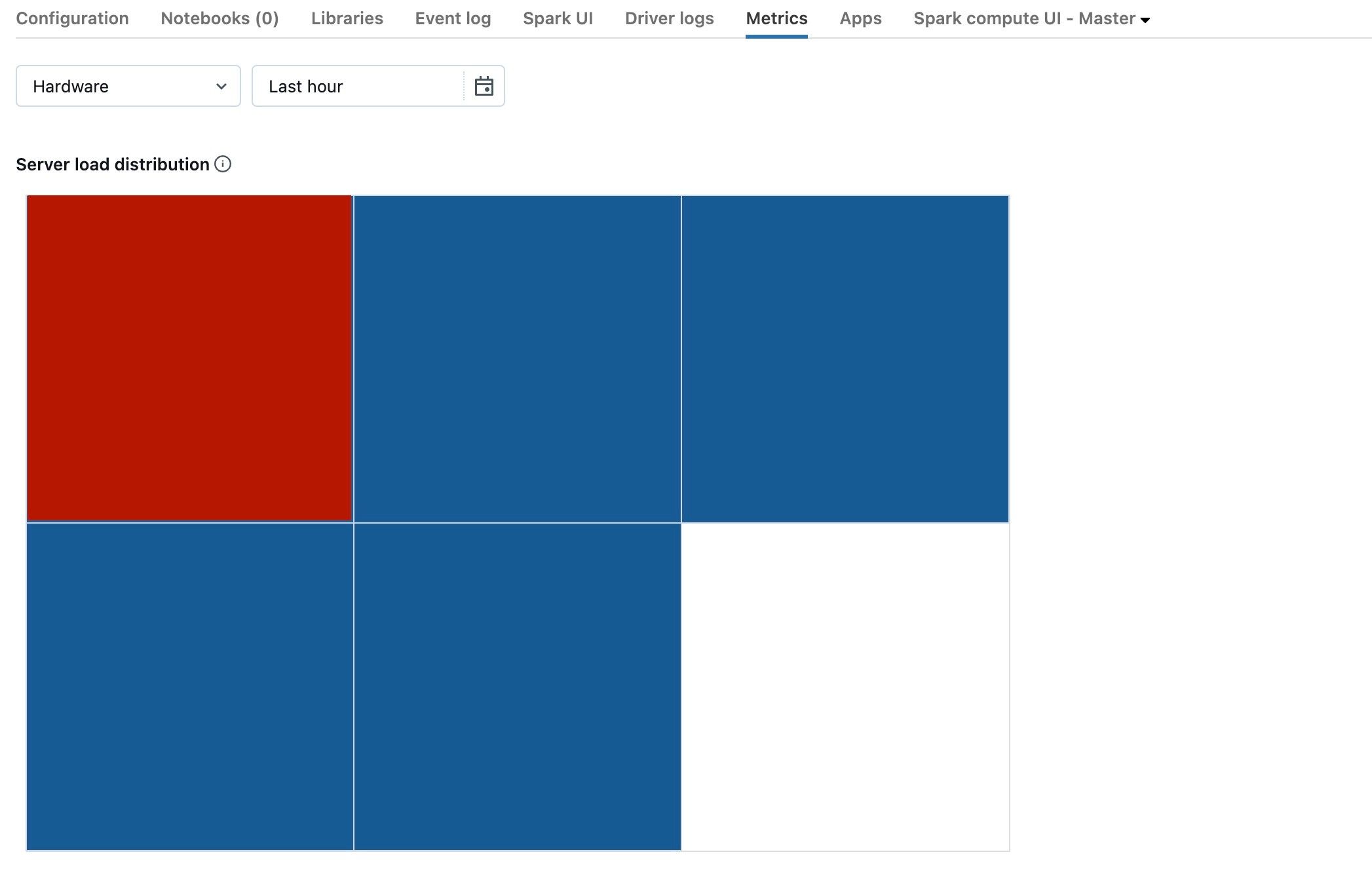
In this example, one square is red, while the others are blue. Hover over the red square to verify that it represents the driver.
To fix an overloaded driver, see Spark driver overloaded.
Cluster is malfunctioning
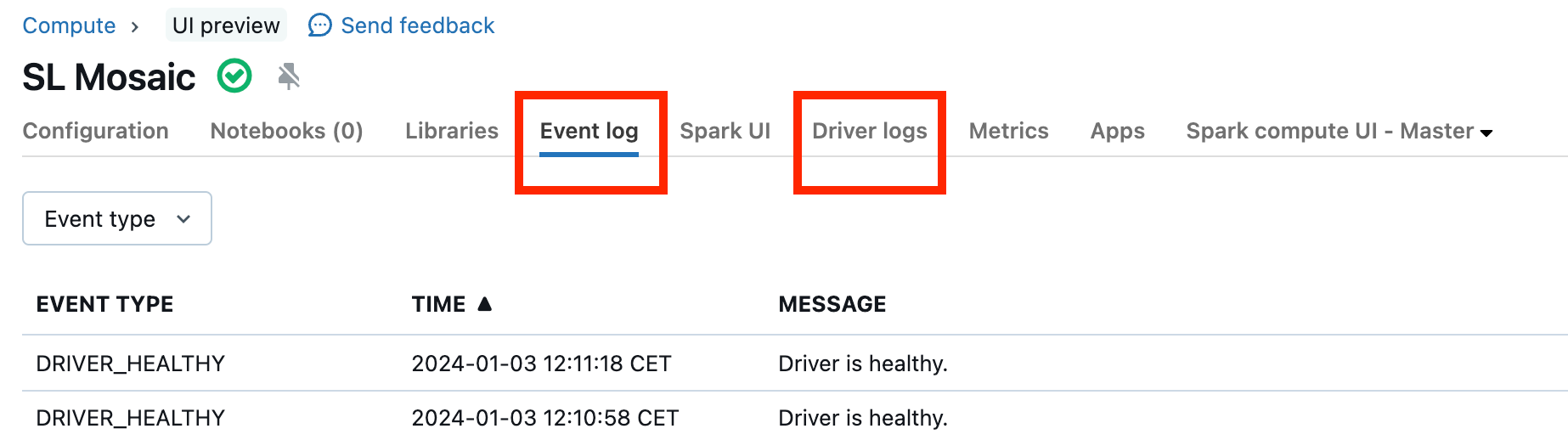
Clusters rarely malfunction, and when they do, the cause might be difficult to find. Restart the cluster to see whether that resolves the issue. To check the logs for anything suspicious, use the Event log and Driver logs tabs, highlighted in the following screenshot:
To access the worker logs, enable cluster log delivery. You can also change the log level, which might require help from your Databricks account team.