Note
Access to this page requires authorization. You can try signing in or changing directories.
Access to this page requires authorization. You can try changing directories.
Applies only to:  Foundry (classic) portal. This article isn't available for the new Foundry portal. Learn more about the new portal.
Note
Links in this article might open content in the new Microsoft Foundry documentation instead of the Foundry (classic) documentation you're viewing now.
Warning
Prompt flow in Microsoft Foundry and Azure Machine Learning will be retired on April 20, 2027. Prompt flow is no longer recommended for new development. Migrate existing Prompt flow applications and deployments to Microsoft Agent Framework before April 20, 2027.
Prompt flow container images are no longer receiving updates, including security and package updates. This applies to Prompt
flow runtime images, including promptflow-runtime, promptflow-runtime-stable, and promptflow-python.
After April 20, 2027, Prompt flow, including the web authoring experience in Microsoft Foundry and Azure Machine Learning, the VS Code extensions, and related Prompt flow container images, will no longer be supported or available.
If your application depends on Prompt flow deployments or runtime images, plan to move those workloads to supported alternatives such as Microsoft Agent Framework before the retirement date. For migration guidance, see the Prompt flow migration guide and migration code samples.
To use large language models (LLMs) for natural language processing, use the prompt flow LLM tool.
Tip
For embeddings to convert text into dense vector representations for various natural language processing tasks, see Embedding tool.
Prerequisites
Important
This article provides legacy support for hub-based projects. It will not work for Foundry projects. See How do I know which type of project I have?
SDK compatibility note: Code examples require a specific Microsoft Foundry SDK version. If you encounter compatibility issues, consider migrating from a hub-based to a Foundry project.
- An Azure account with an active subscription. If you don't have one, create a free Azure account, which includes a free trial subscription.
- If you don't have one, create a hub-based project.
Prepare a prompt as described in the Prompt tool documentation. The LLM tool and Prompt tool both support Jinja templates. For more information and best practices, see Prompt engineering techniques.
Build with the LLM tool
Create or open a flow in Microsoft Foundry. For more information, see Create a flow.
Select + LLM to add the LLM tool to your flow.
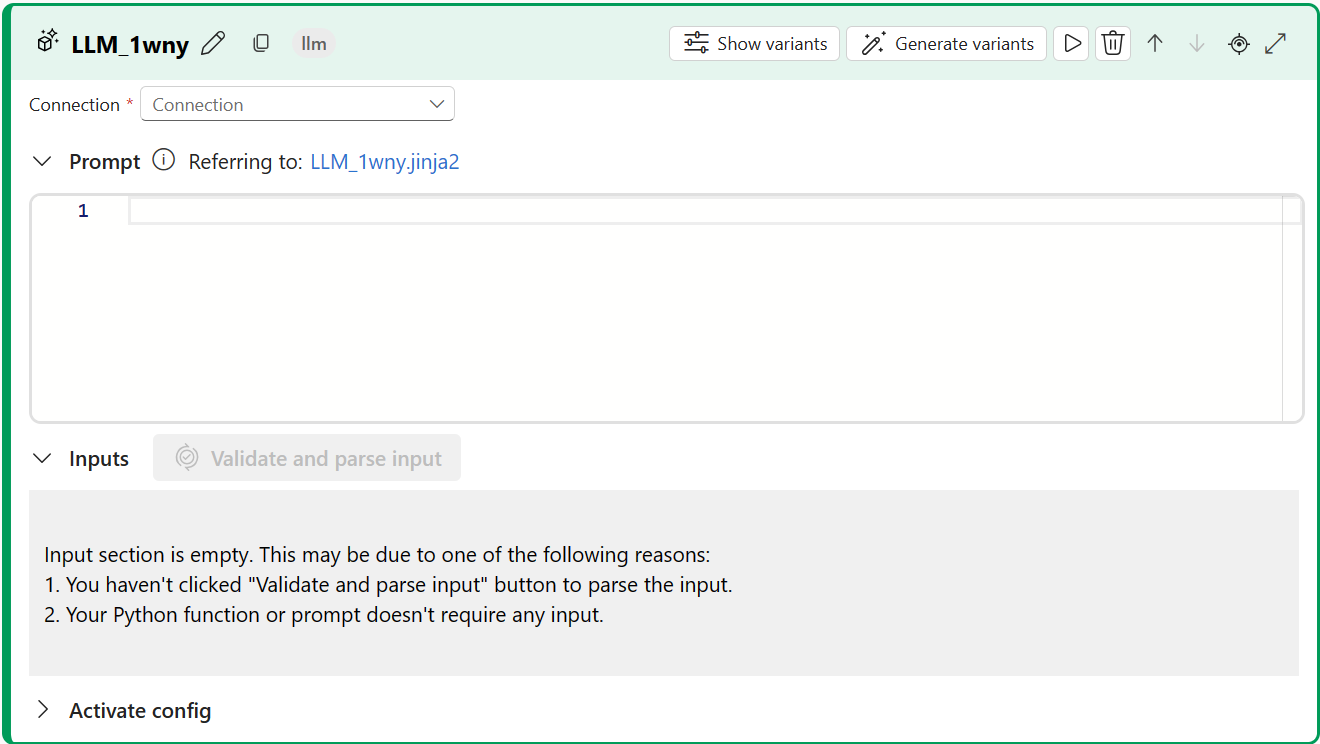
Select the connection to one of your provisioned resources. For example, select Default_AzureOpenAI.
From the Api dropdown list, select chat or completion.
Enter values for the LLM tool input parameters described in the Text completion inputs table. If you selected the chat API, see the Chat inputs table. If you selected the completion API, see the Text completion inputs table. For information about how to prepare the prompt input, see Prerequisites.
Add more tools to your flow, as needed. Or select Run to run the flow.
The outputs are described in the Outputs table.
Inputs
The following input parameters are available.
Text completion inputs
| Name | Type | Description | Required |
|---|---|---|---|
| prompt | string | Text prompt for the language model. | Yes |
| model, deployment_name | string | The language model to use. | Yes |
| max_tokens | integer | The maximum number of tokens to generate in the completion. Default is 16. | No |
| temperature | float | The randomness of the generated text. Default is 1. | No |
| stop | list | The stopping sequence for the generated text. Default is null. | No |
| suffix | string | The text appended to the end of the completion. | No |
| top_p | float | The probability of using the top choice from the generated tokens. Default is 1. | No |
| logprobs | integer | The number of log probabilities to generate. Default is null. | No |
| echo | boolean | The value that indicates whether to echo back the prompt in the response. Default is false. | No |
| presence_penalty | float | The value that controls the model's behavior regarding repeating phrases. Default is 0. | No |
| frequency_penalty | float | The value that controls the model's behavior regarding generating rare phrases. Default is 0. | No |
| best_of | integer | The number of best completions to generate. Default is 1. | No |
| logit_bias | dictionary | The logit bias for the language model. Default is empty dictionary. | No |
Chat inputs
| Name | Type | Description | Required |
|---|---|---|---|
| prompt | string | The text prompt that the language model should reply to. | Yes |
| model, deployment_name | string | The language model to use. | Yes |
| max_tokens | integer | The maximum number of tokens to generate in the response. Default is inf. | No |
| temperature | float | The randomness of the generated text. Default is 1. | No |
| stop | list | The stopping sequence for the generated text. Default is null. | No |
| top_p | float | The probability of using the top choice from the generated tokens. Default is 1. | No |
| presence_penalty | float | The value that controls the model's behavior regarding repeating phrases. Default is 0. | No |
| frequency_penalty | float | The value that controls the model's behavior regarding generating rare phrases. Default is 0. | No |
| logit_bias | dictionary | The logit bias for the language model. Default is empty dictionary. | No |
Outputs
The output varies depending on the API you selected for inputs.
| API | Return type | Description |
|---|---|---|
| Completion | string | The text of one predicted completion. |
| Chat | string | The text of one response of conversation. |